 |
|||||
|
|
Table of Contents:
|
|||
|
|||||
Editor: Michael Orr
Technical Editor: Heather Stern
Senior Contributing Editor: Jim Dennis
Contributing Editors: Ben Okopnik, Dan Wilder, Don Marti
|
|
TWDT 1 (gzipped text file) TWDT 2 (HTML file) are files containing the entire issue: one in text format, one in HTML. They are provided strictly as a way to save the contents as one file for later printing in the format of your choice; there is no guarantee of working links in the HTML version. | |||
|
|||
![[tm]](../gx/tm.gif) ,
http://www.linuxgazette.com/ ,
http://www.linuxgazette.com/This page maintained by the Editor of Linux Gazette, gazette@ssc.com
Copyright © 1996-2001 Specialized Systems Consultants, Inc. | |||
|
|||
 The Mailbag
Send tech-support questions, answers and article ideas to The Answer Gang <linux-questions-only@ssc.com>. Other mail (including questions or comments about the Gazette itself) should go to <gazette@ssc.com>. All material sent to either of these addresses will be considered for publication in the next issue. Please send answers to the original querent too, so that s/he can get the answer without waiting for the next issue.
Unanswered questions might appear here. Questions with answers--or answers only--appear in The Answer Gang, 2-Cent Tips, or here, depending on their content. There is no guarantee that questions will ever be answered, especially if not related to Linux.
Before asking a question, please check the Linux Gazette FAQ to see if it has been answered there.
 Compact Flash Card
I have a problem in adding a new file system in to a device called mediaEngine. It is a product of brightstareng.com There is slot for a Compact Flash. I bought a compact flash and added it, but thenit does not recognise the card. it says there isan i/o error. the mke2fs does not work properly. I am not able to mount even.
pleaese help me regarding this.
thanking you inadvance
kamalakanth
Booting x86 from flash using initrd as root deviceHello Everybody,
I am trying to develop a x86 target which boots from Flash. I have taken the BLOB bootloader (taken from LART project based on ARM processor.) and am modifying it for X86. So far I am able to get the Linux kernel booted. But when it comes to the mounting of rootfile system I am stuck. ( The blob downloads the kernel image and initrd image into RAM from Flash/through serial line).
1. I am getting the compressed kernel image in RAM at 0x100000 through serial line.
2. I am getting the compressed ramdisk image(initrd) in RAM at 0x400000 through serial line.
3. The kernel gets uncompressed and boots correctly till the point of displaying the message
RAMDISK: Compressed image found at block 0. and then hangs.
4. After debugging I have found that control comes till gunzip function inlinux/lib/inflate.c but never comes out of the function.
5. The parameters I have set at the begining of setup_arch function in linux/arch/i386/kernel/setup.c are as follows
         ORIG_ROOT_DEV = 0x0100
         RAMDISK_FLAGS = 0x4000
         INITRD_START = 0x400000
         INITRD_SIZE =  0xd4800    (size of compressed  ram disk image)
         LOADER_TYPE = 1
Has anyone faced such problem before? If so what needs to be done?
Are the values for the parameters mentioned above correct? Are they the only information to be mentioned to the kernel for locating and uncompressing the RAMDISK image and make it boot?
Is there any bootloader readily available for x86 platform for booting from Flash also with serial downloading facility?
Please help
With Kind Regards,
manohar
KEEP UP THE GOOD WORK !!!!Remember when you said :
WinPrinter Work-around
From harmbehrens on Sat, 01 May 1999
Hello, is there any work-around to get a gdi printer (Star Wintype 4000) to work with Linux :-?
Harm
. . .
I presume that these are NOT what you wanted to hear. However, there is no way that I know of to support a Winprinter without running drivers that are native to MS Windows (and its GDI --- graphics device interface --- APIs).
What about using one of the Windows emulators like WINE (http://www.winehq.org) ? -- Mike
Actually, a very few GDI- aka "winprinters" are supported - some Lexmarks. I saw them first as debian packages but I'm pretty sure Linuxprinting.org has more details. The notes said that rumor has it some other GDI printers work with those, but it's a bit of effort and luck. Rather like winmodems... -- Heather
I Agree 100% about the GDI printers! (I refer to them as Goll Damn M$ Imitators). Unfortunately, until the recent developments on the federal court case M$ has not been checked at all. Some parts of what they, as a Monopoly have done has been good for the IT commmunity, while other things have really crapped on people WHO THINK!
Thank GOD !!!!! Linux is around to be a thorn in their side ...
THe other incidious thing printer manufacs have done is stop building as many Postscript printers. They are all using the friggin Windows drivers to do everything ... . So I have begun to play the stinkin game by mounting SMALL 468-DX266 16 Megs Linux Print Servers running SAMBA. THe newest ver of SAMBA even does PDC correctly.
Linux has been my savior in many times of need! I have been able to use thos stinking 386 boat anchors as LRP routers or firewalls, the small 90 Pent to 166 Pent are becoming LTSP Linux Xwindow Terminals. I still have stinking problems from time to time, yet I DON'T HAVE TO REBOOT EVERY 24 [&^%$!#]* days PER TECHNET(M$ answer to internal pay support) FOR NT SERVERS! I have Linux servers with uptimes of 200 + days IN PRODUCTION!
I'll sign off , enough rambling and ranting for one email. I just found your stuff through linuxdoc.org, and I thought you HIT THE NAIL ON THE HEAD!
KEEP UP THE GOOD WORK!
The real question is, is it worth spending 50 bucks instead of 200 or more, when you're going to spend a bunch of time making sure your driver is wired up right? I have an unfair advantage, since I live where these things are sold readily, but I get to say no ... I can spend about 80 bucks on a color printer which is actually listed as fully supported.
You may be able to mail order a good printer at a decent price. On the other hand, if exploring how these things all tie together under the hood is fun, then you can improve the state of the art for such printers, and maybe some fine day folks will be able to easily use "the GDI printer that came with their MS windows" without having to fight with it like this.
-- Heather
not happyOn Wed, Jul 04, 2001 at 09:26:35PM +1000, 32009318 wrote:
i know how annoyed you guys at the linux gazette must feel as i have been reading many back issues of the gazette and finding lots of cool tips and trick but the question always comes up
CAN YOU SOLVE WINDOWS PROBLEMS people just dont get it youre called the linux gazette and you help with linux questions
Unfortunately, we also have no idea where they find the reference to us that gives them the impression we do anything in Windows... more's the pity, since we can't beg the webmaster to take the link down.
They can certainly trip on us in search engines though, especially the worse ones. I can imagine someone frustrated with some Windows networking matter tripping over our many notes about Samba, since the point is to link up to some MSwin boxes... -- Heather
(you do it very well i should add)
Oh thank you, we like to hear that! -- Heather
The problem is, most people who ask Windows questions found the submission address via a search engine, and have no idea the address belongs to Linux Gazette or even know what Linux Gazette is. Perhaps we should have used an address like linux-questions-only, but we can't stop honoring the old addresses since they are published in so many back issues and some are on CD-ROMs that we can't change. -- Mike
You should clearley state this in youre next issue or be humorous and rename yourself The Not Windows Gazette
 They're not the only odd ones out - we've had IRIX, PC-MOS, and other
odd OS users crop up before too.
They're not the only odd ones out - we've had IRIX, PC-MOS, and other
odd OS users crop up before too.
[Ben] Even had someone trying to get root access to their rhubarb, recently...
Funny you should mention a name change though. We have changed the name of the Answer Gang mailing list to "linux-questions-only@ssc.com" -- Heather
Many TAG threads have humorous comments and/or rants about off-topic questions. Heather also tries to guide people in her "Greetings from Heather Stern" blurb about how to ask a good question and how not to ask a bad question. Finally, I have started making fun of off-topic questions on the Back Page of the past few issues. There's now a section on the Back Page called "Not The Answer Gang", as well as "Wackiest Topic of the Month". -- Mike
keep up the good work with linux
Thanks bunches, we're glad you enjoy the read! -- Heather
Blinking Icons
I love reading LG every month, especially TAG, and 2cent tips. But the new
blinking question and exclamation icons are somwhat annoying. Any chance of
going back to the old ones?
thanks for all the good work!
blinking? They're not supposed to blink. In fact, if they are it's been that way for YEARS ... since I first provided .gif files with the ! and ? in them in blue, instead of with those stupid "!" and "?" that nobody could read.
It would mean I accidentally had layers in them. But there's no loop command, so even if you see that briefly it should stop. Is that what you are seeing, or does it continue to blink? Did you change browsers at all recently? If so to which one?
We have been trying to improve browser compatability lately anyway
Thanks
for bringing it up.
[ turning to my fellow editor ] Mike, did anybody run any scripts against the graphic images recently that I need to know about?
-- Heather
No, we haven't changed those images. I've threatened to change all .gif's to .png or .jpg and change all the links, but haven't done it yet. I've only used blinking text once or twice and that wasn't in the TAG column.
Also, LG is probably the only site in the world that requires NON-ANIMATED logo images from its sponsors. Because I personally have a strong intolerance for unnecessary animations.
-- Mike
The "blinking Icons" are actually three layer gifs with one backround (white bubble) and 0ms display time and two layers (question mark and shadow) with 100ms display time in combine mode (will be overlayed over the previous one).
opera5.0/Linux displays them on a strange blue background (seems to have a gif problem, also with other gifs not only these little ones).
If you want a scriptable tool (besides gimp) there is a program called pngquant which can do the color (and size) reduction on png files which convert will not do.
-- K.-H.
-- Heather
questionEveryone I know is having the same problem. Not only is the Telnet completely outdated, but it simply does not work for people off campus in most areas...
Hint: putty, one of the ssh clients for Windows that we keep pushing, is also a better "normal telnet" client for Windows. -- Heather
And last weekend I discovered that the public library in Halifax, Nova Scotia, has putty as the default terminal emulator on their public Windows terminals!!! Way to go, library! And switching between telnet and ssh in putty is easy: just choose one radio button or the other.
Unkudos to the Second Cup cybercafe in Halifax. The Start menu has a special item for Telnet but when you choose it, you get a dialog saying, "this operation is prohibited by the system administrator". -- Mike
you call yourself the "answer guy" and all you know how to be is a sarcastic little bastard..
If you saw the hundreds of messages we receive every month and the high percentage of them that are questions totally outside our scope, you might become a sarcastic little bastard too. -- Mike
We all have our good days, and our sarcastic days, and the point of our column is that we're real people, answering in just the same way we would if you asked us at the mall while we were buying a box of the latest Linux distro.
A particular thing to note is very few of us are Windows people. Most of us not at all - and others have had bad real-life experiences with the OS you presently favor. So not everyone will be cheer and light towards things we consider to be poor sysadmin practices. Especially things which would be poor sysadmin practices even in an all Microsoft corporate netcenter.
At least two of us have enough WIndows experience to attempt answers in that direction -- but this is the LINUX Gazette. If your questions are not about LINUX at least partially, then we really didn't want to hear from you... so you should be glad you got any answer at all...
... and curiously enough, some Windows people have gotten real answers for themselves in Linux documents once we point them the right way.
The practice of running an open service needs more care than just "clicking Yes" on the NT service daemon, and some of these services only make sense in a locked up environment.
Many but not all of The Answer Gang feel that telnet is now one such service. By mailing us you ask our opinion, and that opinion is real, so we say it. You do not have to like our opinions. We don't have to like yours. We can still share computing power.
A free society is one where it is safe to be unpopular.
you make yourself seem very unintelligent to me and have you ever heard of "If you can't say anything nice.don't say it at all?"
As if calling us a bastard is nice, yet you bothered to say that. You know absolutely nothing of the parentage of any member of this group unless you read our Bios (http://www.linuxgazette.com/issue67/tag/bios.html) ...
... and we know that you have not because you only speak to one person.
Parentage (or lack of one) doesn't necessarily lead to being technologically clued, but having technical or scientifically inclined parents seems to help.
Apparently not. The question Nellie asked was a valid one. Too bad she does now all the mumbo jumbo computer jargon...maybe the next time you should self proclaim yourself as the "Smart-ass Guy" instead. Miriam Brown
I believe "curmudgeon" is the term you're looking for, and yes, Jim Dennis labels himself to be one. Proudly.
Interestingly, a querent this month has asked where to read up on the techy mumbo jumbo words so they can learn more about Linux and speak more freely with their geeky friends. Our answers to that will actually be useful to many readers.
Poor english is tolerated to a fair degree on the querent's side. (that is, if we can't figure out what querents are saying, it's hard to even try to answer them). Each Answerer's personal style is mostly kept - so some are cheerful, some are grumpy.
PS...Don't answer guys usually use spell check?
It is not required to know how to use a spell checker, in order to know how to rebuild a kernel. You have delusions of us being some glossy print magazine like Linux Journal. (ps. Our host, SSC publishes that. It does get spell checked and all those nice things. Go subscribe to it if you like. End of cheap plug.)
Nobody here is paid a dime for working on the Gazette specifically, so our editorial time is better spent on link checking and finding correct answers... er, well, we try... than spellos. We have occasionally had people complain about this point very clearly and loudly, but there is not room in the publishing schedule for them to squish themselves in between and still meet deadline. We suggested that they make their own site carry the past issue after fixes (our copyright allows this) but the people have then always backed down and gone away. We'd almost certainly merge their repairs if they made some, but nobody has taken up on that offer yet. Oh well. Let us know if you want to start the Excellent Speller's Site - we'll cheer for you. Maybe some other docs in the Linux Documentation Project (LDP) could stand a typo scrub too.
Oddly, many people read LG religiously because it's written in person to person mode and doesn't spray gloss all over the articles and columns that way. You will get ecstatic excitement at successes and growling at bad ways to do things and every emotion in between.
No, many of the querents don't spell check either, but we still answer them.
I hope you enjoyed your time flaming, but we have people asking questions about Linux to get back to.
"Those were the days"I have this dream of contributing something wonderfully useful to the Gazette, but it ain't going to happen today. . .
No, I noticed the ravings on The Back Page of issue 67, and had to send you the lyrics of "Those were the days":
. . .
(It looks like the rest was pretty good up til the last verse)
. . .
Didn't need no welfare state
Everybody pulled his weight
Gee, our old LaSalle ran great
Those were the days.
But better yet, is the Simpsonized version --
For the way the BeeGees played
Films that John Travolta made
Guessing how much Elvis weighed
Those were the days
And you knew where you were then
watching shows like Gentile Ben
Mister we could use a man like Sheriff Lobo again
Disco Duck and Fleetwood Mac
Coming out of my eight-track
Micheal Jackson still was black,
Those were the days
Maybe next time I write in, I'll have something more useful.
-- Pete Nelson
Thanks, Pete, glad we could amuse. I think we need a linux version, or maybe a BSD one... -- Heather
RE: Linux Gazette Kernel Compile Article.Hi,
First i must commend you on providing a service to all the Linux users out there trying to get started on rolling their own kernel. I would just like to point out a few things i found somewhat confusing about your article.
You compiled in "math emulation" support even though you have a CPU with a built in maths co-processor, in this case the math emulation will never be used and essentially wastes memory. secondly, you selected SMP support for your uniprocessor (UP) system. This on some occasion can cause problems with specific UP motherboards causing them not to boot or certain kernel modules not loading, in addition to being slower and taking up more memory than a non-SMP kernel. Also as you might want to break apart your build procedure by using double ampersands. i.e. "make dep && make bzImage && make modules && make modules install ....."
That aside, it's great that you're willing to share your experiences and knowledge with the rest of the Linux community.
Regards,
Zwane
Parrallel processingI would like to contact the uuthor of the above article which appeared in the april 2001 edition of your magazine .
The author's name in all our articles is a hyperlink to his e-mail address. Rahul Joshi's is jurahul@hotmail.com -- Mike
response to: Yet Another Helpful EmailI was pleased to see a letter by Benjamin D Smith that compares learning Windows to learning Unix by drawing a mental graph of the respective learning curves, because I thought it would set straight a lot of people who misuse the term "steep learning curve."
But then Smith went ahead and misused the term himself, in a way wholly inconsistent with the picture he drew.
To set the record straight, allow me to explain what a learning curve is, and in particular what a steep one is all about.
The learning curve is a graph of productivity versus time. As time passes, you learn stuff and your productivity increases (except in weird cases).
Windows has a steep learning curve. You start out useless, but with just a little instruction and messing around, you're already writing and printing documents. The curve rises quickly.
Unix has a very shallow learning curve. You start out useless, and after a day of study, you can still do just a little bit. After another day, you can do a little bit more. It may be weeks before you're as productive as a Windows user is after an hour.
Smith's point, to recall, was that the Windows learning curve, while steep, reaches a saturation point and levels off. The Unix curve, on the other hand, keeps rising gradually almost without bound. In time, it overtakes the Windows curve.
-- Bryan Henderson
anser guyAre you still the answer guy, and do you still answer questions? If so, I have one that's been bugging me for a year now. Just let me know,
Thanks!
It's an Answer Gang now. Jim Dennis is still one of us.
We answer some of the hundred of linux questions we get every month. Questions which are not about Linux get laughed about, but have a much lower chance of ever geeteting an answer. They might be answered in a linux specific way.
So if you've a linux question, send it our way
MistakeI just look at your issue 41 (I know that is not really recent ...) but in the article of Christopher Lopes which is talking about CUP, there is a mistake...
I tested it and I see that it didn't walk correctly for all the cases. In fact it is necessary to put a greater priority to the operator ' - ' if not, we have 8-6+9 = -7 because your parsor realizes initially (6+9 = 15) and after (8-15= -7). To solve this problem it is enough to create a state between expr and factor which will represent the fact that the operator - has priority than it +.
Cordially.
Xavier Prat. MIAIF2.
See attached misc/mailbag/issue41-fix.CUP.txt
An lgbase questionI want to install all of the newest Linux Gazette issues on one of our Linux machines at work. Sounds easy enough.
Consider that I have approximately 12 month's worth of Linux Gazette issues AND each lgbase that I download with each issue. Is the lgbase file cumulative? In other words, can I install the latest and greatest lgbase, and then install (you know -- copy them to the LDP/LG directory tree) all of the Linux Gazette issues.
Yes. There's only one lg-base.tar.gz, which contains shared files for all the issues. So you always want the latest lg-base.tar.gz.
However, once you've installed it, you don't have to download it again every month. Instead, you can download the much smaller lg-base-new.tar.gz, which contains only the files that are new or changed since the previous issue. But if you miss a month, you'll need to download the full lg-base.tar.gz again to get all the accumulated changes.
Always untar lg-*.tar.gz files in the same directory each month. They will unpack into a subdirectory lg/ with everything in the correct location.
Thanks Mike,
You've saved me a lot of time. The system (SuSE 7.0 distribution) had an up-to-date base up until March last year. Your answer saved me lots of untarring operations. And yes, I do put the stuff in the same directory each month on my home system.
Thanks for our fine magazine, and again keep up the good work (all of you),
Chris G.
About which list is which[Resent because Majordomo thought it was a command. You have to watch that word s-u-b-s-c-r-i-b-e near the top of messages. -- Mike]
----- Forwarded ------
Hi Heather,
Sorry, just another dumb newbie question. I have recently signed up to the tag-admin list but not the tag list. I want to be subbed to the Tag list and as a result I have just tried to subscribe to tag by sending the following to majordomo@ssc.com:
subscribe tag hylton@global.co.za
Given the pattern for the other one, I'm guessing that sending the word
subscribe
to the address
tag-request@ssc.com ...should work too.
I, as yet, haven't recd any notifications that a new Linux Gazette has been added to the files area.
For that, you don't want tag nor tag-admin, you want to send a note to lg-announce-request@ssc.com and subscribe to lg-announce. That doesn't say much except that the gazette is posted.
What you will find here on tag-admin are precursor discussions; talk about what should or shouldn't get published, need to tweak deadlines, and some other things that are either water-cooler talk or "infrastucture" matters.
Do the announcements of the new Linux Gazettes come out on the TAG-Admin list or only on Tag?
Neither.
If you join the TAG list, you will be inundated with a large number of newbie and occasional non-newbie computing questions, not all linux-related... and a certain amount of spam that slips the filters, not all of it in English... and a certain number of utterly dumb questions with no relation at all to computing (apparently a side effect of the word "homework" being used so often here). I'd dare say most of the spam is not in English. Since we sometimes get linux queries in non-English languages we can't just chop them off by character set from the list server, but they're easy to spot and delete.
You will also see the answers flow by from members of the Gang, and efforts to correct each other. If you only visit the magazine once a month, you see less answers, some of them get posted in 2c Tips, and they have been cleaned up for readability.
So I can see reasons why someone who doesn't feel like answering questions might want to join the TAG list and lurk, but I'm not sure which of these you wanted.
Puzzled.
Hylton
Thank you Heather,
You as a member of TAG have certainly answered my questions.
There has been a message sent to majordomo@ssc.com to unsub/scribe from both the TAG and TAG-Admin lists as I do not want to receive idle watercooler chat as I cannot reply immediately, in a watercooler fashion, due to my countries telecoms monopolistic provider.
ob TagAdmin: if Mylton has no objection, this message will go in the mailbag this month.
Hylton has no objection so please FW to the necessary people provided some idea is given of how to ascertain when a new Linux Gazette is published.
Send an email, with the subject containing a magic word which mailing list software enjoys.... please take the slash out though... my sysadmin warns me if I utter this word in too short a mail, the mail goes to majordomo's owner and not to you.
subject:  sub/scribe
to:	lg-announce-request@ssc.com

(body text)
sub/scribe

--
(optionally your sig file)
...mentioning it in the body text should be unnecessary. That -- keeps it from trying your sig as a command too.
The result will be your membership on a list which sees mail about once a month, saying when the Gazette is posted.
Because you are in another country you might want to look at the Gazette Mirrors listing and find a site which is closer to you. Your bandwidth cost might be the same but hopefully your download time won't cost as much. http://www.linuxgazette.com/mirrors.html
Thx for your permission to publish
Re: email distribution of the Gazette?Please direct me towards a place where I can sign up to receive the Linux Gazette on a monthly or weekly basis when they become available.
I would like this to be a free service.
You don't "receive" Linux Gazette. You read it on the web or download the FTP files. LG is published monthly on the first of the month, although occasionally we have mid-month extra issues. -- Mike
We do have an announce list, though. Write to lg-announce-request@ssc.com
I suppose you could use the Netmind service (http://mindit.netmind.com) if
you don't like ours

Sending large files via email, regularly, is really, really-really, an incredibly bad idea. Just come get it via ftp when it's ready! Our ftp site is free: ftp://ftp.ssc.com/pub/lg
Heather,
Thank you for the response regarding my query.
May I suggest that the service of email distribution of the gazettes be investigated and provided to those people who sign up for them.
Please read our FAQ: we have considered it, and the answer is No.
Sending huge email attachments around is an undesirable burden on our own mail servers as well as major MX relay points;
I personally have made note of the ftp site but here in South Africa I can only afford a dial-up connection the site has therefore been added into a list to visit in the future. The problem comes in when I want to know if there are any new tutorials on the ftp space since my last visit. It would therefore be much more handy for me, and possibly others, if they were allowed to request and start receiving the gazettes via email.
You may subscribe to the announce list. When you get the announcement, visit the FTP site... or a local mirror.
Not everyone needs to receive it, just the ppl signed up to the distribution list.
Please?
Please use the internet's resources wisely. The whole thing is clogged up enough, without help from us.
Hi Heather,
OK, OK, I give up. It was just a suggestion.
The Internet is so slow already what with video clips going via email that I do not feel anything in using a little of it to increase my knowledge.
I have signed up to the announcement list and will use a mirror closest to me.
Is it possibly possible to use Linux wget feature to retrieve all the bulletins if I so wanted?
Hylton
Yes! That's the spirit! -- Heather
|
Contents: |
Submitters, send your News Bytes items in PLAIN TEXT format. Other formats may be rejected without reading. You have been warned! A one- or two-paragraph summary plus URL gets you a better announcement than an entire press release.
 August 2001 Linux Journal
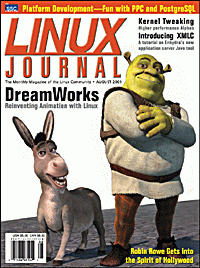
The August issue of Linux Journal is on newsstands now. This issue focuses on Platforms. Click here to view the table of contents, or here to subscribe.
All articles through December 1999 are available for
public reading at
http://www.linuxjournal.com/lj-issues/mags.html.
Recent articles are available on-line for subscribers only at
http://interactive.linuxjournal.com/.
July/August 2001 Embedded Linux Journal
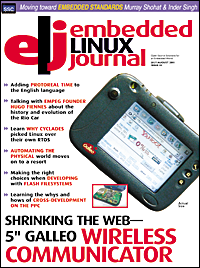
The July/August issue of Embedded Linux Journal has been mailed to subscribers. This issue focuses on Platforms. Click here to view the table of contents. Articles on-line this month include Embedded Linux on the PowerPC, Will It Fly? Working toward Embedded Linux Standards: theELC's Unified Specification Plan, Boa: an Embedded Web Server, and more.
US residents can subscribe to ELJ for free; just
click here.
Paid subscriptions outside the US are also available; click on the above link
for more information.
SuSE
SuSE Linux Enterprise Server for the 32-bit architecture by Intel was awarded the status "Generally Available for mySAP.com". This certification now enables companies all over the world to utilise mySAP.com on SuSE Linux Enterprise Server and take advantage of services and support from SAP AG. For further information see http://www.sap.com/linux/
SuSE Linux, presented a new Linux solution for professional deployment at the LinuxTag expo in Stuttgart, Germany. The "SuSE Linux Firewall on CD" offers protection for Internet-linked companies' mission-critical data and IT infrastructure. SuSE Linux Firewall is an application level gateway combining high security standards of a hardware solution with the flexibility of a software firewall. Instead of being installed on the hard disk, SuSE Linux Firewall is so-called a live system that enables the operating system to be booted directly from a read-only CD-ROM. Since it is impossible to manipulate the firewall software on CD-ROM, the live system constitutes a security gain. The configuration files for the firewall, such as the ipchains packet filter settings, are placed on a write-protected configuration floppy.
Upcoming conferences and events
Listings courtesy Linux Journal. See LJ's Events page for the latest goings-on.
|
O'Reilly Open Source Convention | July 23-27, 2001 San Diego, CA http://conferences.oreilly.com |
|
10th USENIX Security Symposium | August 13-17, 2001 Washington, D.C. http://www.usenix.org/events/sec01/ |
|
HP World 2001 Conference & Expo | August 20-24, 2001 Chicago, OH http://www.hpworld.com |
|
Computerfest | August 25-26, 2001 Dayton, OH http://www.computerfest.com |
|
LinuxWorld Conference & Expo | August 27-30, 2001 San Francisco, CA http://www.linuxworldexpo.com |
|
Red Hat TechWorld Brussels | September 17-18, 2001 Brussels, Belgium http://www.europe.redhat.com/techworld |
|
The O'Reilly Peer-to-Peer Conference | September 17-20, 2001 Washington, DC http://conferences.oreilly.com/p2p/call_fall.html |
|
Linux Lunacy Co-Produced by Linux Journal and Geek Cruises Send a Friend LJ and Enter to Win a Cruise! | October 21-28, 2001 Eastern Caribbean http://www.geekcruises.com |
|
LinuxWorld Conference & Expo | October 30 - November 1, 2001 Frankfurt, Germany http://www.linuxworldexpo.de |
|
5th Annual Linux Showcase & Conference | November 6-10, 2001 Oakland, CA http://www.linuxshowcase.org/ |
|
Strictly e-Business Solutions Expo | November 7-8, 2001 Houston, TX http://www.strictlyebusinessexpo.com |
|
LINUX Business Expo Co-located with COMDEX | November 12-16, 2001 Las Vegas, NV http://www.linuxbusinessexpo.com |
|
15th Systems Administration Conference/LISA 2001 | December 2-7, 2001 San Diego, CA http://www.usenix.org/events/lisa2001 |
Teamware and Celestix to co-operate
Teamware Group, and Celestix Networks GmbH., a supplier of Linux-based server appliances have signed a global agreement according to which Teamware Office-99 for Linux groupware will be distributed and sold with the Celestix " Aries" micro servers. Supporting a wireless standard the new system is the first wireless groupware server offered for small businesses.
PostgreSQL: The Elephant Never Forgets
Open Docs Publishing has announced today that they plan to ship their sixth book entitled " PostgreSQL: The Elephant Never Forgets" by the first week of August 2001. This title will include community version of PostgreSQL version 7.1, the PostgreSQL Enterprise Replication Server (eRserver) and the LXP application server. This will offer to companies the security of a replication server, data backup services, disaster recovery, and business continuity solutions previously limited to more costly commercial Relational Database Management System (RDBMS) packages. Who could ask for more? The book will fully document installation procedures, administration techniques, usage, basic programming interfaces, and replication capabilities of PostgreSQL. A complete reference guide will also be included. The book is now online for development review and feedback.
Total Impact's new "briQ" network appliance
Total Impact's new network appliance computer, the briQ weighs in at 32 ounces, and has been selected as IBM's first PowerPC Linux Spotlight feature product. As a featured product, the briQ and its benefits are profiled in the June edition of IBM's Microprocessing and PowerPC Linux website, and may be reviewed at the above link, or at Total Impact's website.
LinuxWorld San Francisco to showcase embedded linux
solutions
IDG World Expo announced today that the upcoming LinuxWorld Conference & Expo, to be held August 28-30, 2001 at San Francisco's Moscone Convention Center, will feature an Embedded Linux Pavilion to educate attendees on the growing opportunities for Linux in embedded computing. The Pavilion will be sponsored by the Embedded Linux Consortium (ELC), a vendor-neutral trade association dedicated to promoting and implementing the Linux operating system throughout embedded computing.
Linux Links
the Duke of URL has the following which may be of interest:
ONLamp.com have an article on migrating a site from Apache 1.3 to 2.0.
The Wall Street Journal's Personal Technology section has News of an unsettling nature about Windows XP registration, and a discussion of same on Slashdot.
Other Microsoft news indicates that MS may help create .NET for Linux. Microsoft told ComputerWire it would provide technical assistance to Ximian Inc. in its work on the Mono Project, to develop a version of .NET for Linux and Unix using open source development. This story was highlighted on Slashdot
I don't want to seem MS obsessed, or anything ;-), but Linux Weekly News has a critique by Eric Raymond on Microsoft's attacks on so-called "viral licences".
More PostgreSQL news: PostgreSQL Performance Tuning.
An OO approach to the classic how to place eight queens on a chessboard so that none can attack any other problem, in Python.
If you are troubled by spam http://combat.uxn.com/ might be of interest to you.
The TRS-80, the world's first laptop, is still in use.
For the loser^H^H^H^H^Hgeek who has everything, The Joy of Linux has tons of insider trivia. As the Shashdot review begins, "It's 2001. Do you love your operating system?"
Linux NetworX launches ClusterWorX 2.0 cluster
management software
Linux NetworX, a provider of Linux cluster computing solutions, has announced the launch of its cluster management software ClusterWorX 2.0. The latest version of ClusterWorX includes new features such as secure remote access, thorough system and node monitoring and events, and easy administrator customisation and extensibility.
IBM database news
DocParse HTML to XML/SGML converter
Command Prompt, Inc. have released DocParse 0.2.6. DocParse is a tool for technical authors who maintain a large amount of HTML based documentation. DocParse will take any HTML document and convert it into a valid DocBook XML/SGML document. From the XML or SGML format a user can easily convert the document to XHTML, HTML, RTF(MS Word Format) and even print ready postscript. DocParse currently runs on x86 Linux only. They will release for YellowDog Linux (PPC) and MacOS X shortly. There are per seat and subscription based licensing models available for immediate purchase.
StuffIt for Linux and Solaris ships
Aladdin Systems, has shipped its award winning compression software, StuffIt for Linux and Sun's Solaris operating systems, making StuffIt available on Windows, Macintosh, Linux, and Solaris platforms. StuffIt for Linux and Solaris can be used to create Zip, StuffIt, Binhex, MacBinary, Uuencode, Unix Compress, self-extracting archives for Windows or Macintosh platforms and it can be used to expand all of the above plus bzip files, gzip, arj, lha, rar, BtoAtext and Mime. StuffIt for Linux can be downloaded at: www.stuffit.com.
Great Bridge announces enhanced PostgreSQL 7.1 package
Great Bridge, who today announced the launch of Great Bridge PostgreSQL 7.1, the latest version of the world's most advanced open source database. Great Bridge has packaged the release with a graphical installer, leading database administration tools, professional documentation and an installation and configuration support package to help application developers quickly and easily deploy the power of PostgreSQL in advanced database-driven applications.
[There are at least two other entries about PostgreSQL in this News Bytes column. Can you find them?]
Timesynchro
Thank you to Frank for summarising the website and features.
Surveyor Webcamsat
Surveyor Corporation, makers of the WebCam 32 webcam software, has just announced a family of webcam servers that addresses the need for increased control over web content. Surveyor's Webcamsat (Web Camera Satellite Network -- Linux-based) family of webcam servers give website operators a new level of control over their streamed audio and video, allowing them the flexibility to control multiple cameras with greater ease.
Kaspersky Labs anti-virus software
The latest version of Kaspersky Anti-Virus affords customers the opportunity of additionally installing a centralized anti-virus defense for file servers and application servers operating on OpenBSD (version 2.8) and Solaris 8 (for Intel processors) systems, and also for exim e-mail gateways (one of the five most popular e-mail gateways for Unix/Linux). Development of this anti-virus package came about as a result of responding to the needs of mid-size and large corporate customers using Unix, and particularly Linux.
Currently, Kaspersky Anti-Virus can be utilized on Linux, FreeBSD, BSDi, OpenBSD, and Solaris operating systems, and also contains a ready-made solution for integration into sendmail, qmail, postfix, and exim e-mail gateways. The package includes the scanner, daemon and monitor anti-virus technology, and also includes automatic anti-virus database updates via the Internet, an interactive parameter set-up shell and a module for generating and processing statistic reports.
www.kaspersky.com (Russia)
 The Answer Gang

There is no guarantee that your questions here will ever be answered. Readers at confidential sites must provide permission to publish. However, you can be published anonymously - just let us know!
 Greetings from Heather Stern
Hello, everyone, and welcome once more to the world of the Linux Gazette Answer Gang.
The peeve of the month having been Non-Linux questions for a few too many weeks in a row, The Answer Gang has a new address. Tell your friends:
...at ssc.com is now the correct place to mail your questions, and your cool Linux answers. It's our hope this will stop us from getting anything further about pants stains, U.S. history, etc. Cross platform matters with Linux involved are still fine, of course.
For some statistics... there were over 31 answer threads, 25 tips (some were mini threads) and over 600 messages incoming - and that's after I deleted the spam that always leaks through. 200 more messages than last month. I'm pleased to see that the Gang is up to the task.
Now at this point I bow humbly and beg your forgiveness, that, being a working consultant with more clients than usual keeping me busy, I wasn't able to get all of these HTML formatted for you this time. In theory I can put a few as One Big Column but the quality is worse and we drive the search engines crazy enough already. I can definitely assure you that next month's Answer Gang will have tons of juioy answers.
Meanwhile I hope I can mollify you with some of the Linux tools that have been useful or relevant to me during my overload this month.
Mail configuration has been a big ticket item here at Starshine. You may or may not be aware that by the time we go to press, the MAPS Realtime Blackhole List is now a paid service. That means folks who have been depending on the RBL and its companion, the Dialup List, have to pay for the hard work of the MAPS team... and their bandwidth. You can find other sources of blacklisting information, or start enforcing your own policies ... but I would like to make sure and spread the news that they aren't going exclusively to big moneybags - file for hobbyist, non-profit or small site usage and you don't have to pay as much. Maybe nothing. But you do have to let them know if you want to use it, now.
My fellow sysadmins had been seeing this coming for a long time. Many actually prefer to know what sort of things are being blocked or not, anyway. Censorship after all, is the flip side of the same coin. Choosing what's junk TO YOU is one thing, junking stuff you actually need is entirely another. If others depend on you then you have to be much more careful. Plaintext SMTP isn't terribly secure but it's THEIR mail, unless you have some sort of contract with them about it.
So, I've been performing "Sherriff's work" for at least one client for a long while now anyway - just tweaking the filter defenses so that the kind of spam which gets in, stays out next time. There's a fairly new project on Sourceforge called Razor, which aims for anti-spam by signatures, the same way that antivirus scanners check for trojans and so on. I haven't had time to look into it, but I think they're on the right track.
Procmail (my favorite local delivery agent) has this great scoring mechanism; it can help, or it can drive you crazy (depending on whether you grok their little regex language - I like it fine). I definitely recommend taking a look at "junkfilter" package of recipes for it even if you are planning to roll your own. The best part is that it is not just one big recipe - it's a bunch of them, so you can choose which parts to apply.
Do make sure you have at least version 3.21 of procmail though. It's actually gotten some improvement this month.
Folks who hate this stuff can try Sendmail's milters, Exim's filtering language, or possibly, do it all at the mail clients after the mail has been delivered to people.
Whether your filters are mail-client, local-delivery, or MTA based, making them sanity check that things are coming really to you, and from addresses that really exist, can have a dramatic improvement. The cost is processing power and often, a certain amount of network bandwidth, but if you're really getting hammered, it's probably worth it. Besides if my 386 can deal with just plain mail your PentiumIII-700 can actually do some work for a living and probably not even notice, until your ethernet card starts complaining. More on that 386 in a bit...
I've got a client who just switched from University of Washington's IMAP daemon over to Courier. The Courier MTA is just terrible (we tried, but ended up thoroughly debugging a sendmail setup instead, and the system is MUCH happier). But the IMAP daemon itself is so much better it's hard to believe. He's convinced that it is more than the switch to maildirs that makes it so incredibly fast. He does get an awful lot of mail, so I suspect Maildirs is what made the difference noticeable. We may never know for sure.
The world of DNS is getting more complicated every month, and slower. This has been clearly brought to light for me by two things - my client at last taking over his own destiny rather than hosting through an ISP, and my own mail server here at Starshine.
It used to be that there was only one choice for DNS, so ubiquitous it's called "the internet name daemon" - BIND, of course. And I'm very pleased to see that its new design seems to be holding up. Still it has the entire kitchen sink in it, and that makes it very complicated for small sites, even though there are a multitude of programs out there to help the weary sysadmin.
A bunch of folks - including some among the Gang - really enjoy djbdns, but you have to buy into DJ Bernstein's philosophy about some things in order to be comfortable with it. Its default policies are also a bit heavy handed about reaching for the root servers, which are, of course, overloaded. Still it's very popular and you can bet the mailing list folks will help you with it.
However, his stuff (especially his idea of configuration files and "plain english" in his docs) gives me indigestion, so I kept looking. There are so many caching-only nameservers I can't count them all. It's a shame that freshmeat's DNS category doesn't have sub categories for dynamic-dns, authoritative, and caching only, because that sure would make it easier to find the right one for the job.
However, I did find this pleasant little gem called MaraDNS. It was designed first to be authoritative only, uses a custom string library, and is trying to be extra careful about the parts of the DNS spec it implements. It was also easy to set up; zone files are very readable. It looks like the latest dev version allows caching too... though whether that's a creeping-feature is a good question.
For years I've been pretty proud that we can run our little domain on a 386. (Ok, we are cheating, that's not the web server.) But I could just kick myself for forgetting to put a DNS cache on it directly. So the poor thing has been struggling with the evil internet's timeouts lately and bravely plugging on... occasionally sending me "sorry boss, I couldn't figure out where to send it" kind of notes. (No, it's not qmail. I'm translating to English from RFC822-ese.)
So I look at the resolv.conf chain. No local cache. What was I thinking? (or maybe: What? Was I thinking? Obviously not.)
I tried pdnsd, because I liked the idea of a permanent cache... much more like having squid between you and the web, than just having a little memory buffer for an hour or two.
However, the binary packages didn't work. I wasn't going to compile it locally at the 386. I'll get to reading its source maybe, but if anyone has successful experiences with it, I'd enjoy seeing your article in the Gazette someday soon. I don't think I've tried very hard yet, but I had hoped it would be easier.
Meanwhile I had no time left and Debian made it a snap to have bind in cache only mode. Resolutions during mail seem to be much happier now.
There are also more mailing list managers out there than plants in my garden. I've got a big project for a different client where the "GUI front end" is being dumbed down for the real end users, and I get to cook up a curses front end in front of the real features, for the staff to use. It's very customized to their environment. I do hope they like it.
If you're working on a mailing list project, I beg, I plead, try and have something in between the traditional thrashing through pools of text files, and the gosh-nobody-wants-security-these-days web based administration. That way I can take less time to make the big bucks, and folks are a little bit happier with Linux.
However, if you have in mind to do anything of the sort on your own, and you prefer to work with shell scripts, I recommend Dialog. Make sure you get a recent version though. There are a gazillion minor revisions and brain damaged variants like whiptail. Debian seemed to have the newest and most complete amongst the distros I have lying around, so I ended up grafting its version into another distro. But, I finally tripped across a website for it that appears to be up to date. Use the "home" link to read of its muddied past.
Lastly, Debian potato for Sparc isn't nearly as hard as I thought it was going to be, but configuring all those pesky services on a completely fresh box, that's the same pain every time. It wouldn't be, if every client had the same network plans, but - you know it - they don't!
I also had no ready Sparc disc 1, but a pressing need to get it, and my link is not exactly the world's speediest.
Debian's pseudo image kit is a very strange and cool thing. It's a bit clunky to get going - you need to fetch some text files to get it started, and tell it what files are actually in the disc you're going to put together. But, once you've fed it that, it creates this "dummy" image which has its own padding where the directory structures will go, amd the files go in between. If some of them don't make it, oh well. But you can get them from anywhere on the mirror system ... much closer to home, usually, Leave the darn thing growing a pseudo image overnight, then come back the next day and run rsync against an archive site that allows rsync access to its official Debian CDs. Instead of a nail-biting 650 MB download, 3 to 20 MB or so of bitflips and file changes If you either can't handle 650 MB at a time anyway, or like the idea of the heavy hit on your bandwidth allocation just being that last clump of changes, it's a very good thing.
All it needs now is to be even smarter, and programmatically be able to fetch newer copies of the packages, then compose a real directory structure that correctly describes the files. If someone could do that, you'd only have to loopback mount the pseudoCD and re-generate Packages files, to have a current- instead of an Official disc, including all those security fixes we need to chase down otherwise. Making it bootable might be more tricky, but I'd even take a non-bootable one so I can give clients a mini-mirror site just by handing them a CD.
So, I hope some of you find this useful. I'm sure I'll see a number of you, and possibly some other members of the Answer Gang, at LinuxWorldExpo.
'Til next time -- Heather Stern, The Answer Gang's Editor Gal
 More 2¢ Tips!
 bin/cue - iso files
Question From: "M.Mahtaney" <mahtaney from pobox.com>
hi james
i came across your website while looking for some help on file compression/conversion
i downloaded an archive in winrar format - which then decrompressed to bin/cue files
i'm not sure what to do with that now - i've converted it to an iso file, but i need to basically open it up to gain access to the application that was downloaded.
i'm a little lost on how to do that - can you help?
thanks, mgm.
Hi MGM,
Have you tried to mount the iso image and copy the files out? There maybe another way but this worked for me.
mount -o loop -t is09660 file.iso /mnt

ls /mnt
should then give a list of the files in the iso image.
Hope this helps.
Kind regards Andrew Higgs
Segmentation Faults -- At odd times.Question From: "Jon Coulter" <jon from alverno.org>
I've recently upgraded the ram on my linux box in an attempt to wean some of the memory problems that have been occurring
What were the previous problems. Just running out of memory? Or other things.
, and now get "Segmentation Fault"'s on almost every program about 80% of the time (if I keep trying and keep trying to run the program, it eventually doesn't Segmentation Fault for one time... sometimes then segmentation faulting later in its execution). My question is: Is there anything I can do about this?!? But seriously, is there any chance that a kernel upgrade would help fix this (my current kernel is 2.4.2)? I just don't understand why a memory upgrade would cause problems like this. I've run memtest86 test on the ram to ensure that it wasn't corrupted at all.
Frequent segfaults at random times usually indicate a hardware problem, as you suspected. A buggy kernel or libraries can throw segfaults left and right too, but if you didn't install any software at the time the faults started occurring, that rules that out.
Does /etc/lilo.conf have a "MEM=128M" number or something like that in it? Some BIOSes require this attribute to be included, other's don't. But if it's specified, it must be correct. Especially, it must not be larger than the amount of RAM you have: otherwise it will segfault all over the place and you'll be lucky to even get a login prompt. Remember to run lilo after changing lilo.conf.
Try taking out the memory and reseating it. Also check the disks: are the cables all tight and the partitions in order? Since memory gets swapped to disk if swap is enabled, it's possible for disk problems to masquerade as memory problems.
If you put back your old memory, does the problem go away? Or if you're mixing old and new memory, what happens if you remove the old memory? Are the two types of memory the same speed? Hopefully the faster memory will cycle down to the slower memory, but maybe the slower memory isn't catching up. What happens if you move each memory block to a different socket?
I'm running 2.4.0. There are always certain evil kernels that must be avoided, but I don't remember any such warnings for the 2.4 kernels. Whenever I upgrade, I ask around about the latest two stable kernels, and use whichever one people say they've had better experiences with.
Good luck. Random segfaults can be a very irritating thing.
More From: Ben Okopnik (The Answer Gang)
Take a look at the Sig 11 FAQ: <http://www.bitwizard.nl/sig11/>;.
2c tip : editing shell scriptsFor shell scripts it's a common error to accidentally include a space after the line-continuation character. This is interpreted as a literal space with no continuation; probably not what you want. Since spaces are invisible, it can also be a hard error to spot. If you use emacs, you can flag such shell script errors using fontification. Add this code to your ~/.emacs file:
;;; This is a neat trick that makes bad shell script continuation
;;; marks, e.g. \ with trailing spaces, glow bright red:
(if (eq window-system 'x)
  (progn
    (set-face-background 'font-lock-warning-face "red")
    (set-face-foreground 'font-lock-warning-face "white")
    (font-lock-add-keywords 'sh-mode
      '(("\\\\[ \t]+$" . font-lock-warning-face)))
  )
)
Matt Willis
More From: Dan Wilder (The Answer Gang)
And in vi,
:set list
reveals all trailing spaces, as well as any other normally non-printing characters, such as those troublesome leading tabs required in some lines of makefiles, and any mixture of tab-indented lines with space-indented lines you might have introduced into Python scripts.
:set nolist
nullifies the "list" setting.
More From: Ben Okopnik (The Answer Gang)
Good tip, Matt! I'll add a bit to that: if you're using "vi", enter
:set nu list
in command mode to number all lines (useful when errors are reported), show all tabs as "^I", and end-of-lines as "$". Extra spaces become obvious.
In editors such as "mcedit", where selected lines are highlighted, start at the top of the document, begin the selection, and arrow (or page) down. The highlight will show any extra spaces at line-ends.
2.2.20 kernel?Question From: Ben Okopnik
Where can I get one? I've looked at kernel.org, and they only go up to .19...
Ben
Glad you asked, Ben, now I have an excuse to cough up a 2c Tip.
Cool. Thanks!
The two places to look for "the rest of it" if you really want a bleeding edge kernel are:
Nope; just 2.4.x stuff.
Alan keeps subdirectories in there which should help you figure things out. In the moment I type this, his 2.4.6 patch is at ac5 and his 2.2.20pre is at 7.
As of press time, 2.4.7 patch is at ac3 and 2.2.20pre is at 8. -- Heather
These are of course patches that you apply to the standard source after you unpack the tarball.
For a last tidbit, the web page at http://www.kernel.org keeps track of the current Linus tree, listing both the released version number and the latest file in the /testing area.
Linux on Sun Sparc??Question From: Danie Robberts <DanieR from PQAfrica.co.za>
Is there a way to install this. I can see the Sparc64 architecture under /usr/src/linux/arch
Booting from the slackware 8 cd does not work, and it seems as if Slackware's Web site is "unavailable"
Please, any pointers!
Cheers Danie
Sure.
The Linux Weekly News just wrote that Slackware is no longer supporting their Sparc distro. There's a sourceforge project to take over the code: http://sourceforge.net/projects/splack
Entirely possible that some decent community interest would boost it nicely, but if so, why'd Slackware have to let go of it... dunno...
Maybe you want to try another distro that builds for Sparc - RH's sparc build isn't well regarded amongst a few non-Intel types I know locally... I think in part because they get to Sparcs last. But you've lots of choices anyway. The search engines (keywords: sparc distribution) reveal that Mandrake and SuSE both have Sparc distros, Rock Linux (a distro that builds from sources - http://www.rocklinux.org) builds successfully on it, and of course there's my personal favorite, Debian.
The Sparc-HOWTO adds Caldera OpenLinux and TurboLinux to the mix. I know that Caldera is really pushing to support the enterprise but that points to openlinux.org and appears to be an unhappy weblink - I only did a spot check, but didn't see "Sparc" on Caldera's own pages. One may safely presume that someone who wants Caldera's style of enterprise level support for Linux will be getting Sun maintenance contracts for their high end Sparcs, right?
Anyways the reasons that Debian is my personal favorite in this regard are:
But you don't have to take my word for it
There's a bunch of folks at
http://www.ultralinux.org
who pay attention to how well things work on ultrasparcs, and they've helpfully gathered a bunch of pointers into the arcvhives and subscribe methods for the lists maintained by the major vendors in this regard. So check out what people who really use Sparcs have been saying about 'em! Using your model number as a search key may narrow things down, too.
Routing MailQuestion From: Danie Robberts (DanieR from PQAfrica.co.za)
Hi,
I am trying to set my environment up so that I can use Star Office on my Slackware 8 Laptop, and send mail via our Exchange Servers. The problem is that the IIS Department has only allowed my Suna Workstation to Send mail to their List server. I think it is limited by IP @.
Is there a way to configure a type of mail routing agent, so that my sending adress in S/O will be the IP@ of my Sun Workstation, and the receiving will be the exchange server (At the moment I can only receive e-mail)
Here is the IP Setup:
 List Server:	196.10.24.112
 Exchange 	196.10.24.33
 Laptop:		192.168.102.241
 Sun:		192.168.102.44
Thanx
Danie
Not directly, while your Sun workstation is online. You'd have to give your Linux workstation the Sun's IP number. Two hosts with the same IP on the same network is a recipe for trouble!
If you've full control of your Sun, you could arrange to use it as your email relay host, for an indirect solution.
It looks like StarOffice can be configured to use two different mail servers, one for outgoing, one for incoming. Set the outgoing server to the Sun, and the incoming to the exchange server. Configure the MTA on the Sun (sendmail, I expect) to relay for you, and you're all set.
To test the Sun,
telnet sun 25
helo linux.hostname
mail from: <you@your.domain>
rcpt to: <somebody@reasonable.domain>
data
some data
.
quit
"linux.hostname" is the hostname of your linux system "you@your.domain" is your return email address "somebody@reasonable.domain" is some reasonable recipient
If you don't get a refusal, and the email goes through, the Sun is set up to relay.
Command to read CMOS from running Linux systemQuestion From: Paul Kellogg (pkellogg from avaya.com)
To "The Answer Gang":
I am looking for a program I can run on my Linux machine that will
display the CMOS settings and CPU information. I would like to avoid
rebooting to display the information. Have you heard of a program that will
work for this? And if so, do you know where I can get it? If not, do you
have some suggestions for where to start if I wanted to write such a program?
I am working with a RedHat 6.2 system on a intel platform.
Thanks - Paul.
Hi Paul,
Try `cat /proc/cpuinfo` for information regarding the CPU. I am not to sure about the CMOS info. It depends what you are looking for?
Look at the files in /proc and see if you can find what you are looking for.
I hope this will help in some small way.
Kind regards
linux ftp problemQuestion From: Brad Webster (webster_brad from hotmail.com)
ok heres the deal, im having a heck of a time with the ftp client on my linux server. im running red hat 6 and i can connect fine, but then it will not accept the username and password for any of the users. the worst part is the same username and passwords will connect through telnet? any suggestions would be very appriciated
bard webster
Hello,
First off, I shall begin by saying, please in future send your e-mail in
plain-text format and NOT in HTML. Poor Heather will have a hell of a time
trying to extract the important information from the e-mail
It's easier than quoted printable, but, yeah, it's a pain. -- Heather
So, to your problem. There are a number of things that you can check. Firstly, when using FTP, do you make use of the hidden files ".netrc", in each of your users home directory? In that file, you can store the ftp machine, and the username and password of the user. Typically, it would look like the following:
machine ftp.server.sch.uk login usernametom password xxxxxxx
The reason why your users can log in via telnet, is that telnet uses different protocols. I would also suggest using a program such as "ssh", which is more secure than telnet, but I digress.
Regards,
Thomas Adam
Self extracting shell scriptQuestion From: Albert J. Evans (evans.albert from mayo.edu)
Hi,
I'm looking through some older Linux Gazzette articles and noticed "fuzzybear" had put out a location to download his "self extracting w/make" shell script. He was responding to your inquiry about this script. The URL he listed is now defunct. Did you by chance get a copy of it, or know his current URL?
You know, I searched the past issues of LG... and I must admit that I couldn't find my own article mentioning that. I'm pretty sure that the URL I gave is the same as it is now - I don't rememberr changing it at all - and I've just tested it (with Lynx.) It's still good. Anyway, here it is -
http://www.geocities.com/ben-fuzzybear/sfx-0.9.4.tgz
The reason I haven't been particularly hyped about this thing is that,
the more time passes, the less I think of it as a good idea. Given that
one of the classes I teach for a living is Unix (Solaris) security, it's
actually my job to believe that it's a bad idea.
Just like many other
things, it's perfectly fine as long as you trust the source of the data
- but things rapidly skid downhill as soon as that comes into question.
Sure, in the Wind*ws world, people blithely exchange "Setup.exe" files;
they also suffer from innumerable viruses, etc.
Think well before you use this tool. Obviously - and if it isn't obvious, even downloading it might be a bad idea - never-ever-*ever* run a self-extracting archive, or any executable that is not 100% trustworthy, as root.
...at this point Ben drew a huge ASCII-art skull and crossbones...
You have been warned.
Ben Okopnik
Cannot Format Network DriveI'm not quite sure if you can help me out with this situation. Okay here's the lay down I have 1 IDE Hardrive 35 gigs About a month ago I added the program System Comander so I could put Windows 98, Windows 2000, and Linux on my system. I did it successfully! So now about a week ago I wanted everything off, cause I bought a serperate PC for Linux. This is how I wipe everything off of my drive. I used a Debug to wipe everything off and used fdisk to try to get rid off all of the partititions... but it still didn't get all of the partitions off (looking in fdisk). How I got rid of all of them was doing the commands
lock c:
fdisk /mbr
Than going back to fdisk and deleted the remaining partitions. This did work... no longer is there any drives stated in fdisk. So than I created 2 drive c: and d: both about 15 gigs or more But now this is were I run into my problem.... After rebooting I tried to format those drives a it's giving the error message CANNOT FORMAT A NETWORK DRIVE???? I know this is a lot more information than you prbably needed, but I thought I'd better say everything so that you know the whole story... Can you help me? Do you know of anything I could try?
Well, since you've removed Linux, your options are pretty thin. It sounds like your 'fdisk' screwed up somewhere, or you have a virus (I remember, a looong time ago, of some that did that.) One of the easiest ways to handle it would be to download Tom's rootboot <http://www.toms.net/rb/>;, run it, and use the Linux fdisk that comes with it (you should read the 'fdisk' man page unless you're very familiar with it.) It can rewrite your partitions and assign the correct types to them; after that, you should be able to boot to DOS and do whatever you need.
Ben Okopnik
Wu-FTP and Linux NewbieQuestion From: seboulva (seboulva from gmx.de)
Sorry about this Simple Question, but I am a Linux Newbie and I want, no I must Update our Wu- FTP Server.It Comes with Red Hat 6.3
I Downloaded the 3 *.patch Files . And want to Apply it with the Patch Command.
Do you have the source code for wu-ftp and did you compile it yourself last time? patch files are usually for source code, and they will change a specific version to a specific other version. Are you sure that the patch files math your source code version? If it's RedHats patch files for their 6.3 distribution that should match. But most probably it matches only the source code from their 6.3 CD's.
If all this matches, you should be able to compile the basic wu-tfp as it comes with 6.3. Then you can try to patch the source and recompile.
Depending on the patch files (especially with which path they are generated) you would do something like:
cd wu-ftp-source
patch -p 1 < ./path/to/patchfile
the -p x optioon strips off x directory levels from the path in the patch file. If you look in the ascii patch-files you will see file names with path -- they have to match where your source is.
'patch --help' says among other very usful thing:
--dry-run Do not actually change any files; just print what would happen.
so this is the option for testing until it looks as if it will apply cleanly. Then remove the dry-run and do it for real.
recompile wu-ftp and then install it in the system. You will have to restart it of course.
K.-H.
Root PasswordQuestion From: Adam Wilhite (a.m.wilhite from larc.nasa.gov)
Somehow the root password was lost or doesn't work anymore for one of the computers I administer. I went through your steps to reboot with init=/bin/sh... My problem is when I try to mount /usr. It says it can't find /usr. I would really appreciate your help.
thanks,
adam wilhite
Hi,
Your error message about not being able to find /usr, suggests to me that "/usr" is not your mount point. Take a look in the file "/etc/fstab", which is the filesystem table.
Locate the entry which points to "/usr". Your mount points are usually in the second field, i.e. after all the "/dev/hda1" entries.
When you have found it, type in the correct value, using:
mount /path/to/mountpoint
Failing that, try issuing the command:
mount -a
that will tell your computer, to (try and) mount all the entries within the file "/etc/fstab". You can then check what has been mounted, by typing in the following:
mount
HTH,
Thomas Adam
RH7.1 switch to KDE login as defaultQuestions From: Larry Sanders (lsanders from hsa-env.com) and Jim (anonymous)
Having completed the installation of Red Hat 7.1 with both GNOME and KDE, the default graphical login is GNOME. How is this changed to the KDE default login for the system? -- Larry
I love and use both the KDE and Gnome desktops. I have a strong aesthetic preference, though, for the KDE login manager.
My RedHat 7.1 install has resisted all efforts to switch it from its default Gnome login manager to the KDE one. This isn't a big deal but where is this managed and how do I make the change? -- Best Regards, Jim
Try running the program "switchdesk". It might be on the GNOME menu, but you can run it from a command-line quicker. It will let you switch default desktops and even different desktops for different displays (although that tends to be a bit problematic).
--
Regards,
Faber Fedor
3d linuxHello!
This week I found some interesting programs that can help (a little bit) to Philippe CABAL.
It is frontend(Opensource, GPL) to render engines that are available to linux and win:
BTW: K-3D is one of the best applications I have seen on linux. Also no other application need so much time and memory resources for compiling like K-3D
http://www.dotcsw.com have perfect page with links. There is lof of rendering staff (also many that are just expected)
I hope this help.
Zdeno

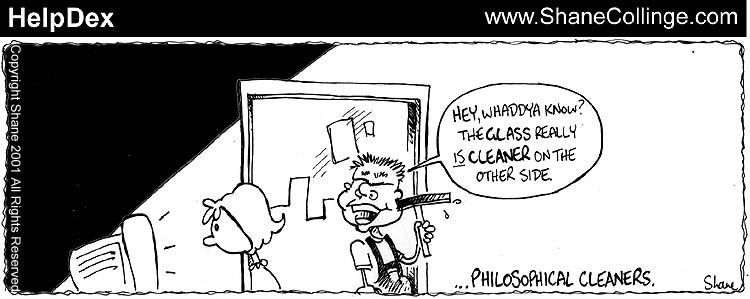
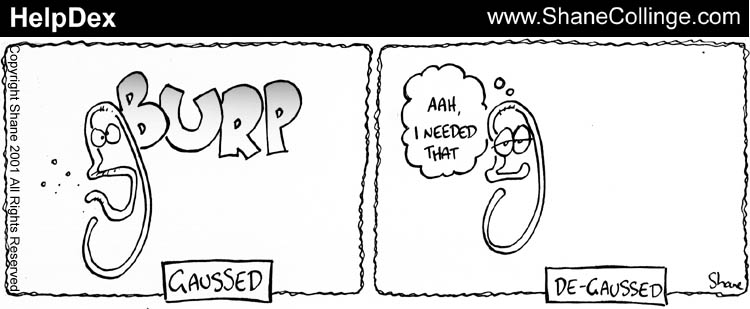
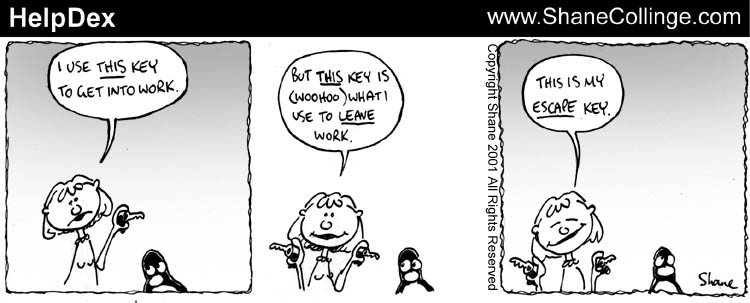
Here's a peek at Shane's sketchbook:
More HelpDex cartoons are at
http://www.shanecollinge.com/Linux. This month, Shane has also been busy doing some
illustrations
(non-Linux).
When you boot Linux, do you get a "login:" prompt on a bunch of
virtual consoles and have to type in your username and password on
each of them? Even though you're the only one who uses the system?
Well, stop it. You can make these consoles come up all logged on and
at a command prompt at every boot.
In case you're thinking that password prompt is necessary for
security, think again. Chances are that if someone has access to your
console keyboard, he also has access to your floppy disk drive and
could easily insert his own system disk in there and be logged in as
you in three minutes anyway. That password prompt is about as useful
as an umbrella for fish.
The method I'm going to describe for getting your virtual consoles
logged in automatically consists of installing some software and
changing a few lines in /etc/inittab. Before I do
that, I'll take you on a mind-expanding journey through the land of
getties and logins to see just how a Unix user gets logged in.
First, I must clarify that I'm talking about virtual consoles --
those are text consoles that you ordinarily switch between by pressing
ALT-F2 or CTL-ALT-F2 and such. Shells that you see in windows on a
graphical desktop are something else entirely. You can make those
windows come up automatically at boot time too, but the process is
quite a bit different and not covered by this article.
Also, consider serial terminals: The same technique discussed in
this article for virtual consoles works for serial terminals, but may
need some tweaking because the terminal may need some things such as
baud rate and parity set.
In the traditional Unix system of old, the computer was in a
locked room and users accessed the system via terminals in another
room. The terminals were connected to serial ports. When the system
first came up, it printed (we're back before CRT terminals -- they
really did print) some identification information and then a "login:"
prompt. Whoever wanted to use the computer would walk up to one of
these terminals and type in his username, then his password, and then
he would get a shell prompt and be "logged in."
Today, you see the same thing on Linux virtual consoles, though it
doesn't make as much sense if you don't think about the history.
Let's go through the Linux boot process now and see how that login
prompt gets up there.
When you first boot Linux, the kernel creates the
init process. It is the first and last process to
exist in any Linux system. All other processes in a Linux system are
created either by init or by a descendant of
init.
The init process normally runs a program called
Sysvinit or something like it. It's worth pointing out that you can
really run any program you like as init, naming the
executable in Linux boot parameters. But the default is the
executable /sbin/init, which is usually Sysvinit.
Sysvinit takes its instructions from the file
/etc/inittab.
To see how init works, do a man init and
man inittab.
If you look in /etc/inittab, you will see the
instructions that tell it to start a bunch of processes running a
getty program, one process for each virtual console. Here is an
example of a line from /etc/inittab that tells
init to start a process running a getty on the
virtual console /dev/tty5:
In this case, the particular getty program is
/sbin/agetty. On your system, you may be using
/sbin/mingetty or any of a bunch of other programs.
(Whatever the program, it's a good bet it has "getty" in its name. We
call these getties because the very first one was simply called
"getty," derived from "get teletype".)
Getty opens the specified terminal as the standard input, standard
output, and standard error files for its process. It also assigns
that terminal as the process' "controlling terminal" and sets the
ownership and permissions on the terminal device to something safe
(resetting whatever may have been set by the user of a previous login
session).
So now you can see how the login prompt gets up on virtual console
/dev/tty5. The kernel creates the
init process, running Sysvinit. Sysvinit, as
instructed by its /etc/inittab file, starts another
process running a getty program, with parameters identifying
/dev/tty5. The getty program prints "login:" on
/dev/tty5 and waits for someone to type something.
After you respond to getty's login prompt, getty execs the program
login. (Actually, you can usually tell getty to execute
any program of your choice, but /bin/login is normal);
i.e. getty replaces itself with login. It's
still the same process, though.
Bear in mind that this process was created by init,
which is owned by the superuser. So this process, which is now
running login, is also owned by the superuser.
The first thing login does is ask for your password.
When you type it in, login determines if it's right or
not. Assuming it is, login then proceeds to do the following things:
The next thing login does is exec your shell program
(which can really be any program, but is normally a command shell,
e.g. /bin/bash). I.e. it replaces itself with the shell
program.
Login looks up your username in the file /etc/passwd
to find all the information it needs, such as your password, uid, and
shell program.
The shell proceeds to run the system shell profile
(/etc/profile) and your personal profile (typically the
file .profile in your home directory), and ultimately
display a command prompt ( Ok, that was fun, but our purpose in this article is to explore a
new kind of login -- an automated one.
Our goal is to do all those things that init,
getty, login, and the shell do except
without the username and password prompt.
There are a bunch of ways to do that, but I wrote the program
qlogin to do it all very simply.
qlogin performs the functions of
getty and login. It gets called by
init, like getty, and its last act is to call the
shell program, like login.
So to set this up, all you have to do is replace the
/etc/inittab line shown above with one something like
this:
Note that the "respawn" in the line above means that when the
process ends, init will create a new one to take its
place. In the traditional Unix system, that means when you log out of
your shell, which causes the process to end, a new getty runs and the
terminal gets a login prompt for the next user. In the
qlogin case, it means when you log out of your shell,
a new one comes up immediately to take its place. So if you want to
reset a bunch of stuff in your login session, typing logout
is a good way to do it.
You probably shouldn't install qlogin and then
just dive right into changing all your getty's to qlogin's in
/etc/inittab and reboot and see if it works. That
would be pretty optimistic.
First of all, I recommend that you not convert all your
virtual consoles to qlogin ever. Use the tried and
true getty/login system on at least one virtual console so that if you
mess up something with qlogin, you can get into
another virtual console and fix it. And if you mess up something with
getty or login, you can get into
another virtual console via qlogin and fix that!
Before you go editing /etc/inittab and messing
around with the init task, you should convince
yourself you know what you're doing by running qlogin
from a shell. Watch qlogin work with your own eyes.
The problem with init, besides the fact that it's a
very important process you don't want to break, is that it doesn't
have a standard error file -- no way to give you error messages to
tell you why it can't do what you thought you told it to do.
Usually, the indication from init that something is
wrong is "id X spawning too fast. Disabled for 5 minutes." What that
means is that the program (e.g. qlogin) that you told
init to run runs into trouble and terminates immediately.
Because it's a "respawn" entry, init simply generates a
new process running the same program. And these processes start and
crash repeatedly. init notices this and suspends the
"respawn" procedure for 5 minutes in hopes that someone fixes the
problem. But why is the program immediately crashing? Nobody knows
except that program, and it's not telling.
So just invoke qlogin from a shell prompt, with
the same arguments with which you would have init
invoke it. Now qlogin will issue error messages if
it crashes.
Of course, the shell from which you invoke qlogin
had better be a superuser shell. Otherwise, I can tell you right now
what your error message will be.
One tricky aspect of running qlogin from a shell is
the matter of the controlling terminal. The login process you
generate with qlogin will use the terminal you specify as
its input and output terminal, but its controlling terminal will be
the terminal where you typed "qlogin."
The reason for the difference is this: If you're a Linux process,
when you open a terminal for input and you don't already have a
controlling terminal, that terminal becomes your controlling terminal.
But if you already have a controlling terminal, you just keep it.
init does not have a controlling terminal, so neither
does the qlogin child process it creates. But login
shells have controlling terminals, and therefore the child processes
you create by typing commands (such as qlogin) at
shell prompts do too.
Where you will see the difference is when you type Control-C: It
won't do anything. Control-C typed on a standard input device has no
effect other than to include a Control-C character in the input
stream. But Control-C on a controlling terminal causes the foreground
processes associated with that terminal to get a SIGINT signal, which
has the familiar effect of terminating the program.
All I'm saying is that if you log yourself on to
/dev/tty5 by typing qlogin /dev/tty5 ... on
/dev/tty1, then Control-C on /dev/tty5 will
have no effect. Put the same qlogin /dev/tty5 ... command
in /etc/inittab, and Control-C on /dev/tty5
will work fine.
Note: to be pedantic, I must admit that in saying Control-C, I am
assuming that the terminal's TTY properties are set such that
Control-C is the "interrupt character." You could use
stty to make the interrupt character something else or
not have one at all.
qlogin isn't on your system, so you'll have to
install it. Get it from ibiblio.org and
follow the simple installation instructions. As you will find, a
prerequisite is the Perl extension called User::Utmp,
which probably also is not on your system, so you'll have to follow
the instructions to get and install that too.
qlogin is written in Perl and is quite simple. So
you can see for yourself the steps involved in logging in a user. And
you can modify it to suit your particular needs.
One of the nice things about qlogin is that it's so
basic that it doesn't even rely on configuration files. You can tell
it everything it needs to know to log you in just with command line
parameters. You can override your /etc/passwd file or
log in a user that isn't even in /etc/passwd. You're in
control.
Let's look at qlogin's options:
And qlogin arguments specify the terminal device to
use for the process.
All the details of using qlogin are in the
documentation that comes with it.
So now you know how to make logged in shells come up automatically
on the various virtual consoles. But with a simple change to the
procedure, you can make other programs run automatically on certain
virtual consoles or on serial terminals. Imagine a virtual console
that runs the top system monitor program all the time.
Just say
Maybe your system is a point of sale system for a store. The
terminals are serial terminals at the cashier stations. Cashiers
don't want to log in to Linux and don't want to see a shell. If the
POS program is /usr/local/bin/pos, you could do this:
I used to think that too; probably because of something I read in Bash
documentation. However, the Linux kernel defines a "foreground
process group." Every controlling terminal has a foreground process
group. By default, it is the process group of the process that
originally opened the terminal. But a process can set the foreground
process group to any process group in its session with an ioctl.
I took a slight liberty in the article in referring to "foreground
processes," which I think can easily be interpreted as "processes in
the foreground process group."
I believe the only significance of the foreground process group (the
kernel entity) is that the processes in that process group get the
control-C and hangup signals.
Bash's job control uses that ioctl to make whatever your "foreground
job" is the foreground process group for your terminal. That's why
when you put something in the background, like "grep abc * &",
control-C does not kill it. If you want to kill it, you have to "fg",
causing Bash to ioctl it to the foreground, then Control-C.
Many years ago, before the Web when terminals mattered a lot more, I
spent many hours combing through kernel code and experimenting to
figure out process groups, sessions, controlling terminals, job
control, SIGINT, SIGHUP, and the like. I could write a long article
on it, but I think it's really arcane information.
Sometimes I wonder how easy it is to re-invent the wheel, and then to
prattle about how hard it was to get the thing moving. But then again this
article is for those die-hards that sympathise with me, for those folk that
reckon that the joy of doing something by oneself is more important than being
the pioneer, the first soul on earth to step on the moon...... I decided to make the PC speaker spew rock music.
(The speaker is that invisible little thing under the PC
hood that beeps under your skin when you get naughty.) I
wanted it to play real music. I couldn't bother to write all the code from
scratch, to decode mp3, etc etc. So I got a little lazy and decided to play
games with the most documented, most sophisticated Operating System Kernel,
ever - Linux. ;) How do you go about it, when you are new to a city and want to get from
point 'a' to 'b' with confidence? I'd take a deep breath and start walking
downtown. I'd start gleaning information and discovering places. Foolhardy?
Just try it in the city of the Linux kernel. It's a maze of code, a dizzy
labyrinth of cross-linked directories and makefiles. When I started off, I knew
that this was going to be a long project. But I had the 'staff' of DOS and the
'rod' of Peter Norton's guide to the IBM PC and Compatibles with me to
lend me courage. So off I strode with my chin in the air, and ready to take on
the worst d(a)emons. The PC-speaker driver patches that are available for download from,
ftp://ftp.uk.linux.org/pub/people/dwmw2/pcsp/ (Authored by Michael Beck, maintained by David Woodhouse see
http://linux-patches.rock-projects.com/v2.2-d/pcsp.html ) I understand, require to have the kernel recompiled if they are to work. When I started off, I was ready to play foul, and get quick results. Besides it's all a game, is it not ? ;-) That's why you'll find inline assembly in the code.Anyways, here is how it works.......... The internal speaker is tied to the buffered output of the 8254 timer chip
on all PCs. The output of the 8254 timer is further latched through the
integrated system peripheral chip, through port 61h. A little chart should
help, I think. Here goes:
The base clock frequency of the 8254 is 1193180Hz which is 1/4 the standard
NTSC frequency, incidentally. The counters have the values of the divisors,
which, roughly speaking, are used to divide the base frequency. Thus the
output of channel 0 will be at a frequency of 1193180Hz if counter0=1,
596590Hz if counter0=2 and so on. Therefore counter0=0 => a frequency of
approximately 18.2 Hz, which is precisely the frequency at which the PIC is
made to interrupt the processor. In DOS, the PIC is programmed to call the
Interrupt Service Routine (ISR), at vector 8. Effectively this means that the value of counter0 will determine the
frequency of the timer ISR (Vector 8 in DOS) is called. Changing counter 0
changes the rate at which the timer ISR is called. Therefore if the same
person wrote both the code for the ISR, and that for programming counter 0 of
the 8254 timer chip, then he could get his ISR called at a predetermined rate
as required. All this is leading to another aside. When you hear sound, you know something near you is vibrating. If that
something is a speaker cone, you know immediately that there is an electrical
signal driving it. So we could always grab the signal generator by the scruff,
if we want to snuff out the noise. If we want audio, we need a vibrating, or
alternating, voltage. And we know that digital implies numbers, 1s and 0s. How
do we put all of this stuff together and create digital audio? Lets imagine that we want a continuous hum to wake us out of slumber in the
morning. Bless the man who tries to sell this gadget to me! We need a
continuous sine wave. Something like:
The numbers represent how loud the noise gets at every instant. You're
involuntarily doing DSP here. DSP is a year two pain-in-the-neck paper for
most Electrical Engineering undergraduates. (I'm one of them. Accept my hearty
condolences.) So I'd better mention that you're actually looking at samples.
These values are all you need to recreate the wave we need. Do that
continuously, and you have a continuous wave. So if we ran through the numbers
starting at 1 through 7 through 0 through -1 through -7 through -1 to 0, all
in a second, we'd get a very approximate sine wave at 1Hz. (Remember, Hertz is
cycles per second.) Got the mechanics of the thing? Want a sine wave with a
smoother curve? Just increase the number of samples you take per second. Here
we've done 14. How about if it were 44000? That's the rate a CD player spews
the numbers out to its DAC. DAC stands for Digital to Analog Converter, it's
the little gadget that converts the 1s and 0s that make up the binary numbers
that we are talking about into real analog time-varying voltage. Our little
coding technique is called pulse code modulation. There are different ways to
code the pulses, so we have PCM, ADPCM etc. The waveform above could be termed
"4bit, signed mono PCM at 14Hz" sampling rate. So you ask me, where does all this come in when we're talking about the PC
speaker? How about a custom timer ISR to vibrate the speaker cone at a
pre-requisite frequency, so that all the ISR programmer has to do is to make
the PC speaker cone move to the required amplitude (distance from the zero
line) according to the sample value he gets from digital data, from a CDROM,
for example. This means that we can set up a timer ISR for 44000Hz, and that
is CD quality music staring at us! Perfect logic if you have a DAC to convert
every sample into the corresponding analog voltage. In fact, the parallel port
DAC driver does just that. Just rig a R - 2R ladder network of resistors and
tie a capacitor across the output, feed it to any amplifier, even a microphone
input will do, and voila, you have digital music! Alas, things are not all that simple with the PC speaker. All because the
PC speaker is not at all tied to a DAC, but of all things, to a timer chip.
Take look at the waveform output of a timer chip for, say, a sine wave:
We have two discrete values to play around with: One +5V, the other 0V and
nothing in between. How do we get the Analog waveform? Oh man, why hast thou
asked the impossible? Ask the designers at IBM who designed the first XT
motherboards! But we do have a very fragile, subtle solution. The techie terms are 1bit
DAC, Chopping, and so on and so forth. It's rather simple and easy to implement, and somewhere down the line, it
was bound to happen. I doubt that the old XT bugger at IBM ever dreamt of 1.5
GHz Pentiums when he fixed his 8086 on the motherboard for the first time. The idea is to drive the PC speaker cone in bursts, when we can't quite
push it up to the mark smoothly. Mind you, at 22Khz the cone is a mighty lazy
bloke, it reluctantly moves up to the mark. Halfway through, take a rest so
that if it's overdone and the cone has overshot, it gets time to come back
down. Something like anti-lock brakes in automobiles. When you press the brake
pedal half way down, the mechanism starts alternately pushing the brakes on
and off. When you're standing on the pedal, the brake shoes are not quite
stuck to the wheel drum, they're hammering at a furious pace. So you don't get
a locked wheel. Similarly the more frequently you hammer the speaker cone with
a +5V pulse, the farther it moves from the centerline. Bingo! Vary the
frequency of pulsing according to the required amplitude. I named the DOS
version fm.com just to remind myself that the idea was indeed ingenuous. Now go back to the first figure and look at counter 2 of the 8254. Where does it lead to ? To the PC speaker, of course. Now all we have to do to get REAL sound, is to dump a scaled (remember 1 < countervalue < 65535) that is proportional to sample value (value => amplitude in PCM). We do this from within our hack timer ISR. Go on and take a look at the myhandler() function in myaudio.h
Part computer programmer, part cartoonist, part Mars Bar. At night, he runs
around in a pair of colorful tights fighting criminals. During the day... well,
he just runs around. He eats when he's hungry and sleeps when he's sleepy.
 Shane Collinge
Copyright © 2001, Shane Collinge.
Copying license http://www.linuxgazette.com/copying.html
Published in Issue 69 of Linux Gazette, August 2001
"Linux Gazette...making Linux just a little more fun!"
Make Your Virtual Console Log In Automatically
By Bryan Henderson
Introduction
How Logging In Works
Historical Background
Getty
Login
The Shell
$ or %) on the terminal.
This is the point at which
you consider yourself logged in, and our journey is complete.
Automating Login
Starting Slowly
Diversity Is Good
Run It From A Shell
One Difference - Controlling Terminal
About Qlogin
Other Things You Can Do With Qlogin
Foreground Processes
[Your Editor asked Bryan, "I thought the system didn't have a
concept of a foreground process; that's a fiction of the shell." Here's his
response. --Iron]
[Readers: if you want to take him up on his offer for
such "arcane information", ask in the Mailbag. Also remember that the
Mailbag is where you can ask for articles on any other topic. --Iron]
Bryan Henderson is an operating systems programmer from way back,
working mostly on large scale computing systems. Bryan's love of
computers began with a 110 baud connection to a local college for a
high school class, but Bryan had little interest in home computers
until Linux came out.
Bryan Henderson
Copyright © 2001, Bryan Henderson.
Copying license http://www.linuxgazette.com/copying.html
Published in Issue 69 of Linux Gazette, August 2001
"Linux Gazette...making Linux just a little more fun!"
Creating a Kernel Driver for the PC Speaker
By Cherry George Mathew
Originally published at
Linux.com
(article URL)
Reprinted with permission from Linux.com and with revisions by the author
The PC speaker: background
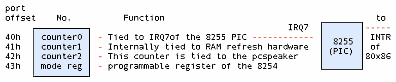
PIC stands for programmable interrupt controller
Aside: digital audio
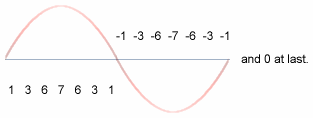
1 Bit DAC

Quiz Time!!!!!
smpl1 smpl2 smpl3
_______ ___ _
| | | | | |
| | | | | |
| |_| |___| |_____
The Linux kernel is an amazing piece of programming in that it has been organized so well that a person with little or no knowledge of assembly language can write a lot of kernel code (in fact 99% [wanna bet ? ;)] of the kernel is written in "c"). It is also designed in such a way that device driver writers are given a preset environment and an elegantly exhaustive programming interface to write code.
The kernel code is very portable, i.e., it can be compiled on a variety of machines (processors like the i86, alpha, sparc). I think it makes good logic to write code templates, which can be elaborated and tailor made for individual hardware. In English, I can best illustrate this principle with an example. Suppose that you want to publish a PhD thesis on how to wash clothes using your brand of washing machine. You'd write a sequence of steps starting from:
1) Insert the power cord into the wall socket and switch on the power
...
n) Finally, retrieve your garments from the soaking mess and dump them on the clothesline.
The sequence from 1 to n would take minor variations depending on whether your washing machine was semi or fully automatic, whether it was top or side loading (try step 'n' from the side loading washing machine, and send me an e-mail about it) and other variables. The instructions in your thesis would be fine for one washing machine, but how about if you were a freelance user manual writer, and needed to write manuals for a thousand brands?
Take the case of the /dev/dsp device interface, the default interface for PCM (pulse code modulated) and coded PCM sound. Hannu Savolainen designed much of the interface, with Alan Cox making significant contributions. But these designers--quite rightly--didn't make room for one teeny-weeny little device called the PC-speaker, in favor of the AWE 64 and cards of the kind. They assumed that all DSP devices would at least have DMA (Direct Memory Access is a technique by which "intelligent" peripheral chips take care of moving data to/from RAM, without involving the processor) support, or on board buffers, if not coprocessors (i.e., on-board processors). So they put the DMA registration code as a mandatory part of the OSS API. The OSS API has two levels of exported functions: those exported by soundcore.o and another set exported by sound.o
sound.o is stacked on top of soundcore.o and uses its exported functions much the same as any other device driver. It provides an easy interface to portable device drivers and supports advanced functions like DMA access. (Modern sound cards support at least DMA )
That's where we begin hacking. We have to avoid the standard OSS interface, and use the soundcore interface directly. Which means it's time for another technical discussion - character devices in Linux.
In Linux, there are mainly two kinds of devices: block and character. (We're ignoring network devices since they aren't really "devices", more like interfaces.)
Block devices are assumed to have certain characteristics like reading and writing in blocks, buffering, partitioning etc. The hard disk drive is the perfect example of a block device. An application normally accesses a hard drive through a file system driver. That's why in Unix you mount disk drives and do not access them sector-by-sector.
Character devices are meant to be read and written one byte at a time (e.g.: the serial port), but are transparently buffered to improve system throughput. An application accesses them by doing ordinary file operations on the corresponding device nodes. Device nodes are special "files" which can be accessed through the ordinary path tree. So if you want to write to the sound device, by convention, /dev/dsp is the published device node to use for that. Note that any device node that points to the corresponding device number registered by the driver can be used to access that driver. For example, the /dev/dsp node is attached to device number 14/3. (try: file /dev/dsp; on your system). You could equally well access it via /dev/mynode if /dev/mynode points to 14/3. Check the mknod man pages for exact semantics.
Now if you have a .wav file which is of a specific format, say 16-bit, stereo, raw pcm, to make it play on the system sound device, you might open the /dev/dsp node using the open system call, and open your .wav file, read a block of data from the .wav file, and write it to the /dev/dsp node using read and write system calls respectively. AHA! And guess what client is readily available for this? Our very own cp. So next time, try cp -f fart.wav /dev/dsp. And tell me how it sounded. I'll bet that unless you're very lucky, you wouldn't get the right sound even if you play Celine Dione. That's because the sound driver needs to be told what format the raw data it gets is in. More often than not, you'd be trying to play a 16-bit stereo file at 44khz on a 8-bit mono 8khz driver. That's like trying to play an LP disc at the wrong turntable speed.
The ioctl (short for input/output control) system call is used on /dev/dsp, to talk to the device driver. Unfortunately, the exact semantics of the ioctl call is left to the device driver writer's discretion. That's sort of like the chaos one gets in the DOS software market. Thankfully, we have a few recognized conventions in Linux, the most popular of which is the OSS or Open Sound System. This is the interface implemented in Linux by Savolainen & Co. So we have XMMS plug-ins for OSS on the application side, and scores of device drivers on the kernel side.
When an application makes the open "call" it's obviously calling something.
That something is a kernel routine (remember, open is a system call). The kernel
is designed to pass the call on to the corresponding device driver. The
amazingly nice thing about the Linux kernel is that you can tell the kernel to
call your routine for a particular device number. This is called device callback
registration, and is a kernel mode call, i.e., you cannot write applications
that do these calls and can be run from the terminal. Similarly you can play
kernel, and pass on user calls to further routines, if you design and export
your own custom registration functions. That's exactly what soundcore.o does via
register_sound_dsp().(Alright, alright, hold it, you ask me. We'll dive into
the OSS sound modules soon. Just making sure that there's water in the pool!)
You use insmod for that, and write a special program called a kernel module,
which insmod can load into kernel space and link with the kernel system calls.
The main difference between system calls and kernel mode calls is that system
calls have to conform to general conventions if they are ever to be recognized
as a part of Unix.(Remember the "what is Linux" FAQ? ) The kernel, on the other
hand, is Linux. So it's just Linux conventions one has to follow in kernel
programming, and mind you, Linux kernel conventions change nine to the dozen per
kernel release. That's why you have a "pre-x.xx.xx version compile only "
warning with many releases of module binaries. At a minimum, we need to have a
read and write callback routine each, besides open and close. The Linux kernel
specifies a routine called init_module, and another called cleanup_module, which
are called by the kernel at the insertion and removal of our module. (Somewhat
like main() in user space.) In other words, when we write a init_module routine,
we assume that we have full control over the system ports, memory, etc. and that
we can call all available kernel functions. Another thing that's interesting is
that any kernel or module function can be exported to the kernel symbol table
(Check /proc/ksyms for a list) , so that it can get called by any other kernel
function or module. In other words, the kernel program file, /boot/vmlinuz,
originally was a C program starting with main() just like you or I would write
any other program in C. Only that the lines after the parenthesis were filled in by a very talented systems programmer called Linus Torvalds.
The most crucial part of the whole
discussion is of course the code itself. Registering the driver is done by
means of the register_sound_dsp function exported by the soundcore.o module,
which as I explained earlier, is part of the standard OSS distribution. What it
does is to pass through the open call from the user-space
application. Much of the code is self-explanatory. The GNU assembler
(originally AT&T assembler format) has to do with hooking the timer interrupt.
The setvect and getvect functions work much the same as they do in DOS. (OK go
ahead and say YUCK - I know you're lying. I wasn't born in Bell labs, you know
:)
For us, the main job is to get a working device driver that can access the PC speaker through the 8254 timer ports, and do the tricks that'll copy the application's sound data to the PC speaker, byte-by-byte.
OSS creates a device node called /dev/dsp for us. Our driver called myaudio.o can be loaded into the running kernel using insmod myaudio.o, and removed using rmmod myaudio. /dev/dsp points to our driver after the insmod.
Let's take a look at the program structure. We have the following tasks to do:
1) Register our fake dsp device. 2) Hook the timer interrupt vector and set the interrupt at the correct sampling rate. 3) Print a message that says Phew! The kernel will tell you if anything went wrong. In many cases, it'll reboot the system for you.
When the device is unloaded, we need to restore the system to its previous state by the following steps:
4) Unhook the timer interrupt vector and reset the interrupt to the old rate. 5) Unregister the dsp device. 6) Print a success message.
The sample code is in two files called myaudio.c and myaudio.h. myaudio.c contains the device registration routines that do all the above tasks. myaudio.h contains a very important routine called the ISR (Interrupt Service Routine). It's named myhandler(). I think that the steps given above are best explained by reading the code in myaudio.c. Let me turn your attention to myaudio.h, to myhandler() in particular.
Step number 2 above says: "hook the timer interrupt vector". This means that the ISR is to be setup in such a way as to get executed at exactly the sampling rate we intend. This means that when I write the code in the ISR, I can be reasonably sure of the following: a) The next datum from the user application, if available, is to be fetched, b) It needs to be processed into an 8254 counter 2 value (discussed in detail above), c) This counter value is to be dumped into the 8254 counter 2 register: i.e. delay for the PC-speaker is set according to the value of the fetched datum and d) The system scheduler has not yet been called! Decide whether to call it.
Step d) needs an aside:
If you've read through setvect() in myaudio.c, you'll find that setvect uses a few gimmicks to put myhandler into the system vector table. This is Intel 386+ specific. In the real mode of 8086 operation, all one needs to do to revector an ISR is to save the corresponding entry in the interrupt vector table (IVT) that starts at memory address 0000:0000 in increments of 4 bytes. (Because a fully qualified long pointer in the 8086 is 32bits long cs:ip.) In other words, for interrupt 8, which is the default BIOS setting for IRQ 7, of the PIC, just change the pointer value at 0000:0020 to the full address of myhandler().Things are a little more complicated here. In 386+ protected mode, in which the Linux kernel runs, the processor, the IVT is called the IDT, or the Interrupt Descriptor Table. A meaningful description of the IDT would take a whole HOWTO, but I'll assume that you know about 386+ protected mode if you want to and save all the gory details for your PhD thesis. What we really need to know is that the pointer to myhandler is scattered over an 8-byte area. That information is put together using some cute GNU assembler statements to make the original ISR memory pointer that actually points to the system SCHEDULER (which is a special program routine in every multitasking operating system) now point to myhandler(). The responsibility of the SCHEDULER is to pluck control from one program when its time slice is over, and give control to the next. This is called pre-emptive multitasking. In Linux, the time slice given to a process is 10 milliseconds. Can you guess the rate at which the default timer ISR is called? It's a value called HZ, in the Linux kernel.
The catch here is that while the original ISR (the scheduler) needs to be called at 100Hz, our ISR requires calling at the sampling rate, usually 22Khz. And if we neglect to call the original ISR, all hell's going to break loose. There's a simple solution waiting. If you know the rate at which you're called, and the rate at which to call the original ISR, just call it once every so many times. In other words: At 22Khz, increment a counter at every tick and when the counter reaches 220, call the old ISR, otherwise, send an EOI (End Of Interrupt) to the PIC. Thus the old ISR gets called at exactly 100Hz! Black Magic!! If you forget to compensate for the rates, it's very interesting to observe what happens. Just try it. On my system, the minute needle of xclock was spinning like a roulette wheel!
If you take a look at the figure above, the one which shows how the 8254 timer interrupt is hooked to the PIC, you'll notice that when the 8254 wants to interrupt, it tells the PIC, via the IRQ 7 line, (which incidentally is just a piece of copper wire embedded on the motherboard). Nowadays of course, a number of the older chips are merged into one package so don't go around snooping for a PCB trace labeled IRQ 7 on your motherboard! The PIC decides whether, and when to interrupt the processor. This is a standard method to share interrupts, and is called interrupt priority resolution (or prioritization), which is the sole purpose of the PIC. In Linux, the PIC is reprogrammed to call vector 20 for the timer ISR (IRQ 7) as against the vector 8 setting of the BIOS in DOS. After every interrupt, the corresponding ISR is expected to do an EOI, which is essentially an outportb(0x20,0x20). So a little care is needed to make sure you don't send a double EOI, one from you, and one from the original ISR which doesn't know about you.
I guess, that's it, but before I run away satisfied that I've shoved Latin up a thousand throats, I want to clear up a few things about the sample that I did in myaudio.x . Linux has a formal method to claim interrupts for device drivers. The trouble is, by the time a module is loaded, the scheduler has already claimed the timer interrupt. So we have to hack a bit and steal it from the scheduler. That's why we had to discuss IDTs and stuff. The OSS interface that I've written in the code is pre-alpha. Actually, you can run applications like mpg123, play and even xmms and you'll get insight into event synchronisation in Multi-Multi Operation Systems if you add a -D SPKDBG to the compiler options variable in myaudio.mak. The "-D SPKDBG" turns on debug messages. Be warned however, that your machine may not be able to handle the overhead of recording the logs. So do it only if you know what you are doing. I've elaborated OSS on a TODO list earlier. You're welcome to complete it.
Do the following to use our driver:As root user, chdir to the directory where you've copied the source files myaudio.c, myaudio.h, and myaudio.mak. Run:
make -f myaudio.makassuming that you have a standard OSS distribution on your machine. (The path is /usr/src/linux/drivers/sound. Check it out.)
modprobe sound
insmod myaudio.o
Now the driver is active. Check it with:
lsmod
Look for myaudio at the top of the list. mpg123, play and xmms should work like usual now.
If none of the above applications work, it's possible to listen to MP3 music with the following:
mpg123 -m -r 22000 --8bit -w /dev/dsp x.mp3 #this should playx.mp3
ENJOY!!!!
If your answer was in the order
smpl1>smpl2>smpl3, and smpl2=127
then you've passed the test. You may now apply to Creative labs ;)
Cherry George Mathew
#!/usr/bin/perl

#              Create Functions for Perl/PostgreSQL version 0.1

#                       Copyright 2001, Mark Nielsen
#                            All rights reserved.
#    This Copyright notice was copied and modified from the Perl
#    Copyright notice.
#    This program is free software; you can redistribute it and/or modify
#    it under the terms of either:

#        a) the GNU General Public License as published by the Free
#        Software Foundation; either version 1, or (at your option) any
#        later version, or

#        b) the "Artistic License" which comes with this Kit.

#    This program is distributed in the hope that it will be useful,
#    but WITHOUT ANY WARRANTY; without even the implied warranty of
#    MERCHANTABILITY or FITNESS FOR A PARTICULAR PURPOSE.  See either
#    the GNU General Public License or the Artistic License for more details.

#    You should have received a copy of the Artistic License with this
#    Kit, in the file named "Artistic".  If not, I'll be glad to provide one.

#    You should also have received a copy of the GNU General Public License
#   along with this program in the file named "Copying". If not, write to the
#   Free Software Foundation, Inc., 59 Temple Place, Suite 330, Boston, MA
#    02111-1307, USA or visit their web page on the internet at
#    http://www.gnu.org/copyleft/gpl.html.

use strict;

  ### We want to define some variables WHICH YOU SHOULD CHANGE FOR YOUR
  ### OWN COMPUTER.
my $Home = "/tmp/testdir";
my $File = "$Home/Tables.txt";
my $Template = "$Home/Generic.fun";
my $Custom = "$Home/Custom.sql";
my $Database = "testdatabase";

#------------------------------------------------------------------------

my @List = @ARGV;

  ## Let us create the two directories we need if they are not there.
if (!(-e "$Home/Tables")) {system "mkdir -p $Home/Tables"}
if (!(-e "$Home/Backups")) {system "mkdir -p $Home/Backups"}

  ### Open up the template for the functions and the file that contains
  ### the info to create the tables.
open(FILE,$Template); my @Template = <FILE>; close FILE;
open(FILE,$File); my @File = <FILE>; close FILE;
open(FILE,$Custom); my @Custom = <FILE>; close FILE;

  ### Filter out lines that have no numbers or letters.
@File = grep($_ =~ /[a-z0-9]/i, @File);
  ### Get rid of any line which contains a #
@File = grep(!($_ =~ /\#/), @File);
  ### Get rid of the newline.
grep(chomp $_, @File);
  ### Get rid of tabs and replace with spaces. .
grep($_ =~ s/\t/ /g, @File);
  ### Convert all multiple spaces to one.
grep($_ =~ s/  +/ /g, @File);
  ### Next two lines get rid of spaces and front and end.
grep($_ =~ s/^ //g, @File);
grep($_ =~ s/ $//g, @File);
  ### Delete any commas at the end, we will put them back on later.
grep($_ =~ s/\,$//g, @File);

my $Tables = {};
my $TableName = "";
  ### For each line in the file, either make a new array for the table,
  ### or store the lines in the array for a table.
foreach my $Line (@File)
  {
  my $Junk = "";
    ### If the line starts with "TABLENAME" then create a new array.
  if ($Line =~ /^TABLENAME/)
    {
    ($Junk,$TableName, $Junk) = split(/ /,$Line);
       ### This creates the aray for the table.
    $Tables->{$TableName} = [];
    }
  else
    {
       ### Storing lines for the table.
    push (@{$Tables->{$TableName}}, $Line) ;
    }
  }

    ### If we listed specific tables, then only do those.
  if (@List)
    {
    foreach my $TableName (sort keys %$Tables)
      { if (!(grep($_ eq $TableName, @List))) {delete $Tables->{$TableName};} }
    }

  ### Get the keys of the reference to an array $Tables
  ### and get the data for that array, create our file, and then use the file.
foreach my $TableName (sort keys %$Tables)
  {
  my @Temp = @{$Tables->{$TableName}};

  my $Backup_Columns = "";  my $Backup_Values = ""; my $Update_Fields = "";
  my $Field_Copy_Values = "";  my $FieldTypes = "";
  my $CleanVariables = ""; my $RemakeVariables = "";
    ### The two tables are different in one respect, the backup table
    ### does not require uniqueness and it doesn't use a sequence.
  my $Table = qq($TableName\_id int4 NOT NULL UNIQUE DEFAULT nextval('$TableName\_sequence'),
    date_updated  timestamp NOT NULL default CURRENT_TIMESTAMP,
    date_created  timestamp NOT NULL default CURRENT_TIMESTAMP,
    active int2 CHECK (active in (0,1)) DEFAULT 0,
);
    ## I should allow null for the id instead of 0, but since the sequence
    ### starts at 1, I use 0 as null. I hate nulls.
  my $Table_Backup = qq(backup_id int4 NOT NULL UNIQUE DEFAULT nextval('$TableName\_sequence_backup'),
    $TableName\_id int4 NOT NULL DEFAULT 0,
    date_updated  timestamp NOT NULL default CURRENT_TIMESTAMP,
    date_created  timestamp NOT NULL default CURRENT_TIMESTAMP,
    active int2 CHECK (active in (0,1)) DEFAULT 0,
    );

  print "Creating functions for table '$TableName'\n";
  my $No = 1;
    ### For each line for this table do this.
    ### We want to create a few variables that are going to be placed into
    ### the template.
  foreach my $Line (@Temp)
    {
    $Table .= "$Line,\n";
    $Table_Backup .= "$Line,\n";
    my ($Name,$Type,$Ext) = split(/ /,$Line,3);
      ### The backup columns
    $Backup_Columns .= ", $Name";
      ### The update fields
    $No++; $Update_Fields .= ", $Name = var_$No";
      ### Backup values
    $Backup_Values .= ", record_backup.$Name";
      ### Now the fields when we copy stuff in the cyop function.
    $Field_Copy_Values .= ", clean_text(record2.$Name)";
      ### Now the field types for the update function.
    $FieldTypes .= ", $Type";
      ### We need to define the variables for the updating function.
    $CleanVariables .= "          var_$No $Type;\n";
      ### We need to define the type, I only check for text and int4 for now.
    my $Temp = "\$$No";
    if ($Type eq "int4") {$Temp = "clean_numeric($Temp)";}
    elsif  ($Type eq "text") {$Temp = "clean_text($Temp)";}
      ### Now we need to set the variables.
    $RemakeVariables .= "         var_$No := $Temp;\n";

     ### We also need to add the function to clean out he variables before
     ### they are submitted.
    }
   ### Record how many rows we had. Make a line for the update command for
   ### testing.
  my $Number_Of_Rows = $No;
  my $Update_Test = "1";
  for (my $i = 1; $i < $Number_Of_Rows - 1; $i++) {$Update_Test .= ",$i";}

    ### We need to chop off the last comma.
  chomp $Table; chop $Table; chomp $Table_Backup; chop $Table_Backup;
    ### Now let us setup dropping and creating of the table and backup table.
  my $Tables = qq(drop table $TableName;\ncreate table $TableName (\n$Table\n););
  $Tables .= "drop table $TableName\_backup;\n";
  $Tables .= "create table $TableName\_backup (\n$Table_Backup, error_code text NOT NULL DEFAULT ''\n);\n";
    ### Let us create a view for active stuff in our table.
  $Tables .= "drop view $TableName\_active;\n";
  $Tables .= "create view $TableName\_active as select * from $TableName
        where active = 1;\n";
    ### Create a view for inactive or deleted items.
  $Tables .= "drop view $TableName\_deleted;\n";
  $Tables .= "create view $TableName\_deleted as select * from $TableName
        where active = 0;\n";
    ### Create a view for a list of unique backup ids.
  $Tables .= "drop view $TableName\_backup_ids;\n";
  $Tables .= "create view $TableName\_backup_ids as
           select distinct $TableName\_id from $TableName\_backup;\n";
    ### Create a list of purged data (lastest data per id).
  $Tables .= "drop view $TableName\_purged;\n";
  $Tables .= "create view $TableName\_purged as
   select * from $TableName\_backup where oid = ANY (
     select max(oid) from $TableName\_backup where $TableName\_id = ANY
        (
        select distinct $TableName\_id from $TableName\_backup
          where $TableName\_backup.error_code = 'purge'
           and NOT $TableName\_id = ANY (select $TableName\_id from $TableName)
        )
        group by $TableName\_id
     )
    ;\n";

     ### I use grep commands to search and replace stuff for arrays.
     ### I could use map, but I like greps.
  my @Temp = @Template;
     ### now add the custom sql commands.
  push (@Temp,@Custom);

  grep($_ =~ s/TABLENAME/$TableName/g, @Temp);
  grep($_ =~ s/BACKUPCOLUMNS/$Backup_Columns/g, @Temp);
  grep($_ =~ s/BACKUPVALUES/$Backup_Values/g, @Temp);
  grep($_ =~ s/UPDATEFIELDS/$Update_Fields/g, @Temp);
  grep($_ =~ s/COPYFIELDS/$Field_Copy_Values/g, @Temp);
  grep($_ =~ s/FIELDS/$FieldTypes/g, @Temp);
  grep($_ =~ s/HOME/$Home/g, @Temp);
  grep($_ =~ s/CLEANVARIABLES/$CleanVariables/g, @Temp);
  grep($_ =~ s/REMAKEVARIABLES/$RemakeVariables/g, @Temp);

    ### Now move the stuff from the array @Temp to @Template_Copy.
  my @Template_Copy = @Temp;

    ### Now we save the file. We won't delete it (unless you run this script
    ### again) so that we can figure out what was done.
  open(FILE,">$Home/Tables/$TableName\.table_functions");
    ### Create the sequence for the table .
  print FILE "drop sequence $TableName\_sequence;\n";
  print FILE "create sequence $TableName\_sequence;\n";
  print FILE "drop sequence $TableName\_sequence_backup;\n";
  print FILE "create sequence $TableName\_sequence_backup;\n";
    ### Print out the table and backup table.
  print FILE $Tables;
    ### Print out the 4 functions, insert, delete, update, and copy.
  foreach my $Temp (@Template_Copy) {print FILE "$Temp";}

  close FILE;

    ### Before we execute, let us backup the table in case some novice
    ### executes this on a live server.
  my $Backup_File = "$Home/Backups/$TableName\_0.backup";
  my $No = 0;
  while (-e $Backup_File)
    {$No++; $Backup_File = "$Home/Backups/$TableName\_$No\.backup";}
    ### Now we have the filename to store the backup, execute it.
  system ("pg_dump -t $TableName -f $Backup_File $Database");

  ### Uncomment this option if you want to see what is in the file.
##  system ("cat $Home/Tables/$TableName\.table_functions");

    ### Drop table and functions, create table and functions and backup table.
  system ("psql -d $Database -c '\\i $Home/Tables/$TableName\.table_functions'");
  print "Check the file\n $Home/Tables/$TableName\.table_functions.\n";

  }
Rename the perl script "Create_Functions.pl.txt". Here are the things
needed to get it to work:
TABLENAME contact
question_id int4 NOT NULL DEFAULT 0
company_name text NOT NULL default ''
first  text NOT NULL default ''
middle text NOT NULL default ''
last text NOT NULL default ''
email  text NOT NULL default ''
work_phone text NOT NULL default ''
home_phone text NOT NULL default ''
address_1 text NOT NULL default '',
address_2 text NOT NULL default ''
city text NOT NULL default ''
state text NOT NULL default ''
zip text NOT NULL default ''

TABLENAME account
username text NOT NULL DEFAULT '',
password text not NULL DEFAULT '',

TABLENAME contact_lists
account_id int4 not null default 0,
contact_id int4 not null default 0,
You can use my file as an example, but I suggest to modify it for your own needs. It is simulated to make three tables. One containing userame and passwords, and the other associating a username to a list of contacts. Another file you will need is Generic.fun
---              Generic Functions for Perl/Postgresql version 0.1

---                       Copyright 2001, Mark Nielsen
---                            All rights reserved.
---    This Copyright notice was copied and modified from the Perl
---    Copyright notice.
---    This program is free software; you can redistribute it and/or modify
---    it under the terms of either:

---        a) the GNU General Public License as published by the Free
---        Software Foundation; either version 1, or (at your option) any
---        later version, or

---        b) the "Artistic License" which comes with this Kit.

---    This program is distributed in the hope that it will be useful,
---    but WITHOUT ANY WARRANTY; without even the implied warranty of
---    MERCHANTABILITY or FITNESS FOR A PARTICULAR PURPOSE.  See either
---    the GNU General Public License or the Artistic License for more details.

---    You should have received a copy of the Artistic License with this
---    Kit, in the file named "Artistic".  If not, I'll be glad to provide one.

---    You should also have received a copy of the GNU General Public License
---   along with this program in the file named "Copying". If not, write to the
---   Free Software Foundation, Inc., 59 Temple Place, Suite 330, Boston, MA
---    02111-1307, USA or visit their web page on the internet at
---    http://www.gnu.org/copyleft/gpl.html.

-- create a method to unpurge just one item.
-- create a method to purge one item.
--  \i HOME/TABLENAME.table
---------------------------------------------------------------------

drop function sql_TABLENAME_insert ();
CREATE FUNCTION sql_TABLENAME_insert () RETURNS int4 AS '
DECLARE
    record1 record;  oid1 int4; id int4 :=0; record_backup RECORD;
BEGIN
   insert into TABLENAME (date_updated, date_created, active)
        values (CURRENT_TIMESTAMP,CURRENT_TIMESTAMP, 1);
     -- Get the unique oid of the row just inserted.
   GET DIAGNOSTICS oid1 = RESULT_OID;
     -- Get the TABLENAME id.
   FOR record1 IN SELECT TABLENAME_id FROM TABLENAME where oid = oid1
      LOOP
      id := record1.TABLENAME_id;
   END LOOP;

     -- If id is NULL, insert failed or something is wrong.
   IF id is NULL THEN return (-1); END IF;
     -- It should also be greater than 0, otherwise something is wrong.
   IF id < 1 THEN return (-2); END IF;

      -- Now backup the data.
    FOR record_backup IN SELECT * FROM TABLENAME where TABLENAME_id = id
       LOOP
       insert into TABLENAME_backup (TABLENAME_id, date_updated, date_created,
           active, error_code)
         values (id, record_backup.date_updated, record_backup.date_created,
            record_backup.active, ''insert'');
    END LOOP;

     -- Everything has passed, return id as TABLENAME_id.
   return (id);
END;
' LANGUAGE 'plpgsql';
---------------------------------------------------------------------

drop function sql_TABLENAME_delete (int4);
CREATE FUNCTION sql_TABLENAME_delete (int4) RETURNS int2 AS '
DECLARE
    id int4 := 0;
    id_exists int4 := 0;
    record1 RECORD;
    record_backup RECORD;
    return_int4 int4 :=0;

BEGIN
     -- If the id is not greater than 0, return error.
   id := clean_numeric($1);
   IF id < 1 THEN return -1; END IF;

     -- If we find the id, set active = 0.
   FOR record1 IN SELECT TABLENAME_id FROM TABLENAME
          where TABLENAME_id = id
      LOOP
      update TABLENAME set active=0, date_updated = CURRENT_TIMESTAMP
           where TABLENAME_id = id;
      GET DIAGNOSTICS return_int4 = ROW_COUNT;
      id_exists := 1;
   END LOOP;

     -- If we did not find the id, abort and return -2.
   IF id_exists = 0 THEN return (-2); END IF;

   FOR record_backup IN SELECT * FROM TABLENAME where TABLENAME_id = id
      LOOP
      insert into TABLENAME_backup (TABLENAME_id, date_updated, date_created,
          active BACKUPCOLUMNS ,error_code)
           values (record_backup.TABLENAME_id, record_backup.date_updated,
             record_backup.date_updated, record_backup.active
             BACKUPVALUES , ''delete''
      );
   END LOOP;

     -- If id_exists == 0, Return error.
     -- It means it never existed.
   IF id_exists = 0 THEN return (-1); END IF;

     -- We got this far, it must be true, return ROW_COUNT.
   return (return_int4);
END;
' LANGUAGE 'plpgsql';

---------------------------------------------------------------------
drop function sql_TABLENAME_update (int4 FIELDS);
CREATE FUNCTION sql_TABLENAME_update  (int4 FIELDS)
  RETURNS int2 AS '
DECLARE
    id int4 := 0;
    id_exists int4 := 0;
    record_update RECORD; record_backup RECORD;
    return_int4 int4 :=0;
    CLEANVARIABLES
BEGIN
    REMAKEVARIABLES
     -- If the id is not greater than 0, return error.
   id := clean_numeric($1);
   IF id < 1 THEN return -1; END IF;

   FOR record_update IN SELECT TABLENAME_id FROM TABLENAME
         where TABLENAME_id = id
      LOOP
      id_exists := 1;
   END LOOP;

   IF id_exists = 0 THEN return (-2); END IF;

   update TABLENAME set date_updated = CURRENT_TIMESTAMP
      UPDATEFIELDS
        where TABLENAME_id = id;
   GET DIAGNOSTICS return_int4 = ROW_COUNT;

   FOR record_backup IN SELECT * FROM TABLENAME where TABLENAME_id = id
      LOOP
     insert into TABLENAME_backup (TABLENAME_id,
         date_updated, date_created, active
         BACKUPCOLUMNS, error_code)
       values (record_update.TABLENAME_id, record_backup.date_updated,
         record_backup.date_updated, record_backup.active
         BACKUPVALUES, ''update''
      );
   END LOOP;

     -- We got this far, it must be true, return ROW_COUNT.
   return (return_int4);
END;
' LANGUAGE 'plpgsql';
---------------------------------------------------------------------

drop function sql_TABLENAME_copy (int4);
CREATE FUNCTION sql_TABLENAME_copy (int4)
  RETURNS int2 AS '
DECLARE
    id int4 := 0;
    id_exists int4 := 0;
    record1 RECORD; record2 RECORD; record3 RECORD;
    return_int4 int4 := 0;
    id_new int4 := 0;
    TABLENAME_new int4 :=0;
BEGIN
     -- If the id is not greater than 0, return error.
   id := clean_numeric($1);
   IF id < 1 THEN return -1; END IF;

   FOR record1 IN SELECT TABLENAME_id FROM TABLENAME where TABLENAME_id = id
      LOOP
      id_exists := 1;
   END LOOP;
   IF id_exists = 0 THEN return (-2); END IF;

     --- Get the new id
   FOR record1 IN SELECT sql_TABLENAME_insert() as TABLENAME_insert
      LOOP
      TABLENAME_new := record1.TABLENAME_insert;
   END LOOP;
     -- If the TABLENAME_new is not greater than 0, return error.
   IF TABLENAME_new < 1 THEN return -3; END IF;

   FOR record2 IN SELECT * FROM TABLENAME where TABLENAME_id = id
      LOOP

     FOR record1 IN SELECT sql_TABLENAME_update(TABLENAME_new COPYFIELDS)
        as TABLENAME_insert
      LOOP
        -- execute some arbitrary command just to get it to pass.
      id_exists := 1;
     END LOOP;
   END LOOP;

     -- We got this far, it must be true, return new id.
   return (TABLENAME_new);
END;
' LANGUAGE 'plpgsql';

------------------------------------------------------------------
drop function sql_TABLENAME_purge ();
CREATE FUNCTION sql_TABLENAME_purge () RETURNS int4 AS '
DECLARE
    record_backup RECORD; oid1 int4 := 0;
    return_int4 int4 :=0;
    deleted int4 := 0;
    delete_count int4 :=0;
    delete_id int4;

BEGIN

     -- Now delete one by one.
   FOR record_backup IN SELECT * FROM TABLENAME where active = 0
      LOOP
         -- Record the id we want to delete.
      delete_id = record_backup.TABLENAME_id;

      insert into TABLENAME_backup (TABLENAME_id, date_updated, date_created,
          active BACKUPCOLUMNS ,error_code)
           values (record_backup.TABLENAME_id, record_backup.date_updated,
             record_backup.date_updated, record_backup.active
             BACKUPVALUES , ''purge''
          );

        -- Get the unique oid of the row just inserted.
      GET DIAGNOSTICS oid1 = RESULT_OID;

        -- If oid1 less than 1, return -1
      IF oid1 < 1 THEN return (-2); END IF;
        -- Now delete this from the main table.
      delete from TABLENAME where TABLENAME_id = delete_id;

        -- Get row count of row just deleted, should be 1.
      GET DIAGNOSTICS deleted = ROW_COUNT;
        -- If deleted less than 1, return -3
      IF deleted < 1 THEN return (-3); END IF;
      delete_count := delete_count + 1;

    END LOOP;

     -- We got this far, it must be true, return the number of ones we had.
   return (delete_count);
END;
' LANGUAGE 'plpgsql';

------------------------------------------------------------------
drop function sql_TABLENAME_purgeone (int4);
CREATE FUNCTION sql_TABLENAME_purgeone (int4) RETURNS int4 AS '
DECLARE
    record_backup RECORD; oid1 int4 := 0;
    record1 RECORD;
    return_int4 int4 :=0;
    deleted int4 := 0;
    delete_count int4 :=0;
    delete_id int4;
    purged_no int4 := 0;

BEGIN

    delete_id := $1;
        -- If purged_id less than 1, return -4
    IF delete_id < 1 THEN return (-4); END IF;

   FOR record1 IN SELECT * FROM TABLENAME
      where active = 0 and TABLENAME_id = delete_id
      LOOP
      purged_no := purged_no + 1;
   END LOOP;

        -- If purged_no less than 1, return -1
   IF purged_no < 1 THEN return (-1); END IF;

     -- Now delete one by one.
   FOR record_backup IN SELECT * FROM TABLENAME where TABLENAME_id = delete_id
      LOOP

      insert into TABLENAME_backup (TABLENAME_id, date_updated, date_created,
          active BACKUPCOLUMNS ,error_code)
           values (record_backup.TABLENAME_id, record_backup.date_updated,
             record_backup.date_updated, record_backup.active
             BACKUPVALUES , ''purgeone''
          );

        -- Get the unique oid of the row just inserted.
      GET DIAGNOSTICS oid1 = RESULT_OID;

        -- If oid1 less than 1, return -2
      IF oid1 < 1 THEN return (-2); END IF;
        -- Now delete this from the main table.
      delete from TABLENAME where TABLENAME_id = delete_id;

        -- Get row count of row just deleted, should be 1.
      GET DIAGNOSTICS deleted = ROW_COUNT;
        -- If deleted less than 1, return -3
      IF deleted < 1 THEN return (-3); END IF;
      delete_count := delete_count + 1;

    END LOOP;

     -- We got this far, it must be true, return the number of ones we had.
   return (delete_count);
END;
' LANGUAGE 'plpgsql';

------------------------------------------------------------------------
drop function sql_TABLENAME_unpurge ();
CREATE FUNCTION sql_TABLENAME_unpurge () RETURNS int2 AS '
DECLARE
    record1 RECORD;
    record2 RECORD;
    record_backup RECORD;
    purged_id int4 := 0;
    purge_count int4 :=0;
    timestamp1 timestamp;
    purged_no int4 := 0;
    oid1 int4 := 0;
    oid_found int4 := 0;
    highest_oid int4 := 0;

BEGIN

     -- Now get the unique ids that were purged.
   FOR record1 IN select distinct TABLENAME_id from TABLENAME_backup
       where TABLENAME_backup.error_code = ''purge''
          and NOT TABLENAME_id = ANY (select TABLENAME_id from TABLENAME)
      LOOP

      purged_id := record1.TABLENAME_id;
      timestamp1 := CURRENT_TIMESTAMP;
      purged_no := purged_no + 1;
      oid_found := 0;
      highest_oid := 0;

        -- Now we have the unique id, find its latest date.

      FOR record2 IN select max(oid) from TABLENAME_backup
          where TABLENAME_id = purged_id and error_code = ''purge''
        LOOP
          -- record we got the date and also record the highest date.
        oid_found := 1;
        highest_oid := record2.max;
      END LOOP;

         -- If the oid_found is 0, return error.
      IF oid_found = 0 THEN return (-3); END IF;

        -- Now we have the latest date, get the values and insert them.
      FOR record_backup IN select * from TABLENAME_backup
          where oid = highest_oid
        LOOP

      insert into TABLENAME_backup (TABLENAME_id, date_updated, date_created,
          active BACKUPCOLUMNS ,error_code)
           values (purged_id, record_backup.date_updated,
             timestamp1, record_backup.active
             BACKUPVALUES , ''unpurge''
          );

        -- Get the unique oid of the row just inserted.
      GET DIAGNOSTICS oid1 = RESULT_OID;
        -- If oid1 less than 1, return -1
      IF oid1 < 1 THEN return (-1); END IF;

      insert into TABLENAME (TABLENAME_id, date_updated, date_created,
          active BACKUPCOLUMNS)
           values (purged_id, timestamp1,
             timestamp1, record_backup.active
             BACKUPVALUES );
        -- Get the unique oid of the row just inserted.
      GET DIAGNOSTICS oid1 = RESULT_OID;
        -- If oid1 less than 1, return -2
      IF oid1 < 1 THEN return (-2); END IF;

      END LOOP;

   END LOOP;

     -- We got this far, it must be true, return how many were affected.
   return (purged_no);
END;
' LANGUAGE 'plpgsql';

---------------------------------------------------------------------
drop function sql_TABLENAME_unpurgeone (int4);
CREATE FUNCTION sql_TABLENAME_unpurgeone (int4) RETURNS int2 AS '
DECLARE
    record_id int4;
    record1 RECORD;
    record2 RECORD;
    record_backup RECORD;
    return_int4 int4 :=0;
    purged_id int4 := 0;
    purge_count int4 :=0;
    timestamp1 timestamp;
    purged_no int4 := 0;
    oid1 int4 := 0;
    oid_found int4 := 0;
    highest_oid int4 := 0;

BEGIN

      purged_id := $1;
        -- If purged_id less than 1, return -1
      IF purged_id < 1 THEN return (-1); END IF;
        --- Get the current timestamp.
      timestamp1 := CURRENT_TIMESTAMP;

   FOR record1 IN select distinct TABLENAME_id from TABLENAME_backup
       where TABLENAME_backup.error_code = ''purge''
          and NOT TABLENAME_id = ANY (select TABLENAME_id from TABLENAME)
          and TABLENAME_id = purged_id
      LOOP
      purged_no := purged_no + 1;

   END LOOP;

        -- If purged_no less than 1, return -1
   IF purged_no < 1 THEN return (-3); END IF;

        -- Now find the highest oid.
   FOR record2 IN select max(oid) from TABLENAME_backup
          where TABLENAME_id = purged_id and error_code = ''purge''
        LOOP
          -- record we got the date and also record the highest date.
        oid_found := 1;
        highest_oid := record2.max;
    END LOOP;

         -- If the oid_found is 0, return error.
    IF oid_found = 0 THEN return (-4); END IF;

        -- Now get the data and restore it.
    FOR record_backup IN select * from TABLENAME_backup
          where oid  = highest_oid
        LOOP
        -- Insert into backup that it was unpurged.
      insert into TABLENAME_backup (TABLENAME_id, date_updated, date_created,
          active BACKUPCOLUMNS ,error_code)
           values (purged_id, timestamp1,
             record_backup.date_created, record_backup.active
             BACKUPVALUES , ''unpurgeone''
          );

        -- Get the unique oid of the row just inserted.
      GET DIAGNOSTICS oid1 = RESULT_OID;
        -- If oid1 less than 1, return -1
      IF oid1 < 1 THEN return (-1); END IF;
        -- Insert into live table.
      insert into TABLENAME (TABLENAME_id, date_updated, date_created,
          active BACKUPCOLUMNS)
           values (record_backup.TABLENAME_id, timestamp1,
             record_backup.date_updated, record_backup.active
             BACKUPVALUES );
        -- Get the unique oid of the row just inserted.
      GET DIAGNOSTICS oid1 = RESULT_OID;
        -- If oid1 less than 1, return -2
      IF oid1 < 1 THEN return (-2); END IF;

      END LOOP;

     -- We got this far, it must be true, return how many were affected (1).
   return (purged_no);
END;
' LANGUAGE 'plpgsql';
and lastly Custom.sql.
---          Custom Sample SQL for Perl/PostgreSQL version 0.1

---                       Copyright 2001, Mark Nielsen
---                            All rights reserved.
---    This Copyright notice was copied and modified from the Perl
---    Copyright notice.
---    This program is free software; you can redistribute it and/or modify
---    it under the terms of either:

---        a) the GNU General Public License as published by the Free
---        Software Foundation; either version 1, or (at your option) any
---        later version, or

---        b) the "Artistic License" which comes with this Kit.

---    This program is distributed in the hope that it will be useful,
---    but WITHOUT ANY WARRANTY; without even the implied warranty of
---    MERCHANTABILITY or FITNESS FOR A PARTICULAR PURPOSE.  See either
---    the GNU General Public License or the Artistic License for more details.

---    You should have received a copy of the Artistic License with this
---    Kit, in the file named "Artistic".  If not, I'll be glad to provide one.

---    You should also have received a copy of the GNU General Public License
---   along with this program in the file named "Copying". If not, write to the
---   Free Software Foundation, Inc., 59 Temple Place, Suite 330, Boston, MA
---    02111-1307, USA or visit their web page on the internet at
---    http://www.gnu.org/copyleft/gpl.html.

drop function clean_text (text);
CREATE FUNCTION  clean_text (text) RETURNS text AS '
  my $Text = shift;
    # Get rid of whitespace in front.
  $Text =~ s/^\\s+//;
    # Get rid of whitespace at end.
  $Text =~ s/\\s+$//;
    # Get rid of anything not text.
  $Text =~ s/[^ a-z0-9\\/\\`\\~\\!\\@\\#\\$\\%\\^\\&\\*\\(\\)\\-\\_\\=\\+\\\\\\|\[\\{\\]\\}\\;\\:\\''\\"\\,\\<\\.\\>\\?\\t\\n]//gi;
    # Replace all multiple whitespace with one space.
  $Text =~ s/\\s+/ /g;
  return $Text;
' LANGUAGE 'plperl';
 -- Just to show you what this function cleans up.
select clean_text ('       ,./<>?aaa aa      !@#$%^&*()_+| ');

drop function clean_alpha (text);
CREATE FUNCTION  clean_alpha (text) RETURNS text AS '
  my $Text = shift;
  $Text =~ s/[^a-z0-9_]//gi;
  return $Text;
' LANGUAGE 'plperl';
 -- Just to show you what this function cleans up.
select clean_alpha ('       ,./<>?aaa aa      !@#$%^&*()_+| ');

drop function clean_numeric (text);
CREATE FUNCTION  clean_numeric (text) RETURNS int4 AS '
  my $Text = shift;
  $Text =~ s/[^0-9]//gi;
  return $Text;
' LANGUAGE 'plperl';
 -- Just to show you what this function cleans up.
select clean_numeric ('       ,./<>?aaa aa      !@#$%^&*()_+| ');

drop function clean_numeric (int4);
CREATE FUNCTION  clean_numeric (int4) RETURNS int4 AS '
  my $Text = shift;
  $Text =~ s/[^0-9]//gi;
  return $Text;
' LANGUAGE 'plperl';
 -- Just do show you what this function cleans up.
select clean_numeric (1111);
After you save the perl script, execute "chmod 755 Create_Functions.pl" and then "./Create_Functions.pl". That should do it.
If you have installed PostgreSQL and Perl correctly, and you have setup the database and your account has permissions to that database, then everything should have worked fine.
All database servers should use procedures exclusively for changing data. You could even argue that you should make custom stored procedures for selecting data as well. The reason why this is so important is because the web programmer (or other type of programmer) doesn't have to know anything about how to manipulate the data. They just submit variables to procedures. This lets the web programmer use any programming language he/she wants to without changing the behaviour of the database. The database and how you use it becomes abstract.
One stupid thing my perl script does is execute the custom sql code for each table. This s very bad. I will have to go back and fix it later. You may want to test my stuff out with these commands:
select sql_account_insert();
select sql_account_delete(1);
select sql_account_insert();
select sql_account_update(2,'mark','nielsen');
select sql_account_purge();
select sql_account_unpurge();
select * from account_backup;
select sql_account_delete(2);
select sql_account_insert();
select sql_account_update(1,'john','nielsen');
select sql_account_purge();
select * from account_backup;
Mark Nielsen
What is the sound of Perl? Is it not the sound of a wall that people
have stopped banging their heads against?
-- Larry Wall
Overview
This month, we're going to cover some general Perl issues, look at a
way to use it in Real Life(tm), and take a quick look at a mechanism that
lets you leverage the power of O.P.C. - Other People's Code :). Modules
let you plug chunks of pre-written code into your own scripts, saving you
hours - or even days - of programming. That will wrap up this introductory
series, hopefully leaving you with enough of an idea of what Perl is to
write some basic scripts, and perhaps a desire to explore further.
A Quick Correction
One of our readers, A. N. Onymous (he didn't want to give me his name;
I guess he decided that fame wasn't for him...), wrote in regarding a statement
that I made in last month's article - that "close" without any parameters
closes all filehandles. After cranking out a bit of sample code
and reading the docs a bit more closely, I found that he was right: it
only closes the currently selected filehandle (STDOUT by default).
Thanks very much - well spotted!
Excercises
In the last article, I suggested a couple of script ideas that would give you some practice in using what you'd learned previously. One of the people who sent in a script was Tjabo Kloppenburg; a brave man. :) No worries, Tjabo; either you did a good job, or you get to learn a few things... it's a win-win situation.
The idea was to write a script that read "/etc/services", counted UDP
and TCP ports, and wrote them out to separate files. Here was Tjabo's solution
(my comments are preceded with a '###'):
$udp = $tcp = 0;
### Unnecessary: Perl does not require variable declaration.
# open target files:
open (TCP, ">>tcp.txt") or die "Arghh #1 !";
open (UDP, ">>udp.txt") or die "Arghh #2 !";
### My fault here: in a previous article, I showed a quick hack
in which
### I used similar wording for the "die" string. Here is the proper
way
### to use it:
###
### open TCP, ">tcp.txt" or die "Can't open tcp.txt: $!\n";
###
### The '$!' variable gives the error returned by the system, and
should
### definitely be used; the "\n" at the end of the "die" string
prevents
### the error line number from being printed. Also, the ">>" (append)
### modifier is inappropriate: this will cause anything more than
one
### execution of the script to append (rather than overwrite) the
### contents of those files.
# open data source:
open (SERV, "</etc/services") or die "Arghh #3 !";
while( <SERV> ) {
if (/^ *([^# ]+) +(\d+)\/([tcpud]+)/) {
### The above regex has several problems, some of them minor
### (unnecessary elements) and one of them critical: it actually
misses
### out on most of the lines in "/etc/services". The killer is
the ' +'
### that follows the first capture: "/etc/services" uses a mix
of spaces
### and *tabs* to separate its elements.
$name = $1;
$port = $2;
$tcpudp = $3;
$tmp = "$name ($port)\n";
### The above assignments are unnecessary; $1, $2, etc. will keep
their
### values until the next succesful match. Removing all of the
above
### and rewriting the "if" statement below as
###
### if ( $3 eq "udp" ) { print UDP "$1 ($2)\n"; $udp++; }
###
### would work just fine.
if ($tcpudp eq "udp") {
print UDP $tmp;
$udp++;
}
if ($tcpudp eq "tcp") {
print TCP $tmp;
$tcp++;
}
}
}
# just learned :-) :
for ( qw/SERV TCP UDP/ ) { close $_ or die "can't close $_: $!\n";
}
print "TCP: $tcp, UDP: $udp\n";
The above script counted 14 TCPs and 11 UDPs in my "/etc/services" (which
actually contains 185 of one and 134 of the other). Let's see if we can
improve it a bit:
open SRV, "</etc/services" or die "Can't read /etc/services:
$!\n";
open TCP, ">tcp.txt" or die
"Can't write tcp.txt: $!\n";
open UDP, ">udp.txt" or die
"Can't write udp.txt: $!\n";
for ( <SRV> ) {
if ( s=^([^# ]+)(\s+\d+)/tcp.*$=$1$2= ) { print
TCP; $tcp++; }
if ( s=^([^# ]+)(\s+\d+)/udp.*$=$1$2= ) { print
UDP; $udp++; }
}
close $_ or die "Failed to close $_: $!\n" for qw/SRV TCP UDP/;
print "TCP: $tcp\t\tUDP: $udp\n";
Starting at the beginning of the line, (begin capture into $1) match
any character that is not a '#' or a space and occurs one or more times
(end capture). (Begin capture into $2) Match any whitespace character that
occurs one or more times that is followed by one or more digits (end capture),
a forward slash, and the string 'tcp' followed by any
number of any character to the end of the line. Replace the matched
string (i.e., the entire line) with $1$2 (which contain the name of the
service, whitespace, and the port number.) Write the result to the TCP
filehandle, and increment the "$tcp" variable.
Repeat for 'udp'.
Note that I used the '=' symbol for the delimiter in the 's///' function.
'=' has no particular magic about it; it's just that I was trying to avoid
conflict with the '/' and the '#' characters which appear as part of the
regex (those being two commonly used delimiters), and there was a sale
on '=' at the neighborhood market. :) Any other character or symbol would
have done as well.
Here are a couple of simple solutions for the other two problems:
1. Open two files and exchange their contents.
for ( A, B ) { open $_, "<\l$_" or die "Can't open \l$_: $!\n";
}
@a = <A>; @b = <B>;
for ( A, B ) { open $_, ">\l$_" or die "Can't open \l$_: $!\n";
}
print A @b; print B @a;
I'm sure that a number of folks figured out that renaming the files
would produce the same result. That wasn't the point of the excercise...
but here's a fun way to do that:
2. Read "/var/log/messages" and print out any line that contains the words "fail", "terminated/terminating", or " no " in it. Make it case-insensitive.
This one is an easy one-liner:
Building Quick Tools
A few days ago, I needed to convert a text file into its equivalent
in phonetic alphabet - a somewhat odd requirement. There may or may not
have been a program to do this, but I figured I could write my own in
less time that it would take me to find one:
1) I grabbed a copy of the phonetic alphabet from the Web and saved it to a file. I called the file "phon", and it loked like this:
Alpha
Bravo
Charlie
Delta
Echo
Foxtrot
Golf
...
2) Then, I issued the following command:
"a" => "Alpha",
"b" => "Bravo",
"c" => "Charlie",
"d" => "Delta",
"e" => "Echo",
"f" => "Foxtrot",
"g" => "Golf",
...
3) A few seconds later, I had the tool that I needed - a script with
exactly one function and one data structure in it:
s/([a-zA-Z])/$ph{"\l$1"} /g;
BEGIN {
%ph = (
"a" => "Alpha",
"b" => "Bravo",
"c" => "Charlie",
"d" => "Delta",
"e" => "Echo",
"f" => "Foxtrot",
"g" => "Golf",
"h" => "Hotel",
"i" => "India",
"j" => "Juliet",
"k" => "Kilo",
"l" => "Lima",
"m" => "Mike",
"n" => "November",
"o" => "Oscar",
"p" => "Papa",
"q" => "Quebec",
"r" => "Romeo",
"s" => "Sierra",
"t" => "Tango",
"u" => "Uniform",
"v" => "Victor",
"w" => "Whisky",
"x" => "X-ray",
"y" => "Yankee",
"z" => "Zulu",
);
}
This is one of the most common ways I use Perl - building quick tools
that I need to do a specific job. Other people may have other uses for
it - after all, TMTOWTDI [1] - but for me, a computer
without Perl is only half-useable. To drive the point even further home,
a group of Perl Wizards have rewritten most of the system utilities in
Perl - take a look at <http://language.perl.com/ppt/> - and have fixed
a number of annoying quirks in the process. As I understand it, they were
motivated by the three chief virtues of the programmer: Laziness, Impatience,
and
Hubris (if that confuses you, see the Camel Book ["Programming Perl,
Third Edition"] for the explanation). If you want to see well-written
Perl code, there are very few better places. Do note that the project is
not yet complete, but a number of Unices are already catching on: Solaris
8 has a large number of Perl scripts as part of the system
executables, and doing a
file /sbin/* /usr/bin/* /usr/sbin/*|grep -c perl
shows at least the Debian "potato" distro as having 82 Perl scripts
in the above directories.
OK, now for the explanation of the two s///'s above. First, the "magic" converter:
perl -i -wple's/^(.)(.*)$/\t"\l$1" => "$1$2",/' phon
The "-i", "-w", "-p", and "-e" switches were described in the second part of this series; as a quick overview, this will edit the contents of the file by looping through it and acting on each line. The Perl "warn" mechanism is enabled, and the script to be executed runs from the command line. The "-l" enables end-of-line processing, in effect adding a carriage return to the lines that don't have it. The substitution regex goes like this:
Starting at the beginning of the line, (begin capture into $1) match one character (end capture, begin capture into $2). Capture any number of any character (end capture) to the end of the line.
The replacement string goes like this:
Print a tab, followed by the contents of $1 in lowercase* and surrounded by double quotes. Print a space, the '=>' digraph, another space, $1$2 surrounded by double quotes and followed by a comma.
* This is done by the "\l" 'lowercase next character' operator (see
'Quote and Quote-like Operators' in the "perlop" page.)
The second one is also worth studying, since it points up an interesting feature - that of using a hash value (including modifying the key "on the fly") in a substitution, a very useful method:
s/([a-zA-Z])/$ph{"\l$1"} /g;
First, the regex:
(Begin capture into $1) Match any character in the 'a-zA-Z' range (end capture).
Second, the replacement string:
Return a value from the "%ph" hash by using the lowercase version
of the contents of $1 as the key, followed by a space.
The BEGIN { ... } block makes populating the hash a one-time event, despite the fact that the script may loop thousands of times. The mechanism here is the same as in Awk, and was mentioned in the previous article. So, all we do is use every character as a key in the "%ph" hash, and print out the value associated with that key.
Hashes are very useful structures in Perl, and are well worth studying
and understanding.
Modular Construction
One of the wonderful things about Perl - really, the thing that makes it a living, growing language - is the community that has grown up around it. A number of these folks have contributed useful chunks of code that are made to be re-used; that, in fact, make Perl one of the most powerful languages on the planet.
Imagine a program that goes out on the Web, connects to a server, retrieves the weather data - either the current or the forecast - for your city, and prints the result to your screen. Now, imagine this entire Perl script taking just one line.
perl -MGeo::WeatherNOAA -we 'print print_forecast( "Denver", "CO" )'
That's it. The whole thing. How is it possible?
(Note that this will not work unless you have the 'Geo::WeatherNOAA' module installed on your system.)
The CPAN (Comprehensive Perl Archive Network) is your friend. :) If you go to <http://cpan.org/> and explore, you'll find lots and lots (and LOTS) of modules designed to do almost every programming task you could imagine. Do you want your Perl script converted to Klingon (or Morse code)? Sure. Would you like to pull up your stock's performance from Deutsche Bank Gruppe funds? Easy as pie. Care to send some SMS text messages? No problem! With modules, these are short, easy tasks that can be coded in literally seconds.
The standard Perl distribution comes with a number of useful modules (for short descriptions of what they do, see "Standard Modules" in 'perldoc perlmodlib'); one of them is the CPAN module, which automates the module downloading, unpacking, building, and installation process. To use it, simply type
perl -MCPAN -eshell
and follow the prompts. The manual process, which you should know about just in case there's some complication, is described on the "How to install" page at CPAN, <http://http://cpan.org/modules/INSTALL.html>. I highly recommend reading it. The difference between the two processes, by the way, is exactly like that of using "apt" (Debian) or "rpm" (RedHat) and trying to install a tarball by hand: 'CPAN' will get all the prerequisite modules to support the one you've requested, and do all the tests and the installation, while doing it manually can be rather painful. For specifics of using the CPAN module - although the above syntax is the way you'll use it 99.9% of the time - just type
perldoc CPAN
The complete information for any module installed on your system can be accessed the same way.
As you've probably guessed by now, the "-M" command line switch tells
Perl to use the specified module. If we want to have that module in a script,
here's the syntax:
use Finance::Quote;
$q = Finance::Quote->new;
my %stocks = $q->fetch("nyse","LNUX");
print "$k: $v\n" while ($k, $v) = each %stocks;
The above is an example of the object-oriented style of module, the type that's becoming very common. After telling Perl to use the module, we create a new instance of an object from the "Finance::Quote" class and assign it to $q. We then call the "fetch" method (the methods are listed in the module's documentation) with the "nyse" and "LNUX" variables, and print the results stored in the returned hash.
A lot of modules are of the so-called exporting style; these
simply provide additional functions when "plugged in" to your program.
$code = mirror( "http://slashdot.org", "slashdot.html" );
print "Slashdot returned a code of $code.\n";
Wrapping It Up
Well, that was a quick tour through a few interesting parts of Perl. Hopefully, this has whetted a few folks' tastebuds for more, and has shown some of its capabilities. If you're interested in extending your Perl knowledge, here are some recommendations for reading material:
Learning Perl, 3rd Edition (coming out in July)
Randal Schwartz and Tom Phoenix
Programming Perl, 3rd Edition
Larry Wall, Tom Christiansen & Jon Orwant
Perl Coookbook
By Tom Christiansen & Nathan Torkington
Data Munging with Perl
By David Cross
Mastering Algorithms with Perl
By Jon Orwant, Jarkko Hietaniemi & John Macdonald
Mastering Regular Expressions
By Jeffrey E. F. Friedl
Elements of Programming with Perl
by Andrew Johnson
Good luck with your Perl programming - and happy Linuxing!
Ben Okopnik
perl -we'print reverse split//,"rekcah lreP rehtona tsuJ"'
References:
Relevant Perl man pages (available on any pro-Perl-y configured
system):
perl - overview
perlfaq - Perl FAQ
perltoc - doc TOC
perldata - data structures
perlsyn - syntax
perlop - operators/precedence
perlrun - execution
perlfunc - builtin functions
perltrap - traps for the unwary perlstyle - style guide
"perldoc", "perldoc -q" and "perldoc -f"
The Digital Millennium Copyright Act (DMCA) has claimed its
first prisoner. Russian programmer Dmitry Sklyarov was arrested by the FBI
July 16 after giving a talk at DEF CON in Las Vegas, Nevada, on the inadequate
security of Adobe's eBook format. But he was arrested not because of the
talk, but because his company
ElcomSoft sold (and he worked on) a product that converted said eBook
format to ordinary PDF. This violates the DMCA's circumvention
provision, which prohibits circumventing any encryption that serves as a form
of copy protection. Never mind that the program was built and sold in Russia,
which has no such law. (Neither do Canada or Europe, at least not yet.) Never
mind that there are legitimate uses for ElcomSoft's product, such as exercising
your Fair Use rights or having a speech synthesizer read you the book if you
are blind.
Protests erupted a week later in several US cities, asking for
the release of Dmitry, boycotting Adobe, and/or arguing for the repeal of the
DMCA. The Electronic Frontier Foundation (EFF) talked with Adobe and
got them to withdraw their complaint against Dmitry and ask for his
release. However, Dmitry is still in an Oklahoma jail without bail, and
his fate rests with the US justice department and a court trial.
A second route of protests took place a week later (July 30) to convince
the Justice Department to release Dmitry and to convince Congress to repeal
the DMCA. There are other problems with the DMCA too. (Remember DeCSS?
What about your previous right to reverse engineer?)
The DMCA is an important issue for all Americans, even those who aren't
engineers or are computer novices, because the laws are changing much
faster than people realize, and you may find that rights you've always had
no longer exist, and that your right to read what you want when you want
(without some company keeping track of you)--and to criticize what you
read--may be gone.
It's also an important issue to those outside the US. Canada is
already debating a similar law. And Europeans must also be wary, lest
corporate lobbyists sneak it past your parliaments when you're not watching.
Already, American engineers have started sending their resumes to Canada
and Europe, in case their jobs get declared illegal over here.
So much has been written about Sklyarov and the DMCA that I won't
retell it all but just point to some existing links.
Installation of the applet server involves the downloading and
compilation of several packages in addition to the obvious need for
Java and Tomcat. The following packages are necessary:
Installation of Java has been written up so frequently it's almost
not worth repeating here, however for completeness I'll quickly run through the
steps using RPM. I downloaded version 1.3 of the SDK (also known as
the JDK) from the Java web site,
but 1.4 is in Beta, and may be out by the time you read this. The
notes for the Secure Sockets library indicate that 1.4 will include
them, so the installation will be simplified somewhat.
For Linux, Sun's Java comes as a script wrapped around an RPM package,
so that you must execute it and agree to the licensing before you get
to actually install the RPM. After unpacking the shell script to
yield an RPM, follow the standard installation as root.
I modified my path to include the location of the JDK, on SuSE you are
advised to edit /etc/profile.local to accomplish this, although on
other distributions one might edit /etc/profile directly. Note also the
environmental variable for $JAKARTA_HOME, and $TOMCAT_HOME, we can
ignore them for now, but you will need them soon enough as part of the
installation procedure, so it's easier to set them now. Note that I
did not initially set CLASSPATH, although you may want or need to.
You'll see below the steps I took to make sure that Java could find
the libraries.
Now, I like to do things step by step, so to check that your setup is
able to find these new libraries, I suggest running an example
program, which is included in the XML parser library.
If you see something like this, check the library locations (.jar
files). I constantly ran into this problem, and I solved it by
copying symlinking them to the correct location, or modifying
$CLASSPATH.
You follow a similar procedure to install the Secure
Sockets library copying the .jar libraries into the extensions directory.
I then edited the file
/usr/java/jdk1.3.1/jre/lib/security/java.security to contain an entry
for "com.sun.net.ssl.internal.www.protocol" which was not in the
default file.
Now, to test that javac could find these libs, I quickly typed up
compiled the following piece of code, saved it as TestSSL.java and
compiled it:
We compile to bytecode Using the standard javac invocation:
After compiling with javac to bytecode, I wanted to test the ssl library by
connecting to an SSL site (sourceforge). Here it is necessary to
specify the use of SSL on the command line, or as Sun's install docs say,
"add the handler's implementation package name to the list of packages
which are searched by the Java URL class". I think of this as
analogous to linking the math library using -lm as a linker option
to gcc, except it's done at runtime.
So now we have Apache, Java, Java libraries for XML and Secure
Sockets, and we can install Jakarta-Tomcat. Not quite yet, we
still need Ant, a Java "make" replacement, and the Servlet API.
First download and unpack it. In my example I downloaded the
compressed source into my home directory, then changed to the
$JAKARTA_HOME directory. I then unpacked it into the $JAKARTA_HOME
directory, letting tar choose the directory name.
In order to comply with the requirement that jakarta-ant be in a
directory called $JAKARTA_HOME/jakarta-ant I symlinked the build
directory to the correct directory name. Then I cd'd into the
jakarta-ant/ directory and ran the bootstrap.sh script as root.
After you run this script, there should be a new build/lib/
subdirectory containing the libraries just built:
Output of the Ant bootstrap
script
I was ready to build the jakarta servlet libraries, using the
build.sh script supplied. But it was at this point I had to "cheat"
in order to resolve two library related errors:
The error messages look different, but are really both related
to libraries not being found. The first is related to ant.jar, the
second is due to a "lost" tools.jar library. To solve these problems I
created two symlinks under $JAVA_HOME/jre/lib/ext to allow Java to
find the newly created ant.jar and tools.jar libraries.
Alternately I know of two other options that should work (but
did not for me):
Here is the output of servlet build
script
The error message, unlike most, is obvious. After symlinking the bin
directory in jakarta-ant, it ran perfectly.
Here is the output of the
Tomcat build script
At this point you can cd to $JAKARTA_HOME/dist/tomcat/bin and run
startup.sh .
Similarly with shutdown:
Congratulations! After running the startup script, you can view the
greeting screen by pointing your browser at the web server's machine,
port 8080, unless modified.
Jumping to the various pages supplied you can then check out the
screen shots of the example Servlets
and Java Server Pages. This
is a bit of a tease, because you are tempted to try to run the demos
from the screencaps, but still it's nice to see what you can expect
when you actually get Jakarta Tomcat Running.
Anyhow this is all fairly simple. After the jakarta user is set up as
shown, you can run jakarta as that user, and since it runs from a
nonpriviliged port there should be no problem there. Still I thought
that the permissions could be tightened up more so that only the jakarta
user can run the servlet container, so I shutdown the server, and
changed the permissions as follows:
Naturally you could set the password too, but since root can get in
anyhow, I didn't bother. I decided to tighten some permissions by using
this script.
Now only user jakarta can start and stop the servlets, and Java server
pages. The environmental variables set in /etc/profile or
/etc/profile.local can now be set instead in ~jakarta/.profile or
~jakarta/.bash_profile leaving other users free to choose other java
versions and reducing the count of environmental variables.
Now that Tomcat is running, you can experiment with altering the stock
configuration. There are many options here, and of course since
Jakarta is a project by the Apache foundation, it is designed to
integrate easily with Apache. Take a look at the users guide
included with the source, it provides some good examples, and
you can also consult the project web site.
XML is the native format of it's configuration file, and you'll be
getting a crash course in XML, it you haven't learned about it yet.
To get you started, see the main configuration files, "server.xml" and
"web.xml".
So welcome to the wild world of Java Server Pages and Servlets.
You'll find that it's a very mature in interesting technology. Good
luck.
Vi-Agra (of HelpDex fame) makes a cameo appearance in two Qubism cartoons.
Some people think GNU/Linux is a good operating system, but has not enough
applications to make it succeed in the market. Although this might be true for
the desktop area, it is certainly wrong for numerical workbenches. In this
field GNU/Linux users have many different (and excellent) choices -- in
fact too many to introduce them all. Therefore, this series of articles
introduces three outstanding applications: To find out about more numerical workbenches, check out http://sal.kachinatech.com/A/2/ What can these programs do? Isn't paper and pencil -- er -- a
spreadsheet program enough? The main application areas of numerical workbenches are: However, because all of them provide complete programming languages to the
user and, moreover, are designed to be extended, the number of numerical
problems they can solve is almost limitless. Now, what the heck is numerical math anyhow? Numerical Mathematics is the
branch of math that develops, analyzes, and applies methods to compute with
finite precision numbers. Computer hardware, for example, uses numerical math.
Why do computers work with finite precision numbers? Why has nobody
developed a scheme that allows for the storage of exact numbers? takes about 40 seconds, whereas getting the approximate result with
Tela-1.32 takes 0.31 seconds, that is, the answer in finite precision is
returned over 100 times faster! Put another way, we can crunch hundred
times more data with finite precision numbers in the same time slice. In this article series, we point out the similarities among the three
applications that we are going to discuss. We will use GNU/Octave in most of
the examples. Where there are important differences you should be aware of, we
have put a Differences paragraph at the end of the section. Technical details for the terminally curious have been put in
Details sections. To give you a hands-on experience, let us start each of the applications,
request help on a function, and then quit. Alternatively use GNU/Octave offers the user function-name completion, this is, when only
part of a function's name is entered and the user hits Tab,
the partial name is completed as much as possible. A second
Tab displays the list of remaining choices. we get a new X-window in which the
Scilab interpreter runs. Asking for help opens an
xless(1x) window.
(Both these links are screenshots, so click on them.) To exit Scilab, enter Scilab can also be launched in non-window mode by passing the The help system then uses the text output, too. Tela can also be exited by pressing C-d. Now that we know how to start and exit the programs, let us look at them in
action. We want to see: Here we go. All three programs are console-based. That is, the user gets a prompt
whenever the application is ready to accept input. We enter our first question
as we write it on paper. Hitting return terminates the line, the program
evaluates it, and returns the result in variable Aha, obviously GNU/Octave knows elementary-school math! Our second question requires the logarithm function We conclude that 1,000,000 needs 20 bits to be stored. Finally, how steep is our driveway? What we need here is an angular
function, namely the arctangent, written as Hmm, ain't that a bit too flat? Digging out the wisdom of long forgotten
math classes, we remember that the arctangent of 1 is 45 degrees. Let us check
this! Ouch, off by a factor of 57! Do we have to throw the program away? Wait
-- 57 equals almost 180 over pi. This means GNU/Octave
has returned the result in radians, not in degrees. All angular functions work
in units of radians, this is, an angle of 360 degrees is equivalent
2 pi radians. We try again, supplying the correct conversion factor: Approximately 4 degrees, that looks good. Our garage certainly won't
get flooded in the next deluge. Details Differences In the last section we have not gained much in comparison with a pocket
calculator, have we? The first feature where our programs beat pocket
calculators and spread-sheets are names that we can give parameters or
results; these are called variables. Assume our better half wants us to build a garden in the yard, but we want
to watch basketball. Therefore we quickly need a hard figure that proves we
don't have enough compost for the desired size. Ha -- brilliant
idea! From our little plan we take the following lengths in feet: Our better half also said the layer of new soil ought to be at least
five inches, so GNU/Octave to the rescue! The compost box is 6' x 4' and currently holds eight inches of usable
compost. Oh no, we have just dug our own grave. We have got enough compost!
What about taping the match on the VCR? Details Until now we have not exploited where computers are really good at:
repetitive work. Say we got a long receipt from the grocery store. [Your ad here!] How can
we get the VAT in Dollars on each item given the gross amount and the VAT rate
in percent? The formula is trivial, but we want to save us repeated typing. The list of all gross amounts in the receipt forms what numerical programs
call a vector. Vectors are built from values by enclosing these
values in square brackets and separating them with commas like this: The vector is built from left to right using our supplied numbers in the
same order that we enter them. Wouldn't it be wonderful if we simply wrote: Wow -- it works! For the first time we have really gained convenience
and expressiveness: a single multiplication sign performs eight
multiplications in a row. What has happened? vector
op scalar and scalar
op vector apply scalar to every element in vector according to
operation op. In our example, this is as if we had written the
following where we have introduced a new piece of syntax: vector indexing. Each
element (a scalar) of a vector can be accessed by its index, which is
the number of it's place in the vector. The index is written in parenthesis
after the vector. For example, to get the second element in Elements in vectors can be assigned to with the same syntax. Just place the
indexed vector to the left of the assignment sign, for example, What else can be thought of as a vector of numbers besides our receipt? Any
series of values! Most of the time the values will be related, like the
temperature measured each day at 8am, the diameters of a batch of metal rods,
the velocities of all westbound traffic across Buffalo Street at the corner of
West Clinton Street on Wednesday April 18, 2001. As we are living in the
Digital Age, many more series of data fit the notion of a vector: every piece
of music on a CD is a vector of sound amplitudes and the indices mark discrete
moments in time. Details or Differences
[Ben] O'course, "linux" _could_ just be another type of rhubard... <sic<
*that* would explain some things. :)
Answered By Iron
question 2. using the man page on linux work station find out what three
options can be used with the Is command .include a brief descrption of how the
output will be formatted.
A cyberjack-of-all-trades, Ben wanders the world in his 38' sailboat, building
networks and hacking on hardware and software whenever he runs out of cruising
money. He's been playing and working with computers since the Elder Days
(anybody remember the Elf II?), and isn't about to stop any time soon.
Ben Okopnik
Copyright © 2001, Ben Okopnik.
Copying license http://www.linuxgazette.com/copying.html
Published in Issue 69 of Linux Gazette, August 2001
"Linux Gazette...making Linux just a little more fun!"
DMCA in the news: Russian programmer arrested, nerds protest for his release
By Mike Orr
Mike ("Iron") is the Editor of Linux Gazette. You can read what he
has to say in the Back Page column in this issue. He has been a Linux
enthusiast since 1991 and a Debian user since 1995. He is SSC's web technical
coordinator, which means he gets to write a lot of Python scripts.
Non-computer interests include Ska/Oi! music and the international language
Esperanto. The nickname Iron was given to him in college--short for Iron Orr,
hahaha.
Mike Orr
Copyright © 2001, Mike Orr.
Copying license http://www.linuxgazette.com/copying.html
Published in Issue 69 of Linux Gazette, August 2001
"Linux Gazette...making Linux just a little more fun!"
Installing Tomcat on Linux
By Allan Peda
 By now I'm sure many of you my have the impression that unless you know
Java, your résumé is severely handicapped, and even if
you are fluent in Java, increasingly employers will ask if you know Java
Server Pages (JSPs), and/or servlets. Fortunately, there is a free
application server for Java Server Pages, and the related Java
Servlets, it is called called Jakarta-Tomcat (hereafter referred to
simply as Tomcat). I decided to download and install it, documenting
my experiences for reference. I set up Tomcat on a vintage Pentium
2/200 running SuSE 7.2, however it appears that the steps described
here should work with any recent distribution, as long as Java can
compile the source.
By now I'm sure many of you my have the impression that unless you know
Java, your résumé is severely handicapped, and even if
you are fluent in Java, increasingly employers will ask if you know Java
Server Pages (JSPs), and/or servlets. Fortunately, there is a free
application server for Java Server Pages, and the related Java
Servlets, it is called called Jakarta-Tomcat (hereafter referred to
simply as Tomcat). I decided to download and install it, documenting
my experiences for reference. I set up Tomcat on a vintage Pentium
2/200 running SuSE 7.2, however it appears that the steps described
here should work with any recent distribution, as long as Java can
compile the source.
Package Source Java SDK 1.3.1
Sun XML Parser Library 1.1
Sun Secure Sockets for Java 1.0.2
Sun Java Servlet API 3.2.3
Apache Foundation Jakarta Ant 1.3
Apache Foundation Jakarta Tomcat 3.2.3
Apache Foundation Getting Java Installed
moby:~ > sudo rpm -Uv jdk-1.3.1.i386.rpm
    #!/bin/bash
    JAVA_HOME=/usr/java/jdk1.3.1
    JAKARTA_HOME=/opt/jakarta
    ANT_HOME=$JAKARTA_HOME/jakarta-ant
    TOMCAT_HOME=$JAKARTA_HOME/build/tomcat
    PATH=$JAVA_HOME/bin:$PATH

    export JAVA_HOME JAKARTA_HOME ANT_HOME PATH TOMCAT_HOME
Installing the Java XML Parser Library
I installed the libraries for XML parsing by unzipping and copying the
required libs to the library extensions directory (as root). I
originally unzipped this file into my home directory. Where the files
are initially unzipped doesn't matter, as long as java can find the
installed libraries.
    unzip jaxp-1_1.zip; cd jaxp-1.1
    moby:~/jaxp-1.1 > sudo cp *.jar $JAVA_HOME/jre/lib/ext
If your Java Virtual Machine (JVM) cannot find the libraries, you will
get an error like this:
    moby:~/jaxp-1.1/examples/trax > java Examples
    Exception in thread "main" java.lang.NoClassDefFoundError:
    javax/xml/transform/TransformerException
Installing the Secure Sockets Library
moby:~/jsse1.0.2/lib > sudo cp *.jar $JAVA_HOME/jre/lib/ext
    security.provider.1=sun.security.provider.Sun
    security.provider.2=com.sun.net.ssl.internal.ssl.Provider
    security.provider.3=com.sun.rsajca.Provider
    import javax.net.ssl.*;

    public class TestSSL {
	public static
	    void main(String [] arstring) {
	    try  {
		new java.net.URL("https://" + arstring[0] + "/").getContent();
	    } catch (Exception exception) {
		exception.printStackTrace();
	    }
	}
    }
moby:~/jsse1.0.2 > javac TestSSL.java
Once again, if java could not find the libray, then I would get a
java.lang.NoClassDefFoundError error, and the code would not compile
to yield the TestSSL.class bytecode file.
    moby:~/jsse1.0.2 > java \
    -Djava.protocol.handler.pkgs=com.sun.net.ssl.internal.www.protocol \
    TestSSL sourceforge.net
    moby:~/jsse1.0.2 > echo $?
    moby:~/jsse1.0.2 > 0
As an aside, if I did not include this argument to the JVM, I would
get the following error:
    moby:~/jsse1.0.2 > java TestSSL sourceforge.net
    java.net.MalformedURLException: unknown protocol: https
	    at java.net.URL.<init>(URL.java:480)
	    at java.net.URL.<init>(URL.java:376)
	    at java.net.URL.<init>(URL.java:330)
	    at TestSSL.main(TestSSL.java:8)
Installing Ant
Despite the fact that we not quite ready to install the Jakarta-Tomcat
distribution, the next step does involve installing some essential
components of Jakarta, so we need to modify our environment to
accommodate the package. We do this by creating the environmental variable
$JAKARTA_HOME which was briefly introduced with the $JAVA_HOME
variable. I decided to put Jakarta under /opt, simply because
there was space there, and also I try to put anything I build under
/opt, leaving /usr and /usr/local for the distribution RPM to
decide. Now we are getting to First, think of a place where you want
to install Ant.
    moby:~ > cd $JAKARTA_HOME
    moby:~/opt/jakarta> tar xzf ~/jakarta-ant-1.3-src.tar.gz
    moby:/opt/jakarta > sudo ln -s jakarta-ant-1.3/ jakarta-ant
    moby:~/opt/jakarta > cd jakarta-ant
    moby:/opt/jakarta/jakarta-ant > sudo sh bootstrap.sh
    moby:/opt/jakarta/jakarta-ant > ls -1 build/lib/
    ant.jar
    optional.jar
Installing the Servlet API
Next we install the servlet API, once again symlinking the real
extract directory to the required directory name:
    moby:/opt/jakarta > sudo tar xvzf \
    > ~/jakarta-servletapi-3.2.3-src.tar.gz
    moby:/opt/jakarta > sudo ln -s jakarta-servletapi \
    > jakarta-servletapi-3.2.3-src
    moby:/opt/jakarta > cd jakarta-servletapi
    moby:/opt/jakarta/jakarta-servletapi >
    moby:/opt/jakarta/jakarta-servletapi > sudo sh build.sh dist
    Exception in thread "main" java.lang.NoClassDefFoundError:
    org/apache/tools/ant/Main

    /opt/jakarta/jakarta-servletapi-3.2.3-src/build.xml:31: Cannot use
    classic compiler, as it is not available A common solution is to set
    the environment variable JAVA_HOME to your jdk directory.
    $JAVA_HOME/jre/lib/ext/ant.jar -> /opt/jakarta/jakarta-ant/build/lib/ant.jar
    $JAVA_HOME/jre/lib/ext/tools.jar -> /usr/java/jdk1.3.1/lib/tools.jar
export
CLASSPATH=$JAVA_HOME/lib/tools.jar:$ANT_HOME/lib/ant.jar
or
After creating these symlinks, the following command ran perfectly:
moby:/opt/jakarta/jakarta-servletapi > sudo sh build.sh dist
Building Tomcat
Finally, the moment of truth, building the Jakarta-Tomcat package. I
still had one error,
    moby:/opt/jakarta/jakarta-tomcat > sudo sh ./build.sh dist
    Buildfile: build.xml
    prepare:
    BUILD FAILED
    /opt/jakarta/jakarta-tomcat-3.2.3-src/build.xml:32: /opt/jakarta/jakarta-ant-1.3/bin not found.

    Total time: 2 seconds
    moby:~ > cd /opt/jakarta/jakarta-ant
    moby:/opt/jakarta/jakarta-ant > sudo ln -s bootstrap/bin .
    moby:/opt/jakarta/dist/tomcat/bin > sudo ./startup.sh
    Using classpath: /opt/jakarta/build/tomcat/classes:/opt/jakarta/build/tomcat/lib
    /servlet.jar:/opt/jakarta/build/tomcat/lib/test:/usr/java/jdk1.3.1/lib/tools.jar
    allan@moby:/opt/jakarta/build/tomcat/bin > 2001-07-20 03:13:50 - ContextManager:
     Adding context Ctx( /examples )
    2001-07-20 03:13:50 - ContextManager: Adding context Ctx( /admin )
    Starting tomcat. Check logs/tomcat.log for error messages
    2001-07-20 03:13:50 - ContextManager: Adding context Ctx(  )
    2001-07-20 03:13:50 - ContextManager: Adding context Ctx( /test )
    allan@moby:/opt/jakarta/build/tomcat/bin > 2001-07-20 03:13:53 - \
    PoolTcpConnector: Starting HttpConnectionHandler on 8080
    2001-07-20 03:13:53 - PoolTcpConnector: Starting Ajp12ConnectionHandler on 8007
    moby:/opt/jakarta/dist/tomcat/bin > sudo ./shutdown.sh
    Using classpath:
    /opt/jakarta/build/tomcat/classes:/opt/jakarta/build \
    /tomcat/lib/servlet.jar:/opt/jakarta/build/tomcat/lib/test:/usr/java \
    /jdk1.3.1/lib/tools.jar
    Stop tomcat
    2001-07-20 03:15:47 - ContextManager: Removing context Ctx( /examples )
    2001-07-20 03:15:47 - ContextManager: Removing context Ctx( /admin )
    2001-07-20 03:15:47 - ContextManager: Removing context Ctx(  )
    2001-07-20 03:15:47 - ContextManager: Removing context Ctx( /test )
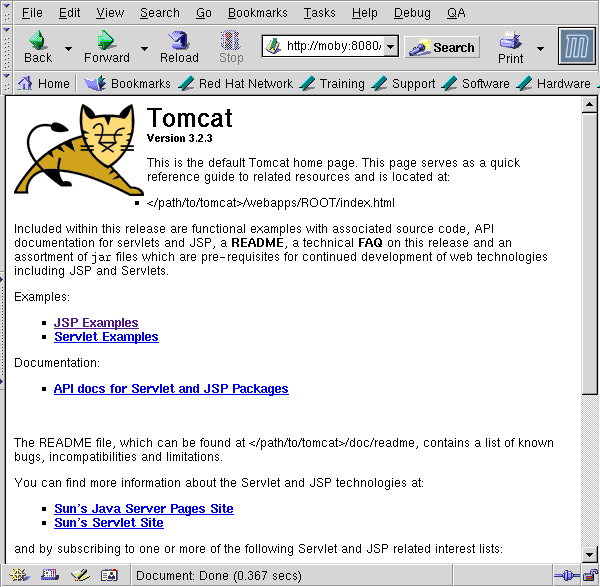
It works!
At this point you have two servers running: a simple web server
listening on port 8080, and a servlet container application server
listening on port 8007. The first thing I am concerned with is the
fact that everything was set up as root. Supporting documentation
suggests running the server as "nobody", but I felt that a special
jakarta user analogous to a database user would be a good idea because of
the special environmental variables that are set. Having a dedicated
jakarta user just for servlets would then allow configuration to be kept in
the ~jakarta home directory. This would be even more useful if there
were other versions of java installed on the system.
    moby:/opt/jakarta > sudo $TOMCAT_HOME/bin/shutdown.sh
    moby:/opt/jakarta > sudo /usr/sbin/groupadd jakarta
    moby:/opt/jakarta > sudo /usr/sbin/useradd -g jakarta -c \
    > "Java Server Pages" jakarta
    moby:/opt/jakarta > sudo mkdir /home/jakarta
    moby:/opt/jakarta > sudo chown jakarta.jakarta /home/jakarta
    moby:/opt/jakarta > sudo chown -R jakarta.jakarta $JAKARTA_HOME
    moby:/opt/jakarta > sudo su - jakarta
    moby:~ > cd $JAKARTA_HOME
References:
by Chris Bush
http://www.sysadminmag.com/linux/articles/v10/i01/a4.htm
http://java.sun.com/products/
http://java.sun.com/products/jsse/
http://java.sun.com/xml
http://jakarta.apache.org/site/sourceindex.html
Note that Ant is a separate project, but the servlet API source is in the
same download directory as the Jakarta-Tomcat source.
by Todd Sundsted
http://www.javaworld.com/javaworld/jw-05-2001/jw-0511-howto.html
http://jakarta.apache.org/tomcat/tomcat-3.3-doc/tomcat-ug.html
Allan has been enjoying Linux since about 1995, discovering Perl shortly
thereafter. Currently he is doing Linux consulting work in the NYC area.
He enjoys surfing, sailing, and dreams of owning a charter boat in
tranquilo Costa Rica.
Allan Peda
Copyright © 2001, Allan Peda.
Copying license http://www.linuxgazette.com/copying.html
Published in Issue 69 of Linux Gazette, August 2001
"Linux Gazette...making Linux just a little more fun!"
Qubism
By Jon "Sir Flakey" Harsem
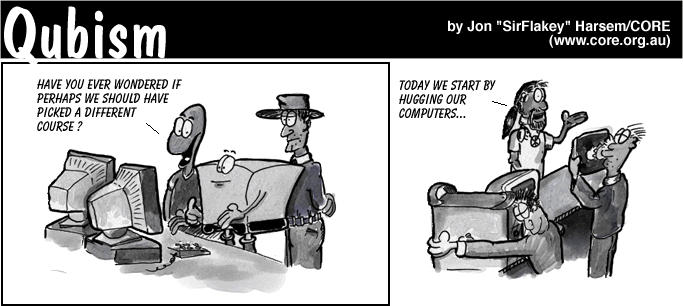

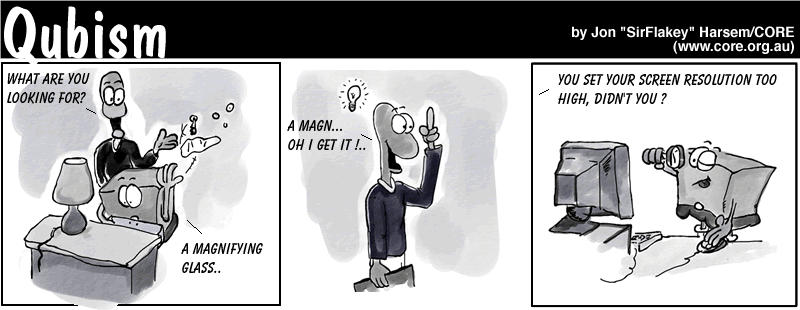
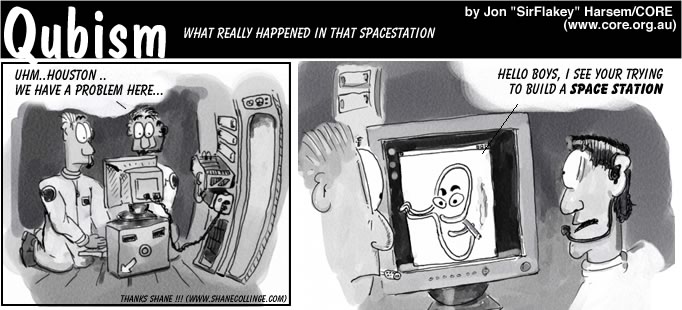

Jon is the creator of the Qubism cartoon strip and current
Editor-in-Chief of the
CORE News Site.
Somewhere along the early stages of
his life he picked up a pencil and started drawing on the wallpaper. Now
his cartoons appear 5 days a week on-line, go figure. He confesses to
owning a Mac but swears it is for "personal use".
Jon "SirFlakey" Harsem
Copyright © 2001, Jon "Sir Flakey" Harsem.
Copying license http://www.linuxgazette.com/copying.html
Published in Issue 69 of Linux Gazette, August 2001
"Linux Gazette...making Linux just a little more fun!"
Numerical Workbenches
By Christoph Spiel
Introduction
Numerical Mathematics
time(sum(sqrt(i), i = 1..10^6));
tic(); sum(sqrt(1:10^6)); toc();
Article Organization
Getting In and Out
    cspiel@hydra:~/articles/numerical-workbenches $ octave
    GNU Octave, version 2.1.34 (i686-pc-linux-gnu).
    Copyright (C) 1996, 1997, 1998, 1999, 2000, 2001 John W. Eaton.
    This is free software with ABSOLUTELY NO WARRANTY.
    For details, type `warranty'.
    *** This is a development version of Octave.  Development releases
    *** are provided for people who want to help test, debug, and improve
    *** Octave.
    ***
    *** If you want a stable, well-tested version of Octave, you should be
    *** using one of the stable releases (when this development release
    *** was made, the latest stable version was 2.0.16).
    octave:1> help diag
    diag is a built-in function
     - Built-in Function:  diag (V, K)
         Return a diagonal matrix with vector V on diagonal K.  The second
         argument is optional.  If it is positive, the vector is placed on
         the K-th super-diagonal.  If it is negative, it is placed on the
         -K-th sub-diagonal.  The default value of K is 0, and the vector
         is placed on the main diagonal.  For example,
              diag ([1, 2, 3], 1)
              =>  0  1  0  0
                       0  0  2  0
                       0  0  0  3
                       0  0  0  0
    octave:2> quit
    cspiel@hydra:~/articles/numerical-workbenches $
exit or press C-d to quit
GNU/Octave.
cspiel@hydra:~/articles/numerical-workbenches $ scilab
quit or exit.
-nw option to it:
    cspiel@hydra:~/articles/numerical-workbenches $ scilab -nw
                               ===========
                               S c i l a b
                               ===========
                              scilab-2.6
                      Copyright (C) 1989-2001 INRIA
    Startup execution:
      loading initial environment
-->help diag
    cspiel@hydra:~/articles/numerical-workbenches $ tela
    This tela is a tensor language, Version 1.32.
    Type  ?help  for help.
    ->TAB completion works; try docview() and source("demo")
    >help diag
    diag(V, K) (V is a vector) returns a square diagonal matrix, with
       vector V on the main diagonal (K == 0, default), the K-th super
       diagonal (K > 0) or the K-th sub-diagonal (K < 0).
       diag(M, K) (M is a matrix) returns the main diagonal (K == 0,
       default), the K-th super diagonal (K > 0), or the K-th sub-diagonal
       (K < 0) of M as a vector.  M need not necessarily be square.
    >quit()
    63 instructions, 0 arithmetic ops.
    0.0063 MIPS, 0 MFLOPS.
    cspiel@hydra:~/articles/numerical-workbenches $
Better Than a
Pocket Calculator!
Simple Expressions
1 + 2 * 3 ^ 4 should be treated
as 1 + (2 * (3 ^ 4)), yielding
163. It should not be treated as
((1 + 2) * 3) ^ 4, which equals
6561,10^6, and
cspiel@orion:~/articles/numerics $ octave
ans (more on
variables later).
    octave:1> 1 + 2 * 3 ^ 4
    ans = 163
log,
which returns the natural logarithm of its argument; this is, the logarithm to
base e.
    octave:2> log(10^6) / log(2)
    ans = 19.932
atan(argument).
    octave:3> atan(0.50 / 7.0)
    ans = 0.071307
    octave:4> atan(1)
    ans = 0.78540
    octave:5> atan(0.50 / 7.0) * 360/(2 * 3.14)
    ans = 4.0856
abs(arg), the sign-function sign(arg), and the square root
sqrt(arg).log(arg), and to the base of 10: log10(arg). The
exponential exp(arg) is the inverse of
log(arg).
sin(arg), cos(arg), tan(arg),
sec(arg), csc(arg); asin(arg),
acos(arg), atan(arg), acsc(arg);
sinh(arg), cosh(arg), tanh(arg),
sech(arg), csch(arg) asinh(arg),
acosh(arg), atanh(arg), acsch(arg).
ans.1i,
-8.99I, 324J. Scilab defines a special constant for the
imaginary unit sqrt(-1), which is written <%i>. Therefore,
Scilab's imaginary literals look like products: -8.99*%i,
%i*324.Variables
![[image: plan for a flower bed]](misc/spiel/patch.png)
    houseside_length = 10
    creekside_length = 6
    width = 2
height = 5 / 12
    octave:1> houseside_length = 10
    houseside_length = 10
    octave:2> creekside_length = 6
    creekside_length = 6
    octave:3> width = 2
    width = 2
    octave:4> height = 5 / 12
    height = 0.41667
    octave:5> volume = (houseside_length + creekside_length) * width * height
    volume = 13.333
    octave:6> box_width = 6
    box_wight = 6
    octave:7> box_depth = 4
    box_depth = 4
    octave:8> compost_height = 8/12
    compost_height = 0.66667
    octave:9> compost_volume = box_width * box_depth * compost_height
    compost_volume = 16
Structured Data
Vectors
            vat_percent / 100
    vat = --------------------- * gross_amount
          1 + vat_percent / 100
    octave:1> gross = [1.49, 4.98, 0.79, 5.49, 0.96, 0.96, 0.96, 0.96]
    gross =
1.49000 4.98000 0.79000 5.49000 0.96000 0.96000 0.96000 0.96000
gross *
(vat_percent/100) / (1 + vat_percent/100)
and get the VAT of each item?
It really is that simple.
    octave:2> vat_percent = 7
    vat_percent = 7
    octave:3> a = (vat_percent/100) / (1 + vat_percent/100)
    a = 0.065421
    octave:4> vat = a * gross
    vat =
0.097477 0.325794 0.051682 0.359159 0.062804 0.062804 0.062804 0.062804
vat_percent is a single value, which is
called scalar in numerics to distinguish it from vectors. Well, if
vat_percent is a scalar, then vat_percent/100,
1 + vat_percent/100, and a are scalars, too.
Finally, scalar a must be multiplied with vector
gross. What we wanted and what happened was that a was
multiplied in turn with every element of gross. This holds for
every operator, not only multiplication! In general
    vat(1) = a * gross(1)
    vat(2) = a * gross(2)
    ...
    vat(8) = a * gross(8)
gross, we write
    octave:5> gross(2)
    ans = 4.9800
gross(2)
= 5.12
.
sin, can be used on
vectors.
    v = [0.12, 0.89, 0.78, 0.10]
    sin(v)
sin([0.12, 0.89, 0.78, 0.10])
gross = #(1.49, 4.98, ...,
0.96).gross[2].
Warning for C programmers: Though the square brackets look like C, the lowest
index always is 1.Next Month
Chris runs an Open Source Software consulting company in Upper Bavaria/Germany.
Despite being trained as a physicist -- he holds a PhD in physics from Munich
University of Technology -- his main interests revolve around numerics,
heterogenous programming environments, and software engineering. He can be
reached at
cspiel@hammersmith-consulting.com.
Christoph Spiel
Copyright © 2001, Christoph Spiel.
Copying license http://www.linuxgazette.com/copying.html
Published in Issue 69 of Linux Gazette, August 2001
"Linux Gazette...making Linux just a little more fun!"
The Back Page
Wacko Topic of the Month
Not The Answer Gang
Homework assignment: reading directions
 [Iron]
It says right in the question what to do. Which part of "using the man page" do
you not understand?
[Iron]
It says right in the question what to do. Which part of "using the man page" do
you not understand?
But here's a hint: there is no 'Is' command. Do you mean 'ls'? But it has a lot more than three options.
Answered By Frank Rodolf, Heather Stern, Iron and Huibert Alblas
1 questionwhat methods did colonists use to protest actions by parliament between 1765 and 1775
[Frank]
Hmm... Lets see if a European can answer that...
My first guess was they dropped penguins in the parliamentary buildings. I don't think that is correct though.
I guess you did not realize you were sending this question to a list that is about helping people with problems with Linux, a computer operating system, not a homework help line. :)
You might go to a search engine - www.google.com might be a good choice, and search for (for instance): rebellion 1765-1775
[Heather]
We (The Answer Gang)
are not a study group. Most especially not a USA
History 101 study group.
The only way you could have found us is because we:
Ask instead:
Good luck in your quest. And your quizzes.
[Iron]
The Boston tea party.
That inspired the Silicon Valley tea party some 200 years later. http://www.svlug.org/events/tea-party-199811.shtml
[Halb]
Nope, actualy the colonist were sick and tired from the English trying
to impose somekind off copyrightlisencefees and taxes on
software,mp3,linux,_stamps_,and everything but the kitchensink.
The colonist reacted in not using M$-windows anymore and burning some MP3 cd's.
Get the real story on: http://www.britannica.com/eb/article?euq187&tocid=0
This Brittanica thing is quite good, I wish it had been there back then when I was supposed to do my history homework.....
[Iron]
Never mind the irony of looking up the American Revolution in a British
encyclopedia!
Answered By Heather Stern
respected sir;(to whom it may concern) i have visited ur webpage
[Heather]
You may have visited them, but you haven't read them... or you'd know we
don't answer for the operating systems you have asked about. Or else you
don't mind taking a few flames, because you hope there will be a useful
tidbit anyway. If that's so, please read onward.
ir i am student of IT and want ur help in solving my college assignment, as it is tecnically advanced ur i think u can give me help. points of the asssignments are;
With a certain amount of rolling our eyes towards the heavens... who told you to mail us? If you just found us in some search engine, that would be because the buzzword "homework" is part of the commonly used phrases here:
Shall we send a carbon copy of this message to your professor, too?
I think you can stand to read the back issues of the Linux Gazette in some detail. This is a very old practice in schools called "research". I've heard that some people get better answers from technical forums when they try to do some of it before just dumping their take-home exam in someone else's lap.
The company is tradionalist in information privacy, security, and the
applications of new technologies: so
1)if i am doing job in World computer inc.and i have to upgrade the system
into modern arena
Can't "up" grade until you know what you want it to do. If it is already doing its job well, "up" grading it is a waste of your time, and annoys the users.
Q1)from security point of view ...
To quote another member of The Answer Gang:
"Security is the enforcement of policy. First you must set policy, then you can try to enforce it."
Not all security policies are about computers - for those, there is only a slight amount software can do.
... which software is better Sun solaris or Windows NT.and which of them can better ...
can [verb] better? We don't care which of those two is better - FOR WHAT? - this is the LINUX Gazette.
...in the environment of data processsing deapartmant.
I hope you would better know the context of a data processing department than I would, because those aren't the kind of sites I work with most. I have no idea if COBOL exists for either one.
But you might try Celeste Stokely's home page, it has much more general UNIX related information. And some humor.
so plz give me strengths and of the software u recommend----?
Yes, if you're used to Sun versions of UNIX, try Slackware as your Linux distribution. It's very "BSDish" which means some of its commands may be more comfortable to use. KDE or Openlook window managers might resemble the default X interfaces found on Suns. And you'll need Samba to talk to those NT domains...
Oh what the heck, here's a bonus tip: Samba works on Solaris too, so you can have that Solaris box talk to NT boxen. You could use *both*...
sir i would be very gr8ful to u if u give me some suggestions as soon possible because i have to submit this assignment after 2 days.
The Answer Gang does not promise anybody any answer at all, timely or otherwise. If we do, we can publish them on the Linux Gazette website. THE ANSWERS WILL BE ABOUT LINUX. Tell your friends we are not a college study group.
Answered By Ben Okopnik
Dear Sir: Please send infor on how to apply for a student loan.
[Ben]
Hint: If you don't learn to spell the word "information" properly, you won't be able to apply for a number of the available courses, especially in the field of computing. Verbum sapienti, eh?
Answered By Heather Stern
I need some basic information on how pagers work. I would appreciate it if you could help me out by showing me some links on the related subject, or by mailing me any diagram or .pdf file containig any information about it. Thanks a lot.
[Heather]
They work just like cellphones, except that they don't eat as much, so
when they are on their lunch break, they get to hang out by the coffee
for a bit longer. They like that because they can catch the local buzz.
Honestly, the reason they don't eat as much is usually because the cell phones regularly "ping" their cell site to make sure they don't have to negotiate a handoff in order to keep listening, while pagers are usally passive and they get whatever signal they get. So they only use a tiny amount of juice to remember messages they already recieved, and to ding or buzz or whatever it is they do.
Two way pagers may act more like cellphones, and some cellphones are definitely pagers too, so beyond this, you need to hit the web searching on the model number. Some even let you web browse but even there, you are still not close to Linux. See the search engines, using the keyword "WAP" for more about that stuff.
Try "how pagers work" in google?
Answered By Ben Okopnik, Heather Stern, Jim Dennis and Iron
Sudhakar An asked: Gazette's July issue was pretty interesting. Jim I assume you literally had a quarrel with Ben heh?
[Ben]
Yeah... he got in a fairly good lick with that bullwhip, but I'm pretty
fast with the nunchucks. We'll both be out of the hospital in no time at
all; the No-Holds Barred Smackdown rematch is already sold out, we're
both making a fortune on the t-shirts and the pre-printed mousepads, and
the crowds are screaming for blood.
I've *heard* that there are people that can disagree and remain friends... but I'm sure that it's a myth; "Death before Dishonor", I always say.
<laugh> I'm _very_ interested in how you see The Answer Gang, Sudhakar. You must have quite a colorful imagination.
ps: Cool it Jim
Hey, Jim *is* cool. Just because we try to kill each other in the ring doesn't mean we can't be the best of friends at other times, right?
[Heather]
Hey, I thought we agreed, no mousepads unless you send a few to his Mom...
But my problem started when I enabled services like ftp,telnet, ssh , .... under xinetd.
[Jim]
Yes... I can promise you that you will. We've seen lots of complaints
about it here.
[Heather]
And it's Ben in the ring, the Answer Guy himself Jim Dennis takes off
his wizard cap to much cheering, and ... xinetd gets in the first swing.
Zowie!
[Ben]
(Psst - hey, Jim! I bet my t-shirt sales are higher than yours: I'm
giving away a Genuine Ben Okopnik autograph and a set of Ginsu knives
with each one!)
[Heather]
Yeah? I bet I can actually SELL Ginsu knives to these people! It's got
g_n_u in it after all... half the donations to LinuxFund! So, you wanna
bet on just the tshirts, or the whole kaboodle?
btw, most geeks have plenty of tshirts. Plus hats and the occasional change purse. Maybe we should sell something they *don't* usually get, like the rest of the wardrobe :)
Rgds Jim , I can understand that you guys dont mean to be killing each other. Just seemed so real this quarrel.
[Iron]
What was the original quarrel people keep on talking about? Not the
"Dash it All! Coping with ---Unruly--- Filenames" thread? That's not
quarreling, that's just having fun.
[Ben]
I have no idea - I looked through the last ish and could find no signs
of quarrels, arrows, or darts flung in anger or even irritation - but
I'm sure having a ball with it. :)
Answered By Iron, Nick Moffitt, Heather Stern and Ben Okopnik
Anonymous Coward asked: I have a question about the "finger" option on telnet. I know that you can find out when someone has logged in by entering "finger name" But I was wondering if it possible to find out who has tried to finger your e-mail account??
[Iron]
The short answer:
If you are the sysadmin, you can run "fingerd" with the "-l" option to log incoming requests; see "man fingerd". Otherwise, if you have Unix progamming experience, it *may* be possible to write a script that logs information about the requests you get. If you're merely concerned about security, the correct answer is to turn off the "fingerd" daemon or read the "finger" and "fingerd" manpages to learn how to limit what information your computer is revealing about you and about itself. However, you have some misconceptions about the nature of "finger" which we should also address.
The long answer:
"finger" and "telnet" are two distinct Internet services. "http" (WWW) and "smtp" (sending e-mail) are two other Internet services. Each service is completely independent of the others.
Depending on the command-line options given and the cooperation of the remote site, "finger user@host" may tell you:
(1) BASIC USER INFORMATION: the user's login name, real name, terminal name and write status, idle time, login time, office location and office phone number.
(2) EXTENDED USER INFORMATION: home directory, home phone number, login shell, mail status (whether they have any mail or any unread mail), and the contents of their "~/.plan" and "~/.project" and "~/.forward" files.
(3) SERVER INFORMATION: a ``Welcome to ...'' banner which also shows some informations (e.g. uptime, operating system name and release)--similar to what the "uname -a" and "uptime" commands reveal on the remote system.
Normally, ".plan", ".project" and ".forward" are regular text files. ".plan" is normally a note about your general work, ".project" is a note about the status of your current project(s), and ".forward" shows whether your incoming mail is being forwarded somewhere else or whether you're using a mail filter (it also shows where it's being forwarded to and what your mail filter program is, scary).
I've heard it's possible to make one of these files a named pipe connected to a script. I'm not exactly sure how it's done. (Other TAG members, please help.) You use "mkfifo" or "mknod -p" to create the special file, then somehow have a script running whose standard output is redirected to the file. Supposedly, whenever "finger" tries to read the file, it will read your script's output. But I don't know how your script would avoid a "broken pipe" error if it writes when there's nobody to read it, how it would know when there's a reader, or how the reader would pass identifying information to the script. Each Internet connection reveal's the requestor's IP, and if the remote machine is running the "identd" daemon, one can find out the username. But how your "finger" script would access that information, I don't know, since it's not running as a subprocess of "finger", so there's no way for "finger" to pass it the information in environment variables or command-line arguments.
However, "finger" is much less useful nowadays than it was ten years ago. Part of this is due to security paranoia and part to the fact that we use servers differently nowadays.
(1) Re security, many sysadmins have rightly concluded that "finger" is a big security risk and have disabled "fingerd" on their servers, or enable it only for intranet requests (which are supposedly more trustworthy). Not only is the host information useful to crackerz and script kiddiez, but users may not realize how much information their revealing.
(2) Re how we use servers, in 1991 at my university, we had one Unix computer (Sequent/Dynix) that any student could get an account on. Users were logged in directly from hardwired text terminals, dialup or telnet. You could use "finger" to see whether your friends were logged in. Since you knew where your friends normally logged in from, you had a fair idea where they were at the moment and could meet them to hack side-by-side with them or to read (Usenet) news or to play games together. (Actually, you didn't even need to use "finger". "tcsh" and "zsh" would automatically tell you when certain "watched" users logged in and out.) You could even use "w" to find out which interactive program they were currently running. But soon demand went above 350 simultaneous users, especially when the university decided to promote universal e-mail use among its 35,000 students and 15,000 staff. The server was replaced by a cluster of servers, and every user logging in to the virtual host was automatically placed on one of the servers at random. Since "finger" and "w" information--as well as the tcsh/zsh "watch" service--are specific to a certain server, it was a pain to check all the servers to see if your friends were on any of them. About this time, people started using X-windows, and each "xterm" window would show up in "finger" as a separate logged-in user. Also, finger access became disabled outside the intranet. "finger" became a lot less convenient, so it fell into disuse.
(3) "finger" only monitors login sessions. This includes the "login" program, "telnet", "xterm", "ssh" (and its insecure cousins "rsh" and "rlogin"). It does not include web browsing, POP mail reading, irc or interactive chat, or instant messaging. These servers *could* write login entries, but they don't. Most users coming from the web-browser-IS-my-shell background never log in, wouldn't know what to do at the shell prompt if they did log in, don't think they're missing anything, and their ISPs probably don't even have shell access anyway. That was the last nail in the coffin for "finger".
So in short, "finger" still works, but its usefulness is debatable. Linus used to use his ".plan" file to inform people of the current version of Linux and where to download it. SSC used to use it to propagte its public PGP key. There are a thousand other kinds of useful information it could be used for. However, now that everybody and his dog has a home page, this ".plan" information can just as easily be put on the home page, and it's just as easy (or easier for some people) to access it via the web than via "finger".
Nick Moffitt asks another question, and somehow these two threads tie together. Then one of the Gang (whose name fell off this message) suggested:
In this case it'd be wickedly apropos to twist finger to doing what you want... so you can give some poor telnet-using sap "the finger" as it were.
[Iron]
And Nick would enjoy doing it, too.
[Nick]
Hahaha! Sheesh, I write a single TAG mail, and up crops
Heather Stern, Mike Orr, and Don Marti. You folks should become the
next innurnet oracle!
[Ben]
<aghast> You mean we're NOT? </aghast>
[Heather]
My caffeine must be a quart low... since I was pretty sure that we must be -
otherwise we wouldn't get stupid highschooler homework questions, who
invented the cardboard box, and driving instructions for spaceships who were
dumb enough to install NT service packs just because their code-morphing
technology was able to do that.
We could probably come up with some cute database-generated silly answer to give instead of "These Aren't The Droids You're Looking For" but I think we're okay for now.
Except we might use postgresql instead of oracle... <grin duck and run!>
[Ben]
<glaring> I managed to restrain myself.
<grin>
[Iron]
Just making Linux a little bit more fun.
[Nick]
[In his signature:]
--
You are not entitled to your opinions.
[Iron]
Typical Moffittism.
[Nick]
	01234567 <- The amazing* indent-o-meter!
        ^	    (*: Indent-o-meter may not actually amaze.)
Answered By Ben Okopnik
Iron asked: Yes, but *why* is this assbackwards architecture by far the most popular computer on the market? BECAUSE of the backwards compatibility.
[Ben]
Yes, but "backward compatibility" does not have to mean "keeping every
single piece of old garbage". Once we reached the
processing power of 486DX100s, emulating DOS for complete backward
compatibility was a real option - and redesigning the architecture from
the ground up while still maintaining backward compatibility was a
reasonable goal. That was, erm, a few years ago.
Answered By Faber Fedor and Iron
Asdi Dera wrote to Faber Fedor: thank you very much for your ram disk tutorial.. my squid run very fast. ;)
[Iron]
Maybe if you use a helicopter you can catch up to it. :)
Answered By Ben Okopnik and Iron
Answering some question, Ben said:
[Ben]
I *have* found how to make it happen again, though.
[Iron]
He's got just enough information to make him dangerous. We'll have to
take care of... Oh, hi Ben. [laughs innocuously] I didn't realize
you were here.
[Ben]
<muttering while slowly backing into a corner> There is no Cabal. There
is no Cabal. There is no... AAAAAAAHHHH!!!! &)_*&%$%$#LOST CARRIER
Hi! How are you?
I send you this file in order to have your advice
See you later. Thanks
[The Answer Gang got hit with some twenty copies of the Sir Cam worm/virus in two days. Finally, we added the following stanza to all our .procmailrc's::0B * (I send you this file in order to have your advice|\ Te mando este archivo para que me des tu punto de vista) /dev/nullWhich sends it to the great bit bucket in the sky, where it belongs. Remove the extra spaces in the middle of the sentances. They are just to keep LJ from being deleted by any overzealous spamfilter. The second text line is a Spanish version we also received. Of course, since most of the Gang doesn't read mail on Windows, we didn't have to worry about damage, just about the amount of disk space those buggers take up. Sir Can attaches a file to the message. It's a different file each time, but usually at least 200 KB. That means five of them take up an entire megabyte. LG's spamfile this month was a whopping 55 megabytes (!), mostly due twenty more copie of this virus. -Iron.]
Have you been considering upgrading your web site for e-commerce or upgrading your existing shopping cart program to a higher level of performance? Many on-line retailer's success or failure is determined by their e-commerce solution.
It sounds like we have some things in common. We are both interested in getting people to join our Internet businesses. Recently I found some FREE promotional software that I thought you might also like to try out.
Just to add some emails from where they sent me this scam, as mr. Justin Catterall explained in issue66 these are really bad people, they are efficient and have things well, well planned. Have a look below at their initial response which i did on purpose (fortunately i had read LG issue66) to get some more emails like XXXXX (adb stands for African Development Bank which is a "real" african bank...), this email is from http://XXXXX
i have been using Linux since 98, keep the excelent work of Linux Gazette. ps.: please do not publish my email for security reasons
From: isaacson jaide
Subject: send the application and call immediately to confirm
I get your mail these morning because,since i sent you the last lether,my mind have not find any rest.
I'm very happy about your possitive interest in these business. Regarding to what it should be used for? what i know is that i'm going to invest mine over there in your contry. Please do as directed. The letter below is what you are going to fill your correct a/c No and full address of the Bank and send it directly to the Foreign Exchange managers e-mail address: adb@XXXXX.org
When you send it you confirm to me that you have done that and send a copy to me.
I wait to hear from you
yours
Isaacson shakas.The Manager African Development Bank. Johannesburg. South-Africa. APPLICATION FOR THE RELEASE OF THE 126MILLION IN THE A/C NO 202-15689-1. Reference to the above quoted A/C No. 202-15689-1 of Late Andreas B. Smith, with credit balance of 126 Million Point Zero - Zero US Dollars Only. As the bonafide next of kin to the above named late Andreas B. Smith Holder of the dormant Ref A/C, we wish to apply for the release of the total said mount and initial part payment of $26, 000,000.00, (Twenty Six Million US Dollars only). in our favour representing first phase payment from the credit balance in the said a/c. In accordance with National and International Laws of inheritance kindly remit the stated amount in full to our a/c No quoted below: (PLEASE ENTER YOUR BANK DETAIL HERE) This request is predicated on the fact that since the death of our Manager Mr. Andreas B. Smith who was entrusted with The Management of KRUGER GOLD MINING CO. The need for the transfer of the money in the account becomes imperative. We shall therefore be very grateful if this request meets with your favourable consideration Thanks Yours faithfully, (YOUR FULL NAME)
Our standard revenue share structure is as follows:
-You Receive 100% of banner ad revenues realized from the career center(avg.
40 imp/user)
-50/50 split on spotlight job advertising
-50/50 split on job posting received trough your sites
[And banner ads are SOOO lucrative! -Iron.]
Valerie XXXX, a patient of dentist and hypnotherapist Dr. Bruce XXXXXXXX, was trained to use hypnosis to see into the future and discovered an undiagnosed medical problem that threatened the mother's (Joann's) life.
Are you looking for your first Internet business...or your last?
If it's your first, wouldn't you like it to be your last? Your last should be like going home....it should be the one that allows you to double your full time income on a part time basis, is stable, will be there for your heirs, and give you the lifestyle you dream of.
Listen, you don't have to tell me - I KNOW what your experiences have been marketing online. You've been in one of two places. EITHER you're fairly new on the Internet, and you KNOW that SOMEBODY makes money online - but you can't quite figure out HOW. OR MAYBE you can "sign people up" like gangbusters - and those people just SIT THERE. Those people don't just "sit there" because they are "lazy", "stupid" or "don't have the desire". The ONLY way for this to work is to do what is done in EVERY OTHER industry but ours - and that is, let the "marketers" do the "marketing" - and let the other people do what THEY do best!
Some people just STINK at marketing. And they will NEVER make money online -no matter which "HOT! NEW!" thing they jump into again THIS week! But the thing is - you don't HAVE to! Want to find out why I market for OTHER PEOPLE all day? Then you need to see my open letter about HOW we do that. Just a word to the wise. LOTS of people do it our way. Want to FINALLY make money online? Want to NEVER have to "recruit" and "motivate" and "babysit" again? Then see how YOU can succeed online even if you HATE to market! WHY IN THE WORLD would you NOT want us to do the marketing FOR you? Are you having such GREAT success trying to do it on your own? Are your people? Let US set up a totally AUTOMATED system for you where WE do all the marketing for you and we ALL make money!!
["Or your last" ... because so many people are getting out of the Internet business! -Iron.]
[That's it, I want to get an income upgrade. -Iron.]
Happy Linuxing!
Mike ("Iron") Orr
Editor, Linux Gazette, gazette@ssc.com