
 |
|||||||||||
|
|
Table of Contents:
|
|||||||||
|
|||||||||||
Editor: Michael Orr
Technical Editor: Heather Stern
Senior Contributing Editor: Jim Dennis
Contributing Editors: Michael "Alex" Williams, Don Marti, Ben Okopnik
|
|
TWDT 1 (gzipped text file) TWDT 2 (HTML file) are files containing the entire issue: one in text format, one in HTML. They are provided strictly as a way to save the contents as one file for later printing in the format of your choice; there is no guarantee of working links in the HTML version. | |||
|
|||
![[tm]](../gx/tm.gif) ,
http://www.linuxgazette.com/ ,
http://www.linuxgazette.com/This page maintained by the Editor of Linux Gazette, gazette@ssc.com
Copyright © 1996-2000 Specialized Systems Consultants, Inc. | |||
|
|||
Write the Gazette at gazette@ssc.com
|
Contents: |
Send tech-support questions, answers and article ideas to The Answer Gang <linux-questions-only@ssc.com>. Other mail (including questions or comments about the Gazette itself) should go to <gazette@ssc.com>. All material sent to either of these addresses will be considered for publication in the next issue. Please send answers to the original querent too, so that s/he can get the answer without waiting for the next issue.
Unanswered questions appear here. Questions with answers--or answers only--appear in The Answer Gang, 2-Cent Tips, or here, depending on their content.
Before asking a question, please check the Linux Gazette FAQ to see if it has been answered there.
 Wed, 11 Oct 2000 12:50:21 +0200
From: Jean-Paul Duyx <jp@duyx.nl>
Subject: Vines Client for linux
On my notebook I run linux, but at my work the network is Banyan Vines. Searching the internet, I could not find any linux client for Vines. Perhaps I didn't look good enough or mayby there is no such thing.I think it would be nice to read something about that. The only thing that i found was a private project to write a client for linux, but that site hasn't been updated for more than a year. it is http://freespace.virgin.net/paul.grayson/.
Sun, 29 Oct 2000 14:33:05 +35824
From: Jon Claerbout <jon@kana.stanford.edu>
Subject: Income tax software
Every year I need to struggle with Windoze again in order to work out my income taxes. I heard that there were some web-based systems, but when I dug into it, it turned out that it needed to work with an adobe plugin that didn't work for me.
Hope you can dig up some better solutions for us Linux folk?
--
   o   ~
 _-'\_  ~
(*)<(*)  ~
Wed, 18 Oct 2000 15:06:53 -0500
From: Matt <matt@1lsn.com>
Subject: Slackware RAID1 problem
HEELP! hehe I have been trying to find a chatroom (or ICQ or something..just aas long as its live and they are available alot.) with some people (or better yet, one kind guru with lots of free time) in it that can help me with a slackware problem I am having..(specifically installing and configuring a RAID1 system). I am VERY new to linux ..have only compiled one kernel in my lifetime and don't truly understand what it did or why..hehe
All I need is someone to kinda walk me through step-by-step commands starting with CFDISK and going all the way to the end..a bootable raid1 system. (I can learn how and why later..but am on a bit of a time schedule at the moment.)
If you know of any places I can go or people to contact, please let me know as soon as you can.
I already have about 90 pages of printed material and have tried most of it, but its not working. dunno, maybe the the instructions I have (have about 10 different sets form different websites) are missing something..
Anyway, I really appreciate any help you might be able to offer..
Fri, 20 Oct 2000 18:06:30 -0200
From: César A. K. Grossmann <ckant@fazenda.gov.br>
Subject: Windows NT Event Log on a Linux Box
I need to consolidate the event log from several machines and produce some reports and even alerts from the data collected. I was thinking that using the Linux tools (cron jobs, scripting languages, and DBMS) could be a good idea, but cannot find how to do this (read the event log of a Windows box from a Linux box).
The best support I can find was the article http://www.securityfocus.com/frames/?focus=microsoft&content=/focus/microsoft/nt/log1.html. In it I can find:
"... The Event Log is accessible to remote machines via Remote Procedure Calls (RPC) via applications that utilize the Event Log API, such as the Event Viewer."
So I think it's possible to have some application that uses RPC (as SAMBA does) to connect to the remote Windows box and get a copy of the event log.
Can you help me? The Windows NT boxes are in an NT Domain, and the Linux box does have the SAMBA installed and running.
TIA
P.S.: sorry the bad english, I'm a brazilian penguinista.
Fri, 6 Oct 2000 03:24:56 +0300
From: Peter Georgiev <pesho@geocities.com>
Subject: Linux Gazette by e-mail
Here is my 0.02USD tip for all those readers who'd like to receive the Gazette by e-mail.
Actually it can be done quite easy. All you need to do is send an e-mail message to bitftp@pucc.princeton.edu with message body:
open ftp.ssc.com
chdir /pub/lg
binary
get lg-issueXX.tar.gz
quit
and you will receive back an e-mail containing a uuencoded copy of the requested file. There is plenty of uudecoding software so I will not elaborate further.
If you need more detailed HOWTO on the matter and a list of other ftp-mail servers send an e-mail message to mail-server@rtfm.mit.edu with message body:
send usenet/news.answers/internet-services/access-via-email
or mailto mailbase@mailbase.ac.uk with message body:
send lis-iis e-access-inet.txt
or visit http://www.activesol.com/www/drbobfram.htm
There you will also find info on various internet services available via e-mail.
Send an email as noted here to any of the numerous www4 servers.
From: Your  Mail Address Here
To:  www4mail@ftp.uni-stuttgart.de
Subject: leave blank nothing here

GETSIZE 50000
XUUENCODE
ftp://ftp.ssc.com/pub/lg/lg-issue58_tar_gz.
this results in 24 msg that are numbered part 01 of 24 and uuencode. I use uudeview to decode the 24 parts. I then rename each part to aa----ax. 24 parts; then I combine the parts exactly like this. must be this way!!
copy /b aa+ab+ac+ad and finally axthen press return on the line containing the copy instruction It will ask if you want aa to be overwrote. answer yes and all will now be in aa now re name aa to issue58.tgz and proceed with untgz
I have acquired all 58 issues this way through email only. Hope you can make sense out of this.
copy command is for DOS/Windows sysems. (No, it's not a
crime to read LG on a Windows machine.) On Linux/UNIX, you'd
do this instead:
cat aa ab ac ad ... ax >issue58.tgzThis creates issue58.tgz, containing all the other files joined together one after the other. I don't see why you need to rename the files to aa, ab, etc., since you're just going to use them once and then delete them. Why not just use whatever names
uudecode gives
you?
GETPART put missing part number here
GETSIZE 50000
XUUENCODE
ftp://ftp.ssc.com/pub/lg/lg-issue58_tar_gz.
Wed, 11 Oct 2000 09:09:50 -0700
From: Linux Gazette <gazette@ssc.com>
Subject: Translations
Thanks to everybody who responded to last month's request for translators from other languages to English. Currently we have volunteers for:
We don't get a lot of mail in non-English languages, but we have gotten an article in French and one in Spanish, and TAG/Mailbag items in Italian, Spanish and Danish. I just want to have translators ready in case we need them someday.
Those who wish to translate from English into their own language should contact the foreign-language version of interest, or start your own if there isn't one. As always, see the mirrors page.
There is a new mailing list, lg-translators, where I send advance copies of articles after they have been formatted. This will give you a chance to get your hands on the articles a few days early to lessen the delay between when the English version appears and when your translation is ready.
To subscribe to this list, send a message to majordomo@ssc.com with "subscribe lg-translators" in the body. This is a moderated list: only articles, article revisions, and announcements from LG to the foreign editions will be sent.
The demand for Spanish LG reminds me of the demand for an affordable Macintosh that was built up during the late 80s. When Apple finally released the MacClassic in 1990, I for one immediately went down and bought one, as did a lot of other people. Apple was forced to switch to a 3-shift, 24-hour production line to churn them out, just to meet the demand.
Note: all non-English versions of Linux Gazette are done as independent projects without LG sponsorship. LG does not endorse specific translations as being official. However, we gratefully acknowledge all translations we know about on our mirrors page.
ThanksI was doing a search of your achives and found exactly what I needed. Thanks for being there.
Mon, 16 Oct 2000 19:41:46 -0500 (CDT)
From: Jason Englander <jason@interl.net>
Subject: "@" sign confuses LG mirrors
I have no idea when this started because I auto-mirror /pub/lg/www_root and only usually look at it when a new issue comes out... but here's what I get with ftp and with lftp:
-rw-rw-r--   1 698    @ 105    @    30147 Sep 26 11:39 faq/index.html
-rw-rw-r--   1 698    @ 105    @    11763 Sep 30 15:38 index.html
-rw-rw-r--   1 698    @ 105    @   162592 Sep 30 15:45 lg_index.html
-rw-rw-r--   1 698    @ 105    @   134353 Nov 17  1999 tag/kb.html
-rw-r--r--   1 698    @ 218    @     1475 Jul 28  2000 tag/kb0.html
-rw-rw-r--   1 698    @ 105    @     2379 Mar  1  1999 lg_statement.html
-rw-rw-r--   1 698    @ 105    @    86857 Sep 30 15:37 mirrors.html
-rw-rw-r--   1 698    @ 105    @      102 Nov  3  1999 robots.txt
-rw-rw-r--   1 698    @ 105    @     8866 Aug 31 17:44 copying.html
drwxrwxr-x   2 698    @ 105    @     1024 Feb 28  2000 test
-rw-rw-r--   1 698    @ 105    @     3021 Mar 30  2000 search.html
The two @ that are in there seem to be botching up "mget *.html" type requests and mirroring (I use lftp's mirror), making the "search.html" file become "30 2000 search.html" (the 30 and the 2000 coming from the date).
Anyone else report this? I'm going to grab the .tar.gz files now and shut off the nightly updates.
[Nobody else has reported this. We get the "@" symbols on the FTP listings too. However, LG has an rsync server. Rsync is reliable and uses less bandwidth than FTP mirroring. Jason switched to rsync and said it's working fine. Hints for setting up an rsync client for LG are here. -Mike.]
 |
Contents: |
Submitters, send your News Bytes items in PLAIN TEXT format. Other formats may be rejected without reading. You have been warned! A one- or two-paragraph summary plus URL gets you a better announcement than an entire press release.
 November 2000 Linux
Journal
November 2000 Linux
JournalAll articles through December 1999 are available for public reading at http://www.linuxjournal.com/lj-issues/mags.html. Recent articles are available on-line for subscribers only at http://interactive.linuxjournal.com/.
CalderaThe Beta is available for download from http://www.calderasystems.com/beta/.
Conectiva
LuteIn a further initiative LinuxFreeSupport will be authoring ShowMeLinux's 'Support Line'. The Support Line is a column offering answers to questions posed by readers regarding such topics as installations, networking, administration, applications, and the desktop.
Mandrake
Red FlagRed Flag Linux Server 2.0 was developed strictly in accordance with international L118NUX standards and General Public License regulations.
Red Flag E-business Start Kit 1.0 is an integrated solution for businesses. It consists of six components: Red Flag Linux Server 2.0; e-Office, for users to easily transfer internal data via the Internet; e-Shop, where users can easily create their own e-shops through the Internet; Web Mail, providing an inter-platform e-mail system manager designed for businesses; Web BBS, for customers to offer feedback and suggestions on the message board; and Ez2min, a remote monitoring software for the Linux system operated through the browser.
Mr. Alex Banh, Deputy Chief Executive Officer of SW Linux has expressed a commitment to developing international markets for homegrown Chinese software and to promoting Linux training in local Chinese institutes.
Rock
SuSEThe Professional Edition of SuSE 7.0 contains a collection of power tools including VMWare Workstation for Linux, Emhydra by Lutris Technologies, PostGreSQL. Suse Linux 7.0 Professional is supplied on 6 CDs and four manuals. 90 days of installation and basic configuration support by phone, fax or email are also included in the Professional version, which is available from OS/2 Express for R615. Contact OS/2 Express. We are advised that a limited number of evaluation packages are available.
Upcoming conferences
& eventsCourtesy Linux Journal's Events page.
|
Linux Business Expo (co-located with COMDEX event) | November 13-17, 2000 Las Vegas, NV www.key3media.com/linuxbizexpo |
|
USENIX Winter - LISA 2000 | December 3-8, 2000 New Orleans, LA www.usenix.org |
|
Pluto Meeting 2000 | December 9-11, 2000 Terni, Italy meeting.pluto.linux.it |
|
LinuxWorld Conference & Expo | January 30 - February 2, 2001 New York, NY www.linuxworldexpo.com |
|
ISPCON | February 5-8, 2001 Toronto, Canada events.internet.com |
|
Internet World Spring | March 12-16, 2001 Los Angeles, CA events.internet.com |
|
Game Developers Conference | March 20-24, 2001 San Jose, CA www.cgdc.com |
|
CeBit | March 22-28, 2001 Hannover, Germany www.cebit.de |
|
Linux Business Expo | April 2-5, 2001 Chicago, IL www.linuxbusinessexpo.com |
|
Strictly e-Business Solutions Expo | May 23-24, 2001 Location unknown at present www.stricltyebusinessexpo.com |
|
USENIX Annual Technical Conference | June 25-30, 2001 Boston, MA www.usenix.org |
|
PC Expo | June 26-29, 2001 New York, NY www.pcexpo.com |
|
Internet World | July 10-12, 2001 Chicago, IL events.internet.com |
|
O'Reilly Open Source Convention | July 23-26, 2001 San Diego, CA conferences.oreilly.com |
|
LinuxWorld Conference & Expo | August 10-14, 2001 New York, NY www.linuxworldexpo.com |
|
Linux Lunacy Co-Produced by Linux Journal and Geek Cruises | October 21-28, 2001 Eastern Carribean www.geekcruises.com |
Jabber.com Announces
Palm Integration and Three-Way Partnership for New Jabber Wireless InitiativeJabber has also announced a strategic relationship with Red Hat to deliver real-time messaging infrastructure to Red Hat embedded Linux. Elements of this were showcased at the Embedded Systems 2000 show, September, in San Jose, Calif. Jabber is the only open source, XML-based platform for extensible instant messaging applications. For the latest developments on the Jabber landscape, consult their news site.
Dell First
To Market with Red Hat Linux 7
Neoware
VMware Announces New
User Group Program
Sensiva partners with
Wacom Asia Pacific
China Internet lawsCNN has a scary article about China's Internet laws. "Internet content and service providers must keep records of all the content that appears on their Web sites and all the users who dial on to their servers for 60 days, and hand the records to police on demand, the rules state."
Definitions of illegal content are vague, such as "spreading rumors", "disrupting social stability", gambling and pornography. The rules also forbid "harming ethnic unity" and "advocating cults and feudal superstition" -- terms often invoked to prosecute suspected Tibetan independence activists and members of Falun Gong and other spiritual movements.
Opera, PalmPalm
and Trolltech form Strategic Alliance for Asian Embedded Linux MarketLinux Total Solution for Wireless Internet Appliance consists of Opera's "Opera for Linux" Web browser, Trolltech's "Qt/Embedded," an embedded GUI environment and windowing system, integrated with PalmPalm's "Tynux," a Linux Operating System optimized for the wireless Internet. This is to provide a complete embedded Linux solution for wireless Internet devices.
Linux LinksThe Duke of URL Links
Did Al Gore invent the Internet?
Anchordesk UK links:
Kernel Wiki invites contributions of documentation/illumination on aspects of the Linux kernel.
Word processing in Linux : a business perspective.
The Ninth International Python Conference.
Gimp-Savvy.com contains a guide called "Grokking the GIMP", which covers the use of the GIMP's core tools and shows how nine major projects were done.
The HP-HOWTO shows how to use Linux with various Hewlett-Packard products, and what level of Linux support there is for each product.
European lawmakers propose to make hacking illegal. (MSNBC)
An interesting proposal to force abandoned copyrighted products into the public domain. (OS Opinion)
A review of four Windows emulators and PC emulators. (Linux World)
Linux in the financial industry. (Tech Web)
Embedded OS licencing fees: how the lack of licencing fees for embedded Linux products will enable many times more embedded devices to appear on the market and allow smaller companies to get in on the act. (ZDnet)
Interview with Vincent Rijmen of the Rindael AES algorithm, a DES replacement which is much harder to crack. Rindael is unencumbered by intellectual-property and patent claims. (Linux Security)
NetworX Linux Cluster
Helps Researchers Fight DiseaseUsing a 32-processor cluster system from Linux NetworX, Baylor College of Medicine reconstructs the molecular configurations of disease and illness-causing viruses and other molecules and develops three-dimensional models of their structures. A cutting-edge technique then allows researchers to view the viruses as if they were locks. By properly studying these "locks," they hope to find the "keys" to opening and destroying them. In the past, much of this research was done on large supercomputers costing millions of dollars. But today, because of price-performance issues, clustered-computer alternatives are being selected to handle the large amounts of computation, data handling and storage required.
In the past, scientists used trial and error methods to create vaccines and drugs to fight viruses. But now, using clustered computers and other technologies, they are able to define the structure of these viruses and attempt to design drugs that will solve the specific problems each one presents.
In further good news for the company, the Linux NetworX Evolocity (TM) cluster server receives Best of Show Award for Network Servers & Peripherals from InernetWeek and Network Computing at NetWorld+Interop 2000 Atlanta. The Evolocity cluster server, introduced at the show, is designed for managing and optimizing Web traffic in the Internet market.
Tridia
Teamware Office 5.3
for Linux
Proven CHOICE Accounting
releases Internet Toolkit
Workstation Solutions
Announces Quick Restore 2.7
Internet C++ (ICVM) Alpha
Release
Other software
The Opera web browser 4.0 for Linux is now in beta.
Magic Software is building an e-tailing solution called TISTrade for Toyo Information Systems, based on Magic eMerchant. TISTrade will make it easier for manufacturers and retailers outside Japan to sell to consumers in Japan.
 The Answer Gang

 Linux Gazette
table overflow
Sed / Awk Script
Porting to Access
Issues with a modem
LinuxRedHat Errno 404
IP Masq and X
extra keyboard keys under X
cloning with dd
Linux Gazette
table overflow
Sed / Awk Script
Porting to Access
Issues with a modem
LinuxRedHat Errno 404
IP Masq and X
extra keyboard keys under X
cloning with dd
 `HELP: Crontab not running
Replacing an MS Exchange Mail Server with Linux
background processes in Linux
serial consoles, install, boot, etc --or--
Confused About Internet Access to My Home Computer --or--
`HELP: Crontab not running
Replacing an MS Exchange Mail Server with Linux
background processes in Linux
serial consoles, install, boot, etc --or--
Confused About Internet Access to My Home Computer --or--
 Greetings from Heather Stern
The flip side of that is, I didn't get quite everything in. Some of the items might well become seperate articles. Others will be seen next month.
Anyways, I wanted to babble just a little bit about themes. Nowadays your computer does not have to be drab and boring. Or, it can be plain - but your idea of comfortably plain. With the fancier window managers you hardly have to be sure that windows under X are still square.
So, what did your computer dress like for All Hallow's Eve? Mine wants to go as a Tektronix vector terminal, and the best I could find it was a copy of Spacewars...
Linux GazetteFrom Ben Okopnik to Jon Lapham on Thu, 5 Oct 2000
If I read your article correctly, you used sendmail to change your "From" header and add some aliases. Why did you use sendmail to do this? Why not set all this up in your email client? As a fellow mutt enthusiast, you do know that this can be configured in your .muttrc and that you can set up a global ".muttrc" for the system? It seems to me that you should try to make it easy for your brother to do things like add a new alias to his email list. The sendmail alias solution seems a bit overkill IMO.
Changing the /etc/Muttrc or the ~/.muttrc only changes the "From:" (note the colon), and not the "From " header (which does not exist at the time that the e-mail is created; it is added by the MTA). A number of mail readers, including Netscape (at this point, having done some serious fiddling with Muttrc, I'm uncertain about Mutt), use the "From " header in forming their 'Received from' and 'On dd/dd/dd, <user> wrote:' lines; since I get quite a lot of mail from other Linux users, I see a lot of "On dd/dd/dd, root wrote:"... Often (and this is much worse) the sender addy looks normal, but the "Reply to:" is set to "localusername@isp_host.com" - if you don't pay attention when you hit "Reply", you'll get an unpleasant surprise in 3-5 days (e.g., "Mail could not be delivered to 'root@geocities.com'...") In order to fix those headers completely, I change both the .muttrc and the sendmail setup. By the way, I found that in RedHat, the 'send-hook * my_hdr From:' line in Muttrc caused Mutt to give an error message. It works fine on my Debian boxes...
Also, rather than adding aliases, I've caused sendmail to do address conversions, a completely different issue. An alias is a short name used as a substitute for a recipient's mail address; the conversions are a way for sendmail to know that the local username "ben" should be converted to "fuzzybear@pocketmail.com" on all outgoing mail.
I install RH linux on peoples machines all the time, and I have to say I
almost never have to change the default sendmail setup, even for single
user systems connected via ISP.
Ben Okopnik
table overflowFrom Heather Stern and Jim Dennis to james zhuang on Fri, 6 Oct 2000
Hi,
I am runing Redhat Linux 6.x. Recently I am getting an error message 'neighbour table overflow' pop up in the console screen.
Any ideas,
James
Until you fix it, session based protocols like samba, nfs, ftp and telnet, and ssh will have iffy connections. Samba and NFS will probably be so annoying you can't really use them; a good ftp client will just feel like it's slow as molasses.
Whereas, if you go into /etc/sysconfig/network-scripts and you make sure that you have a valid ifcfg-lo file, things will be properly speedy.
Sed / Awk ScriptFrom Dan Wilder to Kopf on Sat, 14 Oct 2000
Could someone tell me how to write a sed script which'll put text at the beginning of each line of a file, and change all the backslashes in the file to forwardslashes?
I need it so that I can change all my .m3u files from windows format to UNIX, IE from:
Deftones\White Pony\Pink Maggit.mp3
to
/mnt/win_c/mp3s/Deftones/White Pony/Pink Maggit.mp3
Anyone have any ideas?
#!/bin/sh

#

# call with filename as first argument.  Puts

# out revised file to standard out
sed 's%\%/%g;s%^%/mnt/win_c/mp3s/%' $1
Uses "%" as delimiter, to avoid having to escape the more conventional forward slash. The
s%\%/%g
says to put a forward slash in place of a backslash, and the "g" modifier says to do it for every such.
;
is a command delimiter
s%^%/mnt/win_c/mp3s/%
says to substitute /mnt... at the beginning of each line (that's what "^" matches).
For more info, see "man sed". This manpage contains one of the several fine introductions to regular expressions, which have the ability to match things like the beginning or ending of a line, strings containing not just particular characters put particular sets of characters, and so on. See also "man grep".
... but, when Kopf tried it ...
Hi Dan,
I entered that in, but it gives me an error of:
sed: -e expression #1, char 11: Unknown option to 's'
I don't know what char 11 is, is it the 11th character inside the quotes of what's being sent to sed? I've been messing around with the script, but to no avail...
Any Ideas?
Thanks,
Aengus
sed 's%\\%/%g;s%^%/mnt/win_c/mp3s/%'
The "\" has special significance as an escape character, means "ignore me but take next character literally".
My bad.
Porting to AccessFrom Ben Okopnik to John Humphre Halliday on Tue, 17 Oct 2000
Hello Answer Guy!
The Answer Guy/Gang is a column in the Linux Gazette; we answer Linux-based questions for our readers. It just so happens, though, that I was the EDP manager for an insurance company in the Virgin Islands - and this company used Clipper (all the in-house apps were written in it). Due to the major Y2K issues inherent in their operations, I convinced them to switch to a different suite of apps - which involved converting the old databases to Access.
First, for the Linux community: for those of you who want to read/use Clipper DBFs under Linux, I've written a front end for Martin Schulze's "dbview" called "clipview"; it's a viewer/converter that patches the differences between the two formats. It's available on my site - http://www.geocities.com/~ben-fuzzybear/clipview.tgz - and Martin may also be including the functionality in future releases of "dbview".
I was hoping you'd be able to recommend the quickest way to port from a
Clipper/DB2 database to Access 2000. A client has asked that I do this for
them and I know almost nothing about Clipper - just that it's a compiler for
DB2 type databases (.dbf). Is it possible to access the tables through an
ODBC connection in Access and simply copy/import the tables/data to Access?
Good luck!
Ben Okopnik
Issues with a modemFrom Ben Okopnik to J. Miguel Iglesias S. on Wed, 18 Oct 2000
I have a PC running RedHat 6.2, I also have an internal Motorola ModemSurfr 56k.
Some guy told me he found the way to make it work with linux, so he told me to define the parameters using the setserial function.
Checking the boot log I saw the system runs setserial
at boot and detects the port for the modem.
However I used the setserial function and somehow my
modem gave me some response using minicom.
If I use minicom, I'm able to dial to my ISP, but the
speed is way too slow (it takes about 30 seconds just
to display the greeting from my ISP) so my connection
times out before I'm able to login to the ISP.
1) Serial port. As a guess, I would say that this is most likely the culprit, given that tweaking "setserial" is what allowed you to see your modem in the first place. Read the "setserial" man page carefully, particularly paying attention to the speed flags such as "hi" and "vhi". Check the other settings for the port you're using, port and IRQ both, and _specify_ them rather than auto-configuring. "setserial" can be used right from the command line, so you do not have to reboot to change the settings; experiment with different values and see if they produce any changes.
2) "Usage" conflict. In theory, once some piece of software uses a given serial port, it will write a "lock" file that will prevent other software from trying to use it. Unfortunately, this scheme is not perfect: a particularly stupid piece of software (one that does not honor or check for the lock), or one that uses the 'cua' port addressing scheme (as in '/dev/cua0', etc.) may try to use a port that is already in use, causing a problem. Immediately after rebooting and _before_ trying to do anything with the modem, try running the "fuser" utility on the appropriate "/dev/ttySx" port - if another process is using it, "fuser" should let you know.
3) IRQ conflict. I've noticed that under Linux, as contrasted against DOS/Win, IRQ conflicts seem to slow down the associated process instead of just crashing the machine; a "friendlier" response, as I see it, and certainly easier to diagnose. Try removing the modem from the system and checking "/proc/interrupts" for other hardware using the IRQ that it requires (e.g., IRQ4 for ttyS0/ttyS2, or IRQ3 for ttyS1/ttyS3.) Also, check "/proc/ioports" for 03F8, 02F8, 03E8, and 02E8 - the port addresses for ttyS[0123] - though I wouldn't expect too much trouble there.
If I use the pppdial in Gnome it simply don't detect
my modem.
Good luck,
Ben Okopnik
... Miguel replies...
I will try all your hints and let you know how it worked, maybe my
experience will bring some hope with this modem to other users.
I'm considering to buy an external modem anyway (but still want to make my current modem as well), do you think I should buy a CNet ($70) or I should go safer and buy an US Robotics ($110)?
Thanks a lot for all your help and regards
Miguel
Along with LinuxMafia's Rick Moen, I believe that internal modems, when ground fine and lightly roasted, make a decent coffee but have little use otherwise; making your existing modem work is good troubleshooting practice, but your idea of replacing it with an external is a good one.
Ben Okopnik, modem curmudgeon
LinuxRedHat Errno 404From Heather Stern to Ken on Wed, 18 Oct 2000
I want to change the default of Errno 404, so that the user is redirected to another URL when they request a URL that is not on my server. What directory and file do I need to edit?
On Apache under SuSE, the file to adjust is /etc/httpd/httpd.conf but it could as easily be under a home directory for Apache under /usr somewhere. I've no experience with the other servers, but the powerful ones like Roxen Challenger and aolserver should definitely also have the feature available.
IP Masq and XFrom Heather Stern to M.K. Laha on Thu, 19 Oct 2000
My Linux PC is on a private LAN that connects to the internet through a (Linux based) router using IP masquerading.
My problem is that I can't seem to point the DISPLAY environment variable on a remote machine on the internet to that of my Linux PC. So, if I run, say, gnuplot, on the remote server, I cannot see its output on my PC.
I've tried setting the DISPLAY variable on the remote machine to point to the router but that doesn't work. Seeting the DISPLAY variable to point to my PC obviously doesn't work because it is not "visible" to the remote machine on the internet.
I shall greatly appreciate any help/pointers. Thanks in advance.
- Manas Laha
If you have been provided a way to reach Work from Home via ssh, then all you need to do is turn on X11 forwarding. Then ssh will create a "virtual" display (usually Work:10.0) which will acept X GUI commands, but really send them up the ssh pipe back to Home.
So, ot's okay not to be running X on the Work system at all, as long as the libraries are there so programs that you want to run can be good X clients. You do need to be running X on your Home system though. Launch ssh out of an xterm (eterm, etc.) and both your ssh client plus Work's ssh daemon must be given the options that X11 forwarding is okay. Why? Because these days it usually defaults to off, as it's a security risk; X usally has an annoyingly strong root privilege. You can reduce the risk by using .Xauthority files so only your account at Work can use the pipe.
What most people don't think of, is that this trick, where Work's CPU is supposed to display on Home's monitor, used to be the normal way that the X windowing system was used... and that's why the part of X that paints on the monitor is called the server.
... Manas answers...
Thanks for your prompt reply. I haven't tried using ssh so far, but
I shall certainly try it out now.
- Manas Laha
extra keyboard keys under XFrom Ben Okopnik to Gavin W. Burris on Sun, 22 Oct 2000
I have a Gateway keyboard with multimedia keys along the top. Is there
any way to use these under X? Could I press one and have a program or
shell script run? Thank you for your time.
If, on the other hand, they generate some sort of previously unmapped key codes, then you would have to dig a little deeper into your WM man page and other reference material. The "key codes must be passed to the application" directive seems to be one that is ignored by most WMs, and one or more may be capable of being 'told' to intercept these new codes - but this would obviously be a per-WM-specific feature.
I recommend taking a closer look at what's happening via 'showkey' in a VT and 'xev' in an xterm. Once you have an idea of what keycodes you're generating, you'll know in what direction to search.
Ben Okopnik
cloning with ddFrom Ben Okopnik to Chris Smart on Mon, 23 Oct 2000
Hi, do you know how I can speed up the dd command under Linux when cloning
disks. I use dd if=/dev/hd? of=/dev/hd? at the moment, are there any flags
that I can use to speed it up. Or maybe you know a quicker way to clone
disks that preferably doesn't use Norton ghost or powerquest disk image!
Any help will be much appreciated
The other issue is, of course, "dd" itself, particularly the 'bs' option which sets the size of the block that is read from 'if' and written to 'of'. Here is a test worth trying:
time dd if=/dev/hd? of=testfile bs=[N]k count=M
where NxM=10Mbytes, and the source and the target are on different drives. Vary N (and consequently M) and see what blocksize gives you the best performance. Given this type of custom-tweaking, I believe you should be able to improve on the performance of any other software...
Ben Okopnik
`HELP: Crontab not runningFrom Richard N. Turner on Sat, 09 Sep 2000
Dear Editor,
I saw the article mentioned in the subject and some of the followups and had to reply.
I've seen more than my share of people cursing cron and saying: "But the script runs fine from the command line!". Pierre Abbat's reply in the September issue was right on. Most people will modify the PATH variable to include some directories beyond the major ones that get defined in places like /etc/profile and scripts will fail when they attempt to run some commands that rely on this modified PATH.
The thing to remember is that cron doesn't run your .profile when it runs a script. If you don't explicitly define the full path to a program run from within the script it'll fail. So you either have to make sure your script contains something like "/home/mydir/devel/bin/prog1" (or whatever) or amend the PATH at the top of the script.
Another alternative is to just source, depending on your shell, either .profile or .bash_profile from within your script (assuming that it defines PATH and whatever other environment variables were helping the script run from the command line). If you include a line near the top of your script like:
. /home/mydir/.profile
or
. /home/mydir/.bash_profile
all things you usually rely on in your interactive environment are defined for your scripts run under cron as well.
If you do decide to source your .profile, you might want to watch for things that depend on there being a display and/or keyboard "attached" to the process running the script. If there isn't, you might see strange error messages like "not a typewriter" or "cannot open display :0.0". I have a toolbox of variables and shell functions that I like to use in a file called "std_functions" which I source near the beginning of my interactive environment setup as well as my scripts. One of the things I put in `std_functions' is:
     TRUE="0 -eq 0"      #Lets you define Boolean environment
variables and
     FALSE="1 -eq 0"     #makes scripts easier to read six
months from now.
     if [ -t 0 ]
     then
          INTERACTIVE=${TRUE}
     else
          INTERACTIVE=${FALSE}
     fi
The "-t" test returns `true' if stdin (file handle 0) is associated with a terminal. Then in your profile, you can do things like run xrdb using:
     if [ ${INTERACTIVE} ]
     then
          xrdb -l ~.Xresources
     fi
and not get weird messages from your cron jobs (The above `if' block would, of course, evaluate as false under cron). I tend to keep my profile arranged so that any setup that I need for my interactive sessions is wrapped by an if-then-fi block. After all, you don't really need to define aliases and use them in your shell scripts (Ugh!).
Hope this'll help someone...
PS: I've somehow missed reading the Gazette for the last couple of months. It keeps getting better. Keep up the good work.
-- RNT
On behalf of the crew, thanks! We couldn't do it without you! -- Heather
Replacing an MS Exchange Mail Server with LinuxFrom Dustin Puryear, Anthony E. Greene, and Brian Finn to hutchins on 11 Sep 00
On this subject, we hear both from the author of a good book all about it, a serious cross-platform power user, and someone who simply found something better than Exchange to use in this fashion.
This is a sort of follow on to your discussion in Issue 56 of reasons not to migrate a Linux mailserver to MS Exchange.
One feature that the MS Exchange Server/Outlook Client (as well as the Lotus Notes Server/Client) offers is a centralized address book.
I read with some dismay your message to Linux Gazette regarding a lack of "centralized" directory services on Linux. Nothing could be further from the truth. There are several LDAP servers ready to run on Linux. Better yet, OpenLDAP, an open-source LDAP server, compiles easily on Linux and can be integrated with MTA's such as Sendmail and Postfix. In addition, you can access the directories on OpenLDAP from Netscape or Outlook 98+ easily. In fact, I have implemented OpenLDAP at my company and it works great!
FYI, I cover both Postfix and OpenLDAP in my book, "Integrate Linux Solutions into Your Windows Network," which is aimed specifically at NT managers wishing to use Linux to their advantage in NT-dominated networks. (Of course, it works the other way around as well--if you wish to bring NT/Windows into your UNIX organization the book just as well.)
Feel free to ask me any specific questions that you may have.
Best regards, Dustin
--- Dustin Puryear dpuryear@usa.net
Hey Dustin, thanks for joining the Gang! If anyone sends you good questions and you copy your answers to LG at linux-questions-only@ssc.com -- we will publish them so more people can understand how it all ticks. -- Heather
Netscape has no problem using the LDAP server automatically to resolve partial addresses. I did the same thing in my former organization where Outlook 2000 and Outlook Express were the clients. The Outlook 2000 client needed to be tweaked to use a more flexible LDAP query, but then they both worked fine. Even the StarOffice mail client can use LDAP, but the procedure for selecting addresses in StarMail is tedious and non-intuitive.
The Outlook 2000 installer makes you choose either Internet-Only or Exchange Server mode. If you choose Exchange Server mode (the default, I think), then you will have to edit the registry to get a more flexible LDAP query. The default search looks only at the beginning of the email address. It does not search the 'cn' (commonName), 'sn' (surname), 'givenName', or any other attributes. I changed the search so that it looked anywhwere in the 'cn' attribute. You can figure this out by looking at the man pages for the utilities that ship with OpenLDAP and the registry entry associated with the LDAP server on the Windows client machine.
If you're limited to performing updates from a Winbox, you might look into ldap-abook <http://sourceforge.net/projects/ldap-abook/>. It's a set of perl scripts and a module that makes it easy to maintain an LDAP address book. You will probably have to edit the scripts to fit your situation, but it can work. I found it easier to do batch updates by updating an LDIF file and re-importing the whole thing during off-peak periods. If you have a large directory, you'll probably want to get a good LDAP client instead. The utility programs that come with OpenLDAP are pretty good if you only have command-line access to the server.
"Summary: HP OpenMail is an impressive, highly scalable mail server. One OpenMail server will handle Microsoft Outlook (with scheduling and calendar), Lotus cc:Mail, Lotus Notes, Microsoft Mail, Web, and standard e-mail clients.
Cost: Free for Red hat Linux servers with up to 50 mailboxes. $41 per mailbox on Linux Servers, $77 per mailbox on other platforms.
Platforms: Red Hat Linux 6.x;
HP-UX 10.20 or 11.0;
AIX 4.21 or 4.3;
Solaris 2.5.1 to 2.6
Hope this helps,
Brian Finn
background processes in LinuxFrom Peter Samuelson to Andy Larkum on Sat, 30 Sep 2000
Regarding a recent LG Two-Cent Tip-- [Andy Larkum asks LG]
I have a small query. I want to log into a Linux machine, set a
process running, and log out again, leaving the process running. It
has been suggested that I can do this by simply using 'nohup
command &' but this didn't work, because the process was killed as
soon as I logged out again.
This is really useful in loops. Often I want to start 100 jobs in the background but don't care about stopping them later. So:
i=0; while [ $i -lt 100 ]; do some_long_job_involving_$i & disown; ((i=i+1)); done
Note that I use '&' to put each job in the background, then immediately disown it. That way the job numbers don't accumulate and get in the way.
If you are forced to use a non-bash shell that doesn't support disown, you can get the same effect by running the background job in a subshell:
sh -c 'some_long_job &'
The 'sh' you spawn to run the job exits immediately -- it's not an interactive shell so it doesn't bother with th job control crap -- and your login shell is none the wiser about some_long_job still going.
Peter
Serial ConsolesFrom Jim Dennis to Joseph Annino on Sun, 08 Oct 2000
One thing that is really great about Sun hardware is that you can get rid of the monitor, mouse, and keyboard all together and do everything from install the operating system to change EEPROM settings via a serial console. While Intel hardware was never designed this way, I cannot find much information about setting up Linux on Intel to approximate this. Is it possible to install and boot Linux over a serial console? Log-in in this way is easy, but to be able to completely administer a system the install and boot functions are critical, especially the Lilo prompt would be nice.
I've heard that some new Intel motherboards include BIOS support for serial console. However, I haven't seen one of those yet.
As to your question. Yes, Linux can support a serial console, and it can concurrently support the normal PC console (with virtual consoles) and a serial console.
Your first step is to compile your kernel with serial console support. That's a standard configuration option in the 2.2.x kernels and it was available as an unofficial patch for years (since the pre-1.0 days). There is a small text file to explain this support in /usr/src/linux/Documentation/serial-console.txt (Obviously depends on your kernel version, but it's been there for awhile so any recent kernel should include it).
Next you have to configure LILO by editing the /etc/lilo.conf. There are two parts to this configuration --- you want to configure the LILO bootloader itself to include support for prompting and handling input on the serial port, and you want to add a command line parameter to the kernel to enable and configure the serial console support that you had compile into it.
So you need a lilo.conf that looks something like:
boot=/dev/hda2
root=/dev/hda3
install=/boot/boot.b
map=/boot/map
delay=20
prompt

#      vvvvvvvvv
serial=0,19200n8
#      ^^^^^^^^^

image=/boot/vmlinuz
	label=new
	read-only

#                vvvvvvvvvvvvvvvvv
	append="console=ttyS0,19200"
#                ^^^^^^^^^^^^^^^^^
Note that these different parameters don't have matching syntax. On the serial= directive (which configures the LILO boot loader support) we have the port number (without the ttyS device name prefix) followed by the speed, parity and data bits. On the append= drive we are passing a kernel option. The kernel console= option takes the base name of a device (with the /dev/ directory name, but with the ttyS* prefix/device name), and then the port speed.
Actually the speed, parity, and bits settings for both of these use the same format and syntax. So the important difference is that one (the serial=) takes just a serial port number while the other takes a device name (ttyS*). The first time I tried to get LILO working with a serial console I didn't read it carefully enough and I thought I knew more than the documentation. It took me a few hours to figure out that I needed to remove the "ttyS" from my serial= line!
Finally, some newer PC motherboards/chipsets have support for full serial operation. These tend to be the more expensive keyboards that are designed for rackmount cases and are particularly handy for co-location servers.
Does Internet access require an ISP?From Mike Orr to Jeffrey Stephens on Tue, 17 Oct 2000
I'm a bit confused. I was re-reading back issues of Linux Gazette and
came across this answer which you provided in the Sept. 98 column, issue
32. I am running Redhat 6.2 which I configured using the KDE
workstation option. I understand you to say in the enclosed answer that
no one can access their computer over the internet without making
arrangements with their ISP. Then what's the big deal about securing my
cable connection? Since I haven't made any arrangements with my ISP
your answer would seem to suggest that I am secure. On the other hand,
if someone can break into my machine then I ought
to be able to connect with it myself over the internet without going
through my ISP. Am I missing something here?
Regards,
Jeff Stephens
Alright, I finally figured out what you were asking. It took a little work, though.
First note: when you set up a Linux system it defaults to providing many services. It is already a "server."
What you seem to be asking is: "How do I make my server accessible via the Internet?"
As you surmised you would have to make arrangements with some ISP to have some dedicated (or at least "dial on demand") connection to the net, or to "co-locate" your hardware with them.
If you have Internet access, you are connected to the Internet through an ISP (Internet Service Provider) of some sort. For cable modems, the cable company normally runs its own ISP that all customers must use. My DSL provider allows me to use any of several local ISPs instead of their own. The cableco or telco connects you to your ISP through some non-Internet means (cable or DSL to the cableco/telco central office, then ATM or Frame Relay or whatever to the ISP), and then the ISP takes it from there. Your ISP is your gateway to the Internet: no gateway, no Internet.
Being a "server" means your computer runs services which other people can use. Of course, at the most basic level, all Internet-aware computers are servers, because Internet is a two-way street, and if you can ping up other computers, other computers can ping you. But normally "server" means you're running application-level services: web, e-mail, ssh, telnet, ftp, etc. that other people can use. And yes, most Linux distributions come with all these services enabled by default, and yes, this is a security risk. (See"Linux Security, or Rather, the Lack Thereof" in last month's News Bytes (http://www.linuxgazette.com/issue58/lg_bytes58.html#general).) You should know which services your computer is running and turn off those you don't specifically want to offer.The answer you quoted was from 1998, and things were different back then. Cable modems and DSL were not common, at least not in the US. (Although my Canadian friend likes to point out that he had a cable modem in eastern BC a year before we even heard the term "cable modem".) Almost everybody used analog modems with dial-up connections. Dial-up connections are by nature less vulnerable to attack than cable modems are, because the would-be cracker will find that your server:
To solve problem (1), dial-up users need a 24-hour connection or a "dial on demand" service. Dial on demand means the ISP will telephone your computer whenever a packet comes through for it and the link is down. This requires a special arrangement with the ISP, and your computer must be configured to answer the phone, and you have to make sure that nothing else (answering machine, fax machine or person) picks up the phone first. Most ISPs would not do this, and the few that did charged big bucks for it.
- may be disconnected right now.
- may have a dynamic IP, and of course the cracker must know the machine's current IP (or domain name) in order to sabotage it.
(Note: Linux distributions have the "diald" daemon which does dial-on-demand in the opposite direction: whenever your computer or internal network wants to connect outside, it will dial the ISP for you if the connection is down. But this does not help the problem above, which is incoming traffic.)
For any kind of 24-hour connection (dedicated modem with separate phone line, ISDN, Frame Relay, T-1), you would be paying $140-$1000 per month-- out of reach for most individuals. Those of us who have long desired this are ecstatic that we can now get this service at an affordable rate.
To solve problem (2), you need a static IP (one that never changes) or "dynamic DNS" service. Of course, this affects cable modems as well. With a cable modem, you may have a dynamic IP (which changes every time you plug in the modem, and perhaps every few days as well). This will at least ensure that even if a cracker breaks in, he (or she) won't be back over the long term, because when he tries to come back, he'll find himself on a different computer and he'll have to start from square one determining its configuration. Of course the tradeoff is, if you wish to run a web server or e-mail server and you have a dynamic IP, it'll be mighty inconvenient for the public to know your current IP or domain name.
("Dynamic DNS" means the nameserver is set up to allow its configuration (which IP your domain name points to) to be changed frequently and conveniently, either by you typing a new number on a web page or by a script on your computer which sends in the new information.)
So yes, people from the outside can crack your computer even if you haven't made special arrangements with your ISP. Linux Gazette has published several articles this year on securing your home network, and these are all recommended reading.
 More 2¢ Tips!
 Identify services
I'm not sure that I'm sending this to the right address, but...
I find the most useful tool in the attempt to identify services and their parents to be netstat -ple (process, listening, extended info). This provides a table of listening sockets, the processes that own them, and the uid of the process.
If you're making an emergency read only anti-hack disk, put this on it - you cant trust your installed version always.
Mathew Johnston
Checking Passwords in Custom AppsHi,
I need to authenticate a user entering a linux os.
I get from the user a username and a password and need to cross it with the /etc/passwd file.
How do I cross the password with the existing one ? (How can I enctypr the password the user entered ?)
Thanks you,
Gil.
I presume what you're trying to ask is something like: "how can my custom script or application determine if a user has given me the password as would be checked by the system?"
The short answer is that your program should use the getpwent(3) and the crypt(3) library calls.
That is a bit of an oversimplification but here's a bit more detail:
Technically you don't "encrypt" the password, you "hash" it and compare your result with the one that's stored in the /etc/passwd, or the /etc/shadow file, or the one that's returned by NIS, etc.
Here is a link to a simple example I found using Google:
http://oloon.student.utwente.nl/~remco/linux-c-programming/9902/msg00017.html
Glyn Clements is one of the most active and knowlegeable contributors to the linux-admin mailing list.
-- JimD
Printing under LinuxIn your answer to Gaurav you didn't mention TurboPrint. I found the current version has full support for my Epson Photo 700 and most other Epson printers as well. I now have full photo quality printing under Linux. Support for other printers is growing daily so keep checking back if you don't see it the first time. The URL: http://www.turboprint.de
It is beta (0.61) but seems to work great!
Jim
subnet needed--- "Arne C. Johnson" wrote: what does this subnet does this network give you
192.168.160.0 /20
Thanks
192.168.160.1-192.168.175.254 4094 hosts
that's a 255.255.240.0 mask
The trick is that each "255" octet is 8 bits. The number on the end of the slash is a number of bits set on. So, 8 + 8 = 16, still not enough, need 4 bits 4 more! See it's really just that many 1's counted from the left... which is to say from the top of the values, so within the third octet, that's 16 + 32 + 64 + 128 = 240. The netmask 1's allow bits to "leak through" and establish the network address... the 0's block or "mask" all the local addresses off. For a lot more detail what this is all about, see Jim Dennis' fairly verbose "routing and subnetting 101" in issue 36. -- Heather
companieswhat are some of the companies that makes "LINUX" operating systems?
There are so many, it is hard to count them... and groups which are not companies also produce their own setups of Linux, so we call them "distributions".
Linux Weekly News (http://www.lwn.net) has a section dedicated to following this question, and a sidebar that has links to a long list of distro's - so you should check it out.
-- Heather
Keyboard keys/buttons...anthony buckland wrote:
I live in Japan and would like to replace the Japanese keyboard (buttons) of my NEC laptop with the English keyboard (buttons)--if you know what I mean? Now, do you happen to know of a supplier(s) in the US or elsewhere that I could possibly contact for those English buttons? I thank you, again.
I would contact NEC support via one of the links at http://www.nec.com/support/index.html and see if they can help. Perhaps they can send you the keytops or at least tell you who manufactures them.
-- Mike
How to read Cisco Documentation CDROM on Linux platformAre you interested to such micro-howto ?
Regards
Andrea Montefusco
Listen 127.0.0.1:8080
You must include a Listen for your virtual servers in your virtual host configuration (specialized file or httpd.conf file); add the following instructions:
<Virtualhost localhost:8080>
Options Indexes FollowSymlinks
DocumentRoot /mnt/cdrom
AddHandler gunzip .htm
Action gunzip /cgi-bin/CiscoDoc
</Virtualhost>
#!/bin/sh
#
#
echo Content-type:text/html
echo


FULL_PATH="$DOCUMENT_ROOT""$PATH_INFO"

ROOT_FILE="$DOCUMENT_ROOT""/home/home.htm"

if [ -f "$ROOT_FILE" ]; then

   bunzip2 -t "$FULL_PATH"  1> /dev/null 2>&1

   rc2=$?

   if [ "$rc2" = "0" ]; then
      bunzip2 --stdout "$FULL_PATH"
   else
      gunzip -l "$FULL_PATH"   1> /dev/null 2>&1
      rc=$?

      if [ "$rc" = "0" ]; then
      	gunzip --stdout "$FULL_PATH"
      else
      	cat "$FULL_PATH"
      fi
   fi

else
   echo "<HTML><BODY>"
   echo "<H1>Root file (" $ROOT_FILE ") not present</H1>"
   echo "<H2>Did you forget to insert the CD-ROM ? </H2>"
   echo "</BODY></HTML>"
fi

#echo "<HTML><BODY>"
echo "<HR>"
echo "<H4>"
echo "Cisco Documentation CDROM Reader ver. 0.3 -- A.Montefusco A.Passariello"
echo "</H4>"
#echo "</BODY></HTML>"
chmod -c 755 CiscoDoc
A note conserning the article "Making a Simple Linux Network IncludingInstead of doing an "echo 7 > /proc/parport/0/irq" you can put following line to modules.conf:
options parport_pc io=0x378, irq=7
where io / irq should be replaced if necessary. With this you should be able to insmod plip without any problems.
Wanted: articles about non-LILO boot loaders. -- HeatherNeil Koozer of Roseburg, Oregon has created nuni, a boot loader for a Linux system that uses the ext2 file system and IDE drives.
nuni handles various ext2 block sizes and handles both small and large kernels.
www.linuxforum.org/plug/articles/nuni.html
Hoyt Duff
GrepFrom what i understand, u only want to know users begining with "potatoe" in the "Login" coloumn.
$finger | cut -f1 -d" " | grep potatoe
Regards
Rakesh Tiwari
If you obey all the rules, you miss all the fun.
2 cent tips - re: Reflections ReplacementToshiro,
Hi! I would like to access my graphics Linux desktop from my Windows box; I was able to do it using a software called Reflection (I guess you know it), is there any (free) software with the same capabilities of Reflection?
You could also try VNC. If you run a VNC Server on your Linux Machine and a VNC client on your Windows box, you can get a graphical Login (xdm, gdm, kdm) on your Windows Box. See:
http://www.uk.research.att.com/vnc
The Linux version comes included with several distributions, including Debian.
Good Luck,
Rick Cook
ModemsI bought the ActionTec Internal Call Waiting PCI - not to be confused with the "56K PCI Pro" which is labelled as a WinModem - 'coz it was the only one that mentioned Linux support on the box and was PCI. From this I assumed it to be a "real" modem.
I haven't actually tried it under Linux yet, but I was impressed to find the instruction book had more pages (10) devoted to getting it to work under Linux than for the Windows variants. And there is no mention of having to install special software ... at least none that I can find.
There are separate headings for PPP, GNOME Dialer Applet, KPPP, linuxconf Dialer, and even a paragraph on minicom. It cites the instructions as having been verified under Red Hat 5.2 and 6.0, although I found references to my current distribution of choice - SuSE - on their web pages.
I was impressed! Their web site is www.actiontec.com
HTH ... BJ
authentication pam and kdeAt 11:42 AM +0200 10/23/00, Dean Buhrmann wrote:
Hello,
Kapil Sharma gave in the Oktober issue a few security tips. One is blocking users from doing su and only allowing the users from group wheel to do so. [snip]
It works well in virtual terminals. In KDE however it is now impossible to su. Authentication rejects now always the root password.
Hi Dean -
This also fails in Gnome if I use the default terminal. Try opening a vanilla xterm - I can su if I do it there.
Breen
Printing in NetscapeIn issue 57 (http://www.linuxgazette.com/issue57/lg_tips57.html), Matthew Willis suggested using psnup to print two pages per sheet in Netscape.
psnup -c -n 2 | lpr -pprinter
I had to change this slightly to get it to work for me. I use:
psnup -c -n 2 -pletter | lpr
The "-pletter" option says you're using letter-sized paper (the normal page size in the US). Otherwise it will default to the European A4 size. If you print A4-formatted pages on letter paper, the rightmost part of the content runs off the edge of the page.
The "-pprinter" option didn't work for me. I assume Matthew was trying to select the printer device. According to my lpr manpage, the option would be "-P printer". "-p" filters the input through pr, which isn't what we want. (The pr command formats text files.)
-- Mike Orr
Recently, I started studiying computer sciences in conjuction with economics at the Technical University of Clausthal.
I met another Linux enthusiast, Christian Perle. He told me about one of his ongoing projects. And that one was maintaining the HAL91 Linux distribution..
This article should be a short description of what is HAL91 and where could it be used for.
Please contact the maintainer of HAL91, Christian Perle, for further information.
I just want to tell you about its existence...
In short, a quote of the HAL91 boot message:
_/  _/ _____/ _/        _____/  __/ http://home.sol.no/~okolaas/linux/hal91/
_/  _/ _/  _/ _/        _/  _/  __/            -=[ Floppy Linux ]=-
_____/ _____/ _/   ___/ _____/   _/                 ver 0.2.0
_/  _/ _/  _/ _/            _/   _/             okolaas@online.no
_/  _/ _/  _/ _____/        _/   _/          (c) 1998 0yvind Kolaas
HAL91 is a minimalistic Linux distribution that fits on one floppy disk (1.44MB).
Special about HAL91 is that it comes along with a whole set of useful utilities for maintaining and troubleshooting a linux system, including some limited networking support.
The HAL91 Project was started by Oyvind Kolaas but Christian Perle is now the maintainer of the HAL91 distribution.
In order to keep HAL91 as small as possible the whole HAL91 system currently uses the libc5.
Kernel 2.0.36 is the current kernel version.
HARDWARE REQUIREMENTS:
You just a need a minimal system with a 386 processor and 8MB of RAM.
HAL91 comes along with harddisk and CD-ROM support but it runs directly from floppy out of a RAM disk.
A special feature of HAL91 is the included minimal support for NE2000 compliant network hardware and the
ability to establish a PPP connection over a null modem cable (via the
ppp-nullmodem script).
The following programs and tools are included with the HAL91 distribution.
| tool/program | Description |
| bash | bourne again shell |
| bunzip2 | uncompress bzip2 files |
| bzip2 | compress files to .bz2 |
| cat | concatenate files |
| chmod | change file permissions |
| chown | change file ownerships |
| chroot | change root filesystem |
| cp | copy files |
| dd | read/write devices and files |
| df | show free disk space |
| dir | show contents of directory (symlinked to ls) |
| dmesg | show kernel messages |
| du | show disk usage |
| e2fsck | check/repair an ext2 filesystem |
| elvis | clone of the vi editor |
| fdisk | partition hard disks |
| free | show memory statistics |
| ftp | ftp client |
| grep | search for patterns in files (symlinked to rgrep) |
| gunzip | uncompress gzip files |
| gzip | compress files to .gz |
| halt | halt the system |
| hostname | show/set hostname |
| ifconfig | configure network devices |
| init.net | simple script for configuring ethernet |
| insmod | load kernel modules |
| less | display files |
| ln | create links |
| loadkeys | load keymaps |
| ls | list contents of directory |
| lsmod | show loaded kernel modules |
| mkdir | create directories |
| mke2fs | create an ext2 filesystem |
| mknod | create special device files |
| mkswap | set up swap partition |
| more | display files (symlinked to less) |
| mount | mount filesystem |
| mv | rename/move files |
| ncp | server/client to copy files/directories over network |
| npoll | receive stdin over network (symlinked to ncp) |
| npush | send stdin over network (symlinked to ncp) |
| open | open virtual consoles |
| ping | send ICMP requests |
| ppp-nullmodem | simple script for PPP using nullmodem cable |
| pppd | PPP daemon |
| ps | show process status |
| reset | clear the screen |
| rgrep | search for patterns in files |
| rm | remove files/directories |
| rmmod | remove kernel modules |
| route | configure network routes |
| sh | bourne shell (symlinked to bash) |
| sleep | pause for a specified time |
| swapoff | turn off swap (symlinked to swapon) |
| swapon | turn on swap |
| sync | synchronize cache with disks |
| tar | tape archiver |
| telnet | remote login client |
| tr | translate characters in files |
| umount | unmount filesystem |
| update | automatic syncing of filesystems |
| vi | vi editor (symlinked to elvis) |
| zcat | concatenate gzip compressed file (symlinked to gzip) |
| zless | display gzip compressed files |
(And this fits on a single floppy disk!)
The HAL91 floppy is bootable. Just insert it into your floppy drive and start your computer.
The bootloader LOADLIN is also included with the HAL91 floppy. You can launch HAL91 directly from a running DOS.
All visible files on the HAL91 floppy are on a VFAT file system. You can inspect the disk and even copy its contents (with losing the ability to boot directly from it) to anywhere using a DOS or Windows compatible system.
HAL91's kernel configuration is shown in the file kconf on the disk:
#
# Automatically generated by make menuconfig: don't edit
#

#
# Code maturity level options
#
# CONFIG_EXPERIMENTAL is not set

#
# Loadable module support
#
CONFIG_MODULES=y
CONFIG_MODVERSIONS=y
# CONFIG_KERNELD is not set

#
# General setup
#
CONFIG_MATH_EMULATION=y
CONFIG_NET=y
# CONFIG_MAX_16M is not set
CONFIG_PCI=y
CONFIG_SYSVIPC=y
# CONFIG_BINFMT_AOUT is not set
CONFIG_BINFMT_ELF=y
CONFIG_KERNEL_ELF=y
CONFIG_M386=y
# CONFIG_M486 is not set
# CONFIG_M586 is not set
# CONFIG_M686 is not set

#
# Floppy, IDE, and other block devices
#
CONFIG_BLK_DEV_FD=y
CONFIG_BLK_DEV_IDE=y
# CONFIG_BLK_DEV_HD_IDE is not set
CONFIG_BLK_DEV_IDECD=y
# CONFIG_BLK_DEV_IDETAPE is not set
# CONFIG_BLK_DEV_IDEFLOPPY is not set
# CONFIG_BLK_DEV_IDESCSI is not set
# CONFIG_BLK_DEV_IDE_PCMCIA is not set
CONFIG_BLK_DEV_CMD640=y
# CONFIG_BLK_DEV_CMD640_ENHANCED is not set
# CONFIG_BLK_DEV_RZ1000 is not set
# CONFIG_BLK_DEV_TRITON is not set
# CONFIG_IDE_CHIPSETS is not set
CONFIG_BLK_DEV_LOOP=y
CONFIG_LOOP_ROOT=y
# CONFIG_BLK_DEV_MD is not set
CONFIG_BLK_DEV_RAM=y
CONFIG_BLK_DEV_INITRD=y
# CONFIG_BLK_DEV_XD is not set
# CONFIG_PARIDE is not set
# CONFIG_BLK_DEV_HD is not set

#
# Networking options
#
# CONFIG_FIREWALL is not set
# CONFIG_NET_ALIAS is not set
CONFIG_INET=y
# CONFIG_IP_FORWARD is not set
# CONFIG_IP_MULTICAST is not set
# CONFIG_SYN_COOKIES is not set
CONFIG_IP_ACCT=y
# CONFIG_IP_ROUTER is not set
# CONFIG_NET_IPIP is not set
# CONFIG_INET_PCTCP is not set
# CONFIG_INET_RARP is not set
# CONFIG_NO_PATH_MTU_DISCOVERY is not set
CONFIG_IP_NOSR=y
CONFIG_SKB_LARGE=y
# CONFIG_IPX is not set
# CONFIG_ATALK is not set
# CONFIG_AX25 is not set
# CONFIG_NETLINK is not set

#
# SCSI support
#
# CONFIG_SCSI is not set

#
# Network device support
#
CONFIG_NETDEVICES=y
# CONFIG_DUMMY is not set
# CONFIG_EQUALIZER is not set
# CONFIG_PLIP is not set
CONFIG_PPP=y
# CONFIG_SLIP is not set
# CONFIG_NET_RADIO is not set
CONFIG_NET_ETHERNET=y
# CONFIG_NET_VENDOR_3COM is not set
# CONFIG_NET_VENDOR_SMC is not set
# CONFIG_NET_PCI is not set
CONFIG_NET_ISA=y
# CONFIG_LANCE is not set
# CONFIG_AT1700 is not set
# CONFIG_E2100 is not set
# CONFIG_DEPCA is not set
# CONFIG_EWRK3 is not set
# CONFIG_EEXPRESS is not set
# CONFIG_HPLAN_PLUS is not set
# CONFIG_HPLAN is not set
# CONFIG_HP100 is not set
CONFIG_NE2000=y
# CONFIG_SK_G16 is not set
# CONFIG_NET_EISA is not set
# CONFIG_NET_POCKET is not set
# CONFIG_TR is not set
# CONFIG_FDDI is not set
# CONFIG_ARCNET is not set

#
# ISDN subsystem
#
# CONFIG_ISDN is not set

#
# CD-ROM drivers (not for SCSI or IDE/ATAPI drives)
#
# CONFIG_CD_NO_IDESCSI is not set

#
# Filesystems
#
# CONFIG_QUOTA is not set
# CONFIG_MINIX_FS is not set
# CONFIG_EXT_FS is not set
CONFIG_EXT2_FS=y
# CONFIG_XIA_FS is not set
CONFIG_NLS=y
CONFIG_ISO9660_FS=y
CONFIG_FAT_FS=y
CONFIG_MSDOS_FS=y
# CONFIG_UMSDOS_FS is not set
CONFIG_VFAT_FS=y
CONFIG_NLS_CODEPAGE_437=y
# CONFIG_NLS_CODEPAGE_737 is not set
# CONFIG_NLS_CODEPAGE_775 is not set
CONFIG_NLS_CODEPAGE_850=y
# CONFIG_NLS_CODEPAGE_852 is not set
# CONFIG_NLS_CODEPAGE_855 is not set
# CONFIG_NLS_CODEPAGE_857 is not set
# CONFIG_NLS_CODEPAGE_860 is not set
# CONFIG_NLS_CODEPAGE_861 is not set
# CONFIG_NLS_CODEPAGE_862 is not set
# CONFIG_NLS_CODEPAGE_863 is not set
# CONFIG_NLS_CODEPAGE_864 is not set
# CONFIG_NLS_CODEPAGE_865 is not set
# CONFIG_NLS_CODEPAGE_866 is not set
# CONFIG_NLS_CODEPAGE_869 is not set
# CONFIG_NLS_CODEPAGE_874 is not set
CONFIG_NLS_ISO8859_1=y
# CONFIG_NLS_ISO8859_2 is not set
# CONFIG_NLS_ISO8859_3 is not set
# CONFIG_NLS_ISO8859_4 is not set
# CONFIG_NLS_ISO8859_5 is not set
# CONFIG_NLS_ISO8859_6 is not set
# CONFIG_NLS_ISO8859_7 is not set
# CONFIG_NLS_ISO8859_8 is not set
# CONFIG_NLS_ISO8859_9 is not set
# CONFIG_NLS_KOI8_R is not set
CONFIG_PROC_FS=y
# CONFIG_NFS_FS is not set
# CONFIG_SMB_FS is not set
# CONFIG_HPFS_FS is not set
# CONFIG_SYSV_FS is not set
# CONFIG_UFS_FS is not set

#
# Character devices
#
CONFIG_SERIAL=y
# CONFIG_DIGI is not set
# CONFIG_CYCLADES is not set
# CONFIG_STALDRV is not set
# CONFIG_RISCOM8 is not set
CONFIG_PRINTER=y
# CONFIG_SPECIALIX is not set
# CONFIG_MOUSE is not set
# CONFIG_UMISC is not set
# CONFIG_QIC02_TAPE is not set
# CONFIG_FTAPE is not set
# CONFIG_APM is not set
# CONFIG_WATCHDOG is not set
# CONFIG_RTC is not set

#
# Sound
#
# CONFIG_SOUND is not set

#
# Kernel hacking
#
# CONFIG_PROFILE is not set
In short, you could use HAL91 as a rescue and trouble shooting disk. It comes along with all needed tools and it runs out of the box without requiring the hard disk to run.
The included tools can be used for network trouble shooting.
HAL91 can be used as a boot image for bootable CD-ROMs and it could be used as a base Linux to install another Linux.
Last but not least, it is a very good starting point for learning about the creation of a running distribution.
Here, you may find links to the homepage of the HAL91 project.
NOTICE: The webpage mentioned in the current HAL91 boot message does not exist anymore.
So there I was at ComputerAvenue talking with Lin the Wanton and her mates behind the counter. They know I am a Linux user and they like to bring out their complaints about the Monopoly to see what I say. They may bring up the death of Corel just to get a rise out of me. This time the subject turned to credit card access for your business and how do you get it if you are a 100% committed Linux user. You can have any number of helpers and agents and credit card companies at your door, ready to sell you some credit card action for your eBusiness. Oh, they just love you to death because there is so much peer pressure on small business to "get online". It smells of money and that is blood in the water for these sharks.
It seems that every one of these credit card sellers is on something called IIS and it only runs on NT or Windows of various mutated varieties. That is not in itself a bad thing. A webserver is a webserver. However, the company that makes this software has been found guilty of anti-competitive monopolistic practices in a court of law. A scrupulous business will avoid any involvement with such an unsavoury element. It is obvious to you and to your conscientious customer that when you lie down with dogs, you wake up with fleas.
The question is "How can a committed Open Source business avoid getting caught up in this IIS webserver for its most important transactions?"
The answer is that Open Source and non-Monopoly solutions can be found. I am going to share with you:
That is right, my website is hosted for free. There are no annoying popup browser windows. There is no monthly fee. There was no money up front. There has never been any money change hands to keep the site up.
Simple code on each of your html pages will make sure that only a nice controlled banner will appear at the top of each page instead of an annoying popup browser window.
<body>
<!--#echo banner=""-->
That is it. Just make darn sure that the "echo banner" is the first thing after the end of the "body" tag.
I see that advertising money can force a search engine to cough up a well financed site to the top of the search results. If your search engine site owns some other sites, it can also get its own sites forced up to the top of the search results. This is not in itself a bad thing, but it will educate you as to how the internet is shaping itself. A search for "free hosting site" will always turn up some very big operations in the first page or two of results. This works in your favour if you can further winnow out the IIS/NT chaff. My tool for this job is www.netcraft.co.uk and their feature page for "What's that site running now?".
I found hypermart that way. They did not use any Monopoly code, so I gave them the business, literally. The nice folks at hypermart have a very fine web-based site manager for you and yes, you can do a little check mark to insert banners automatically. However, you know and I know that automatic switches can sometimes get turned off; especially on a big site like this.
I have listed several sites that are free hosts for your website. Funny, none of the listed sites are using Monopoly coded webservers.
The hard part about shopping for an online credit card merchant account is that you have to know how to approach each new vendor. It helps if you can get a nice professional response because then you can do some straight business without posing.
I must admit, I did do some posing. Here is the result of the search: you are going to need 300.00 bucks US to purchase your very own merchant credit card account. The only advantage to this that I can see is that you can then take "air money" for intangibles like Service, Licensing and Donations.
There are many credit card agents that can sell you a merchant credit card account. Most of these are using a thing called IIS on something called NT or another one called Windows, with various version numbers. They are sold by the Monopoly and you should be concerned about exactly how much information is being sent to the Monopoly headquarters from each transaction on these sites.
There are some credit card agents that can do the credit card transaction for you with no money up front because you are using their merchant account to sell products on your site.
Many times here in Canada I have been sent spam to inform me that I can set up credit card access on some agent in the USA. For the Canadian merchant, it was not available.
Here is one for you that can be used by a Canadian vendor. It is called CCNow.
Verify the operating system and web server at www.netcraft.co.uk.
You will find that CCNow runs on Solaris and uses Netscape Enterprise server. This is Unix, folks, the Monopoly has nothing to do with your customers or their precious information. It is locked down on a secure Unix server. It is safe.
There are many Linux and Open Source sites available for other payment options. The most well known of these is PayPal, who have recently started just this kind of credit card access for you. Be cautious; the paypal site uses Apache Stronghold on Linux but the parent site is www.x.com and they use that IIS thing on NT. You will not be able to know if your information is safe and secure on a Unix system in that group of sites. Make a check of the https server at www.netcraft.co.uk to be sure. Select "What's that SSL site running?".
I can not tell you how important this one registers in the minds and hearts of your Open Source customers. I can say that the Monopoly has created the Open Source movement by abusing their customers. Maybe that is self-evident.
To hammer the point home, I want you to remember that on a Monopoly controlled machine secret information is passed between Monopoly headquarters and your machine on the internet. The privacy statements that you see on every website are there because the Monopoly threatened to pull advertising revenue from sites without a privacy statement. The reason such a big show was made about privacy is because the Monopoly was caught sending user profiles to the Monopoly headquarters from every Monopoly machine every time they went online on the internet. So there, now you know.
At my little shop, we avoid this secret pitfall by not using any Monopoly code on our credit card transactions. This is done by making sure that our credit card agent uses Sun technology or Open Source technology. If any other source for software comes up, let them be a sworn enemy of the Monopoly like Sun or let them be as free with their source code as BSD. I have spoken.
First, you have to have content on your site. A site full of sites is nice, but every yahoo and his dog is making portal sites that are sites full of sites. What you need is actual readable, stealable content in order to get your fair share of visitors. You can not be MacDuffie's or Windy's but you can offer a solid meal at great prices and add something to set you apart.
Now that you have some traffic to offer to a potential advertiser, you can do the rounds of pay-per-click agents. These are websites full of advertisers willing to pay for clickthrough from your site to their site. They often pay per click.
You can identify a clickthrough advertiser when it offers an affiliate program. In contrast, a reseller program requires that you actually do some selling in order to get a commission. Go to the affiliate program site, give your information and maybe you can get some code to put on your pages to refer your clickthrough pennies. They will add up.
Yes, we are under a lot of peer pressure to set up eCommerce, eBusiness, eFood, eToilets, ad nauseum. Your typical commercial sales outlet for eCommerce is waiting for you to submit thousands of dollars for a very nice eCommerce software package. Well, you now have a freely distributed Open Source eCommerce solution. Put your money into service and technical support because the code is released under the GPL.
The package is nicely wrapped up into a very beautiful "lady store" put together by very smart folk at Open Sales. You simply download the source code and put the store into operation on your web server. Then after you have worked out any kinks, you go online with a professional eCommerce site.
When it is all built and bug-tested, you will have created an Open Source based, free-economy, world-beater of an eCommerce site. How much did you pay for hosting? Zero. How much did you pay for credit card access? Zero. How much did you pay for your world class eCommerce software? Zero. How much do you love this concept? You be the judge. It is all right here, waiting for you. Now go and tell your friends.
A click is a LeftButton MouseEvent. It is caused by the carpal tunnel sufferer twitching downwards on his Left Rodent Button while the cursor on the screen is inside the borders of the advertiser's little button or hypertext link.
Agents for credit cards are able to create a merchant credit card account for you with the credit card companies. You really do need a merchant credit card account because there are so many ways to get money for services rendered. You see, if you go to a credit card agent that lets you use their account for your sales, then the legal relationship requires that you sell something real and tangible. If you want to get rental fees, or fees for time spent, then you will need your own merchant credit card account.
Submit is a word that I expect to hear when you have knocked me down and you have your foot on my neck. It is not so friendly as it could be. Please consider converting all of your "Submit" buttons into "Send it" buttons. I refuse to submit!
Death may be too strong a word. How about infection? With the Monopoly propping up all of their dying competition, we can seriously consider that only the Monopoly has enough money to go into the software business under the old model for proprietary code. Look, you wonder why I write this article? It is because so much of the movement in the business world is driven by foolish decisions to go with the money rather than make a new ballgame. Paying thousands of dollars for software that can not do as much as Linux is just plain stupid. Unless of course, you go with Open Source and Linux for all of your needs. Then this moaning becomes redundant. Anyway, beware any Linux binaries coming out of Corel now that 24% of the company is in convicted monopolist hands. Source code is ok with me; it is the secret binaries that frighten me. My fear is only based on the Monopoly's past behaviour and convictions in a court of law.
Yahoo is one of a growing number of real words that are getting appropriated by stupid trademarks and silly patents. I hope I have offended all yahoos at Yahoo by using `their' word. Yahoo, yahoo, yahoo.
My meaning for a very beautiful "lady store" is one where even a discriminating and classy woman can shop at ease and comfort. You see the clean site layout and feel secure in the knowledge that you are in the very nicest of company. A "lady store" is one you can show off to designers, graphic artists, print media professionals and even your mom.
The Monopoly has mutated their software many times and each time the captive has to purchase a new version. Mutation is in the eye of the beholder, as evidenced by this advertisement.
Here are the sites that I have found to be free hosting sites. In the search engine at netscape I gave the keywords "free hosting site". It is in no way an exhaustive list. It is an Open Source list as far as I could tell. My apologies to anyone who is not listed. I did not know about you. You can check their webserver at www.netcraft.co.uk to see what operating system is reported.
Here are the sites that I have found to be Open Source or non-Monopoly merchant credit card account access sites. In the search engine at netscape I gave the keywords "online merchant credit card account". It is in no way an exhaustive list. It is a clean list as far as I could tell. My apologies to anyone who is not listed. I did not know about you. You can check their webserver at www.netcraft.co.uk to see what operating system is reported.
Here is what the article will help you to find: the Operating System changes.
The above example looks like a fine safe Unix style of site for your eCommerce. Look again. NBCi is owned by the Monopoly. I did not see much of the Olympics. I have three TV channels over here that I skip over and do not watch. That is right, MSNBC has infected my TV. They already have your WebTV, your Windows Me (them?) and your NT box.
"Linux--where the only monopoly we support has a Boardwalk and a Baltic Avenue."
[If you didn't follow that link above about the dirty tricks Microsoft has been caught doing, here it is again. It really is worthwhile reading. -Ed.]
Narval is an Intelligent Personal Assistant software, released under the GNU Public License by Logilab. It was used to set up Gazo, a bot that is assisting the group of volunteers that translates Linux Gazette into French, by taking care of most of the coordination-related work. Narval features artificial intelligence and agent technologies and contributes to change the way we use the Internet and computers. Narval stands for Network Assistant Reasoning with a Validating Agent Language.
When I took over the coordination of the French translation of Linux Gazette, I was quickly faced with the very same problem the former coordinator had to deal with: time. Coordination is no brain work, but it can quickly take up a large amount of time: scan your mailbox for e-mails from people offering to translate an article, check that it is not taken yet, send back an answer, update the web page, merge all the articles into one monthly issue... It seemed to me that I was always losing most of my time with repetitive tasks and losing other people's time when not being able to send back an answer right away saying "go ahead" or "this one is already taken". In other words, I had an itch to scratch.
I can hear you say "Just write a server script and let your contributors ask for articles using HTML forms!". I had three reasons for not doing it. The first one was that some people back then did not have web access, only e-mail. The second reason was that I didn't want to cut off the translation of Linux Gazette from the rest of the translation of the LDP, hence I wanted to keep using the mailing-list[1]. Last but not least, I had already been doing some work in the field of artificial intelligence and agents and thought it would be a nice opportunity to try out a couple ideas. I named that agent Gazo, after the magazine you are currently reading.
The first version of Gazo was nothing like the Narval framework. It was a single python script that would get incoming mail from procmail. Gazo was fed a copy of every e-mail I would receive and try to figure out if it concerned Linux Gazette by looking for keywords in the subject. If it did, it would parse the subject field using regular expressions, trying to extract the demand of the user, which could be one of the following: ask for an article, send a translation, send a proof-read translation or abandon an article. A typical subject for offering to translate the article F of the issue 58 was "[lg] asking for article 58 F". In case Gazo found a match for the subject it would execute several actions.
As you can see, there's no surprise here, just writing e-mail, moving files around and keeping everything synchronized. And as you probably know already, in computer science, "without surprise" often rhymes with "can be automated" (well, could have...;-).
That first script worked well for over a year, but proved to be difficult to extend, because describing sequences of actions and testing for all possible error cases required writing a lot of code. Another itch needed scratching... but it took much longer than the first one and more than myself to deal with it. Ladies and gentlemen, please welcome the Narval Project.
When you spend most of your day using your computer to work with other people on several projects, keep in touch with friends, try not to lose ground on the news front and answer phone calls, you soon realize that what you really need is someone or something that does part of your work for you. That someone exists and is called a secretary or an assistant. They are real people, work for money, sleep at night and do not necessarily add up two ten digits numbers in 10e-9 seconds. That something exists too. There are a few instances of it in several AI labs, but unlike the former, they're not that smart. Nonetheless, let's be optimistic and call those somethings Intelligent Personal Assistants.
Narval is one of them. It borrows from advanced techniques like petri nets, rule-based systems, programming by contracts, planning, automated learning, component programming and XML, to let one release the pressure of repetitive work.
Narval executes recipes, that are sequences of actions linked by transitions. An action can be downloading a web page, performing a database query, transforming a piece of XML, sending an e-mail or whatever you may want to wrap in a few lines of python code. Conditions can be associated to transitions so that you can control the execution path through the graph representing a recipe. That gives you the basic vocabulary to control the flow of execution through different branches of your recipe and to coordinate concurrent tasks.
Using a graphical user interface named Horn (Narval is French for narwhal or narwhale, see below), a user can create a new recipe in a few mouse clicks by assembling building blocks (actions from the library, other recipes) and specifying the conditions associated to the transitions that link blocks together.
In Narval, everything is represented using XML: action prototypes, pieces of information, recipes, etc. XML provides a basic format to express the structure of the data that is manipulated. If you have ever worked with a Unix shell, you probably have realized the power of the pipes that let you do a lot of work by making a data stream flow thru filters and programs. Similarly, Narval executes recipes by passing XML fragments from an action to another, an important difference being that with Narval, the stream of execution goes thru a graph, not a sequence. At each step, pieces of XML are transformed and/or created. Narval keeps track of what did what.
In Narval, actions have complex prototypes that borrow from programming by contracts. A prototype specifies conditions on the XML nodes the action needs as input and will return as output, whether it can process a list or not, etc. For each input and output a set of XPath expressions is used to define the name of the tag, the value of an attribute, etc. When executing the actions, Narval will use these expressions to detect errors and failures and abort the recipe if it has no way to recover. That provides a permanent run-time verification mechanism that reveals itself quite useful and that Eiffel programmers already know of.
The new version of Gazo is built on top of Narval as a set of recipes. It does the same as its predecessor, but is expressed in a higher-level graphical language, is easier to modify and maintain and will benefit from the other capabilities of Narval, such as error recovery, learning (this user always takes a lot of time, do not let him have more than one article), etc. An image being worth a thousand words, I won't go thru the details of Gazo's behavior once again, just read the above description while looking at the two screen-shots below, then try to answer the following question: which one is more expressive, those graphs or 1000 lines of python script? The labels prefixed by Gazo correspond to bits of python code, the ones with underscores are XSL transformations and the others are recipes. The first screen-shot is the top-level recipe, the second one is the "Ask for article" recipe.
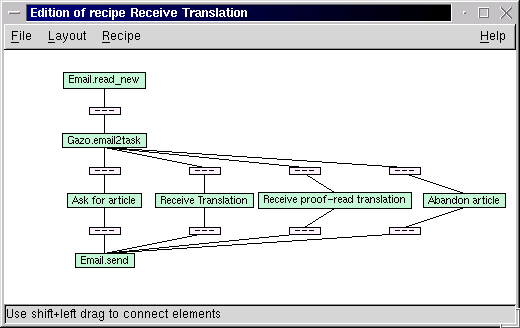
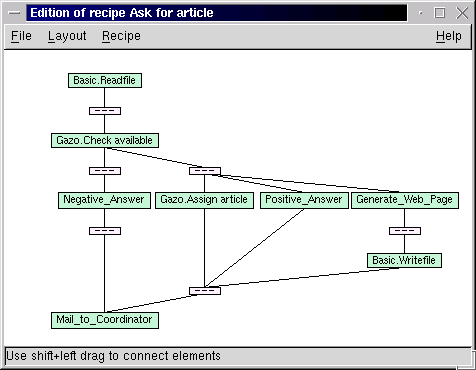
What's new in this? One may object that the coordination problem described above could have been solved using a simple web application and that commands have been included in the subject of e-mails even before the first mailing-list management software. Both are true, but completely miss the point. Narval is, in a sense, an interpreter for a high-level graphical language, and draws its power and simplicity of use from features such as complex action prototypes and contracts, run-time arguments selection, rule-based mechanisms, large action library, etc.
Narval is not an application, but a framework to create your personal assistant in a few mouse clicks.
Narval's ambition is to be the best Intelligent Personal Assistant available on the Net and to grow into a software that really deserves the adjective Intelligent.
In our group of developers, we already have a Narval that helps to coordinate our projects. Each of us has its own Narval that assists him by filtering out junk ads from web pages, fetches the daily cartoons, summarizes in one page the news from different web sites, checks the agenda and sends reminders for appointments, accepts voice commands and answers using text-to-speech free software.
Applications are endless, as with any programming language. Our plans are twofold. On the one hand, integrate in the libraries all the actions we can think of: voice modem to be able to "phone home" and tell your assistant what to do, home automation protocols like X10 to control your home, cell-phone and PDA features, etc. As stated, new actions can easily be added with a few lines of python code. On the other hand, we will develop and implement the intelligent features the Narval framework was designed for, but that are missing at the time of this writing: planning, learning and cooperation with other assistants.
Planning. Once you have a sufficient number of actions, a set of basic recipes and a description of the relations between different concepts, you can start doing planning: you give your assistant a goal, like "suggest me a movie for tonight", and it will figure out a sequence of actions that will make it fulfill that goal (extract critics or rankings from a movie web site, compare to the user preferences, look up the theatre schedule and send back the suggestion to the user). The prototypes of the actions are particularly useful for this.
Learning. In Narval, everything is represented using XML. Each piece of information has a structure. Each piece of information has a timestamp. Each piece of information has a trace: what produced it, what used it, for what purpose, etc. If you have any experience with automatic learning, you know that this is a valuable setup on top of which it is possible to implement many algorithms. Using learning techniques, your assistant could realize that every Friday, you visit a web site about movies, then offer you to add that site to your Friday daily newspaper or start searching for movie critics.
Cooperation. Making two people or two assistants cooperate is often a matter of protocols. If you want them to be smarter, it becomes a problem of recognizing what the other is doing. Having recipes as explicit sequences of actions and having all the features mentioned about learning is of real value in tackling cooperation.
Narval is the only Intelligent Personal Assistant released as free software that we know of. At least three companies have commercial products that we consider related, even if they do not belong to the same category for they are not as generic nor customizable and extensible as Narval.
The first one is the software that comes with the TiVo VCR. It fetches the TV program for you, helps you to set up the recording of a show, and may even suggest a movie to watch depending on what genre of movies you have watched lately.
Prody Parrot, from Mindmaker, was shipped with Sound Blaster sound cards for some time. Working on windows only, it would help you sort your e-mail, remind you of your appointments, download web pages and summarize them, entertain you by dialoguing as if it were a psychoanalyst (ever tried Eliza in Emacs?), using speech recognition and text-to-speech. Those are quite nice features, but you wouldn't set up an assistant like Gazo with that software...
The last one is a web application named One Red Cube that acts as a personal communication hub that can redirect your phone calls, your faxes and your e-mails from one device to the other. Nothing like an assistant, but the idea of integration is there.
There are also three free software projects that work on things loosely related to Narval and worth mentioning. The GNU Bayonne project, as a Computer Telephony Integrated server, could very well end-up as a valid competitor to One Red Cube. The Mister House project is a nice home automation system that implements many features. Provided you're not afraid to write some perl code and get your hands dirty, it will let your house play a song when you walk up the stairs, ask quiz questions during breakfast and download the weather forecast when you ask for it on the phone. Last, the Piper project is building a visual shell that let you federate resources from different hosts using a graphical user interface to draw a flow chart analogous to streams and pipes.
Narval in French, narwhale in English, is a sea mammal that lives in the Arctic Ocean. The male has a tooth that grows out of his mouth and turns into a long tusk. The Narval's tusk was believed to be a unicorn horn and sold in Europe during the middle ages (and later), thus proving the existence of the unicorn.
Our prototype system was called Al, named after the HAL computer in 2001: A Space Odyssey. When we where looking for a name, we wanted to keep the Al syllable, and we ended up with Narval. It offers a nice acronym and a nice mascot.(Linux has Tux the penguin; we have Ornicar the narwhale! :-) Since the narwhale is known for its tusk, we wanted to use that name for the companion user interface, but Horn offers a better acronym (Human ORiented Narval interface), so we did as if it was a unicorn horn and not a Narval tusk.
Here are some follow-up links for the curious:
I hope this article made you feel like trying Narval and learning more about artificial intelligence, agent technologies and their applications to real-life problems. Feel free to join our mailing lists to discuss further these matters.
That's all folks, Happy Hacking!
[1] Like the Linux Documentation Project itself, the French translation project is volunteer work. The principal medium for discussion, help and most of the coordination is a mailing-list. See http://www.traduc.org/ for details.

Courtesy Linux Today, where you can read all the latest Help Dex cartoons.
Google: An important tool to organize information around the world
Sergey Brin, a native of Moscow, graduated with honors with a bachelor of science degree in mathematics and computer science from the University of Maryland at College Park. He is currently a Ph.D. candidate in computer science at Stanford University, where he received his master's degree. Brin is a recipient of a National Science Foundation Graduate Fellowship. Brin's research interests include search engines, information extraction from unstructured sources, and data mining of large text collections and scientific data. He has published more than a dozen publications in leading academic journals, including "Extracting Patterns and Relations from the World Wide Web"; "Dynamic Data Mining: A New Architecture for Data with High Dimensionality," which he published with Larry Page; "Scalable Techniques for Mining Casual Structures"; "Dynamic Itemset Counting and Implication Rules for Market Basket Data"; and "Beyond Market Baskets: Generalizing Association Rules to Correlations."
OLinux: What is Google company's mission?
Sergey Brin: Google's mission is to organize the world's information, making it universally accessible and useful.
OLinux: When did you start this company? What was your initial motivation and how do you see it nowadays?
Sergey Brin: We started working on Google in 1995, as a research project at Stanford University. In 1998, we formed the company, Google Inc., and launched the search engine in beta to the outside world. This happened in September 1998. Our goal was to created a very simple and easy-to-use website that offers the best search engine in the world. This is still our goal, and we plan to continue to focus our business on search technology for some time to come.
OLinux: What kind of customers look for Google services and what are your company main clients? How fast Google wants to expand its solutions to other countries around the world?
Sergey Brin: We have over 100 customers in over 20 countries. Some of our banner customers include Yahoo!, AOL/Netscape, Cisco, WashingtonPost.com, and VirginNet (in the UK). Google customers license our technology because they are looking for the fastest, most relevant search on the Internet. Google currently supports 25 language searches, and will continue to aggressively add to this list. We ultimately hope to support all major languages in the world.
OLinux: How fast revenues are growing? Are there any plans for an IPO?
Sergey Brin: We're very happy with our business plan. Revenues are growing every quarter and we've made very few changes to our business strategy since we started the company. An IPO is something we're considering, but is not in our near-term plans. We've always managed the finances of our company very carefully, and we are fortunate to still have a very strong cash position from our initial venture financing, which was in June 1999.
OLinux: How did business over Internet has change the use of Google widening client's base and for searching tools?
Sergey Brin: We have millions of users a day who use Google to search for products and product information related to their purchasing decisions. For example, we index almost the entire Amazon.com website. As more and more information appears on the Internet, Google plans to index it and offer this content to our users. Google currently is the world's largest search engine, with over 1 billion web pages in our index.
OLinux: What are your responsibilities at Google? Rapidly, describe your daily tasks at Google?
Sergey Brin: Both my partner, Larry Page, and myself are very involved in almost all aspects of our business. I spend quite a bit of time each day on hiring, internal management, and marketing.
OLinux: How does Google collaborate with its partners?
Sergey Brin: Each of our partner relationships is unique, so it's hard to answer this question. We support our partners in a variety of ways, from simply providing the world's best search technology, to co-marketing, to providing technological assistance, etc.
OLinux: What are the Google marketing strategies and alliances in order to keep itself on the Internet market?
Sergey Brin: Google actually relies on our users to help with our marketing. We have a very high percentage of our users who often tell others about our search engine. This has helped Google immensely, and has helped our website traffic grow over 20% per month since we started our company in 1998.
OLinux: How is Google organized? Try to give us an idea of how Google works? How is the coordination and management (servers, directories, contribution, staff payment)? How many people are involved? What are the main problems? Does Google have a central office somewhere or a HQ?
Sergey Brin: Google has two offices. Our headquarters are in the heart of Silicon Valley -- in Mountain View, California, which is about 10 minutes from Stanford University, where Google was born. We also have a small sales office in New York City, with about 10 employees who sell advertising for us. In total, we have just over 150 employees. Most of these employees are involved with our technology and engineering department. We have over 30 PhD's in this group!
Google's servers (we have over 6,000 servers that run RedHat 6.2) are hosted at three data centers across the U.S. -- one in the Washington DC area, and two in Silicon Valley.
OLinux: Please, evaluate rapidly Google evolution in terms of pages served using its tools? Can you describe something that really helped the project to succeeded? Have any idea of number of sites using Google search engine? Number of pages served by google engine every day?
Sergey Brin: Google currently servers over 20 million searches per day on our own website (www.google.com), and over 50 million searches per day on our own site and our partner websites (Yahoo, Netscape, Cisco, etc.). Have so many smart and talented employees has really helped our company succeed. There are over 25,000 websites on the Internet that use the Google search engine.
OLinux: Why should a site choose Google search engine instead of others? What are the better features Google bring to users?
Sergey Brin: Google offers users better quality search results, a simple, easy-to-use interface, high performance, and an exclusive focus on just being a search engine. We also offer cool features like caches pages, stock quotes, news headlines, links to online maps.
OLinux: Let's talk about Research and Development (R&D) and Software Engineering (SE): How many people work in SE activities developing google main tools? What is its policy toward investment in R&D?
Sergey Brin: We have about 80 engineers and R&D team members, and we're big fans of investing heavily in R&D.
OLinux: How is the research & development coordinated? What are the analysis and programming tools used? Are there any special quality control, auditing on code produced?What are the main projects under way?
Sergey Brin: They're very closely intertwined; developers do research and vice versa, and everyone talks a lot. Communication is very good between both of these groups.
For programming we use gnu tools: gcc, gdb, gnats. We use p4 for version control. For network installs, we use a variety of our own software, in addition to rsync. Machines are built on-site here at Google, configured, then shipped over to one of our three data centers.
We have a detailed regimen for code reviews and testing (QA).
The main projects we're working on, outside of improving the overall quality of our search engine are: Google wireless search technology, a variety of voice recognition projects, and Google international search technology bringing Google to more users worldwide.
OLinux: Currently, Google search engine runs in more than 5000 Red hat Linux servers. I read that Google system install and configure 80 servers at a time. What kind of tools coordinate this mass installation? What are the administrative tools used to monitor, check and replace servers failures? How is Linux used at the Google Projects? Why was Linux choose to improve Google search engine?
Sergey Brin: Actually, we currently run over 6,000 RedHat servers.
Linux is used everywhere...on the 6,000+ servers themselves, as well as desktop machines for all of our technical employees. We chose Linux because if offers us the price for performance ratio. It's so nice to be able to customize any part of the operating system that we like, at anytime. We have a large degree of in-house Linux expertise, too.
Most of our administrative tools were developed in-house, as well.
OLinux: What is Google security policy and how is it implemented?
Sergey Brin: Most of our machines are behind a router and not accessible to the outside world. The outside-accessible machines (webservers) are carefully audited for security holes.
We also use ssh an awful lot. :-)
OLinux: What is the group behind Linux at IBM (ibm open source site)? How are they divided and coordinated? Is there a central coordination for the project? Who is responsible for that?
IBM: Linux solutions touch the entire corporation -- hardware, software and services. IBM has established the Linux Technology Center as a focal point for its technical contributions to Linux. The center, which has a dedicated staff of engineers, manages the transfer of IBM technology to the open source community.
OLinux: How and when was Linux at IBM (the site) started? Was it a sort of top level and strategic decision or was it taken after clients/companies started asking for liunx solutions?
IBM: We began to see customer desire for Linux. IBM started to a formal Linux plan in 1998. We were begining to see customer desire and visionaries in some of our customer segments. viewing Linux as a wave of the future. Along with other open standards, such as HTTP, XML and TCP, we view Linux as playing a pivotal role in bringing interoperability to disparate server platforms and providing customers with an open, integrated e-business structure.
OLinux: How is the work coordinated and managed (servers, directories, contribution, staff payment)? How many people are involved world wide?
IBM: IBM's Linux strategy is to Linux enable all hardware, software and services. There are thousands of people working worldwide on this major initiative.
OLinux: How much has IBM invested ($) on research (labs, staff) and marketing it solutions?
IBM: Overall, IBM has invested millions of dollars in Linux. We will invest more than $200 million in a series of Linux initiatives in Europe and Asia Pacific over the next four years. These investments will include Linux development centers across Europe and Asia, alliances with Linux-focused business partners, along with the rapid deployment of about 600 specialized Linux consultants, hardware and software specialists, and services professionals. In the US, IBM has dedicated millions of dollars to help fund the Open Source Development Lab with Intel, NEC, HP and other Linux leaders
OLinux: From the start, IBM has contributed in many ways to chage conceptions on the computing world. How strategic was the decision to embrace Linux platform?
IBM: The decision was very strategic. For IBM, it's an inflection point that's associated with our focus on creating e-business solutions. We're helping companies build content solutions, commerce solutions, operations solutions--and Linux is a standard that we can use to help integrate all of these. It makes it much easier to move application components around. As a company, we're very sensitive to what it takes to achieve integration, because we're not just focused on selling this or that hardware platform. Linux will become the application development platform of choice for developers because of its multi-platform nature, and because it's not owned by any vendor. As a result of that, you can have vendors collaborating on standards.
OLinux: Was there any connection related to IBM's decision to suport Linux and the retirement of OS2 platform?
IBM: By embracing Linux, we are providing our customers with a choice of operating systems. The decision to embrace Linux is separate from OS2.
OLinux: What are the main research regarding software development projects going on? What´s the database program and programming tools and languages used (Perl, C)? How many developers work for IBM?
IBM: In the Software Group of IBM, we are currently working very hard to make sure all of our mission-critical software is able to support Linux. We have an expansive research and development team at IBM, with the actual number of developers in the thousands.
OLinux: Give us an idea of what Monterey Project represents for IBM?
IBM: The Project Monterey initiative was originally intended to enhance AIX with technologies from IBM's DYNIX/ptx (formerly of Sequent) and SCO's UnixWare operating systems, as well as to extend support for this enhanced AIX operating system to Intel's IA-64 bit architecture. AIX 5L, to be released later this year, demonstrates the success of the Project Monterey initiative, incorporating technology from the world's leading software and hardware providers, while maintaining the robustness of AIX.
AIX 5L -- the next generation of AIX -- takes AIX to the next level with leadership technology, a strong Linux affinity and added support for both IBM's Power and Intel's future IA-64 processor-based platforms, making it the most open UNIX in the industry. IBM, SCO/Caldera and Intel will continue to work together on AIX 5L for IA-64. We anticipate that future releases of AIX will continue to incorporate valuable technologies from IBM and the industry to satisfy requirements from many OEM system providers, independent hardware providers and independent software providers and deliver AIX 5L for IA-64 offerings and solutions.
OLinux: Tell us about IBM's Linux strategy. What are the main projects involving Linux? Are revenues already representative in terms of servers and desktops shipped with pre-installed?
IBM: IBM intends to make all of its server platforms Linux friendly, including S/390, AS/400, RS/6000 and Netfinity servers, and the work is already well underway. Netfinity servers are certified under the IBM ServerProven Program for Caldera, Red Hat, SuSE and TurboLinux distributions. In addition, selected models of IBM IntelliStations and ThinkPads are now Linux-enabled.
IBM has delivered all critical elements of its Application Framework for e-business on Linux, including DB2 Universal Database; WebSphere Application Servers, powered by the Apache HTTP engine; Domino; MQSeries; Developer Kit for Java; Tivoli system management tools; and VisualAge for Java. IBM is also working with its business partners to accelerate the development of applications for Linux. IBM offers a wide range of Linux consulting, design, implementation and technical support services, and a full curriculum of education, training, and certification programs. IBM consultants skilled in Linux are available worldwide to help customers develop, configure and enhance their Linux hardware and software solutions.
OLinux: What kind of custumers use IBM's services and software running Linux? Can you disclose some important companies using Linux? Any cases of study to reveal to us?
IBM: The University of New Mexico purchased 256 IBM Netfinity servers clustered with Red Hat Linux, creating the 24th fastest supercomputer. It is just about ready to go online. This new supercluster will increase the computing capabilities of the National Computational Science Alliance, a National Science Foundation (NSF) funded partnership, providing researchers with a platform for developing improved cluster management tools, gaining operational experience on large-scale clusters, and exploring the scalability of different types of science and engineering applications.
Weather.com, The Weather Channel® Web site, is also using Linux with IBM technology and services to serve its massive volume of maps and images, in an effort to meet the site's extreme traffic demands. IBM solutions will also become part of the Internet infrastructure for weather.com.
OLinux: Can you explain IBM strategy towards building alliances with Linux companies as Red Hat, Turbo Linux, Transmeta?
IBM: Our strategy to work with Linux distributors is driven by customer demand. Our customer base throughout the world has consistantly pointed to the distribution leaders and based on that feedback, we've established solid relationships with Red Hat, SuSE, TurboLinux and Caldera.
OLinux: IBM will ship its ThinkPads with Transmeta Crusoe chip. What this new technologies represent and how IBm plans to deploy it (the Crusoe chip)?
IBM: We continue to evaluate Transmeta as a possible processor technolog and we expect to finalize our decision soon.
OLinux: IBM supports Suse, Red Hat and turboLinux internationally. Why doesn't IBM support Debian GNU/Linux distribution which is regarded one of the easiest and most secure to work?
IBM: We base our decisions on customer demand. While Debian is well thought of, our customers have consistently expressed an interest in Red Hat, SuSE, TurboLinux and Caldera - and that's what we're giving them.
OLinux: Is Linux ready for mission critical operations? Will Linux ever substitute most of Unix in mission critical procesing? Are there any researches about Linux being deployed in such tasks like that?
IBM: Over time, Linux will become a viable enterprise UNIX system, capable of running more workloads requiring high scalability and industrial strength. We will work with the Linux community to help build such an enterprise Linux offering. This will take years, with the rate and pace being determined by the Linux community. Operating systems evolve slowly, and it is uncertain when Linux will have comprehensive enterprise capabilities.
OLinux: What about desktop users: are there any companies asking Linux for desktop apps?
IBM: Customers are always asking for more applications. We are working with the community to help create more applications for both the desktop and the enterprise.
OLinux: How important is the PartnerWorld and PartnerMarketing strategy for IBM's product selling?
IBM: Our partners thoughout the world are very important to our core product strategy. Through our partner programs, we're able to qualify and educate our partners - updating them on trends in the industry, technology advances, new product introductions - quickland easily. Building a solid foundation of key partners has been instrumental in propelling IBM to the forefront of our industry. We established PartnerWorld years ago as a means of centrally gathering our business partners on an annual basis - giving them an opportunity to hear firsthand new developments from IBM.
OLinux: How was Linux World recent event for the company? Can you describe the event on a business perspective? Can you disclose any results about new clients or companies willing to buy IBM's services?
IBM: The most recent LinuxWorld in San Jose, California was a huge success for IBM. We made a significant announcement with Red Hat which allows Red Hat to bundle and resell all of IBM's Linux-based software. This global alliance was incredibly well received. Also at the show, we announced our support for the newly found GNOME foundation and several open source announcements. Based on customer feedback, this show clearly places IBM at the forefront of the Linux movement. We have consistantly supported this new operating system and will continue to help move the technology forward.
OLinux: How does IBM sees KDE and GNOME? Do you think a merger would make better results? What relation does IBM have with GNOME? How importante is the GNOME foundation for IBM?
IBM: KDE and GNOME are innovative, rapidly maturing Linux desktops. Both KDE and GNOME have a large community backing their support. IBM is working with both KDE and GNOME to accelerate Linux on the desktop.
OLinux: In your opinion, how importante is the GNOME foundation to improve Linux usage on the PCs?
IBM: The GNOME Foundation is important to Linux on the desktop because it was formed to advance the GNOME desktop, the world's leading free and easy-to-use desktop environment for the user. GNOME has been designed to run on all modern strains of Unix-like operating systems. The support of leading vendors, including Sun Microsystems, IBM, Compaq, Eazel, CollabNet, Helix Code, Red Hat, demonstrates that the industry is coalescing behind GNOME as the esktop environment of the future. IBM has already released some technologies to GNOM including SashXB for Linux.
OLinux: Alpha supports all major Linux distributions these days. How has been the relation between Alpha and Linux companies and Alpha and Linux community?
Richard Payne: I think the relationship is great, Alpha support is usually second only to i386 in the Linux kernel and most applications. There have been a few areas where we've had problems (for example Netscape) and there various companies have helped out (for example Compaq releasing the Tru64 libraries so Linux users can run the Tru64 version of Netscape).
In addition I know that both API and Compaq work quite closely with the various distributions, providing assistance when it's necessary.
OLinux: Can you detail the relation between alpha and Li.org?
Richard Payne: Both API and Compaq are members of LI.
OLinux: Does Alpha sponsor any FS/OS event? Or organization?
Richard Payne: Both API and Compaq sponsor various organizations. API has recently sent two machines to the Alsa group to ensure that Alsa stays supported on Alpha. I know of many kernel developers that have Alphas that have been donated by API or Compaq. API has also donated a machine to the AlphaLinux Organization (www.alphalinux.org) and is currently buying banner ad time from ALO.
In addition both companies (and sometimes alphalinux.org) can also usually be found at the major Linux shows.
OLinux: Linux companies are struggling to prove that investor won't have to wait a decade e to see profits or their investments back. Those stocks have lost its initial and phenomenal glamour. Is clear for you that Linux companies can make money and be profitable?
Richard Payne: I think they can, however it's going to take time. I think over the next few years we're really going to see software become a commodity. If you look back of the last few decades we've had an incredible duplication of effort out there. How many different UNIX types did we have? All with massive development and support organizations behind them. I can't help thinking this is just a massive waste of resources, especially when everybody all of those version basically perform the same functions.
OLinux: Transmeta is planing an IPO and have already launched Crusoe. How do you analyze Trasmeta innovation? Are there any direct moves of aplha related to Crusoe comp competition on chip market?
Richard Payne: Alpha and Crusoe and in different markets. Transmeta is going after the small low power segment. I see them more competing with the mobile Intel and PowerPC offerings. Alpha is at the other end of the spectrum, high performance but also high power usage and heat, not ideal for a laptop!
OLinux: Alpha supports all major Linux distributions these days. How has been the relation between alpha and Linux companies and Alpha and Linux community?
Richard Payne: I think the relationship is great, Alpha support is usually second only to i386 in the Linux kernel and most applications. There have been a few areas where we've had problems (for example Netscape) and there various companies have helped out (for example Compaq releasing the Tru64 libraries so Linux users can run the Tru64 version of Netscape).
In addition I know that both API and Compaq work quite closely with the various distributions, providing assistance when it's necessary.
OLinux: Can you detail the relation between alpha and Li.org?
Richard Payne: Both API and Compaq are members of LI.
OLinux: Does Alpha sponsor any FS/OS event? Or organization?
Richard Payne: Both API and Compaq sponsor various organizations. API has recently sent two machines to the Alsa group to ensure that Alsa stays supported on Alpha. I know of many kernel developers that have Alphas that have been donated by API or Compaq. API has also donated a machine to the AlphaLinux Organization (www.alphalinux.org) and is currently buying banner ad time from ALO.
In addition both companies (and sometimes alphalinux.org) can also usually be found at the major Linux shows.
OLinux: Linux companies are struggling to prove that investor won't have to wait a decade e to see profits or their investments back. Those stocks have lost its initial and phenomenal glamour. Is clear for you that Linux companies can make money and be profitable?
Richard Payne: I think they can, however it's going to take time. I think over the next few years we're really going to see software become a commodity. If you look back of the last few decades we've had an incredible duplication of effort out there. How many different UNIX types did we have? All with massive development and support organizations behind them. I can't help thinking this is just a massive waste of resources, especially when everybody all of those version basically perform the same functions.
OLinux: Transmeta is planing an IPO and have already launched Crusoe. How do you analyze Trasmeta innovation? Are there any direct moves of aplha related to Crusoe comp competition on chip market?
Richard Payne: Alpha and Crusoe and in different markets. Transmeta is going after the small low power segment. I see them more competing with the mobile Intel and PowerPC offerings. Alpha is at the other end of the spectrum, high performance but also high power usage and heat, not ideal for a laptop!
Gday from the land of Oz,
If anyone out there is wondering about the growing popularity of Linux and its adoption by Australian writers as a writers true operating system, perhaps the following may help explain.
On the reason for choosing Tux--the penguin mascot for Linux--Linus Tolvalds, the first of thousands who wrote the Linux computer operating system on the world wide web, had this to say:
When I was in Canberra a few years ago we went to the local zoo ... There they had a ferocious penguin that bit me...
OK now, when Linus says he was bitten by an angry penguin in Canberra and that is a good reason for the Tux mascot which today spells Linux, there maybe more to the story.
During the 1940s and 50s in Australia there was a literary magazine called, of all things, The Angry Penguins. This magazine was an avant-garde modernist poetry magazine edited by Max Harris and had modernist painters and writers grouped around it whose names are now legend in Australian art. But at that time they were just considered weird and way out. You know, the stereotype of mad deluded poets and artists starving and living in sub-standard housing.
Anyway, this literary magazine started to get a bit too much of a following. A couple of boring farts, both academic poets, got a bit hot under the collar about this and got together to write and submit a hoax modernist poem under the false name of Ern Malley. As it worked out, these farts are now better known for this hoax and the false name Ern Malley, then their own true names and works.
Now, since most of the archives for the Angry Penguins and a complete set of the journals may be found living in the National Library in Canberra, the question remains: was Linus bitten by a real angry penguin? Could it have been the ghost of Ern Malley? Or much worst still, could it be the ghost of Max Harris? After all, I'd rather be bitten by the ghost of a hoax poet then the ghost of a really angry penguin poet.
But as Linus later admits, it was really a fairy penguin that sucked gently on his finger, thinking it a fish. But, oh my, even more dangerous. Could he have had his digit licked by a queer poet becoming penguin?
So when Linus later writes:
Some people have told me they don't think a fat penguin really embodies the grace of Linux, which just tells me they have never seen a angry penguin charging at them in excess of 100mph. They'd be a lot more careful about what they say if they had.He isn't wrong!
[Eric also draws the Sun Puppy comic strip at http://www.sunpuppy.com. -Ed.]
In this short article I will talk about a book on PHP, a web scripting language. But before going into the book itself, let's see what web scripting is and what PHP is all about. Web sites, 5 years ago, were simple text files with some images inserted. They were all done using HTML, the standard markup language. Now, in the year 2000, things have changed dramatically. Sites now provide more than just static, textual information. Web sites include dynamic information, animation files, session management (which allows them to recognize you at each visit) and other modern features. All of these features can't be created using only static HTML pages. Scripting languages need to be used to make the connection to the databases, to handle session management and to do all of the other back-end processing required to have good, modern pages.
PHP is a server-side scripting language. This means that it is composed of lines of code inserted in HTML pages. The web server processes the code, and its output is printed on the web page. Several other server-based scripting languages exist, including Microsoft ASP and CodeFusion. PHP is available on most Unix platforms and on Microsoft Windows.
PHP Essentials is a book for the HTML writer who wants to get into web scripting. If you have experience in making simple web sites and want to do complex dynamic sites, then this is the book for you. The book was published in Spring 2000 by Prima Publishing, a company that publishes dozens of computer books, and was written by Julie Meloni, a technical director for a multimedia company located in Campbell, California.
The information is very well presented; it is easy to read and is always supported with examples. Another plus is that it uses real life scenarios-- works you may need to accomplish in a real life situation where you need to create web sites. For example, most sites use databases to store user data, so the book thoroughly discusses database connections.
The author also provides an in-depth coverage of most topics. For example, in the first chapter, she talks about the installation phase and describes how to install PHP on various platforms and with several web servers, including Apache and Internet Information Server. In the database section, the book spends some time describing database systems as well as basic queries.
Also, the book is very up to date. It covers the latest PHP version, PHP4. Database examples are based on the MySQL database, which is currently the most popular database with Linux users. It is a recent book, and it shows.
While these are good features, there are also some problems. First, while it covers certain subjects in depth, it doesn't cover everything. Some topics that might be useful for web developers are not covered at all--the book is quite short.
Another thing that would have been nice is a CD-ROM with the example source code and with PHP itself. The book comes with no CD-ROM at all, and this is a down point.
Globally, PHP Essentials is a very good book for people who want to learn more about advanced web development using the PHP language. The book is listed at $39.99, which is very reasonable for a computer book. It's not the first book about PHP and most likely will not be the last, but it is the best choice for people beginning with PHP programming.
[The publisher's site is www.prima-tech.com. The program listings in the book are at www.thickbook.com. The hyperlink should go right to the page, but if it doesn't, go to the site and choose "code" on the main menu. -Ed.]
Often someone will write to a Linux help list asking for help with a particular device they want to get working under Linux, and a standard reply is "check the output of the dmesg command". This leaves a lot of new users befuddled, and this document is here to hopefully help them navigate this powerful debugging tool. Two sets of kernel boot messages are presented and annotated, from an i386 system and a Linux-Pmac system.
The Linux kernel is the central interface between the user and the hardware. As such, it has to incorporate support for hardware if you are to use it. Often, though, cryptic device names are used by the system, making it difficult at first inspection to determine if some particular hardware is supported. The command 'dmesg', which is used to print kernel messages, is very useful in determining if a piece of hardware has been found, and if so, what the system is referring to it as.
This artcle, including the title and format of the dmesg comments, were directly inspired and copied from the OpenBSD Explained article by the same name. I felt one on Linux would be useful for people.
The manpage for dmesg is quite simple:
DMESG(8)                                                 DMESG(8)


NAME
       dmesg - print or control the kernel ring buffer

SYNOPSIS
      dmesg [ -c ] [ -n level ] [ -s bufsize ]

DESCRIPTION
       dmesg is  used  to  examine  or  control  the kernel ring
       buffer.
Upon boot, the dmesg output is from the kernel booting, showing the
devices it has found and if it has been able to configure them at all
(aside from userland configuration). This log is also available in the
file /var/log/dmesg.
Shown below is a dmesg from an x86 system immediately after boot. The output is indented by several space, and comments and descriptions are left justified.
First up is the kernel version (2.2.14) and build (5), along with who built it, with what compile it was built, and when it wass built. This can be some inportant information, as some kernel versions and the GCC project don't interact correctly.
And, for comparison's sake, this is the output of Linux 2.2 on a PowerPC system. Again, the dmesg output is indented and the description and comments are left justified. For this system I was using BootX, which loads the kernel into memory from within the MacOS, then completes bootstrapping it after ditching the MacOS. Options can be passed to the kernel, as you would with LILO on an Intel based PC, from within the app.
Like I noted above at the end of the i386 dmesg output, the kernel, once finished, then moves on to /sbin/init unless an argument poiting it elsewhere has been passed to the kernel at boot time. An example would be telling the kernel "init=/bin/sh", such that it would execute a shell upon boot, rather than /sbin/init (and what follows). Note that the kernel only mounts the root filesystem read-only, so if all you do is boot the kernel you have to mount your disks read-write in order to affect changes on them (ie editing /etc/passwd to rescue root's password).
While this isn't the most thorough of jobs, I hope that this little tour has been enjoyable for everyone, and educational.
Here is an easy way to encrypt and then decrypt the data. Note, I don't print the binary encrypted string because it won't be printable.
use Crypt::Blowfish;

my $Blowfish_Key = "An extremely dumb password you should change.";
my $Blowfish_Cipher = new Crypt::Blowfish $Blowfish_Key;

  ### Remember, sentence has to be 8 long
my $Sentence = "DumbWord";
my $Encrypted = $Blowfish_Cipher->encrypt($Sentence);
my $Decrypted = $Blowfish_Cipher->decrypt($Encrypted);

print "Do the next two lines match?\n";
print "$Sentence\n";
print "$Decrypted\n";
All we want to do is convert binary data to hex data. Why is hex data important? It is alphanumeric and won't screw up a browser with weird characters. There is no security using hex, but it is compact, and it is always a fixed length. It converts each character into a 2 hex characters (or numbers). Always having an exact length per character makes it easy to convert back to binary data.
Here is a simple command to convert a sentence to hex, and then converting it back to text.
my $Sentence = "This is a dumb sentence.\n";
print "$Sentence\n";
my $Hex = unpack("H*",$Sentence);
print "$Hex\n";
my $Sentence2 = pack("H*",$Hex);
print "$Sentence2\n";
First, I assume you are using mod_perl. In your root directory for the apache webserver, create this directory,
mkdir -p lib/perl/MyPackageThen copy the module below to the location lib/perl/MyPackage/Misc.pm.
To encrypt data,
use MyPackage::Misc;
my $Data = "Just a dumb sentence I want to encrypt";
my $Encrypted = MyPackage::Misc->Encrypt($Data);
use MyPackage::Misc;
my $Decrypted = MyPackage::Misc->Decrypt($Encrypted);
And here are the methods. You should really customize these modules for your needs. I kept $Blowfish_Cipher as a global variable for the package so that it only needs to get compiled once. I guess I might as well copyright it with the GPL just to promote GPL. Here is the GNU GPL license. (text version of this listing)
#!/usr/bin/perl

# Copyright (C) 2000 Mark E. Nielsen at GNUJobs.com

# This program is free software; you can redistribute it and/or
# modify it under the terms of the GNU General Public License
# as published by the Free Software Foundation; either version 2
# of the License, or (at your option) any later version.

# This program is distributed in the hope that it will be useful,
# but WITHOUT ANY WARRANTY; without even the implied warranty of
# MERCHANTABILITY or FITNESS FOR A PARTICULAR PURPOSE.  See the
# GNU General Public License for more details.

# You should have received a copy of the GNU General Public License
# along with this program; if not, write to the Free Software
# Foundation, Inc., 59 Temple Place - Suite 330, Boston, MA  02111-1307, USA.

# Web-Encrypt-Example version 0, Copyright (C) 2000 Mark E. Nielsen at GNUJobs.com
# Web-Encrypt-Example comes with ABSOLUTELY NO WARRANTY.
# This is free software, and you are welcome
# to redistribute it under certain conditions.

# The Computer Underground, Inc., hereby disclaims all copyright
# interest in the program `Web-Encrypt-Example'
# written by Mark E. Nielsen.
# Mark E. Nielsen, President of The Computer Underground

package MyPackage::Misc;

use strict;
use Crypt::Blowfish;

my $Blowfish_Key = "An extremely dumb password you should change.";
my $Blowfish_Cipher = new Crypt::Blowfish $Blowfish_Key;

#-----------------------------------
sub Encrypt
{
my $self = shift;
my $String = shift;

my $Temp = $String;
my $Encrypted = "";
while (length $Temp > 0)
  {
    ### If less than 8 characters, padd it with tabs
  while (length $Temp < 8) {$Temp .= "\t";}
    ### Ecnrypt the 8 length segment
  my $Temp2 = $Blowfish_Cipher->encrypt(substr($Temp,0,8));
    ### Add it to the end
  $Encrypted .= $Temp2;
    ### If it is 8 or less, abort, otherwise get the next segment
  if (length $Temp > 8) {$Temp = substr($Temp,8);} else {$Temp = "";}
  }

my $Unpacked = unpack("H*",$Encrypted);

return ($Unpacked);
}

#--------------------------------
sub Decrypt
{
my $self = shift;
my $String = shift;

my $Packed = pack("H*",$String);

my $Temp = $Packed;
my $Decrypted = "";
while (length $Temp > 0)
  {
  my $Temp2 = substr($Temp,0,8);
    ### In theory, we could up with less than 8 characters, check
  if (length $Temp2 == 8)
    {
    my $Temp3 = $Blowfish_Cipher->decrypt($Temp2);
    $Decrypted .= $Temp3;
    }
  if (length $Temp > 8) {$Temp = substr($Temp,8);} else {$Temp = "";}
  }
   ### Getting rid of tabs at the end, which could be a bad thing
   ### but is how I did it.
$Decrypted =~ s/\t+$//g;

return ($Decrypted);
}
NOTE: There is one special thing you ought to do when decrypting information. Check to see if it contains valid data. If it is numeric, make sure it is a number.Usually a smart idea is to always assume the number is positive and less than a billion, and do something like this,
my $Error = 1;
if (($Value >0) && ($Value < 1000000000)) {$Error = 0;}
if ($Error == 1) {print "Darn it, this sucks, no valid data, bye bye!"; exit;}
Also, if correctly setup, the encrypted data won't interfere with the person's web experience if you keep the encrypted data in hidden fields in the webpage.
If you wish to send out an email message to a user to view data on your website, sending an email with a link that contains encrypted data can be a way to protect people from understanding how your web pages work. It doesn't protect you too much, but the more irritating you make it, the more likely it is for someone to just not bother trying to figure out how you do things.
I haven't tested PHP or Python to see if they have an easy module for encrypting data. The only module that was easy to use in Perl was Blowfish. It was painful to get any others for Perl installed. If you come across any that were as easy to use, or easier than Blowish, please let me know at info@gnujobs.com.
|
|
 |

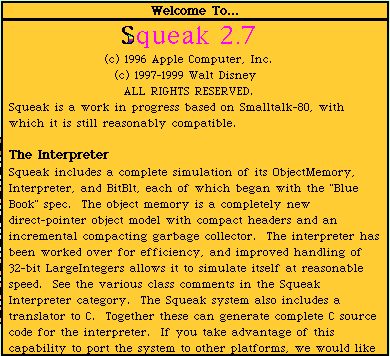
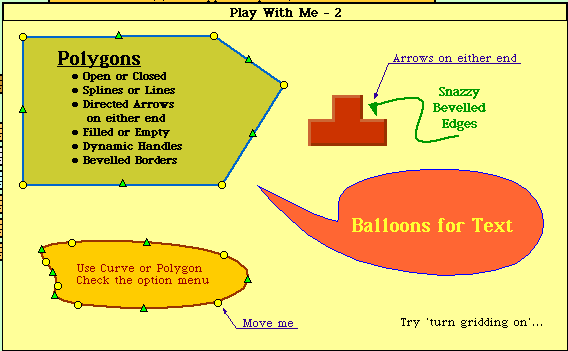
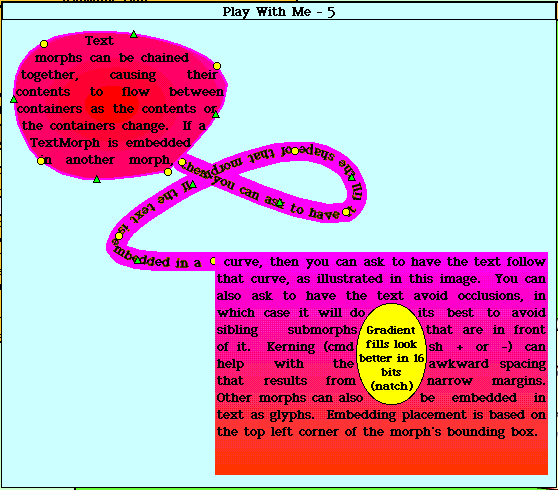
Now, let's do a little customization before we move on to examples. Open a workspace (middle click on the squeak background, select open...>workspace.) You'll notice that it's the same type of window as the Welcome To... and Getting Started... windows. Enter in the following code snippits:
Preferences setPreference: #noviceMode toValue:
true.
Preferences setPreference: #inboardScrollbars
toValue: true.
Preferences setPreference: #useGlobalFlaps toValue:
true.
Then highlight both lines and execute the
code (middle click>do it). This is known as 'doing it' in
Smalltalk. Congratulations, you just ran your first Smalltalk code.
Don't worry about the symantics right now, just be aware that we set some
preferences. Now, remember when I mentioned that we'd be using the
morphic GUI type for these articles? To do this, middle click
on the squeak background, select open...>morphic
project. You'll see a small window appear called Unnamed1.
Let's name this project something, as you've already probably experienced,
clicking on the title of the window will bring up a rename prompt.
Type in Making Smalltalk. If you want, you can resize the window
to see the whole title.
Now, let's enter the project, do this by clicking
on the project to give it focus, then clicking on it again. You'll
notice there are four tabs arranged around the screen (Menus,
Squeak, Tools, and Supplies). If you mouse over the tab, a pop
up menu will appear with neat stuff on it. If you mouse over the
Menu
tab you'll see the open... menu in the top left corner, select workspace
to open up a workspace. You'll notice the look-n-feel is a little
different now, as we're using the Morphic type of GUI; this project will
be the basis of these articles.
One thing you'll notice from the menus, is that there's no saving option.
Since we want to save everything we've done, let's get that menu.
To do this, right click on the project background, you should see
a series of different coloured dots around the screen. We're not
going to get into their purpose just yet. Now left click on
the red dot in the top left hand corner of the screen, you'll see
a playfield menu, select keep this menu up. Now the menu is
sticky, and you can move it around. Let's move it out of the way
of the flaps to the bottow left hand corner of the screen. Finally,
let's save what we've done, on that menu you just made sticky, click on
save.
Your window should look something like:
(Workspace new contents: 'Hello World') openLabel: 'Hello World Workspace'
You'll see:
Remember when I said everything is an object?
Well, we asked a new Workspace object to make its contents Hello World,
then
asked it to open itself with the label 'Hello World Workspace'.
Notice there's no 'main' method, no compiling and linking step, no switching
between a text editor and a compiler. The simplicity of being able
to just type Smalltalk code and run it is very refreshing.
...but this old example is pretty worn out.
Let's do something a little more up to date4.
Let's make a line; in the workspace enter and do:
World addMorph:
(PolygonMorph
vertices: {50@50.
200@200}
color: Color red
borderWidth: 20
borderColor: Color
red)
You'll see:
Here, we asked the project (World) we're in (projects
are objects too) to add a morph that is a red line from point 50x50 to
point 200x200. Now, let's play with this object a little bit, if
you right click on the line object, you'll get the various multi-coloured
points again (these are called halos). If you mouse over the line
object, you'll see pop-up help describing what the halos do (Rote, Change
size, debug, Duplicate, Move, etc). Left click on the
yellow halo, and resize the line a few times. Try the rotate,
duplicate, move buttons to play some more. Finally left click
on the 'X' button when you want to get rid of the line object(s).
To make this first article digestible, I'm going
to stop off here. Before I go though, I'm going to introduce the
'Sweet Squeak' section...
(FlashMorphReader on: (HTTPSocket
httpGet: 'http://www.audi.co.uk/flash/intro1.swf'
accept:'application/x-shockwave-flash'))
processFile startPlaying openInWorld.
IDE
Integrated Development Environment.
An environment that programmers use to develop code in that they can program
and debug in.
[LL]
relative Local Link, use
this link when browsing these articles locally
Object
(def 1-simple)
An object is anything you can think of that is a noun. A window,
a menu, an array, a GUI, a string, an integer, a person, a tree, etc.
OO
Object Oriented Briefly,
this is a popular style/methodology of programming that these articles
are going to introduce.
Project
A specific view of the
code. You can have multiple simultaneous views of the code.
This is very handy if you're doing two or three projects at once, and don't
want to lose track of where you're are in them.
Wiki site
A series of web sites where
there is no designated editor (for the most part, the odd page may have
a password). If you see a way to improve the site, you can do so yourself!
If you don't understand something, just edit the web page and type in your
question!
 Matthias Arndt
Bill BennetBill, the ComputerHelperGuy, lives in Selkirk, Manitoba, Canada; the "Catfish Capitol of North America" if not the world. He is on the Internet at www.chguy.net. He tells us "I have been a PC user since 1983 when I got my start as a Radio Shack manager. After five years in the trenches, I went into business for myself. Now happily divorced from reality, I live next to my Linux box and sell and support GPL distributions of all major Linux flavours. I was a beta tester for the PC version of Playmaker Football and I play `pentium-required' games on the i486. I want to help Linux become a great success in the gaming world, since that will be how Linux will take over the desktop from DOS." It is hard to believe that his five years of university was only good for fostering creative writing skills.
Nicolas Chauvat
Shane Collinge
Fernando Correa
Chris Jones
Eric Kasten
Patrick Lambert
Jose Nazario
Natarajan Krishnaswami
Mark Nielsen
Jason Steffler
The funniest-message-to-cross-my-mailbox-this-month award goes to:
CONGRATULATIONS!By opening this mail you have fallen victim to the Amish Virus.
Because we don't have any computers or programming experience, this virus works via community spirit and the honour system.
Please delete all the files from your hard drive and manually forward this virus to everyone on your mailing list.
Thank you for your co-operation.
The Amish Computer Programming Department
Happy Halloween, Thoughtful Veterans' Day, Happy Thanksgiving, and Happy Linuxing.
Michael Orr
Editor, Linux Gazette, gazette@ssc.com








 The Mailbag!
