

|
|
|
Our sponsors make financial contributions toward the costs of publishing Linux Gazette. If you would like to become a sponsor of LG, e-mail us at sponsor@ssc.com.
Linux Gazette is a non-commercial, freely available publication and will remain that way. Show your support by using the products of our sponsors and publisher.
TWDT 1 (text)
TWDT 2 (HTML)
are files containing the entire issue: one in text format, one in HTML.
They are provided
strictly as a way to save the contents as one file for later printing in
the format of your choice;
there is no guarantee of working links in the HTML version.
Got any great ideas for improvements? Send your comments, criticisms, suggestions and ideas.
This page written and maintained by the Editor of Linux Gazette, gazette@ssc.com
Write the Gazette at gazette@ssc.com
|
Contents: |
 Date: Mon, 02 Mar 1998 08:48:14 +0100
From: Per Wigren,
wigren@mail.org
Subject: Linux and CDE
Hi! I want to know what makes XiG's and TriTeal's CDE different, other than price! Maybe a comparison could be something for Linux Gazette...
Regards, Per Wigren
Date: Mon, 2 Mar 1998 18:56:35 +0100 (MET)
From: Scud,
scud@zeus.ho.tranas.se
Subject: article idea
I wonder if you can write some article about linux on non x86 platforms and how long linux develelopment has come on those platforms?
emir
Date: Sat, 28 Feb 1998 18:47:55 +0100
From: Grzegorz Leszczynski,
rexus@polbox.com
Subject: Hurricane
I would be very grateful if you could help me with my problem. I can't install Linux Red Hat Hurricane 5.0. After choosing the partitions to Linux native and for swap Linux, and after choosing applications to install program says that there is an error:
mount failed: invalid argumentAfter than i must return to menu and I don't know what to do. I look forward from hearings from you
Rafal Leszczynski, POLAND
Date: Sun, 1 Mar 1998 14:11:18 -0500 (EST)
From: N. Lucent,
nlucent@mindspring.com
Subject: Linux on a laptop
I finally convinced my girlfriend to make the switch to Linux from windows after she suffered numerous stability problems (big surprise) She currently has an HP Omni-book 600CT, I fdisked her windows partition, and when I ran the install boot disk (for both Red Hat and Slackware) it says floppy 1.44m (I assume this is from the kernel) Then it says no floppy controller found, and just keeps reading the boot disk. Is there anyway that I can force the detection of the floppy? (external floppy drive) I found a WWW page about installing Linux on that notebook, but What it said to do didn't work. Does anyone have any suggestions?
Date: Thu, 5 Mar 1998 03:09:06 EST
From: Mktnc, Mktnc@aol.com
Subject: Matrox Millenium II
Anyone using the Matrox Millenium II graphics board with greater than 4 Meg ram with Xfree86? The XFree86 home page is somewhat dated on this card.
Also, anyone running a Voodoo 2 accelerator graphix card with Linux?
Anyone using nasm (Netwide Assembler) for those hard to reach places, under Linux?
Thanks - Nick
Date: Wed, 04 Mar 1998 09:05:00 -0500
From: Dr. Scott Searcy,
searcys@baydenoc.cc.mi.us
Subject: X-term for MS-Windows
Does anyone make an X-windows terminal emulator that will run under MS-Windows. I was hoping to find such a program so that I could use X via a network connection from various MS-windows machines that I have to use.
Dr. Scott Searcy
Date: Thu, 05 Mar 1998 23:38:29 -0700
From: Elvis Chow,
elvis3@chowtech.cuug.ab.ca
Subject: Hylafax printing filter?
I finally got Hylafax running on a Slackware distribution. Works great. What I need to do now is to get Applixware to print a doc directly to it so it can automatically fax it to a predetermined number. Is there a way of doing this?
Great work on the Gazette! Best source of practical tips I've run across in a long time. Keep it up!!
Elvis Chow elvis@chowtech.cuug.ab.ca
Date: Fri, 06 Mar 1998 18:42:43 +0100
From: Stefano Stracuzzi,
stracca@comune.modena.it
Subject: PPP with Linux
I'm a newbie in Linux and I'd like to know how I can configure my connection to my Internet service provider with my Red Hat 5.0!
My modem is internal and it is configured to on the cua1
Thank You Very Much
Stefano Stracuzzi
Date: Mon, 9 Mar 1998 10:43:30 -0800
From: jean-francois helie,
jfhelie@netrover.com
Subject: Help Wanted!
I am a student at CEGEP T.R. I have a year end project. My project is to installed a Linux based router and a IP generator for 50 PC. I have some informations about the router but i don't have any info about IP generator.
Thank you for your support.
Jean-Francois Helie
Date: Wed, 11 Mar 1998 15:51:30 +1000
From: Ken Woodward, ken@rich.com.au
Subject: Linux for Amiga
Do you know if it is possible to get a CD distribution of Linux to suit running on an Amiga 3000? It is currently running AmigaUnix, and the Red Hat version 5 copy I purchased installed flawlessly on my PC.
Can I get the same for the old Amiga?
Thanks
Ken
Date: Wed, 11 Mar 1998 12:58:10 -0800
From: Kevin Long,
kevjlong@ix.netcom.com
Subject: Samba Woes
Here's my situation: I'm trying to set up my RH5 terrifically working system to be a PDC equivalent in an NT workstation/95 network. Basically we need to 'login' to the server, and then get access to 'shares'. I tried using NFS as an alternative (with NFS maestro) but it doesn't recognize Linux NFS. However...... I cannot get Samba to work AT ALL. In fact, I have never seen it work. If you've got it working, please help me - I can copy your installation configuration and tweak it, but I need some success. I have plenty of NT, Novel, DOS/win hardware etc. experience, and successfully use NFS exports between Linux machines, but have got nowhere with Samba in a year of trying. Is it a hoax?
Kevin Long
Date: Thu, 12 Mar 1998 14:55:56 +0800
From: Jason Wong,
jasonw@tntexpress.com.hk
Subject: Red hat 5.0 with NT Server 4
I am new to Linux, and wish to set it up at home. The problem I have is:
I wish to run Windows NT + Windows 95 + DOS + Linux. How to do this? I can set it up with Linux & Windows 95/DOS, but how to make Linux co-exist with NT server4?? many thanks!!
(See the Samba page, http://samba.anu.edu.au/samba/. It should be just what you need. --Editor)
Date: Fri, 13 Mar 1998 10:18:33 +0100 (MET)
From: Fabio Gregoroni,
gregoron@CsR.UniBo.IT
Subject: Driver For Scanner
I have to write a driver for a plain scanner on the parallel port. I have following scanners:
Thanks.
Date: Wed, 04 Mar 1998 04:53:01 +0800
From: ahyeop, ahyeop4@tm.net.my
Subject: X-Windows too Big!
Lastly I successful install the X-windows for my Linux box using generic chip set or Oak's OTI067 (8 physical RAM is quite slow though..). But the windows are too BIG. I tried modified its XF86Config but it's not working (besides I really doesn't know how to modified it correctly)
My box spec :   processor:      486 DX2 60MHz.
                RAM:            8 simm ram
                Swap memory:    16 swap ram (I think so...)
                memory:         256 Kbytes
                RAMDAC:         Generic 8-bit pseudo-color DAC (what it
mean ?)
                Linux:          Linux ver. 2.0.27 (Slackware 96)
                monitor:        SVGA monitor (SSVM's 220-240V-50MHz
500mA)
                video card:     Oak's OTI067
                mouse:          MS Mouse
                Keyboard:       101-key
Can anybody help me with problem ? Thank in advance :-)
Ahyeop, Perak, Malaysia
Date: Wed, 25 Mar 1998 11:25:32 -0100
From: BoD,
M39998@lazaro.info-ab.uclm.es
Subject: AGP card on Linux
I like to buy a AGP card based in the nVIDIA RIVA 128 chipset. Can i use it on my Linux RH 5.0 system with Xfree86 3.3.1?
Thanks
Date: Thu, 26 Mar 1998 11:41:11 -0800 (PST)
From: Lee, cit@itl.net
Subject: Re: Linux Gazette
I've recently been hit by the superforker problem. Someone mentioned that the LG had a script to fix the problem (by removing the directories in /tmp) Do you have such a script? I haven't been able to locate it, and I currently have a ton of directories in /tmp that rm won't remove because the filename is too long.
Please respond quickly while I still have some hair left,
Lee//Cit
(Sorry, I don't remember all the articles we've had, but superforker doesn't sound familiar. However, in issue 18 and 20, Guy Geens has articles about cleaning up the /tmp directory. Perhaps these will be of help to you. --Editor)
Date: Fri, 27 Mar 1998 09:06:39 +0100
From: javier ballesteros,
uei0372195900@eurociber.es
Subject: modem for Linux
I'm a student of telecommunications in the University of Alcala de Henares in Spain, my computer is a Pentium 233 MHz and I have installed Red Hat Linux 5.0, all works properly , but I have a little problem with my modem: Linux can't recognize my modem. My modem is a HSP 336 DELUXE (I know that is very bad but is the only I have). So, is there any possible to install properly my modem? , exist any driver for this specific modem? .Please send me some information or any advice, if you can I will be pleasant.
Date: Fri, 13 Mar 1998 00:39:33 -0700 (MST)
From: Michael J. Hammel,
mjhammel@csn.net
Subject: Late Night Radio Buzz
I'm sitting here listening to C|Net radios coverage of Internet World. Dan Shafer of Builder.com talked at length about how he (and someone named Desmond) are going to do some serious investigation into what alternative OS's there are - and specifically they are looking into Linux. They mentioned Red Hat and Caldera, that there were lots of applications available and how the Linux community are very much the "just do it" community. All in all, very positive exposure.
Go to http://www.news.com/Radio/Features/0,155,154,0.html and click on the 4:00 CNET Radio Late Update (where it says "Dan Shafer of Builder.com: What's Hot?"). Its a RealAudio interview and you'll have to go about 1/2 way through before they start the Linux discussion.
Dan Shafer said they would be writing up the Linux results they came up with in the BuilderBuzz section of Builder.com (http://builder.com). I just checked and there is nothing there yet - I think he said it was going to start next week. Anyway, I sent him email offering to assist in anyway I could. If I get a response I'll try to get more details on where the info will be located when it becomes available.
C|Net would be wonderful exposure for Linux.
Just thought I'd pass this along. Michael J. Hammel |
Date: Mon, 02 Mar 1998 23:22:14 +0500
From: Larry Taranenko,
larry@partners.chel.su
Subject: Re: Linux Gazette #26
You know, we are here interesting in Linux too. But we have much troubles with our unstable connection to the World - that is why I maintained LG mirror in the heart (geographically we live in the center of RUSSIA) of my country. And I have many many friends in my town (apr. 2,5 mln city named Chelyabinsk) who are crazy about Linux as I am. Mostly we use Debian. I like your publications - and think that a little note somewhere there about Linuxoids in RUSSIA will be, maybe, interesting to somebody. See in future.
I hope you understand me in right manner, against my silly English...
God bless you and Linus,
Have a nice day!
Ta-ta
(I think I understand you fine. Why don't you write up an article for us about Linux in Russia? --Editor)
Date: Fri, 27 Mar 1998 03:49:43 -0500 (EST)
From: zaeb@8b28m2.net
Subject: about filedudes
hey, found this real fast download site www.filedudes.com, check it out!
Date: Sat, 07 Mar 1998 22:51:10 -0800
From: Ken Leyba, kleyba@pacbell.net
Subject: $0.02 Tip
In issue 26 of the Linux Gazette there is a two cent tip that refers to the VAX 3400/3300's as MIPS 3000 boxes. These are indeed VAX processors as Digital (DEC) named MIPS boxes as DECStations/DECServers and VAX boxes as VAXStations/VAXServers. I worked for Digital for over 10 years in Multi-Vendor Customer Services and currently use a VAX 3300 running Ultrix, DEC's BSD based Unix for the VAX CPU.
Ken Leyba
Date: Mon, 9 Mar 1998 17:09:28 -0500
From: Tunney, Sue (IDS), STunney@ahcpr.gov
Subject: Yes, Grammar does count
I was so pleased to read that *someone* else out there is as aggravated as I am by the continual misuse of the apostrophe in web pages and e-mails by obvious native-born American English speakers. And for anyone who says, "What's the big deal? Doesn't everyone know what I mean?", let this old fogey respond:
Does your computer understand what you mean when you make an error writing code? Doesn't it matter then? If you can't write proper English grammar and spell correctly, what makes you so sure that your computer code is correct? And if you want to spread the good news about Linux, it seems obvious that we will get more attention, and the right kind, if we take the time to write properly. I'm often impressed by how hard the "foreign" letter writers work to make their point clear when they write to LG, often apologizing for their poor English; yet they often do better than us "natives."
Mike, you are absolutely right, and I thank you for saying it. I would also like to eliminate the so-called word "alot" as *there is no such word* (but note that the next letter after Mike's used it. Oh, well...) . If you can't drag out a dictionary, check it out on line; there are lots of fine dictionaries out there.
Date: Thu, 12 Mar 1998 13:24:03 -0800
From: Rich Drewes,
drewes@interstice.com
Subject: Linux market share (news tidbit)
I run an ISP that hosts a variety of customer-owned domains, most not even specifically computer related. I recently did an analysis of the agent_log files to find out how popular Linux really is as a client OS for ordinary users who access the ordinary web pages. The results are at:
http://www.interstice.com/~drewes/linuxcount/main.html
One interesting factoid: Linux now appears to be the #2 most popular Unix OS client!
I enjoy the LG. Thanks for the work.
Rich
Date: Thu, 12 Mar 1998 21:38:36 -0500 (EST)
From: Tim Gray, timgray@lambdanet.com
Subject: Re: Getting Linux to the public...
Milton, thank you for your response (see Tips)... your's was the first that was genuinely helpful, I have learned many things after posting that letter to the Gazette, one of which is that the Linux user crowd is not free of the type of person that enjoys flaming others, (I had secretly hoped that Linux users were more helpful than resentful) But thank you! It helps alot to fiddle with the settings and I was successful in getting 2 friends converted to Linux, unfortunately there are several colleagues that alas have monitors that are older than dirt itself and cannot go beyond 640X480 :-) But you have helped me migrate 2 windows users! thank you.. and thank you for your supportive letter.
Tim.
Date: Sun, 29 Mar 1998 16:09:41 -0500
From: NYACC AnyNix SIG comm mgr,
sigunix@bzsys.dyn.ml.org
Subject: Re: Getting Linux to the public...
Timothy D. Gray wrote regarding: Getting Linux to the public:
Has anyone noticed that when your friends see your neat-o Linux system with the nice 17 inch monitor, high quality video card, and fast computer that when they say, "Wow! that is nice, and you can do almost anything on that!" you cringe with the fact that they are going to want you to put it on their system?I'm glad you have a 17inch monitor and "highquality" video card. Myself, my 50-dollar video card and ten-year-old monitor let me run in 800x600 with 256 colors. I could get 1024x768 if the monitor allowed it. I could get 64K colors (16-bit) if XFree86 allowed it. This is a limitation not of the hardware, not exactly of Linux, but of the XFree86 people who don't wish to take the trouble to support the inexpensive cards on the market.
My present (Oak) card seems to be limited to 8-bit color in any event, my other (Cirrus Logic) card will support 16-bit and 24-bit color, which if fully supported would allow me 64K colors at 800x600 or 16M colors at 640x480 (with a virtual 800x600 window).
The people at XFree86 (one of them a Cirrus employee) have, by their own statement, chosen to spend their time on the latest and greatest cards, with the older, cheaper cards going by the board.
I have tried and failed to get the necessary information from Cirrus Logic to rewrite the XFree driver to better use the card.
Now mind you, I don't cringe on sharing the best O/S on the planet, In fact I want everyone to use Linux. It's just that almost all X windows software is written for 1024 X 768 or higher resolution video screens and that 99% of those wanting to use Linux and X windows only have a 14" monitor that can barely get past 640X480 at 256 colors.See above. For a cost of no more than $50 they should be able to get a 1MB video card that will handle *much* better resolution.
I tried several times to get friends into Linux and X but to no avail because the software developed for X is for those that have Gobs of money for good video boards and humoungous monitors. It's not a limitation of Linux or X, it that the software that is developed for these platforms are by professionals or professional users that can afford that new 21 inch monitor at the computer store.You might try pushing different programs. My main problem (except with viewers for Adobe file formats) is getting *multiple* windows on the screen at once. Also, certain *types* of applications, by their very nature, demand lots of screen real estate. An application of that sort is going to be cramped on a small screen *regardless* of underlying OS support. I simply avoid such applications until I can acquire a larger screen (about $500, locally).
We as a group might want to see software scaled back to the 640X480 crowd.. then Linux would take the world by storm.. Until then It's going to be limited to us pioneers and Scientists...Actually, the *biggest* barrier to using Linux X Apps is that so many of them are written using Motif! That's almost as bad as WinDoze.
--Buz Cory :)
![[ TABLE OF
CONTENTS ]](../gx/indexnew.gif)
![[ FRONT
PAGE ]](../gx/homenew.gif)

 More 2¢ Tips!
 RE: Help Wanted - LaserJet 4L
Date: Mon, 2 Mar 1998 14:38:43 -0500
From: Shane_McLaughlin@stream.com
To: John.H.Gorman@MCI.Com
Re: font sizes + points, Linux Gazette #26
I had a similar problem with an old Deskjet under SunOS and was
supplied with the following info by HP support Europe. It applies to
DOS but should be applicable to any Un*x system as well
These are printer instruction generation wizards URLs
2c tip (StarOffice 4 / Ghostscript)
Date: Mon, 2 Mar 1998 18:48:51 -0500 (EST)
From: Fraser McCrossan, fraserm@gtn.net
I've just started using the excellent Star Office 4.0 (free for personal use - go get it now!), but have noticed that when using Ghostscript to filter its print output on my non-Postscript printer, the results were not quite as they appeared on the screen.
I reasoned that this might be because the fonts supplied with SO didn't quite match those supplied with Ghostscript. However, the SO fonts are Type 1 Postscript fonts... which Ghostscript can use. To make Ghostscript use them, you need to link them to its home directory. For example, if your SO is installed in /home/fraser/Office40, change to the Ghostscript font (normally /usr/local/share/ghostscript/fonts) directory, and do the following:
ln -s /home/fraser/Office40/fonts/type1/*.pf[ab] .
mv Fontmap Fontmap.hide
For some reason, when I tried to add the new fonts to Fontmap in the same format as the existing fonts, GS would crash, hence hiding it. I'm not a GS guru... perhaps someone else can explain why. However, GS works just fine without Fontmap for me, although it probably takes longer to start up - and everything I print looks just like the screen.
--Fraser
RE: Linux and VAX 3400 and 3300
Date: Mon, 02 Mar 1998 20:34:55 -0500
From: RC Pavlicek,
pavlicek@radc17.cop.dec.com
The March issue of the Gazette includes the following under 2 Cent Tips: <<I have just purchased a MicroVAX 3400 and 3300. I would like to put <<Linux on these two systems. Can you provide any help in this aspect.
<I believe those are MIPS 3000 boxes, try the Linux VAX Port Homepage at >http://ucnet.canberra.edu.au/~mikal/vaxlinux/home.html <and the Linux/MIPS project at http://lena.fnet.fr/
Anything with "VAX" in its name is just that -- a VAX. Digital made MIPS boxes once upon a time, but they never used the VAX/MicroVAX name. Most of Digital's MIPS boxes were sold under the DECstation or DECsystem name.
The pointer to the VAX/Linux effort is the best one I know about, but the whole VAX/Linux project was not even close to producing usable code last time I checked. NetBSD, if it works on these boxes, may be your best bet.
-- Russell C. Pavlicek
[speaking for himself, not for Digital Equipment Corporation]
xdm with pictures
Date: Thu, 05 Mar 1998 10:34:43 -0000 (GMT)
From: Caolan McNamara,
Caolan.McNamara@ul.ie
Can I change the XDM login window/screen? I have a cool house logo so i want to use it in my own Home Network. And at my school they want to know to so. Is it possible. If yes, how? If no, WHY NOT? -- Jeroen Bulters, The netherlandsyou could try xdm3d_xpm, which allows a picture in the xdm box, which is 3d with shadows and stuff,one version is at ftp://brain.sel.cam.ac.uk/users/mbm/xdm3d (probably the latest) theres another (older) at http://oak.ece.ul.ie/~griffini/software.html
Re: HELP-Installing Linux on a FAT32 Drive
Date: Thu, 05 Mar 1998 11:35:42 -0000 (GMT)From: Caolan McNamara, Caolan.McNamara@ul.ie
I'm interested in installing linux on a machine I built recently, but when I installed Win95(b), I idiotically opted to format the drive using FAT32, which in a 95-only environment is great, but Linux can't read it for greek. I've looked around for utilities to effectively un-FAT32 the drive, which I will then partition with Partition Magic to use the freespace as a native ext2 partition, etc., but am having little luck. Reformating is a disheartening prospect I would rather not face, but am fully prepared to do so if I don't find any help here. --nate daiger
Well partition magic 3 can repartition fat32 without hassle, and there exists a patch for linux kernel to understand fat32 at http://bmrc.berkeley.edu/people/chaffee/fat32.html which also lists a version of fips which also should understand fat32, to resize your drive.
Regarding "Easter Eggs" in Netscape etc.
Date: Thu, 5 Mar 1998 23:21:20 +0000 (GMT)
From: John Pelan, johnp@am.qub.ac.uk
The on-going 2 cent tips about the hidden "Easter Eggs" in Netscape is interesting. However rather than continually listing them it might be more fruitful to learn how one can try to discover them for oneself.
One useful tool in particular, is the oft neglected 'strings' command. This will locate printable strings in an arbitrary file and display them. So one can do something like;
prompt% strings /usr/lib/netscape/netscape-navigatorwhich will reveal all the embedded strings in that binary. You might like to redirect the output to a file for analysis. As many of the strings will be rubbish (i.e. 'random' sequences of printable characters) one can always use grep, awk, Perl etc. to help filter in/out particular patterns.
In the case of Netscape, only a tiny set of the strings will correspond to "Easter Eggs" (not all of them will be immediately obvious either) and locating them is left as an exercise to the reader...
Re: Changing XDM windows
Date: Fri, 06 Mar 1998 12:16:02 +1200
From: Craige McWhirter,
craige@magna.com.au
From: Jeroen Bulters, jbulters@scoutnet.nl
Can I change the XDM login window/screen? I have a cool house logo so i want to use it in my own Home Network. And at my school they want to know to so. Is it possible. If yes, how? If no, WHY NOT.
Try this web site below. It had everything I needed to
customise my XDM login.
http://torment.ntr.net/xdm/
Nice xdm and Linux PPC
Date: Fri, 06 Mar 1998 09:09:48 -0500From: Serge Droz, droz@physics.uoguelph.ca
just a quick comment on two letters in the Linux Gazette #26 (http://www.linuxgazette.com/issue26/lg_mail26.html)
Re: Help with Sound Card
Date: Fri, 6 Mar 1998 20:32:13 +0100 (MET)
From: Roland Smith,
rsmit06@ibm.net
According to the Sound-HOWTO:
"MV Jaz16 and ESS688/1688 based cards generally work with the
SoundBlaster driver"
To get a PnP card to work, you need to configure it first. There are two ways of doing that:
Regards, Roland
Modline for TV
Date: Sun, 8 Mar 1998 13:11:37 +0100 (MET)
From:
friedhelm.mehnert@gmx.net
I have shamelessly stolen this from USENET, because I feel this excellent information should appear within the Linux Gazette.
I hope the original author don't mind. :-)
From: Rob van der Putten
Date: Sun, 8 Mar 1998 00:14:15 +0100
Hopefully you won't need this, but if you ever want to display X on a big screen and a TV is the only big screen around you might want to use this.
A TV with a RGB SCART input is nothing more than a fixed sync monitor with a rather low picture quality. This means that you can make a TV compatible signal with a plain vanilla cheapo VGA card.
For the european 625 line (575 visable lines) TV standard a modeline looks like this: Modeline "736x575i" 14.16 736 760 824 904 575 580 585 625 interlace -hsync -vsync
Officially the horizontal resolution is 767 (4 / 3 * 575) pixels with a clock of 14.76 MHz. However, since the clock used is 14.16 MHz, I reduced the horizontal values proportional to 14.16 / 14.76 (and rounded them to the nearest multiple of 8).
If you want to make a 640x480 screen with a black border you can you use this line: Modeline "640x480i" 14.16 640 712 776 904 480 532 537 625 interlace -hsync -vsync
You can center it by altering the 2nd and 3rd horizontal and vertical values (this example shifts the picture to the left): Modeline "640x480i" 14.16 640 728 792 904 480 532 537 625 interlace -hsync -vsync
You can make a non interlaced signal with this modeline: Modeline "736x288" 14.16 736 760 824 904 288 290 292 312 -hsync -vsync
The VGA RGB signals are compatible with the scart bus, the sync signals are not. You have to create a composit sync signal of 0.3 ... 0.5 Vpp. The cirquit below acts both as a AND gate and a level translator. It doesn't need a power supply and can be mounted inside a VGA plug:
 -VS ------------------------+
                             |
                             |
                         |  /
       +-----+           |/
 -HS --+ 3k3 +-----*-----|     BC 548 B
       +-----+     |     |\
                   |     |  \|
                   |        -|     +-----+
                   |         *-----+ 68  +----- -CS 0.3 Vpp
                   |         |     +-----+
                  +++       +++
                  | |       | |
                  | |       | |
                  +++       +++
                   |         |
 GND --------------*---------*----------------- GND
                  1k2       820
You can use any general purpose low frequent low power NPN transistor instead of the BC 548 B
Regards, Rob
mpack 2 cent tip
Date: Mon, 9 Mar 1998 11:17:47 +0100 (MET)
From: J.I.vanHemert,
jvhemert@wi.leidenuniv.nl
I response to the 2 cent tip of Ivan Griffin, I am sending a two cent tip of my own.
Ivan send in a script that can be used to mail Micro$oft users. I would like to mention the package 'mpack', this program is very handy if you want to send out some mime-encoded mail. Furthermore the package also contains 'munpack' which does the obvious thing.
Mpack can be found on ftp.andrew.cmu.edu in the directory pub/mpack, in the archive mpack-1.5.tar.gz
Cheer, Jano
shutdown and root
Date: Mon, 9 Mar 1998 13:10:55 +0100
From: Guido Socher,
eedgus@eed.ericsson.se
I noticed that many people still login as root before they power down their system in order to run the command 'shutdown -h now'. This is really not necessary and it may cause problems if everybody working on a machine knows the root password.
Most Linux distributions are configured to reboot if ctrl-alt-delete is pressed, but this can be changed to run 'shutdown -h now'. Edit your /etc/inittab and change the line that starts with ca:
# Trap CTRL-ALT-DELETE
# original line would reboot:
#ca::ctrlaltdel:/sbin/shutdown -t3 -r now
# now halt the system after shutdown:
ca::ctrlaltdel:/sbin/shutdown -t3 -h now
#
Now you can just press crtl-alt-delete as normal user and your system comes down clean and halts.
Perl Script 2 cent tip (maybe even a nickel)
Date: Mon, 09 Mar 1998 18:37:20 -0500
From: Allan Peda, allan@interport.net
When I was putting my network card in my Linux box, I wanted to keep the soundblaster, but the addresses are not easy to read (for me) in hex. Even if there were in decimal, I figured a plot of the areas that appear open would be useful. So I hacked together a little perl script to do just that, Usage: addreses.pl addr.txt > outputfile.txt
Of course it goes to stdout without a redirected file. The input file is constructed with one line for each address:
base_address TAB upper_address TAB :DescriptionHere's a little perl script that I wrote to help me identify conflicting addreses:
# address.pl  v 0.1
# Allan Peda
# allan@interport.net
#
# How to use: Prepare a file based on the format of the sample at
# the end of this script.
# This script will plot a servicable chart of the addresses in use,
# with the gaps plainly apparant.
#
$debug = 1;
$min_addr=0;
$max_addr=0;
for ($i=1; <:>; $i++) {
	/^(\w+)\s/; $$memory[$i]{base_addr}=$1;		# base address
	/^\w+\s+(\w+)\s/; $$memory[$i]{upper_addr}=$1;	# upper address
	/\:(.+)$/; $$memory[$i]{addr_descrip} = $1;	# description of address
	$ttl_num_addresses = $i;
	print "$i\t $$memory[$i]{base_addr} \t" if $debug;
	print hex($$memory[$i]{base_addr}),"\t-->\t" if $debug;
	print " $$memory[$i]{upper_addr}\t" if $debug;
	print hex($$memory[$i]{upper_addr}),"\t" if $debug;
	print "$$memory[$i]{addr_descrip}\n" if $debug;
	if (( hex($$memory[$i]{base_addr}) < hex($min_addr) ) || $i<=1){
		$min_addr = $$memory[$i]{base_addr};
	}
	if (( hex($$memory[$i]{upper_addr}) > hex($max_addr) ) || $i<=1){
		$max_addr = $$memory[$i]{upper_addr};
	}
}
print "\nTotal number of addreses used = $ttl_num_addresses" if $debug;
print "\nMinimimum address is: $min_addr" if $debug;
print "\nMaximimum address is: $max_addr\n" if $debug;
for ($addr = hex($min_addr); $addr <= hex($max_addr); $addr++) {
	printf "\n%4x -> ", $addr;
	for ($i=1; $i <= $ttl_num_addresses; $i++) {
		if (( hex($$memory[$i]{base_addr}) <= $addr ) and
		(( hex($$memory[$i]{upper_addr}) >= $addr))){
		    print "*** ";
		    if (( hex($$memory[$i]{base_addr}) == $addr )) {
			print "$$memory[$i]{addr_descrip}";
		    }
		}
	}
}
# sample file address.txt follows:
__END__
0x1F0		0x1f8		:Hard disk drive
0x200		0x207		:Game I/O
0x278		0x27f		:Parallel Port 2 (LPT2)
0x2e8		0x2ef		:serial port, com4
0x300		0x31f		:Prototype / Network PCB
0x360		0x363		:PC Network (Low address)
0x368		0x36B		:PC Network (High address)
0x378		0x37f		:Parallel Port 1 (LPT1)
0x380		0x38f		:SDLC, Bisync
0x3a0		0x3bf		:MDA / prn adapter (hercules)
0x3c0		0x3cf		:EGA/VGA
0x3d0		0x3df		:CGA/MDA/MCGA
0x3e8		0x3ef		:Diskette controller
0x3fb		0x3ff		:serial port 1 - com 1
The input file looks like this (typically):
0x1F0		0x1f8		:Hard disk drive
0x200		0x207		:Game I/O
0x278		0x27f		:Parallel Port 2 (LPT2)
0x2e8		0x2ef		:serial port, com4
0x300		0x31f		:Prototype / Network PCB
0x360		0x363		:PC Network (Low address)
0x368		0x36B		:PC Network (High address)
0x378		0x37f		:Parallel Port 1 (LPT1)
0x380		0x38f		:SDLC, Bisync
0x3a0		0x3bf		:MDA / prn adapter (hercules)
0x3c0		0x3cf		:EGA/VGA
0x3d0		0x3df		:CGA/MDA/MCGA
0x3e8		0x3ef		:Diskette controller
0x3fb		0x3ff		:serial port 1 - com 1
RE: my dual pentium
Date: Mon, 09 Mar 1998 10:29:24 -0700
From: James Gilb,
p27451@email.sps.mot.com
My guess is that the default Caldera kernel does not have multiple CPU's enabled. You will probably have to recompile your kernel to enable SMP. Some kernel versions (even the 2.0.xx) are less stable for SMP than others, unfortunately I can't give you any help on which version to choose. However, you may want to join the Linux-SMP mailing list, email majordomo@vger.rutgers.edu with the text 'subscribe linux-smp' to join the list. An archive is maintained at Linux HQ (http://www.linuxhq.com/lnxlists/linux-smp/), so you may want to look there first before you ask on the mailing list. The May 1997 Caldera newsletter has the following information (a little out of date):
Linux? When will SMP be fully supported?
The Linux 2.x kernel with full SMP support is currently in beta, and will most likely be included in the next stable release of the kernel. The Linux 2.0.25 and 2.0.29 kernels which ship in OpenLinux 1.0 and 1.1 products can reside and are tolerant of an SMP environment, but will not perform load balancing.
To enable SMP, the OpenLinux 1.2 FAQ (http://www.caldera.com/tech-ref/col-1.2/faq/faq-5.html) has the following suggestions:
5.4 How to enable SMP (multiple processor) support:
To enable SMP (multiple processor) support in OpenLinux, you
must do three things:
Some sources for information on SMP are:
http://www.caldera.com/LDP/HOWTO/Parallel-Processing-HOWTO-2.html
(or any other LDP site)
http://www.linux.org.uk/SMP/title.html
http://www.uruk.org/~erich/mps-linux-status.html
(These pages haven't been updated in a while)
If after reading the above information, you still have questions, you might email Caldera's technical support (assuming you purchased your distribution from them and registered it.) I have had good luck with their technical support, but read the FAQ's first.
BTW: I found most of the above information by going to Caldera's web page and typing SMP in the search box. Thanks Caldera for the web site.
James P. K. Gilb
RE: Changing XDM windows
Date: Mon, 09 Mar 1998 11:20:33 -0700
From: James Gilb,
p27451@email.sps.mot.com
Jeroen, there a three ways that I know for sure to customize your login screen.
RE: HELP-Installing Linux on a FAT32 Drive
Date: Mon, 09 Mar 1998 11:24:56 -0700
From: James Gilb,
p27451@email.sps.mot.com
Nate, there is a patch to allow FAT32 support in the Linux kernel so you
can mount the OSR2 drives and even run a umsdos type installation. The
web page for the patches is:
http://bmrc.berkeley.edu/people/chaffee/fat32.html
-- James Gilb
Re: Apache SSL extensions...
Date: Wed, 11 Mar 1998 02:45:06 -0800
From: G-man, gman@infinex.com
I've put up a web page on how to setup apache-ssl Check out http://www.linuxrox.com/WebServer.html .. Also have examples of how the httpd.conf should look like to run secure and non-secure web server using apache-ssl..
Hope that helps..
Reply to locate tip (LG 26)
Date: Wed, 11 Mar 1998 19:37:47 -0500 (EST)
From: Brett Viren,
bviren@ale.physics.sunysb.edu
About the problem of `locate' (2c tip #2 LG #26) showing files that normal users can't access: If this happens, it is not a bug with `locate' but rather with the Linux distribution (or the way locate and friends have been installed by hand). `Locate' should be allowed to print any and all matching file that are in the database it is pointed to. However, in the case of the database for general system, it is a security bug (IMO) if the database includes non-world-readable files. Here is were the problem lies.
Debian Linux handles this by running `updatedb' (the program which actually makes the `locate' data base) from /etc/cron.daily/find via:
cd / && updatedb --localuser=nobody 2>/dev/nullThis is also a tad easier than patching/recompiling. Anyways, there is my 2cents.
-Brett.
Re: Getting Linux to the public...
Date: Thu, 12 Mar 1998 17:19:59 -0500
From: Milton L. Hankins {64892},
mlh@swl.msd.ray.com
(This is in response to the article posted in General Mail, Linux Gazette, Issue 26, March 1998.)
Although I can't speak for developers "that have Gobs of money for good video boards and [humongous] monitors," I can share a few things with you about my experiences with XFree86. I have run it successfully with on a 14 inch monitor, using the standard SVGA X server on a 486-75MHz with a Cirrus video card. It took quite a bit of fiddling, but I eventually figured out how to get it to run in 800x600 mode, and then in 1024x768 interlaced.
A lot of it was just meddling with the XFree86 configuration file directly, hoping that I wouldn't blow my monitor up. There are tools today (like Metro-X) that make this process a fair bit easier.
One thing you might not realize is that the XFree86 config (last I remember) sometimes chooses 640x480 mode on startup, when it actually supports more modes. Try pressing Ctrl-Alt-Keypad+ to change the resolution while running X.
Monitor size is another matter. I recall one application that liked to size itself bigger than my screen. There are a couple ways around this.
The first is the -geometry flag, available to most X applications. If you want to try it, the xterm, xeyes, and xbiff programs all support it. The most basic format is:
-geometry =<width>x<height>+<x>+<y>:Replace <width> and <height> with the desired width and height of the window, respectively. Sometimes width and height refer to characters, and sometimes they refer to pixels. Your mileage may vary. <x> and <y> refer to the pixel coordinates of the new window's upper left corner. If you want, you can leave out the first half (default size) or the second half (default location). Sometimes you can leave off the equals sign, too.
Some examples: "-geometry 800x600+0+0" will place an 800x600 window in the upper left corner of the screen. "-geometry 400x300+200+150" will place a 400x300 window in the center of an 800x600 display.
You can write shell aliases to run these programs with a default size. A cleaner way is to put geometry specifications in your .Xresources file. Usually this is of the form <programName>*geometry: <width>x<height>+<x>+<y>
Here are some examples:
XEyes*geometry:                 +1060+40
plan*geometry:         +10+10
Netscape.Navigator.geometry: =336x425
Netscape.Mail.geometry: =300x400
Netscape.News.geometry: =300x400
Netscape.Composition.geometry: =350x350
You may also want to adjust the fonts for your program, especially if it doesn't support the -geometry flag nor X resource.
I, too, feel that Linux is not ready for the public because of its comparatively steeper learning curve. But it's gotten a lot better over the years, thanks to the Linux community. Keep up the good work, everyone!
Milton L. Hankins (no known relation to Greg)
My 2-cents on W95/Linux coexistence
Date: Tue, 17 Mar 1998 17:56:16 -0500
From: Carl Helmers,
carl@helmers.com
Re W95 and Linux: With hard disks crashing in price (hopefully not the heads), here is the strategy I used for this problem of getting W95 and Linux on the same machine at the end of 1997: On one of my personal desktop machines, I had excellent results using a product called "System Commander" -- this product has a Linux-savvy manual which explains all the details one needs. The machine in question is a generic Pentium-133 with 32mb memory, a 2GB EIDE drive and a S3 Virge based graphic card. After I got the machine in 1997 I added a removable 2GB EIDE drive in a DataPort drive frame/cartridge setup for testing various Linux versions, keeping the original W95 that came with the machine in the first drive.
Once I installed System Commander I set up the default boot choice on the P133 desktop machine to be (of course) Linux on the second hard drive, where I currently have X installed. I use this machine (running Emacs and a bunch of handy macros) to keep my update log while installing new Linices on my other machines (a Dell Latitude LM Laptop [P133 40mb] with an alternate 2GB hard drive for Linux, and a Cyrix 6X86-166 clone on the desktop next to the P133.
My first attempt at a W95/Linux combination was on that Cyrix clone -- whose W95 seems to have re-written the fundamental hard disk sector map of the second (but different model number, same capacity) Western Digital drive on which I installed Linux through getting a working X display -- before closing down and rebooting with LILO. After that disaster, I just said the heck with W95 and reformatted the 2GB hard disk as the primary Linux disk, with the second disk in its DataPort removable frame retained as an additional file storage region. In my 30 years of using computers since high school in 1966, I have developed the habit of always keeping a detailed log when doing anything I might want to reproduce -- such as installing a Linux release. That way, if I make a mistake I can try again, changing some critical detail or other. I started the habit with pencil and spiral paper notebooks. These days, I use a second computer system sitting on the same desktop running emacs under XFree86 with my custom macros to speed up entry -- but the principle is the same.
In the System Commander desktop machine, I set W95 as a second boot option, and the third option for booting from floppy using the Linux installation boot diskettes. I still useW95 [perish the thought] for one or two commercial Wintel programs I like which do not have a Linux work-alike, and to try out new software packages.
Carl Helmers
2-cent tips in LG 26: core dumps (Marty Leisner)
Date: Tue, 17 Mar 1998 19:45:48 +0100
From: Christoph L. Spiel,
Christoph_Spiel@physik.tu-muenchen.de
I was annoyed by "file", too. Under several other unices "file" can be used to identify a core dump. Marty's tip is just fine. You don't have to write any script or other stuff.
I used "gdb" to find out where a "core"-file came from. As a wrapper around it, I wrote "idcore". It has the advantage of displaying only relevant information, i.e., the name of the binary causing the core-dump. This way it can by used, e.g., in cron jobs to notify users. The verbosity of idcore is controlled with the
--briefand
--longoptions.
I'd like to paste some sample output here, but neither can I find a core dump on my machine, nor do I know a program that generates one. (This is not a devine linux-box, I have thrown out most instable binaries ;-)
Here comes "idcore":
#!/bin/sh

# name:      idcore  --  identify which binary caused a core dump
# author:    c.l.s. (cspiel@physik.tu-muenchen.de)
# last rev.: 1998-01-22  11:14
# bash ver.: 1.14.7(1)
# $Id: issue27.html,v 1.3 2003/02/03 21:50:18 lg Exp $


# display help message
# char* disp_help(void)
function disp_help
{
	echo "usage:"
	echo "	idcore [OPTION] [[COREDUMP] ...]"
	echo
	echo "	If COREDUMP is omitted the core file in the current"
	echo "	directory is used."
	echo
	echo "	-h, --help	display this help message"
	echo "  -v, --version	show version of idcore"
	echo "	-b, --brief	brief format, i.e. filename only"
	echo "	-l, --long	long format, with filename, signal, user,"
	echo "		        date, and backtrace"
}

# retrieve name binary that caused core dump via gdb
# char* get_name(const char* mode, const char* name)
function get_name
{
	case "$1" in
		brief)
			echo q | gdb --quiet --core="$2" 2>&1 | head -1 | \
			sed -ne "s/^.*\`\(.*\)'\.$/\1/p"
			;;
		standard)
			echo q | gdb --quiet --core="$2" 2>&1 | head -2
			;;
		long)
			dump=$(echo -e "where\nq" | \
				gdb --quiet --core="$2" 2>&1)
			echo "$dump" | head -2 | sed -ne '2,2s/\.$//p'
			ls -l "$2" | \
			awk '{ print "on", $6, $7, $8, "caused by", $3 }'
			echo
			echo "backtrace:"
			echo "$dump" | sed -ne '/^(gdb) /s/^(gdb) //p'
			;;
	esac
}


#
# start of main
#


myname=$(basename "$0")		# name of shell-script
mode=standard			# normal mode of operation

case "$1" in
	-h | --help)
		disp_help
		exit 1
		;;
	-v | --version)
	        echo "version 0.1.0"
		exit 0
		;;
	-b | --brief)
		mode=brief
		shift
		;;
	-l | --long)
		mode=long
		shift
		;;
	-* | --*)
		echo "$myname: unknown option $1"
		exit 2
		;;
esac

if [ -z "$1" ]; then
	# no argument -> look at core in the current directory
	get_name "$mode" core
else
	# process all arguments
	for c; do
		# echo file we are processing
		if [ "$mode" != "brief" ]; then
			echo "$c: "
		fi
		get_name "$mode" "$c"
	done
fi
exit 0
Perl Script 2C Tip
Date: Mon, 16 Mar 1998 15:46:25 +0000
From: Mark Hood,
mark.hood@deep-thought.ericsson.se
After seeing the "Keeping Track of Tips" suggestion in your October issue, I thought it might be worth contributing this perl script which I use in a similar way. I have a user called 'info' and he has a .forward file consisting of the following line:
"| /home/info/mail2web"In the user's public_html folder, I created a file called index.html:
<HTML><HEAD><TITLE>Information Archive</TITLE></HEAD>
<BODY>
<TABLE>
<TR><TH>Subject</TH><TH>Date</TH><TH>From</TH></TR>
<!-- Add after here -->
</TABLE>
</BODY>
</HTML>
This allows me to simply mail directly to this user, and the tip is instantly stored on the web page - no need for cron jobs or external C programs to split the mail up.
This file is provided for free use, feel free to distribute or alter it in any way. Note that there is no warranty - it works for me, but that's all I can say. In particular, I can't promise there are no security holes in it (it never calls 'exec', so it's unlikely a cracker can subvert it on your machine - and it's certainly no more dangerous than a shell script run by cron).
Enjoy! Mark Hood
----- Cut here and save as mail2web -----
#!/usr/local/bin/perl
#
# mail2web (C) 1998 Mark A. Hood (mark.hood@usa.net)
#
# Takes a file (piped through it, eg. from a .forward file)
# And bungs it in a Web page.
# We have two html files:
# $index is the index file
# $stem  is the base name of the information files - the date & time
#       are appended to make it unique.
#
# The index file must exist and look like this (without the leading #
signs)
# The important bit is the  comment - this script
# uses that to know where to put the new data...
#
# <HTML><HEAD><TITLE>Information Archive</TITLE></HEAD>
# <BODY>
# <TABLE>
# <TR><TH>Subject</TH><TH>Date</TH><TH>From</TH></TR>
# <!-- Add after here -->
# </TABLE>
# </BODY>
# </HTML>

# Variables - change these to match your system

$index = "/home/info/public_html/index.html";
$stem  = "/home/info/public_html/";

# Nothing below this line should need changing

# Define the time and date

($sec,$min,$hour,$mday,$mon,$syear,$wday,$yday,$isdst) = localtime;

$year = 1900 + $syear;

# Add the time and date to the end of the filestem

$stem = sprintf ("%s%02d%02d%02d%02d%02d%02d.html",
                $stem, $year, $mon, $mday, $hour, $min, $sec);

# Open the new file

open ( OUTFILE, ">$stem") ;

# Write the HTML header
print OUTFILE "<HTML><HEAD><TITLE>\n";

$printing = 0;
$from     = "nobody";
$date     = "never";
$title    = "Untitled";

while ($line = <>) {
        if ($line =~ s/^From: (.*)$/$1/g) {             # Sender
                $from = $line;
        } elsif ($line =~ s/^Date: (.*)$/$1/g) {        # Date
                $date = $line;
        } elsif ($line =~ s/^Subject: (.*)$/$1/g) {     # Subject
                $title = $line;
                print OUTFILE $title;
                print OUTFILE "</TITLE><BODY><PRE>";
        } elsif ($line =~ /^$/ && $printing == 0) {     # End of headers
                $printing = 1;                          # Show the info.
                print OUTFILE "From: " . $from;
                print OUTFILE "Date: " . $date;
                print OUTFILE "Subject: " . $title . "\n";
        }
        $line  =~ s/\</\<\;/g;                        # Mask out
specials
        $line  =~ s/\>/\>\;/g;

        if ($printing) {
                print OUTFILE $line;
        }

}

print OUTFILE "</PRE></BODY></HTML>";                   # Finish the
HTML

close OUTFILE;                                          # Close the file

$newfile = sprintf("%s.new", $index);                   # Backups
$oldfile = sprintf("%s.old", $index);
open (  INFILE, "$index");

while ($line = <INFILE>) {
        if ($line =~ /^\<\!-- Add after here --\>/ ) {  # Our marker
                print OUTFILE "<TR><TD>";
                print OUTFILE "<A HREF=\"" . $stem . "\">";
                print OUTFILE $title . "</A></TD>";
                print OUTFILE "<TD>" . $date . "</TD>";
                print OUTFILE "<TD>" . $from . "</TD></TR>\n";
        }

        print OUTFILE $line;
}
rename ($index, $oldfile);                              # Backup the
current
rename ($newfile, $index);                              # Move the new
one
----- Cut here ----- Cut here ----- Cut here ----- Cut here -----
rxvt 0.02$ tip
Date: Sun, 15 Mar 1998 17:21:26 -0500 (EST)
From: John Eikenberry [MSAI],
jae@ai.uga.edu
Recently I hacked together a little shell script for some friends of mine that I thought others might find of interest. It allows you to run rxvt with a random pixmap put in the background. The random pixmap is taken from a directory, thus no hard coding of pixmap names in the shell script.
Well, here it is... oh, this is using bash btw...
----start----
#!/bin/sh
run_rxvt ()
{
        shift $((RANDOM%$#))
        exec rxvt -pixmap ~/.pixmaps/$1
}
run_rxvt `ls ~/.pixmaps/`
Tiny patch to ifconfig
Date: Fri, 06 Feb 1998 23:12:02 -0600
From: John Corey,
kunglao@prairienet.org
I've often wondered just how much data I've transmitted through my network. After a little research, I found that the ifconfig program just simply does not display this bit of information in it's results. So, I've fixed that problem.
To install, first get the sources from your favorite sunsite mirror. The file to look for is net-tools-1.432.tar.gz. I found it at ftp://ftp.cc.gatech.edu/pub/linux/distributions/slackware/source/n/tcpip/net-tools-1.432.tar.gz
Unpack those sources, apply the patch with patch < ifconfig.diff, and compile. I only modify the ifconfig program, so just simply backup your existing binary, then install the newly compiled one (assuming you already have this version of net-tools installed). Here is an example of the new output:
eth0      Link encap:Ethernet  HWaddr 00:40:F6:A4:8E:73
          inet addr:192.168.1.1  Bcast:192.168.1.255  Mask:255.255.255.0
          UP BROADCAST RUNNING MULTICAST  MTU:1500  Metric:1
          RX packets:99773 errors:0 dropped:0 overruns:0 frame:0
          TX packets:91834 errors:0 dropped:0 overruns:0 carrier:0
coll:6
          RX bytes: 20752805 (19.7 Mb)  TX bytes: 27982763 (26.6 Mb)
          Interrupt:9 Base address:0x280
Content-Type: text/plain; charset=us-ascii; name="ifconfig.diff"
Content-Transfer-Encoding: 7bit
Content-Disposition: inline; filename="ifconfig.diff"

diff -c -r net-tools/ifconfig.c net-tools-patched/ifconfig.c
*** net-tools/ifconfig.c	Tue Sep 23 15:05:24 1997
--- net-tools-patched/ifconfig.c	Fri Feb  6 15:54:51 1998
***************
*** 190,195 ****
--- 190,196 ----
  static void
  ife_print(struct interface *ptr)
  {
+   unsigned long rx, tx, short_rx, short_tx;  char Rext[5], Text[5];
    struct aftype *ap;
    struct hwtype *hw;
    int hf;
***************
*** 352,357 ****
--- 353,372 ----
  	ptr->stats.tx_packets, ptr->stats.tx_errors,
  	ptr->stats.tx_dropped, dispname, ptr->stats.tx_fifo_errors,
  	ptr->stats.tx_carrier_errors, ptr->stats.collisions);
+
+ /* MyMod */
+   rx = ptr->stats.rx_bytes;  tx = ptr->stats.tx_bytes;
+   strcpy(Rext, "");  short_rx = rx * 10;  short_tx = tx * 10;
+   if (rx > 1048576) { short_rx /= 1048576;  strcpy(Rext, "Mb"); }
+   else if (rx > 1024) { short_rx /= 1024;  strcpy(Rext, "Kb"); }
+   if (tx > 1048576) { short_tx /= 1048576;  strcpy(Text, "Mb"); }
+   else if (tx > 1024) { short_tx /= 1024;  strcpy(Text, "Kb"); }
+
+   printf("          ");
+   printf(NLS_CATGETS(catfd, ifconfigSet, ifconfig_tx,
+ 	"RX bytes: %lu (%lu.%lu %s)  TX bytes: %lu (%lu.%lu %s)\n"),
+ 	rx, short_rx / 10, short_rx % 10, Rext,
+ 	tx, short_tx / 10, short_tx % 10, Text);

    if (hf<255 && (ptr->map.irq || ptr->map.mem_start || ptr->map.dma ||
  		ptr->map.base_addr)) {
Re: Wanting HELP!
Date: Wed, 04 Mar 98 13:35:24 -0500
From: Bill R. Williams,
brw@BRW.ETSU.Edu
Status: RO
For anyone interested... IT'S FIXED! (*applause, cheering, etc.*) On Fri, 27 Feb 98 14:16:13 -0500, I (Bill R. Williams) wrote:
...[snip]...BTW: I had regularly pulled in updates to everything from RedHat errata. I was getting a bit gun shy about updating, because that's how I got into the mess. :-) I had previously tried the "..pl2-3.rpm" when it first appeared, but it died immediatly on startup so I went back to the "..pl2-1.rpm" build which, at least, would run in spite of all the problems I was having with it.
In the process of getting a System installed I upgraded from the original CD-ROM install of (Intel) RedHat 4.2 to the new RedHat 5.0 CD-ROM. One of the significant items on this system is the mars-nwe Netware emulator. Under the RedHat 4.2 with mars-nwe 0.98pl8-1 the mars package ran fine, but logged copious errors about there being "too many connections -- increase the number in config.h". But it ran, and I *liked* the way it happily did Netware duties! (Especially the printer part.) The *new* RedHat 5.0 with mars-nwe 0.99pl2-1 offered some very desirable abilities, not the least of which is the move of some items (such as number of connections) to the run-time config file (/etc/nwserv.conf under RedHat, probably nw.ini on other distributions.) Now the bad news...
...[snip]...
This new package spawns out nwconn processes with an empty parenthesis as the last token instead of the USERID ('nwconn ... ()') until all connection slots are eaten, and then, of course, will not recognize any new attempts. Any users already logged into the nwserv(ice) are Ok.
...[snip]...
I have tried every combination of parameter twiddling in the run-time config file that can think of, but to no avail.
...[snip]...
Anyone who has solved this problem, please share the secret.
The breakthrough was inspired by a note I got when On Mon, 02 Mar 1998 12:24:37 +0100, Trond Eivind Glomsrd wrote: "Last: You have installed all items from the errata? The glibc updates fixes a lot of bugs, at least."
So I made one more trip to the RH errata repository, and got the absolute latest updates. There did happen to be a newer update of that glibc which Tron had mentioned.
I applied the glibc updates and installed the mars-nwe 0.99pl2-3, and this all seems to have fixed everything. Mars runs, and all the ugly hangups and problems appear to be gone! It's a thing of beauty.
For those keeping score, here are the package levels which are significant to running the mars-nwe on my RH 5.0 System:
    kernel-2.0.32-2
    mars-nwe-0.99pl2-3
    glibc-2.0.6-9
It appears that the mixture of levels I had prior to this set just
did not synch up, and I suspect the the fix must have been in the new
glibc as Tron suggested it might be.
What a relief!
Bill R. Williams
Re: Help Wanted (usershell on console without logging in)
Date: Mon, 23 Mar 1998 15:26:17 -0500 (EST)
From: Kragen, kragen@pobox.com
Last month, there was a request by Todd Blake for some help:
I like most people am the only person to use my linux system at home. What I'd like to do is when my system is done booting to have me automatically login as my main user account(not as root though) on one virtual console(the first) and leave all other consoles and virtual consoles alone,
I thought this was a good idea, so I tried to do it. Eventually, I succeeded. The resulting software is at http://www.pobox.com/~kragen/sw/usershell.html. Mr. Blake reports that it is a good job.
Anyone else is welcome to it. I'll even help you if you have trouble with it :)
Kragen
2 cent tip followup -- X
Date: Tue, 24 Mar 1998 14:26:43 -0500
From: Vivek Khera, vivek@khera.org
In the March issue, you have a tip on using X programs when you've run su to root. By far the easiest method is to simply
setenv XAUTHORITY ~khera/.Xauthorityfor your own user name, of course... No need to run any other programs or cut and paste anything.
I have my machines configured so that when someone becomes root, if the file ~/.rootrc exists in their home directory, it is sourced as part of the root's .cshrc file. In there, I put the above setenv command. I've never had to think about it again (in nearly 5 years).
Hope this helps someone.
Vivek Khera, Ph.D.
locate patch
Date: 24 Mar 1998 11:57:20 -0000
From: Remco Wouts,
remco@xray.bmc.uu.se
In the Linux Gazette number 26 (march) there was mention of a patch for locate. The idea of the patch was to make it impossible to find out the names of files in directories that you do not have access to.
Unfortunately this patch does not solve the problem at all. So I would advise people not to use this patch, they could be lured into a false sense of privacy. What is the problem and what is wrong with the patch?
Locate allows you to find a file quickly. It does this by consulting a database of filenames. Of course this way of finding a file is much quicker then hunting for it in the file system. However, somebody has to make the database. This is done with the program updatdb, usually from a crontab every day or week. Updatdb can find all files that the user id, it is running as, has access to. So if updatedb is run with an id that has more access rights then the user who invokes the locate command, this user can find out the names of files that he/she otherwise could not find. The author of the locate patch solved the problem simply by changing the locate command. Just before sending the name of a file, it checks whether it exists and if so whether the invoking user has read access. However you don't need to use the locate command at all to read the file database. To make sure every user, who invokes locate, can read it it is stored world readable. The patch does not help at all to solve the privacy problem.
For the moment, if you are concerned about these privacy issues, you should not run 'updatedb' at all, and remove the existing database. Since locate & Co. are very handy utilities it is probably best to leave things as they are and make sure updatedb is run by user nobody from a crontab.
The next easiest solution would be to make the database created by updatedb readable by root only, and change locate to a setuid program which consults the database as root and checks for permissions. I will leave that as a challenge to the author of the patch.
Happy Linuxing.
-- Remco Wouts
locate subdirectories
Date: Thu, 26 Mar 1998 17:02:22 +0000 (GMT)
From:
Padraig.Finnerty@acm.org
in a large directory of files it is sometimes hard to locate the subdirectories. to do this you can tag the directories with a '/' (using ls -F) and then grep these out...
ls -F |grep /$or even better..
alias sub="ls -F |grep /$"Padraig

|
Contents: |
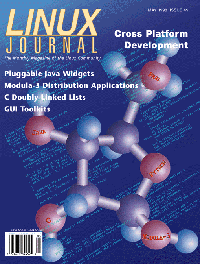
 May Linux Journal
The May issue of Linux Journal will be hitting the newsstands April 10. The focus of this issue is Cross Platform Development with articles on building reusable Java Widgets, debugging your Perl programs, Modula-3, doubly-linked lists, the Python DB-API and much more. Check out the Table of Contents. To subscribe to Linux Journal, click here.
Linus Torvalds Receives VA Research Excellence Award
February 26, 1998
VA Research granted its Excellence in Open Source Software Award to
Linus Torvalds, father of the Linux operating system and one of the most
important leaders in information technology. Linus received a
VArStation YMP, worth $4500, at
The Silicon Valley Linux Users Group meeting in March. (See article in this issue by Chris Dibona.)
The VA Research Excellence in Open Source Software Award honors exceptional individuals within the free software community. Torvalds led this community to create Linux, a freely distributable multi-user, multi-tasking Unix-like operating system. Linux is now used in a range of applications from mission critical servers to desktop workstations.
VA Research is the oldest and largest Linux systems company. Founded in 1993 by electrical engineering doctoral students at Stanford University, VA Research pioneered high performance workstations and servers based on Linux. In 1997, VA Research became an affiliate of Umax.
For More Information:
VA Research, www.varesearch.com
Samuel Ockman, ockman@varesearch.com.
New Linux and Open Source Business Usage Advocacy page
Date: Thu, 12 Mar 1998 21:06:35 +1100 (EST)
There is a new advocacy page for Linux (and other
open source, free software). This site is primarily focused on solid
business reasons as to why companies should use Linux. The opening
blurb states:
... We (and a growing number of other firms) are heavy users of software such as Linux, GNU and FreeBSD which can be classified as 'freely redistributable' or 'co-operatively developed', but feel that there is considerable lack of knowledge of these systems and applications in the general business community. We (and some of the companies listed below) are therefore building this web presence to help provide information, documentation, showcase projects, links to related sites and other useful resources to to help redress this. This will include freely redistributable systems software, and free and commercial applications which run on these systems which may be of interest to helping you run your business. ...
http://www.cyber.com.au/misc/frsbiz/
For More Information:
Con Zymaris, Cybersource Pty. Ltd.
FREENIX at USENIX Annual Conference
Date: Mon, 16 Mar 1998 08:54:19 -0800
Here's more than you ever wanted to know:
Share ideas, and actual code, with developers and avid users of freely redistributable software--Linux, FreeBSD, NetBSD, OpenBSD, and more--at the 23RD ANNUAL USENIX TECHNICAL CONFERENCE, includes FREENIX, the Freely Redistributable Software Track, June 15-19, 1998 in New Orleans, Louisiana. Sponsored by USENIX, the Advanced Computing Systems Association
FREENIX is co-sponsored by The FreeBSD Project, Linux International, The NetBSD Foundation, Inc., and The OpenBSD Project
Full program and on-line registration:
http://www.usenix.org/events/no98/
Email: conference@usenix.org
FREENIX, a Special Track within the conference, showcases the latest developments and interesting applications in freely redistributable software. FREENIX offers 28 talks, plus evening BoF sessions.
USENIX is the Advanced Computing Systems Association. Its members are the computer technologists responsible for many of the innovations in computing we enjoy today.
For More Information:
Cynthia Deno, USENIX ASSOCIATION,
cynthia@usenix.org
Samba: Integrating UNIX and Windows
Date: Fri, 6 Mar 1998 08:36:32 GMT
Samba is the tool of choice for providing Windows file sharing and
printer services from UNIX and UNIX-like systems. Freely available
under the GNU Public License, Samba allows UNIX machines to be
seamlessly integrated into a Windows network without installing any
additional software on the Windows machines. Used in tandem with Linux
or FreeBSD, Samba provides a low-cost alternative to the Windows NT
Server.
This book, a combination of technical tutorial, reference guide, and how-to manual, contains the depth of knowledge experienced network administrators demand without skipping the information beginners need to get fast results. UNIX administrators new to Windows networking will find the information they need to become Windows networking experts. Those new to UNIX will find the details they need to install and configure Samba correctly and securely.
The book also contains a CD-ROM containing version 1.9.18 of the Samba server, a library of useful tools and scripts, the Samba mailing list archives, and all examples discussed in the book.
Currently available at fatbrain.com (Book shops + Online). www.clbooks.com * 1-800-789-8590 * FAX 1-408-752-9919
Netscape turns to Debian for Licensing Guidance!
Date: Fri, 6 Mar 1998 09:23:38 GMT
When Netscape decided to make their client software free, they
used the Debian Free Software Guidelines for a guide on how to
write their license. You can find the draft Netscape license at
http://www.mozilla.org/NPL/.
This is a historic day for us, since it
means that "Mozilla" (Netscape Communicator) will eventually be in the
"main" part of Debian and all Linux systems, instead of the "non-free" section
as it is now.
A link to a Netscape press release (containing a quote from Bruce Perens) can be found at http://www.netscape.com/newsref/pr/newsrelease579.html. The Debian Social Contract and licensing guidelines are at http://www.debian.org/social_contract.html. A web page on the Open Source promotional program for free software can be found at http://www.opensource.org/.
There is work yet to be done - a few license bug-lets will be resolved within the next few days, and once the source code is released there are some parts that Netscape does not own that will most likely have to be replaced with free software.
For More Information:
Bruce Perens, bruce@debian.novare.net
Linux Web Watcher News
Date: Tue, 10 Mar 1998 13:18:11 GMT
Linux Web Watcher, http://webwatcher.org/
The "Linux Web Watcher" now has its own domain, thanks to VA Research. LWW isn't an ordinary links page. It actually keeps track of when the pages were last updated, so you don't have to waste hours checking to see if your favorite web pages have been updated since your last visit to them.
The non-tables page of the Linux Web Watcher have been greatly enhanced to make things easier to read for Lynx users.
For More Information:
Robert E. Blue, reblue@emry.net
Linux questionnaire
Date: Tue, 10 Mar 1998 13:19:49 GMT
Aachen Linux User Group (ALUG) proudly presents the
Linux Questionnaire.
The questionnaire consists of 20 questions which
cover software, hardware, documentation and installation issues. The
questions are a mixture of multiple choice and text areas. The results
are updated hourly and can be seen at:
http://aachen.heimat.de/alug/fragebogen2/fragebogen_results2.html
The objective of the questionnaire is to provide a somewhat standardized way to report your experience with Linux and the results should give (in particular, to the newcomer) a coarse-grained view on Linux and its users.
For More Information:
Aachener Linux User Group (Aachen/Germany),
http://aachen.heimat.de/alug
Michael Eilers, eilers@rmi.de
Perl Conference 2.0 - Call for Participation
Date: Tue, 10 Mar 1998 14:43:42 GMT
The second annual O'Reilly Perl
Conference will be held August
17-20, 1998 at the Fairmont Hotel in San Jose, California. The
conference will feature two days of tutorials followed by a two
day conference. The conference will include sessions for
submitted papers on practical and experimental uses of Perl;
invited presentations; daily Q and A sessions with leading
Perl developers and trainers; a by-invitation Developers
Workshop; and nightly user-organized Birds-of-a-Feather sessions
for special interest groups.
In the practical spirit of Perl, we seek papers that describe how you are using Perl right now for work or play, and how your experience and your code can help others. This is not a traditional solicitation for academic papers. While we look forward to papers on new and useful extensions, applications, and tools, we are most interested in receiving papers that show Perl hard at work, saving time, money, and headaches for you and your organization. We welcome submissions that work under both Unix and non-Unix systems, such as Win32.
For More Information:
The Perl Institute, Chip Salzenberg
3665 E. Bay Drive, Suite 204-A
Largo, FL 33771-1990
UK Linux Conference
Date: Mon, 23 Mar 1998 09:18:30 GMT
These are very preliminary details:
Venue: UMIST Conference Centre, Manchester.
Date: Saturday 27th June
Time: A Jam-packed day from 10am (sharp) to around 5:30
Programme (provisional):
For More Information:
UKUUG, http://www.ukuug.org/
French Translation of LG Issue 25
A French translation of some parts of Issue 25 of the Linux Gazette is
available at the following URL's :
http://www.linux-kheops.com/pub/lgazette/;
and
http://www.linux-france.com/article/lgazette/;
For more information:
Eric Jacoboni : jaco@mail.dotcom.fr
Help ToolKit for Motif V0.9: Binary beta release now available
Date: Sun, 1 Mar 1998 23:58:55 -0500
Columbia, MD -- The Help ToolKit for Motif V0.9 has been released and is
now available on the web.
The Help ToolKit for Motif allows developers to easily add and modify
various types of on-line context-sensitive help to Motif applications.
Using a small set of functions to install the library, every widget and
gadget in a Motif application seemingly inherits new resources allowing
help to be configured and changed via X resource files.
The ToolKit supports three core help types: Tips, Cues, and Hints. All of these help types can be assigned to any widget and any Motif-based gadget.
The Help ToolKit distribution can be downloaded from http:www.softwarecomp.com. The complete Programmer's Manual can also be downloaded in PDF format from the same site.
Although the Linux version of this product is freely available for non-commercial purposes, it is copyrighted and is not in the public domain. There is a license associated with the distribution; please read it if you have an interest in the product.
For more information:
Robert S. Werner,
rob.werner@softwarecomp.com
info@softwarecomp.com,
http://www.softwarecomp.com/
RED HAT SOFTWARE NOW SHIPPING MOTIF 2.1
Date: Tue, 03 Mar 1998 16:16:34 -0500
Research Triangle Park, NC--March 2, 1998--Red Hat Software, Inc.,
publisher of Red Hat Linux 5.0, the Operating System that was named
InfoWorld Magazine's Product of the Year, has announced the
availability of Red Hat Motif 2.1 for the Intel Computer. Red Hat
Motif 2.1 for the Intel computer is the full OSF/Motif development
system. As with the 2.0.1 version of Red Hat Motif, Red Hat Motif 2.1
can turn your Intel computer running Linux into a complete Motif
development workstation.
For more information:
Red Hat Software, Inc., "http://www.redhat.com/, melissa@redhat.com
PostShop, ScanShop and OCR Shop
Date: Fri, 6 Mar 1998 11:38:10 -0800 (PST)
Vividata, Inc. announced the release of Linux versions of its PostShop,
ScanShop and OCR Shop software products PostShop transforms inkjet and laser
printers to PostScript-enabled ones and makes PostScript printers up to 100
times faster. ScanShop scans, prints, compresses, stores, retrieves and
displays pictures and documents in full color, grayscale, and bi-level
(black & white), and OCR Shop converts paper documents and images into
editable text.
For more information:
Vividata, Inc., info@vividata.com,
http://www.vividata.com/.
Cobalt Qube Ships
MOUNTAIN VIEW, Calif., March 17, 1998 - Cobalt Microserver Inc. today announced that its Cobalt Qube(tm) microserver products, which were introduced last month at the DEMO 98 conference, have begun shipping to customers. Cobalt develops and markets simple, low-cost Internet and Intranet servers.
The Cobalt Qube microservers are aimed at work groups and branch offices, Internet service providers, Web developers and educational organizations. They are simple, versatile, scalable, and offer excellent performance for work groups at a fraction of the cost of traditional UNIX(R) and Windows(R) NT servers.
For more information:
Nancy Teater, Hamilton Communications,
nrt@hamilton.com,
http://web.hamilton.com/
LinkScan 4.0
Date: Fri, 13 Mar 1998 13:24:29 -8
San Jose, CA, March 10, 1998 - Electronic Software Publishing Corp.
(Elsop) introduces a number of new features to enhance the central
management of multiple Intranet/Internet web sites in organizations where
many different individuals may be responsible for the content. These
developments build upon earlier releases which laid down the foundations
for these exciting new features. LinkScan enables users to split-up very
large sites into smaller sub-sites, to produce different reports for
different departments and to configure LinkScan to handle multiple
domains hosted on a single server. LinkScan/Dispatch adds a new higher
level of capability to those features.
LinkScan/Dispatch is included with LinkScan Version 4.0. It is designed for operators of large web sites where the responsibility for maintenance and updates is distributed among many individuals.
LinkScan 4.0 is priced at $750 per server. Volume discounts are available in single order quantities of five copies or more. Orders may be placed online via a secure server.
For more information:
Kenneth R. Churilla,
ken@elsop.com
Electronic Software Publishing Corporation,
http://www.elsop.com/
WANPIPE FT1
Date: Thu, 12 Mar 1998 14:25:12 +0000
Sangoma Technologies Inc.
(OFFER VALID UNTIL APRIL 15TH OR WHILE SUPPLIES LAST)
is making available our WANPIPE kit
that includes the T1 and Fractional T1 DSU/CSU for an END USER price
of $799.00! This represents a reduction of 30% from our already low
standard price of $1139.00.
WANPIPE provides all you need to turn your NT, Linux, or NetWare server or Windows workstation into a powerful T1 or Fractional T1 router for your LAN. Just plug your server into the wall.
For more information:
David Mandelstam, dm@sangoma.com
Sangoma Technologies Inc.
XFree86 3.3.2 Released
Date: Fri, 6 Mar 1998 09:59:39 GMT XFree86 version 3.3.2 is now available. The XFree86 3.3 distribution is available in both source and binary form. Binary distributions are currently available for FreeBSD (2.2.2+ and 3.0-CURRENT), NetBSD (1.2 and 1.3), OpenBSD, Interactive Unix, Linux (ix86 and AXP), SVR4.0, UnixWare, OS/2, Solaris 2.6 and LynxOS AT.
The XFree86 documentation is available on-line on our Web server. The documentation for 3.3 can be accessed at http://WWW.XFree86.org/3.3/.
Source patches are available to upgrade X11R6.3 PL2 from the X Consortium (now
The Open Group) to XFree86 3.3.2. Binaries for many OSs are also available.
The distribution is available from:
ftp://ftp.XFree86.org/pub/XFree86
For more information:
The XFree86 Team, robin@interlabs.com
scwm 0.6 - Scheme Configurable Window Manager
Date: Tue, 10 Mar 1998 12:38:35 GMT
Scwm 0.6 is released.
Scwm is the Scheme Configurable Window Manager. This is a highly
dynamic and extensible window manager for the X Window System (based
originally on FVWM2, but now much enhanced) with Guile Scheme as the
configuration/extension language. Nearly all decorations can be
changed at run-time or per-window, and eventually many decoration
styles and additional features will be supported through dynamically
loaded code. A powerful protocol is provided for interacting with the
window manager while it is running.
You can download the latest scwm package from:
http://web.mit.edu/mstachow/www/scwm-0.6.tar.gz
http://web.mit.edu/mstachow/www/scwm-icons-0.6.tar.gz
For more information:
Maciej Stachowiak, mstachow@mit.edu,
Massachusetts Institute of Technology,
http://web.mit.edu/mstachow/www/scwm.html
Yalsim, Yet Another Logic/Timing Simulator
Date: Tue, 10 Mar 1998 12:44:50 GMT This is the second Alpha version of a logic/timing simulator called Yalsim. Yalsim is a hierarchical timing and logic simulator that has been in development (on and off) for over fifteen years and the second pre-beta version is now being sampled. Yalsim can now be obtained (with source code) by individuals from:
ftp:/ftp.eecg.toronto.edu/pub/software/martin/yalsim.tar.gz
The current cost for Yalsim is $1 CDN, when you have time to send it. Sending four U.S. quarters is also acceptable. This may change in the future. However, seriously, please do read the LICENSE file. Yalsim is not public domain or being released under a GNU-like license, although individuals, at non-profit institutions, will always be able to obtain at least binary versions of Yalsim at no or minimal (overhead) cost.
For more information:
Ken Martin,
martin@isis.eecg.toronto.edu
SQL RDBMS PostgreSQL v6.3 released for Linux
Date: Tue, 10 Mar 1998 12:56:10 GMT
SQL RDBMS PostgreSQL v6.3 released for Linux.
PostgreSQL is a RDBMS SQL server which is the "default SQLserver"
shipped with most Linux distributions.
For more information:
http://www.postgresql.org/,
gold_bag@yahoo.com
nosql-0.9 - Unix RDBMS
Date: Tue, 10 Mar 1998 12:57:56 GMT
A new release of NoSQL is available at :
ftp://ftp.linux.it/pub/database/nosql-0.9.tar.gz
NoSQL is a simple Relational Database Management System for Unix. There have been several major changes from v0.8 to v0.9. Please read file README-v0.9 distributed with the package.
For more information:
ILS - Italian Linux Society,
Carlo Strozzi, carlos@linux.it
RITW: Very simple network monitoring tool
Date: Tue, 10 Mar 1998 13:12:39 GMT
RITW is a small set of scripts that allow any user to monitor
network/host
status using a common WWW browser and a central monitoring site through
ICMP and HTTP.
Although it will probably run on any platform, it was only tested on
Linux.
Primary site is at
http://www.terravista.pt/Ancora/1883/ritw_e.html
http://www.terravista.pt/Ancora/1883/ritw.html (portuguese)
For more information:
Rui Pedro Bernardinoa, Parque Expo'98, Portugal,
rbernardino@expo98.pt
Socket Script v1.5
Date: Tue, 10 Mar 1998 13:30:15 GMT Socket Script has been made for people who wants to create networking-oriented programs, but don't want to learn all the socket stuff. It has multiple network commands that enable you to tell the SScript interpreter where you want to connect, and all you have to do is focus on the script itself, leaving the connection parts to SScript. The best part is that most scripts will run on most Unix workstations, and win32 platforms.
Available at:
http://devplanet.fastethernet.net/sscript.html
newsfetch-1.11 - pull news via NNTP to a mailbox
Date: Tue, 10 Mar 1998 14:10:57 GMT
newsfetch: Most Compact and Powerful Utility to download the news from
an NNTP server and stores in the mailbox format.
New version of newsfetch (1.11) is uploaded to sunsite.unc.edu:
newsfetch-1.11.tar.gz newsfetch-1.11-1.i386.rpm newsfetch-1.11-1.src.rpm
available in ftp://sunsite.unc.edu/pub/Linux/Incoming/ and in proper place (/pub/Linux/system/news/reader) when they move the files. New version is available in .tar.gz and .rpm format.
For more information:
Yusuf Motiwala, ymotiwala@hss.hns.com
nv-dc1000 digital camera image reader v0.1 beta
Date: Tue, 10 Mar 1998 14:30:22 GMT
A small program to transfer images from the digital still camera known as
NV-DC1000 or PV-DC1000 from Panasonic. First beta version, but it works.
For more information:
Societas Datoriae Universitatis Lundensis et Instituti Technici
Lundensis
Fredrik Roubert, roubert@df.lth.se,
http://www.df.lth.se/~roubert/NV-DC1000.html
Cecilia2.0 - electroacoustic music software
Date: Tue, 17 Mar 1998 08:45:31 GMT
We are happy to announce version 2 of CECILIA, the musician's software that makes you funnier, smarter and more attractive to the opposite sex.
Cecilia was developed by composers of electroacoustic music for composers of electroacoustic music. If you have to ask, don't bother. Cecilia is probably the wackiest sound maker in the world at this time. In fact, we believe nothing else even comes close. Cecilia is for high-concept audio processing. It is not for sequencing your rinky-dink samplers and synths.
Cecilia is freeware at present. The next version will not be. Count your blessings. Cecilia runs on Macintoshes, Linux boxes and SGIs. It does not run on Windows. When it does, we'll sell it and become obscenely wealthy.
Cecilia is strictly for people who have a sense of humour. We, on the other hand, are very cranky people.
Cecilia is available for download at :
ftp://ftp.musique.umontreal.ca/pub/cecilia/
Cecilia's home page for manuals and info:
http://www.musique.umontreal.ca/CEC/
For more information:
Jean Piche, Universite de Montreal
http://mistral.ere.umontreal.ca/~pichej,
http://www.musique.umontreal.ca/electro/CEC/
Free CORBA 2 ORB - omniORB 2.5.0 released.
Date: Tue, 17 Mar 1998 09:12:28 GMT
The Olivetti and Oracle Research Laboratory has made available the second
public release of omniORB (version 2.5.0). We also refer to this version
as omniORB2.
The main change since the last public release (release 2.4.0) is the addition
of support for type Any and TypeCode. For further details of the changes, see
http://www.orl.co.uk/omniORB/omniORB_250/
omniORB2 is copyright Olivetti & Oracle Research Laboratory. It is free software. The programs in omniORB2 are distributed under the GNU General Public License as published by the Free Software Foundation. The libraries in omniORB2 are distributed under the GNU Library General Public License.
Source code and binary distributions are available from our Web pages: http://www.orl.co.uk/omniORB/omniORB.html
omniORB2 is not yet a complete implementation of the CORBA core.
For more information:
Eoin Carroll, ewc@orl.co.uk
Olivetti & Oracle Research Lab, Cambridge, UK
Mtools 3.9 - Access MS-Dos/Win 95 disks from Unix without mounting
Date: Tue, 17 Mar 1998 08:38:33 GMT
I would like to announce a new release of Mtools, a collection of
utilities to access MS-DOS disks from Unix without mounting them.
Mtools supports Win'95 style long file names, FAT32, OS/2 Xdf disks and 2m disks (store up to 1992k on a high density 3 1/2 disk). Mtools also includes mpartition, a simple partitioning programming to setup Zip and Jaz media on non-PC machines (SunOs, Solaris and HP/UX).
Mtools can currently be found at the following places:
http://linux.wauug.org/pub/knaff/mtools
http://www.poboxes.com/Alain.Knaff/mtools/
For more information:
Alain Knaff, knaff@tux.org
New XML.com site
Date: Wed, 25 Mar 1998 20:08:29 -0800 (PST) SEBASTOPOL, CA--XML, the industrial-strength mark-up language used for Web development, is a tool for electronic commerce and information management. With the recent approval of the XML Specification by the World Wide Web Consortium (W3C), interest in XML development has picked up considerable steam.
To promote the development and commercial acceptance of XML, three companies that have long been Web insiders--O'Reilly & Associates, their affiliate Songline Studios, and Seybold Publications--have joined together to create XML.com (http://www.xml.com), a new Web site that serves as a key resource and nerve center for XML developers and users. A preview site is now available, and the launch date for the full site is May 1, 1998.
XML.com features a rich mix of information and services for the XML community. The site is designed to serve both people who are already working with XML and those HTML users who want to "graduate" to XML's power and complexity.
For more information:
Sara Winge, sara@ora.com
 The Answer Guy
 Regarding Compile Errors with Tripwire 1.2
From: Tc McCluan, tc@4dcomm.com
 I was on http://www.starshine.org/linux/ and since I am unable to
compile Tripwire 1.2 on my system (redhat 4.2 with 2.0.33 kernel)
I am trying all avenues of help.
I was on http://www.starshine.org/linux/ and since I am unable to
compile Tripwire 1.2 on my system (redhat 4.2 with 2.0.33 kernel)
I am trying all avenues of help.
I have tried the recommendation in the /contrib/README.linux but I still get the same error message. I have tried many combinations, but still no luck.
Following are the list of errors I am getting, hopefully you can spot where this compile is failing. Thanks in advance,
You could look for my Tripwire patch at
http://www.starshine.org/linux/
... or you could grab the RPM file from any Red Hat "contrib" mirror like:
ftp://ftp.redhat.com/pub/contrib/i386/tripwire-1.2-1.i386.rpm
... for a precompiled binary or:
ftp://ftp.redhat.com/pub/contrib/SRPMS/tripwire-1.2-1.src.rpm
... for sources that you should be able to build cleanly.
So far I really haven't found a tripwire configuration that I really like. I can never quite get the balance between what aspects to ignore (permission and ownership changes on /dev/tty*, /dev/pty*, etc) and which ones I need to watch.
So, if anyone out there as a really good tw.config file that really minimizes the superfluous alerts and maximized the intrustion detection, I'd like to hear about it.
Also if anyone has a YARD or other rescue disk builder that is customized for creating write-protected tripwire boot/root diskette sets (for periodic integrity auditing of Linux systems) I'd like to see a step-by-step Mini-HOWTO or tutorial (maybe as a submission to Linux Gazette).
-- Jim
Applix Spreadsheet ELF Macro Language
From: Paul T. Karsh ITTC-237B 8-286-xxxx, karchpte@acm.org
I happened on the Linux Gazette in the process of searching for some information on "scripting" macros in the Applixware spreadsheet. Although this is not strictly a Linux question, I hope you can help me with some "pointers" (links ?) on how to learn this language. The Applixware help is no help and the company at which I consult does not have the on-line Applixware books nor the hardcopy "macro" manual.
I played with Applixware a little bit -- but was highly
discouraged to find that its file conversion package
couldn't handle more recent versions of MS Word and Excel.
That was my main interest in the product since I occasionally
get file attachments in these proprietary formats -- and
sometimes they are potential customers.
As for the issue of learning this Macro language without having the appropriate documentation. I would ask your client where their manuals and/or installation CD is -- if they can't produce it and are unwilling to order a replacement then I would question their decision to use the product.
Applixware is a commercial product. Assuming this is on a Linux system you'd probably want to contact Red Hat Corporation to order replacement manuals (I think RH is the sole Linux distributor for Applixware -- just as Caldera is the sole distributor for the Linux version of WordPerfect).
If they have the installation CD -- borrow it and install its online documentation on some system somewhere (long enough to get the information your need). Be sure to remove that installation unless the appropriate licensing arrangements are made, of course.
Is there somewhere on the net (FTP or anything) where I can get an intro
to this? I tried the Applixware site; it just seems to be page after
page of PR.
I would like to see far more technical content on their
web site as well. (The same desire applies to other hardware
and software company sites).
-- Jim
Answer Guy Issue 18 -- Procmail Spam Filter
From: Anthony E. Geene, agreene@pobox.com
I'm not a procmail user, but I've found that most spam is sent using envelope addresses, the standard recipient headers are not addressed to the actual recipient. So I set up filters to catch my mailing list mail and any mail that is addressed to a list of my vailid addresses. Other mail is put elsewhere for later review.
Such a method is relatively simple and would catch all but the more sophisticated spammers.
It is a good suggestion. It doesn't work if you have
some people that prefer to Bcc: you (use "blind carbon
copies"). Naturally many people's mail user agents
(MUA's) like elm, pine, etc don't have obvious options for
Bcc:'s -- others do (and most Unix/Linux MUA's allow
some way to do it -- even if it isn't *obvious*).
There are probably a number of other "false positive" situations. As you say most automated mailing lists have headers that would trigger on your criteria. The obvious response to these problems is to make a list of all the exceptional cases (of which you are aware) and add appropriate rules to precede your anti-spam filter.
In addition it is important to ensure that your disposition of apparently bogus messages is a refile to a specific mail folder. You don't want to file it to /dev/null!
As you check your "probably junk" folder you can manually refile the exceptions -- and optionally add new rules to "pre-approve" lists of your favorite correspondents.
Note: if you keep a list of correspondents and a list of known spammers, and you write a recipe to check the list you may be concerned about the amount of time spent in 'grep'. Here's a hint: keep the list sorted and use the 'look' command.
(The advantage of 'look' is that it does a "binary" search (think about successive approximation to "zero in on" the desired lines) on a sorted file -- and returns the lines that match. While the overhead of 'grep' grows in a linear fashion (the search doubles in time as the file doubles in size) that of 'look' grows much more slowly (it's proportional to the square root of number of records/lines in the file). Similar results would be attained if one used 'dbm' hashes (indexes) -- but there is greater overhead in programming (Perl offers modules to support dbm, gdbm, ndbm and other hashing libraries -- it also has much higher load time overhead as a result of it's generality).
The point is that even on a small file (100 lines) I can see about a 10% difference in overhead. After a few thousand lines the difference is substantial (grep takes twice as long to run).
None of this matters much on your personal workstation which has only one active user and receives a couple hundred e-mail items per day. However -- if you're filtering on the company mailhub, or at your ISP's location -- it's worth it to reduce your impact.
-- Jim
Great Procmail Article!
From: Anthony E. Geene, agreene@pobox.com
I read your procmail article in issue 14 of the Linux Gazette. It was the best explanation of how procmail works that I've seen yet.
I just wanted to say Thanks,
Anthony,
Thanks for the feedback. BTW there is a new article on
use TDG (The Dotfile Generator) as a GUI front end for
creating procmail scripts. I haven't finished reading
it yet -- but it looks pretty good to me.
In your earlier mail you mentioned that you aren't using procmail yet. This article on TDG and my explanation of what's going on "under the hood" may yet change that. (Also, somewhere on that morass of half-baked pages that I keep as a "website" are some links to other procmail and mail filtering resources).
-- Jim
Linux Cluster configuration
From: Antonio Sindona, Antonio.Sindona@trinacria.it
I'd like to create a *Linux cluster configuration* to have some degree of fault-tolerance (Linux normally works ... hardware not always ! ;-) ). Do You know if somebody tried to develop something to solve this problem ?
The first place I'd look for info on fault tolerance for
Linux would be:
Linux High Availability HOWTO
http://sunsite.unc.edu/pub/Linux/ALPHA/linux-ha/High-Availability-HOWTO.html
Then take a look at:
Linux Parallel Processing HOWTO
http://yara.ecn.purdue.edu/~pplinux/pphowto.html
... and:
MP and Clustering for Linux
http://linas.org/linux/mp.html
One of the most famous Linux parallel computing projects (which has been written up in the _Linux_Journal_ among other places) is the Beowulf Project:
http://sdcd.gsfc.nasa.gov/ESS/linux.html
After you've been overwhelmed by reading all of that you can slog through all of the links at:
Linux Parallel Processing Using Clusters
http://yara.ecn.purdue.edu/~pplinux/ppcluster.html
.... which include links to some classic Unix projects like "Condor," PVM, and MPI.
After reading all of those you'll undoubtedly decide that Linux is years ahead of Microsoft in the field of clustering. (MS' "wolfpack" project is still vaporware last I heard). However, lest we grow complacent we should consider some features that Linux needs to compete with mainframe and mini clustering technologies (like those in VMS, and the ones that HP managed to eke out of their aquisition of Apollo -- when they gutted DomainOS, from what I hear).
The two features Linux needs in order to attain the next level of clustering capacity are "transparent checkpointing" and "process migration."
"Transparent checkpointing" allows the kernel to periodically take a comprehensive snapshot of a process' state (to disk or to some network filesystem) and allows the OS to restart a process "where it left off" in the event of a system failure.
(System failures that damage the checkpoint files notwithstanding, of course).
"Process Migration" allows a node's kernel to push a process onto another (presumably less heavily loaded) system. The process continues to run on the new system without any knowlege of the transition.
At first it seems like "checkpointing" would cost way too much in performance. However, it turns out that relatively little of your system's RAM has been modified from the disk images (binaries and libraries) in any given time frame. I've heard reliable reports that this has almost trivial overhead on a Unix/Linux like system.
It's easy to see how "checkpointing" is a necessary feature to support process migration. However, it's not enough. You also need mechanisms to allow the target kernel to give the incoming process access to all of the resources that it had allocated (open file descriptors, other interprocess channels, etc). For Unix like systems you also have to account for the process structure (the PID of the process can't change) -- and there has to be some implicit inter-node communications to maintain the process groups (to get a process' exit status to its parent and to allow members of a process group to get status and send signals to it.
There have been a number of operating systems that have implemented checkpointing and process migration features. Chorus Mi/X, Berkeley Sprite and Amoeba (a project that the father of Minix, Andrew S. Tanenbaum, collaborated on) come to mind.
(see http://www.am.cs.vu.nl/ for info on Amoeba, http://HTTP.CS.Berkeley.EDU/projects/sprite/ for Sprite, and http://www.chorus.com for Chorus Mi/X info).One Unix package that is supposed to offer these features is Softway Ltd's Hibernator II. Just SGI and a Fujitsu mainframe version are supported. This is probably an expensive commercial package and we shouldn't hold our breath for a Linux port.
* http://softway.com.au/softway/products/hibernator.html
The MOSIX project also supports transparent process migration (imagine that copy of emacs being moved from one overloaded CPU to an idle machine while you were using it). It is currently available on BSD/OS. However we're in luck! As I was typing this and checking my URL's and references I noticed the following statement on their pages:
``MOSIX for Linux (RedHat) is now under development''
(Yay!).
You can read more about MOSIX (and see this note yourself) at:
http://www.cs.huji.ac.il/mosix/
(Hebrew University, Israel)
http://www.cnds.jhu.edu/mirrors/mosix/txt_main.html
One OS project that I've been keeping my eye on for awhile has been EROS (http://www.cis.upenn.edu/~eros/). This isn't widely available yet -- but I have high hopes for it. It will use a "persistence" model that implicitly checkpoints the state of the entire system (all processes and threads).
EROS is not "Unix" though it should eventually support a Unix/Linux compatible subsystem (called Dionysix). The major difference is that EROS is a pure "capabilities" system. ``Capabilities'' are the key to a security model that is much different than the traditional identity/group (Unix), process privileges (VMS and Posix.6), and ACL (NT, Netware, etc) that are common in other operating systems. Read Mr. Shapiro's web pages for more info on that.
I personally think we (in the Linux community) have quite a bit to learn from other operating systems -- their strengths and their weaknesses. To anyone of us who would say "But those are just obscure systems. Nobody is running those!" I would point out that millions of PC users still have that same reaction to Linux.
So, to learn *far* more than you ever wanted to know about operating systems *other* than DOS, MacOS, and Unix take a look at the links on my short page about OS':
http://www.starshine.org/jim/os/
-- Jim
IP Masquerading/Proxy?
From: Jack Holloway
Ok... I'm alittle foggy on the terminology... if I have a machine on an ethernet network that is hooked to the internet, and I want all of the other machines on the network to connect to the internet THROUGH the machine connected to the internet, I need to use IP masquerading or proxy server stuff?
You can use IP Masquerading and/or any sort of proxy systems.
IP Masquerading is a particular form of NAT (network address translation).
The one machine (your Linux box) that is connected to your LAN and to the Internet is the "router" or "gateway." ("routers" work at the "transport" layer, while "gateways" work at the "applications" layer of the OSI reference model). (More on that later).
One "real" (IANA issued) IP address is assigned to the "outer" interface and attached to the Internet (through your ISP). This will typically be a PPP link through your router/gateway's modem -- though it might be any network interface that you can get Linux to use.
One the other interface (typically an ethernet card) you assign one out of any of the "private" or "reserved for disconnected networks" IP address ranges as defined in RFC1918 (previously in RFC1597 and 16??). These RFC1918 addresses are guaranteed to never be issued to any Internet host (so those of use using them on our networks will never create an ambiguity with *our* router by attempting to access a machine *outside* our network that has an IP address that duplicates one *inside* of our network).
The RFC1918 address blocks are:
		10.*.*.*				(one class A net)
		172.16.*.* through 172.31.*.*		(16 class B's)
		192.168.0.* through 192.168.255.*	(255 class C's)
You can pick any of those RFC1918 address blocks and you can subnet them anyway that's convenient. I use 192.168.64.0 for my home LAN.
Within my LAN I use the .1 address (192.168.64.1) for my Linux gateway/router's ethernet -- it gets its other (real) IP address dynamically from my ISP when 'diald' establishes a connection (diald is a daemon that automatically invokes my ppp connection whenever traffic routing to the network is required -- I actually have another RFC1918 address assigned to the SLIP connection that diald uses for internal purposes). I run a caching nameserver on this box (which we'll call "gw").
All systems on my LAN execute a line like the following:
route add -net 192.168.64.0 eth0... in their rc scripts at some point. This configures them to all agree where packets for this network go. This is called a "static" route.
I then point the /etc/resolv.conf on all of the "client" machines on my LAN to "gw" and add a default route to each of them that looks like:
		route add default gw 192.168.64.1
			# other traffic goes to host named "gw"
(the "client" machines don't have to be Linux and don't have to have any special support for IP Masquerading -- you just assign them IP addresses like 192.168.64.2, etc. to each of them).
In the "gw" server I have the kernel compiled with masquerading and "forwarding" support enabled (of course). I don't put in the default static route -- that would be a loop. "gw" also has a different /etc/resolv.conf file -- one that points to a couple of my ISP nameservers.
Note: One trick I've learned about resolv.conf files -- You only get three nameserver entries (in most versions of the bind libraries) -- so I repeat the first and the last one. When a query times out (for a client) it moves to the second nameserver. Meanwhile the first nameserver still has a good chance of getting a response (DNS over today's busy Internet times out more often than nameservers fail). So, a timeout on the second nameserver leads to a repeat request on the first one -- which has probably received and cached a response by this time. I could explain that in more detail -- but the real gist is: try it. It helps.
Now, back to masquerading:
All it takes for masquerading to work is to run the command
		LAN="192.168.64.0/24"
		ipfwadm -F -a accept -m -S $LAN -D 0.0.0.0/0
... which means:
use the "IP firewall administrative" program to make the following change to the "forwarding" (-F) table:
add/append (-a) a rule to accept for masquerading (-m) any packet from (-S or "source address") my LAN (which is a shell variable I defined in the preceding line) that is going to (whose "destination" -D) is anywhere (0.0.0.0/0).Here's how that works. When the kernel receives a packet that's not destined for the localhost (the gateway itself) it checks to see if forwarding is enabled, then it looks in the routing table to see where the packet should go. My gateway's default route is pointing to the sl0 interface (the SLIP interface that diald maintains to detect outgoing traffic) -- when diald detects traffic on sl0 -- it runs my PPP connection script which changes the default route to point to my ISP's routers (which is part of the information that's negotiated via PPP along with my dynamic IP address). Now the packet is "forwarded" from interface to the other. Assuming that the packet came from my LAN (via the ethernet card in "gw" the kernel's packet filtering ("firewall") code takes over.
ipfw inspects the packet to see if it was part of an existing TCP session (part of a connection that it has already been working with). If it is than ipfw notes the TCP "port" that this session is assigned to, otherwise ipfw just picks another port. If it picks a new port it adds an entry to it's masquerading table that records the packet's original source address and source port. The "client" machine on my LAN is expecting any reply packets to come back to the appropriate source port (which is how it knows which process' "socket" to write the reply packets to) -- ipfw then re-writes the packet headers, changing the source address to match the one on ppp0 (the "real IP address for which my ISP knows a route), and changing the source port to the one it selected.
When ipfw receives reply packets the kernel routes them to sockets which ipfw owns (the source port on my outgoing packets becomes the destination port on the reply packets). ipfw then looks that socket up in its table, retrieves the *original* source addr and port (for the outgoing packet that generated this reply) rewrites the destination fields (on the *reply* packet). Finally the (now re-written) packet is routed to the LAN.
Effectively IP Masquerading makes a whole LAN full of machines look like one really busy one to the rest of the Internet. While a typical workstation might only have a few dozen active network connections available, a masquerading gateway might have hundreds or thousands. As a practical matter the TCP/IP protocol provides a 16 bit field for "ports" and Most Unix systems can't handle more than a few thousand concurrent open connections (sockets) and file descriptors. (This has to do with the tables that the kernel allocates for the data structures that manage all this -- regardless of whether masquerading is active or not). Luckily you're unlikely to have enough bandwidth to approach Linux' capacity.
I'm sorry for the length of that description. Note that it is purely conceptual (I've never read the code, I've just deduced what it must be doing from what I know of how TCP works).
Ouch! That's a big question there! Ok, firstly, do own IPs for every
machine on your network? (That is, do you have an internet unique IP for
each machine) If so, all you want is routed. If you don't, then to
'routed' is deprecated. In addition he doesn't need routed
or gated to talk to his ISP (and almost certainly can't
use it with them -- they won't listen to his routes unless
he goes out and gets an AS number and negotiates a contract
for "peering" with them which would absurd unless he were
becoming a multi-home ISP or something like that).
The case where routed or gated makes sense is with his own internetwork of LAN's. If he has several ethernet segments and is moving systems around them frequently (or adding new IP devices to them) then it would be be useful. For simpler and for more structured LANs (each ether segment gets a subnet -- a global, static routing table is distributed to all routers) you don't need or want 'routed' or 'gated'.
If he had a block of ISP (or IANA) issued IP addresses, his ISP would have to include routing to them (they don't make sense otherwise). Usually this amounts to some static routes that they maintain in their systems -- specifically some entries that are invoked whenever your system authenticates on one of their terminal servers or routers.
You don't have to run any software on your end to make use of this routing. (That's a confusing statement -- you have to run PPP or SLIP to connect to them -- but once you're connected they will route packets to you even if your routes back to them are completely missing).
As I've described above -- you just have to have your own LAN routing set up properly. That means that each system on your LAN has "-net" routes unto your ethernet and a "default gw" route to your router/gateway (masquerading host).
browse the web you can use a proxy server(which looks to the outside world
as if only the proxy is actually on the net.). If you want to telnet etc.
out, you will need IP-Masquerading, which isn't the most reliable way of
doing things. ask me further in email if you need more detail!
I disagree with several points here. Both masquerading *and*
proxying look like "only the proxy is actually on the net."
-- because only the router/gateway has an IP address with
valid Internet routes. The rest of your LAN is "hidden"
(behind your "gw") because those IP addresses don't have
valid Internet routes. The are IP addresses but they are
not *Internet* addresses!
Proxying is an applications layer solution. Masquerading and NAT are transport layer. The difference is what data structures the software is dealing with.
At the network layer we're working with "data frames." This is what an ethernet bridge or switch uses -- the MAC (BIA) addresses. That's also the layer at which ARP (address resolution protocol) works. It's how one host finds finds the ethernet card address of another system that's on the same LAN (how our client machines "find" our router/gw).
At the transport layer we deal with packets. These have IP addresses (as opposed to the MAC -- media access control -- addresses in the ethernet "frame" header). This is where the masquerading happens. As I've described masquerading involves a relatively "dumb" (mechanical) bit of packet patching with some table reference and maintenance. Technically there are some details I left out -- like recomputing the packet checksums.
The problem is that the transport layer conveys no information about the applications protocol for which it is a carrier. For "normal" TCP protocols (like HTTP and telnet) this is no problem. However, FTP and a few other protocols do "bad" things. In particular an FTP session consists of *two* TCP sessions (a control session which is initiated from the client to the server) and a data session which is initiated from the server back to the client! The IP address and port to which this "return connection" goes is passed to the server via the control connection. This last detail has caused more firewall designers and admins to rip out their hair than all the cheap combs from China. In the context of masquerading it means that the masquerading server must monitor the *data* (the stuff in the payloads of the packets) and make some selective patches therein. In the other cases we only touched the headers of each packet -- never the contents of their payloads.
So, this is the part of Masquerading that is unreliable. Linux IP Masquerading is by no means the only flavor -- though it's probably the most widely used by now. Linux as several modules for dealing with unruly protocols -- so the usually work.
However, I've found it more reliable to use the TIS FWTK ftp-gw (Trusted Information Systems http://www.tis.com, Firewall Toolkit). This is a proxy.
Proxy packages work at the applications layer. You have to have support for each applications protocol (http, ftp, telnet, rlogin, smtp, etc) that you want to allow "through" your firewall. They come in two forms: SOCKS and FWTK (There are many of them besides these -- but all of them follow one *model* or the other).
In the FWTK model the user opens his or her initial connection to the firewall (I 'ftp' to gw.starshine.org). The firewall (gateway) is running the FWTK proxy *instead of* (or *in addition to*) the normal server (ftpd). If it is "in addition to" than one or the other must be on a different port or using a different IP Alias on the machine (more on that later). Now my FTP server (ftp-gw) prompts me to "login"
For a normal FTP server I'd type my name (or "ftp" or "anonymous"). For ftp-gw I'm trying to go *though* this machine and unto one that's on the other side (on the Internet). So I have to provide more information. So I type:
ftp@sunsite.unc.edu
... or
webauthor@www.svlug.org
... or whatever. The gateway ftp server then opens a connection to my target (everthing *after* the @ sign) and passes my name (everything before the @ sign) to *its* login prompt.
The TIS FWTK comes with a number of other small proxies -- and most of them work in a similar fasion. (There are also options to limit *who* can access *what* and *when* (via administrator edited access control lists).
The key point here is that FWTK doesn't require any special client software support. The users have to be trained how to traverse the firewall and the have to remember how to do it.
FWTK is only appropriate for relative small groups of technically savvy users (who are easy to train in this and won't make the sysadmin's life a constant hell of walking everyone through this extra connectivity step).
SOCKS has a model that works for larger groups of less savvy users. However, it requires that you install SOCKS aware versions of your client applications. So you have to replace your normal telnet, ftp, rlogin, etc with a "socksified" version. In many cases it is possible to effectively "socksify" all of your client utilities by replacing a shared library (Unix/Linux) or a DLL (Windows). Many commercial TCP clients and utilities are built with SOCKS support (Netscape Navigator and Communicator are prime examples). I think the Trumpet shareware utilities for Windows are another.
The hassle is installing and configuring this software on every client system. However, the advantage is that none of the users has to remember, or even know, about the firewall. The SOCKS applications will automatically negotiate sessions through the firewall.
There are some protocols that are inherently easy or even unnecessary to proxy. For example DNS doesn't need to be proxied. You run your caching copy of named and let all of the client machines talk to and trust it. This gives a great performance boost to most of the clients and saves quite a bit of bandwidth on the critical link to the ISP. There is no reason that I can think of not to run a caching nameserver somewhere on your Internet connected LAN.
HTTP is a protocol that benefits quite a bit from proxying. It is trivial to add caching features a web proxy -- and I think just about all of them do so.
SMTP is a protocol that doesn't need proxying (from the standpoint of the clients on your LAN). You configure an internally accessible system to accept mail and it will relay it to your gateway via whatever means you configure. A typical model would be that outgoing mail is collected on an internal hub, which is configured to relay it to the external gateway, which, in turn, relays it to the ISP and on to the world. To see what this looks like read the "Received" headers in some of your mail.
The externally visible mail gateway can route mail back to the internal hub -- which can run POP and/or IMAP servers for the clients to use to actually get their mail. (You could have the internal hub route all of the mail directly to people's desktops via SMTP too.
The reason you generally don't need proxying for SMTP is that most sites use some form of masquerading (mail appears to come from the "domain" rather than from a particular host whithin the domain). FWTK includes smapd -- and there is an independent and free smtpd which act as proxies for sendmail. Here the intend is to have a small simple program receive mail and pass it along to the larger, vastly more complicated 'sendmail' itself. (I don't want to get into the raging debates about sendmail vs. qmail etc -- suffice it to say there are many alternatives).
Note that masquerading and proxying are not mutually exclusive. I use masquerading and I have ftp-gw and squid (caching web service) installed. I could also install SOCKS on the same gateway.
Incidentally I mentioned that it's possible to run ftpd and ftp-gw on the same machine without putting them on different ports. Here's two ways of doing that:
IP Aliasing method:
ifconfig eth0:1 192.168.64.129
in.ftpd@192.168.64.129: 192.168.64. : twist /usr/local/fwtk/ftp-gw
This will "twist" any ftp request *to that IP alias*
into an ftp-gw session. FTP requests to any other
interface address will be handled in the usual way
(tcpd will launch the ftp daemon that's listed in
inetd.conf).
Loopback Twist method:
in.ftpd: 127.0.0.1 : ALLOW
in.ftpd : ALL : twist  /usr/local/fwtk/ftp-gw
WARNING! This second line would allow *anyone* (from inside or outside) of your LAN to access the proxy. However, ftp-gw reads a file -- /usr/local/etc/netperm-table according to the way I compiled mine -- to determine who is allowed to access each of its proxy services.
So, this line is neither as dangerous as it looks nor as safe as it should be. Changing it to:
in.ftpd : LOCAL : twist /usr/local/fwtk/ftp-gw... is safer and more appropriate.
One key point here is that you can use proxies on your masquerading route/gateway to allow access from the "outside" back *into* services inside your LAN. Usually you want to prevent this (the whole point of a firewall). However you can use tcpd and netperm to allow specific 'friendly' networks to get to servers on one of your LAN's, despite the fact that there are no routes directly to those machines.
This brings us back to other forms of NAT. I mentioned at the get-go that masquerading is one form of NAT. It specifically involves a "many to one" arrangement. (The "many" clients on your LAN appearing as "one" connection to the Internet).
Another form of NAT is "many to many" -- where you have a table translations. Thus each of your systems might be configured to use one address, and be translated to appear as if it came from anoter. I personally don't see much use for this arrangement. The one case I could see for it might be if you had a net of devices that you couldn't renumber, which had "illegal" or "invalid" addresses.
One other form of NAT involves a different "many to many" translation -- its not currently available for Linux but it's used in the Cisco Local Director product. This is a trick for doing IP level load balancing. You have a "reverse masquerade" host accept requests to "a" busy server (one service on one IP address) and you have it masquerade the session to any of multiple "inside" machines that have the same service and content available.
For load balancing it's trivially easy to use DNS "round robin records" -- so I don't see much application for this form of NAT either.
Anyway -- that's all I have the energy to type for now.
I hope this explains the terms and concepts and gives you enough examples to set up what you want. For the most part you can just use the one magic ipfwadm command to "turn on" masquerading. The rest is just the configuration of your network and of your ISP connection -- which you've presumably already done.
-- Jim
In Issue 26 of the Linux Gazette, Todd Blake, tbb@enterprise.aacc.cc.md.us, wrote in to ask:
"I like most people am the only person to use my linux system at home. What I'd like to do is when my system is done booting to have me automatically login as my main user account (not as root though) on one virtual console (the first) and leave all other consoles and virtual consoles alone, so that someone telneting in will get a login prompt like normal, just that I won't. I'd still like the other VC's have logins for others to login and other reasons. I've tried just putting /bin/sh in /etc/inittab and that didn't work, and I'm stumped. Does anyone have any ideas on this?"I was in the same situation. I saw this question come up regularly in various newsgroups, but never with a satisfactory solution being proposed. Recently I came up with a solution that does just what Mr. Blake requested. I did this by making a few changes to Florian LaRoche's mingetty program, which is used issue the login prompt on virtual consoles in most Linux distributions. These changes allow a user to be automatically logged onto the console terminal as soon as the system boots. I got the idea for this patch after reading about a similar feature provided on SGI's Irix operating system.
Here's the description of the autologin feature that I've added to the mingetty.8 man page:
--autologin username Log the specified user onto the console (normally /dev/tty1) when the system is first booted without prompting for a username or password.
When the autologin option is supplied, mingetty will check that the controlling terminal is the console (normally /dev/tty1), that a reasonable username has been supplied, and that this is the first autologin request since the system has booted. If all of these conditions have been met, a request for an unauthenticated login is passed to the login program. Otherwise, a normal interactive login is performed.
The login program may deny the request for an unau- thenticated login. Typically this will happen when the user is root, has a UID of 0, or whenever a normal interactive login would be denied due to the access restrictions specified in the nologin, usertty, or securetty files.
Only a single autologin request will be issued after a system boot. If the automated login request is denied, or if the user logs out, mingetty will revert to performing normal interac- tive logins for all subsequent login requests.
I've placed unified diffs against the mingetty-0.9.4 version of mingetty.c and mingetty.8 on my web page at http://www5.jagunet.com/~kodis/. The patched version of mingetty logs me in on the first virtual console when my computer first boots, while leaving all the normal Unix security measures in effect for all but this one specific console login.
To use this patch, you'll have to first obtain the sources for the mingetty program, preferably with any patches used in your Linux distribution. After applying the patch file from my web page, you will have to rebuild the mingetty program, and install it and the patched mingetty.8 man page in the appropriate directories after saving the original versions.
The inittab entry for the first VC will then have to be modified to put the autologin feature into effect. In my /etc/inittab file, this line now reads:
1:12345:respawn:/sbin/mingetty --noclear --autologin kodis tty1
Rebooting after making these changes will insure that init has spawned
the new version of mingetty, and if all is well, will automatically
log you on to the console.
Since I normally use X whenever I'm logged in at the console, I've added the following few lines of code to my .zlogin and .bash_profile scripts. This code queries "Start X [Yn]? " when initially logged in from the first virtual console, and waits 10 seconds for a response. Entering Y or allowing the timeout to occur results in X being started. On exiting X, a similar timed query asking "Log out [Yn]? " is issued, giving the option of logging out or being dropped into a text console.
case `tty` in
    /dev/tty[1])
        echo -n "Start X [Yn]? "
        expect \
	    -c 'stty raw' \
	    -c 'set timeout 10' \
	    -c 'expect -nocase n {exit 1} -re . {exit 0}'
        if [ $? = 0 ] ; then
	    startx
            echo -n "Log out [Yn]? "
            expect \
	        -c 'stty raw' \
	        -c 'set timeout 10' \
	        -c 'expect -nocase n {exit 1} -re . {exit 0}'
	    if [ $? = 0 ] ; then
		logout
	    fi
        fi
	echo
    ;;
esac
These few changes combine to make getting logged on and running X on a
Linux box as easy as turning the power on. Here's hoping that this
proves useful for Mr. Blake and any of your other readers who find
themselves in this situation.
There are lots of Sun SPARCstations coming onto the second-hand market, or even being given away for free, nowadays. The attractions of a SPARC are numerous. The graphics resolution of a typical SPARCstation is 1152x900 (either monochrome, 8-bit or 24-bit colour), all machines have built-in ethernet controllers and all come with on-board SCSI.
Unfortunately, there are also a couple of drawbacks. It's not unusual for these machines to come onto the market with only very small internal disks (dual 100MB or a single 200MB is fairly common), or even minus disks completely and, as anyone who has bought one recently will tell you, SCSI disks are still more expensive, megabyte for megabyte, than their IDE cousins.
There's also a SPARC-Linux specific problem, commonly referred to as the "IPC slowdown bug" which, as the name suggests, plagues some of the low-end Sun4c architecture machines, especially the IPC, SPARCstation 1 and 1+ models. This doesn't affect all machines (which is one of the reasons that a fix is proving difficult to find), but on those which it does, even simple operations such as an "ls /etc" can take several minutes. It's the computing equivalent of that nightmare which everyone has had at one time or another where you're trying to run away from something horrible, through waist-deep, sticky treacle.
So, if your SPARCstation comes without a disk, or you load SPARC-Linux and your machine proves to be one of the ones susceptible to treacle, what can you do?
NOTE - People are frequently confused by the Xterminal concept and the fact that when they log-in to an Xterminal they find themselves in a shell on the server. Perhaps the easiest way to understand it is to think of the Xterminal as simply being a display attached to the server (which, in effect, it is) and of the Xterminal hardware as being a remote video card.
The SLXT package contains a SPARC-Linux, network-bootable kernel for sun4c and sun4m architectures, as well as scripts to automate the installation process and the administration of Xterminal clients. The scripts are Linux specific, but the package can be installed manually (on virtually any system which provides tftpboot and X support) in about ten to fifteen minutes by an experienced system administrator. The author has run SPARC-Linux Xterminal clients from Solaris servers, as well as from a variety of Linux machines.
Because the kernel is cut down, it will run quite happily on a machine which has only 12MB of main memory (an 8MB machine will boot, but will eventually crash with "out of memory" errors). In fact, because the system only runs the kernel and Xserver processes, any more than about 24MB of main memory is wasted, as it will never be accessed. The kernel is small because it does not contain any disk or floppy drivers. This also means that the SPARC-Linux Xterminal package can be booted on an existing, diskfull machine with no fear of accidentally overwriting the filesystems, thus making it possible to have the same machine boot, say, Solaris from an internal disk, or come up as an Xterminal when booted over the net. Of course, at around 2.5MB, the SLXT package is also much easier to download than the full SPARC-Linux distribution if you just want to check whether your system will run the Linux kernel.
After entering the ethernet address and choosing a hostname and IP address for your client, add_xterm will update the configuration files and the ARP and RARP caches on your server. You can then boot your SPARC client using "boot net" (from the "ok" prompt), or "ble()" (from the ">" prompt), depending upon which revision of boot PROM your machine has.
The most common question asked about the SLXT boot process is
"Why does it take so long to boot?".
The answer is that the machine is downloading a complete kernel
image from the server and then executing it, unlike a normal SunOS
or Solaris boot, where the bootstrap reads in a second-stage loader, which
in turn downloads the kernel. Be patient! Once the kernel is downloaded, the
time taken to start the Xserver process and display a login prompt is very
much shorter than the rest of a typical SunOS/Solaris boot. You'll need to
be very quick to catch a glimpse of the SPARC-Linux, beer-swilling penguin.
This column is devoted to making the best use of Emacs, text editor extraordinaire. Each issue I plan to present an Emacs extension which can improve your productivity, make the sun shine more brightly and the grass greener.
Never read that diff output again!
Apply patches interactively!
Merge with ease!
Ediff is a powerful package by Michael Kifer which lets you browse through the differences between files and directories, merge files which have been revised by coworkers, and apply patches interactively. Let's start with the simplest use : eyeballing the differences between two versions of a text file. Either type M-x ediff, or from the menubar go to Tools -> Compare -> Two files (yes, it's something else on the XEmacs menubar). Ediff will prompt you for two files to compare, open them and ponder a bit (while running diff as a subprocess). Emacs will open a small control window, and show you something like this
![Comparison of two files [21 kB]](./gx/marsden/ediff-compare-two.gif)
(for the curious, the window manager is a slighly modified version of Chris Cannam's almost-minimal wmx). Differing lines --or hunks in diff parlance-- in the two files are highlighted in grey, and you can step through them by typing n (next) or p (previous) into the control window. The active hunk is highlighted in color, with the exact words which differ displayed in a separate color (this process is called refining, and is done by Emacs itself, not by diff). Naturally Ediff works best when run under a windowing system, but it does work in degraded mode in the console.
You can use all your normal keybindings in the two buffers being compared; ediff-specific commands must be typed into the control panel. To obtain help, type ? while focus is in the ediff control panel; it should warp into a reassuring help window something like
![Ediff help window [7 kB]](./gx/marsden/ediff-help.gif)
Ediff can help you merge two files into a third file, a little like the command-line tools sdiff and merge. Type M-x ediff-merge to enter merge mode and be prompted for two filenames. The Emacs frame will then be split in three, with the two files to be merged side by side in windows named respectively A and B, above a buffer containing their merge. It should look a little like this (23 kB). The normal width of your Emacs frame may be a little limiting for two files side by side; you can type m to widen the frame.
For each hunk you will then be able to choose which files to make authoritative (ie which version to include in the merge). Type a to choose the version in the buffer labelled A, b for the other buffer, or + to include both (you can then edit the merge buffer to select bits of both). You can also merge files with respect to an ancestor, if for example two people have made independent changes to a common original.
We come to one of the most amusing uses of Ediff: applying a patch interactively from the comfort of Emacs. No more reading diffs ``by hand'', no more fiddling around with rejects. Type M-x ediff-patch-file to start the fun and be prompted for a patch file and a filename. The Emacs frame will be split vertically with the original file above, and the patched file below. You step from hunk to hunk like for a diff, and can selectively restore certain regions from the original file (undo parts of the patch) by typing a.
Ediff also has an excellent integration with Emacs' version control interfaces, which lets you compare different revisions of a file. Open a file under version control (Emacs detects this automatically) and type M-x ediff-revision; you will be prompted for the two version numbers to compare. Ediff will check out the two revisions and run diff on them. This seamless integration is extended to remote and compressed files : your patches can be compressed or on a distant machine, and Ediff will work things out all by itself. You can even (not tested!) apply a gzipped remote patch to an old version of a compressed file on another machine, so there.
I've only described the most common uses of Ediff : it can also compare three files (ediff3), compare buffers, compare directory contents, and apply multi-file patches. Many aspects of the presentation can be customized. It has a registry of current ediff sessions which may be useful if you're a heavy user. Read the online documentation to know all about it.
For they have entertained cause enough
To draw their swords. But how the fear of us
May cement their divisions, and bind up
The petty difference we yet not know.
Be't as our gods will have't! It only stands
Our lives upon to use our strongest hands.
William Shakespeare, Antony and Cleopatra
A few people pointed out to me that ffap is not included with both Emacsen as I claimed in last month's column, but only with GNU Emacs. XEmacs users can obtain the latest version from Michelangelo Grigni (the author)'s ftp site. I also incorrectly attributed a message from Christopher B. Smith to another Linux user, Christopher B. Browne; my apologies to both Christophers.
In the next issue I'll review emacsclient/gnuserv, a mechanism for
sending messages to a running Emacs process. Don't hesitate to contact
me at <emarsden@mail.dotcom.fr> with comments,
corrections or suggestions (what's your favorite
couldn't-do-without Emacs extension package?). C-u 1000 M-x
hail-emacs !
PS : Emacs isn't in any way limited to Linux, since implementations exist for many other operating systems (and some systems which only halfway operate). However, as one of the leading bits of open-source software, one of the most powerful, complex and customizable, I feel it has its place in the Linux Gazette.
Linux users are a notorious bunch. We tend to be vociferous OS bigots of the first order. This is a trait that has served the software community well. After all, if we were not that way we would never have put the time and effort into developing, deploying, and supporting the thing. But it also a trait that has drawbacks. Some of these drawbacks are serious, and effect our ability to present Linux as a serious alternative to other, more prominent OS's (using the term, in many cases, very loosely).
I'm not going to try to present the Linux alternative in anything but a fair and honest way. That means I'm not going to be talking about the possibility of loosing your job for choosing Linux -- after all, that is not a problem that is unique or limited to any one OS. The fact is that when you choose the wrong tool for mission critical applications, you should be called to task for that choice. This is regardless of the OS's involved. Likewise I will not clamor on that Linux is the one, true solution to all problems. Such a statement, however much I'd like it to be so, is just as foolish.
But, I wish to be clear that I will not have many good things to say about those other OS's. For the most part they are deserving of their poor reputations and of the scorn of any true Linux afficionado. Still, there are better and worse ways of promoting the Nearly One True OS that is Linux. In this paper I would like to discuss some of those options.
A few weeks ago I helped a friend (we'll call him Mike, being that that is his name and I could care less about his anonymity) install Red Hat 5.0 on his system. I made certain that all the configuration files were properly tweaked for his particular computer. I installed KDE, and made KDM the default login method. I set up his networking, making sure that it handled everything seamlessly in the background. Then I showed him where the docs, howto's, mini-howto's and the like were located. I spent time with him making sure he knew how to use info, find, grep, ps, which, apropos and the man pages. After a few hours of work and teaching, I went my happy way convinced that another conversion to the Linux way (tm) had taken place. After all, Mike hated Windows and had had nothing but problems with both 95 and NT.
But the next week when I stopped over, I found my friend was back to running Windows 95, unhappy as ever about his daily crashes and computer problems. It is important to understand that Mike isn't some luser; rather, he is a sophisticated computer professional with substantial computer knowledge. He has been a consulting parter with me for major corporations, and has worked on developing a number of expert systems. He knows his stuff very well. So why, then, did Mike fail to embrace the Linux alternative?
The answer, unfortunately, is one we advocates hear all the time. The new user of the Linux system finds that the learning curve is too steep to be manageable. Like many other people, Mike has a real life - he has a job, a girlfriend, various projects and hobbies, and he can not spend all his free time learning a new way of being productive. Moreover, he can't afford to devote the days or even weeks it might take him to learn how to administer a system so that he can accomplish even simple tasks. He needs to be productive today, and tomorrow, at the same rate he was yesterday. Because Mike is already familiar with the system and applications on the windows box, and not with those on Linux, he could not afford to switch. When the initial learning curve is so steep getting to be equally productive when moving from another OS to Linux can be daunting. This is even more true if one is an expert user on the non-Linux machine.
Many OS Bigots (myself included on my more polemical days) will counter that it is simply untrue that it takes that long to learn a new system. Or we'll simply deny that Linux is really all that complicated. Instead of recognizing any validity in the statements made by the complainants, we attempt to invalidate the complaint by suggesting that the person in question must be a luser instead of a user. ``I learned Unix in a couple of hours,'' or ``Heck, just pick up Unix Unleashed and read it,'' are statements that carry the implication that the person being addressed is somehow not as competent as the speaker.
This approach does more damage to the Linux (and Unix) community than many people realize. We have good solutions to many problems, but if we aren't willing to take the people who need those solutions seriously, we will not be heard.
So, the question arises, ``How do we Linux users, developers, and advocates help those with limited time for learning new systems make the switch?'' There are several answers to this question, but they almost all fall into three categories. I call these categories the OS/2 revisited approach, the suck it up approach, and the delayed skill transfer approach. What are these methods? Glad you asked!
The first, the OS/2 revisited approach, consists of making windows available on or under the new OS. IBM had moderate success in getting dissatisfied users to switch to their products by providing a technically superior system that managed to provide the user with their favorite windows applications. Linux has a number of programs and libraries available that help with this approach. DOSEMU, the TWIN library, WINE, WABI, and others are all efforts to provide the user with access to his favorite MS products.
This approach has some big dividends. The user is able to transfer many of his or her skills immediately. There is little trepidation in wondering how to do word processing on the very same word-processor you've been using for the last 2 years. There is far less worry about being able to get your work done when you don't have to worry about finding and learning new applications in order to accomplish your normal tasks.
However, this approach does have some problems. Today, the most obvious is that windows95 apps are not nearly as portable to Linux emulation as are the older 3.x apps. This means that many users are not able to bring over their favorite applications any more. Rather, the user needs to find and obtain an outdated version of his or her favorite product. The user then will need to worry about reformatting old data and projects to use the older program, as well as concerning themselves with being able to share their data seamlessly with coworkers.
Another major drawback with this approach, as IBM found out, is that the users are not encouraged to explore the power of the underlying OS. ``A better memory manager for windows'' is not what Linux is about. It is not what it does best. And, like OS/2, eventually users who use it for that purpose will realize that the increased complexity doesn't pay out any real dividends. The reason OS/2 failed (regardless of what the various OS/2 pundits say, it is dead) is the same reason these various projects will never really be the answer to Linux advocacy. They don't really solve the problem of getting users up on the new OS. All they do is offer a false sense of security at a cost of complexity and a lack of compatibility with state-of-the-art Windows environments (if there is such a thing.)
The trend to develop Windows95-like applications such as StarOffice on Unix platforms seems to be an extension of this methodology. Instead of embracing the tenants of ``small is beautiful'' and ``make each program do one thing well,'' these development efforts are aimed at reproducing the Suite on Unix. The advantage of this, is, of course, that it is what managers expect to find on their computers. The disadvantage is that the ``Office Suite,'' in all it's ugly, bloated, glory is now nestled into the Unix culture. Most true devotee's of Unix will likely dismiss these suites as being against the Unix grain. Still, they present a way to move reluctant Windows95 people into the Unix world.
The suck it up approach, also known as the sink or swim method can and does work. I, for example, simply reformatted my hard-drive one day, and never looked back. However, for most people in real-life business environments, this isn't possible. Unlike most people, I really did have lots of time to explore my system, and being in graduate school, I had few applications I really needed to run. ``Mission Critical'' doesn't apply to most people in master's programs. Like the example of Mike, above, the real user just doesn't have the time to waste on learning how to be productive all over again. Still, for some users, it can work. The key is having good teachers who are also good system administrators on hand to help the user along. Had I been willing to visit Mike on a daily basis to hand hold while he got up to speed, he would probably be running on Red Hat instead of Redmond.
The advantage to this method is that it doesn't rely on a sense of security. Unlike OS/2 revisited, the suck it up'ers have to dive into the system, they have to tackle the learning curve, and with good teachers it can happen fairly quickly. Most people can learn the basics of Emacs, LaTeX, Unix shells and command lines, and the various other Unix tools and tricks in a week or less. While there may still be some touch and go moments when problems with system administration raise their ugly head, for the most part, after some intensive training and a few moments of butterflies in the stomach, the person can manage to get along.
The problem with this approach is, of course, that it takes a leap of faith, that most people are very leery of making. And, I might add, they are right to be leery of doing it this way. Some people simply won't get the new way no matter how patient you are, because they will be stressing out over some project that they are working on. Others, because of various concerns about being able to get the job done, simply won't leave the tried and true - no matter how obvious it is that it is really tried and found wanting. Let's face it, most people are nervous about the unknown, and moving to Linux is the unknown for someone whose only computer experience is MS or Mac based. Here again, the aforementioned Office-ish suites can come in very handy. While rarely the best tool for any one job, they can be used to make the suck it up'er more comfortable in his or her new environment.
It is important to realize that there is always the occasional person whose task still can not be adequately completed under Linux. There are specialty apps which require MS or Mac products to run. For these people, leaping before looking, long and hard, can be disastrous. And, we gurus need to be aware that one story from such a person on newsgroups and mailing lists goes as far as ten stories of positive experiences. Trying to coerce most people into the suck it up method is just asking for trouble. You risk your credibility about OS matters on your ability to teach and support someone in learning a new environment. This is a gamble that most likely won't pay off often enough to be worth the risk. Our most powerful weapon in the Linux community has always been our honesty and integrity when it comes to the products we advocate. To push someone to use a system they are not ready for can have deleterious effects on that reputation.
This brings us to the last method - the delayed skill transfer approach. What is this? It's simple -- give Windows, NT and Mac users Unix tools to use on their current projects! Simple, huh? The problem is, in our zest to push the Linux point of view on people, we often forget that we can give some demonstration of the power of the Unix way which is utterly non-threatening to new users. By replacing the command windows prompt with bash, by changing dir to ls, by adding ghostview, ghostscript, emacs, perl, LaTeX and other tools to the Windows environment, we allow for users to develop their skills and confidence in Unix methods without compromising their ability to currently work.
While this method may take longer to get any particular user up and running in a completely Linux-only environment, it also offers the most benefits with the fewest drawbacks. The benefits of the OS/2 revisited method, namely that of having tools that you are comfortable with, is realized without the deficit of having to rely on out-dated versions or be worried about underlying complexities. The drawbacks of the suck it up approach are avoided as the users are given plenty of time to become familiar with the new tools in an environment that doesn't endanger any current projects. Thus the users are less stressed and more open to trying new things, for the new things don't entail the need to be concerned about not being able to accomplish critical tasks.
Further, after a few weeks or months, those ``mission critical'' tasks are now being accomplished on Unix tools that have been ported to the user's (soon to be formerly) favorite platform. Thus, when the switch over to Linux comes, the user no longer has to learn two new things - how to be productive and how to system manage. Instead, they are instantly productive and can learn the underlying system at their leisure. More often than not they will come to want the extra functionality of things like named pipes, IPC, and other Unix niceties that are unavailable in their scaled down ports.
While this seems to be a fairly obvious method of helping users move to Unix environments it seems to be one of the least attempted. There are a few reasons for this.
The point of all this is that there is more than one way to skin a cat (or in the case of Gates-ware, a weasel). Linux advocacy can, and should, take forms that are appropriate to the particular situation of a particular user. A student in a computer science program with lots of free-time probably should opt for the suck it up approach. A person with plenty of support from a local administrator and plenty of legacy apps might benefit greatly from the OS/2 revisited method. And, most importantly, we can't forget that promoting Unix tools under other OS's is a form of advocacy. More importantly, in an environment where mission critical apps and projects abound, it may be the most effective form of advocacy. Keep up with available ports of your favorite Unix tools under other systems, and you can increase your conversion success rate!
This document was generated using the LaTeX2HTML translator Version 98.1 release (February 19th, 1998)
Copyright © 1993, 1994, 1995, 1996, 1997, Nikos Drakos, Computer Based Learning Unit, University of Leeds.
The command line arguments were:
latex2html -split 0 lj_advocacy.tex.
The translation was initiated by David Wagle on 1998-03-23
Many languages introduce special capabilities for specific kinds of applications, but few present us with more powerful control structures or programming paradigms. You may be comfortable sticking with a language you already know, but if you are challenged to write complex programs and are short on time, you need the best language for the job. Icon is a high-level programming language that looks like many other programming languages but offers many advanced features that add up to big gains in productivity. Before we get to all that, let us write the canonical first program:
procedure main()
   write("Hello, world!")
end
If you've installed Linux Icon,
Save this in a file named hello.icn and run icont, the
Icon translator on it:
icont hello -xicont performs some syntax checking on
hello.icn and
transforms the code into
instructions for the Icon virtual machine, which will be saved in
hello. The -x option tells icont to
execute the program also.
We are introducing many concepts, so don't expect to understand everything the first time through -- the only way to learn a language is to write programs in it; so get Icon, and take it for a test drive.
Icon was developed over several years at the University of Arizona by a team led by Ralph Griswold. Today, it runs on many platforms and is used by researchers in algorithms, compilers, and linguistics as well as system administrators and hobbyists. The implementation and source code are in the public domain.
Icon's expression syntax starts out much as do most languages.
For example, i+j
represents the arithmetic addition of the values stored in the variables
i and j, f(x) is a call
to f with argument x, variables may be global
or local to a procedure, and so on.
Variable declarations are not required, and variables can hold any type of value. However, Icon is a strongly typed language; it knows the type of each value and it does not allow you to mix invalid types in expressions. The basic scalar types are integers, real numbers, strings, and sets of characters (csets). Integers and strings can be arbitrarily large; and strings can contain any characters. There are also structured types: lists, associative arrays, sets and records. Icon performs automatic storage management.
i > 3
-- if the value i is greater than 3 the expression succeeds,
otherwise it fails.
Control structures such as if check for success, so
if i > 3 then ...does the expected thing. Since the expression semantics are not encumbered with the need to propagate boolean (or 0 and 1) values, comparison operators can instead propagate a useful value (their right operand), allowing expressions such as
3 > i > 7
which is standard in mathematics, but doesn't work in most languages.
Since functions that fail do not need to return an error code separately from the results, detecting cases such as end-of-file is simpler, as in:
if line := read() then write(process(line))On end-of-file,
read() fails, causing the assignment expression
tested in the if-part to fail. When the test fails, the then branch
is not executed so the call to write() does not occur.
Since failure propagates through an expression, the above example is equivalent
to
write(process(read())
find()
function:
find("or", "horror")
In conventional languages, this would return one of the possible return
values, usually the first or the last. In Icon, this expression is capable
of returning all the values, depending on the execution context.
If the surrounding expression only needs one value, as in the case of an
if test or an assignment, only the first value of a generator is
produced. If a generator is part of a more complex expression, then
the return values are produced in sequence until the whole expression
produces a value. In the expression
find("or", "horror") > 3
the first value produced by find(), a 2, causes the
> operation to fail. Icon resumes the call to find(),
which produces a 4, and the expression succeeds.
The most obvious generator is the alternation operator |. The expression
expr1
| expr2 is a generator that produces its lefthand side followed by its righthand side, if needed by the surrounding expression. Consider
f(1|2) -- f is first invoked with the value 1;
if that does not produce a value, the generator is resumed for another
result and f will be called again with the value 2.
As another example of the same operator,
x = (3 | 5)is equivalent to but more concise than C's (x == 3) || (x == 5). When more than one generator is present in an expression, they are resumed in a LIFO manner.
(x | y) = (3 | 5)is the Icon equivalent of C's
(x == 3) || (x == 5) || (y == 3) || (y == 5)
In addition to | , Icon has a generate operator
! that generates elements of data structures, and a
generator to that produces ranges of integers. For example,
!L generates the elements of list L, and 1 to 10
generates the first ten positive integers.
Besides these operators that generate results, most generators in Icon
take the form of calls to built-in and user-defined procedures.
Procedures are discussed below.
while loop where the control expression is
evaluated before each iteration. For generators, an alternative loop is
available
where the loop body executes once per result produced by a single evaluation
of the control expression. The alternative loop uses the reserved word
every and can be used in conjunction with the to
operator to provide the equivalent of a for-loop:
every i := 1 to 10 do ...The point of
every and to is not that you can use
them to implement a for-loop; Icon's generator mechanism is quite a
bit more general. The every loop lets you
walk through all the results of a generator giving you iterators
for free. And every isn't limited to sequences of numbers or
traversals of specific data structures like iterators in some languages; it
works on any expression that contains generators.
every f(1 | 1 | 2 | 3 | 5 | 8)executes the function
f with the first few
fibonacci numbers, and
the example could be generalized to a user-defined generator procedure
that produced the entire fibonacci sequence.
Using generators requires a bit of practice, but then it is fun!
Procedures are a basic building block in most languages, including Icon.
Like C, an Icon program is organized as a collection of procedures and
execution starts from a procedure named main().
Here is an example of an ordinary procedure. This one generates and sums
the elements of a list L, whose elements had better be numbers
(or convertible to numbers).
procedure sum(L)
   total := 0
   every total +:= !L
   return total
end
A user can write her own generator by including a
suspend exprin a procedure where a result should be produced. When a procedure suspends, it transfers a result to the caller, but remains available to continue where it left off and generate more results. If the expression from which it is called needs more or different results in order to succeed, the procedure will be resumed. The following example generates the elements from parameter
L,
but filters out the zeros.
procedure nonzero(L)
   every i := !L do
      if i ~= 0 then suspend i
end
The fail expression makes the procedure fail, i.e. causes control
to go back to the calling procedure without returning a value. A procedure
also fails implicitly
if control flows off the end of the procedure's body.
Besides expression evaluation, Icon offers compelling features to reduce the effort required to write complex programs. From Icon's ancestor SNOBOL4, the granddaddy of all string processing languages, Icon inherits some of the most flexible and readable built-in data structures found in any language.
s is the string
"hello, world" then the expressions
   s[7] := " linux "
   s[14:19] := "journal"
change
s into "hello, linux journal",
illustrating
the ease with which insertions and substitutions are made. A myriad of
built-in functions operate on strings; among them are the operators for
concatenation (s1 || s2) and size
(*s).
? operator:
s ? exprA scanning environment has a string and a current position in it. Matching functions change this position, and return the substring between the old and new positions. Here is a simple example:
   text ? {
      while move(1) do
         write(move(1))
   }
move is a function that advances the position by its argument; so
this code writes out every alternate character of the string in
text. Another matching function is tab, which sets
the position to its argument.
String analysis functions examine a string and generate the
interesting positions in it. We have already seen
find, which looks
for substrings. These functions default their subject to the string being
scanned. Here is a procedure that produces the words from the input:
procedure getword()
   while line := read() do
      line ? while tab(upto(wchar)) do {
         word := tab(many(wchar))
         suspend word
      }
end
upto(c) returns the next position of a character from the cset
c; and many(c)
returns the position after a sequence of characters from c.
The expression tab(upto(wchar))
advances the position to a character
from wchar, the set of characters that make up words; then
tab(many(wchar)) moves the position to the end of the word and
returns the word that is found.
The Icon Program Library (included with the distribution) provides regular
expression matching functions. To use it, include the line
link regexp at the top of the program. Here is an example of
`search-and-replace':
procedure re_sub(str, re, repl)
   result := ""
   str ? {
      while j := ReFind(re) do {
         result ||:= tab(j) || repl
         tab(ReMatch(re))
      }
      result ||:= tab(0)
   }
   return result
end
Icon has several structured (or non-scalar) types as well that help organize and store collections of arbitrary (and possibly mixed) types of values. A table is an associative array, where values are stored indexed by keys which may be of arbitrary type; a list is a group of values accessed by integer indices as well as stack and queue operations; a set is an unordered group of values, etc.
table function. It takes one argument:
the default value, i.e. the value to return when lookup fails. Here is a
code fragment to print a word count of the input (assuming the
getword
function generates words of interest):
   wordcount := table(0)
   every word := getword() do
      wordcount[word] +:= 1
   every word := key(wordcount) do
      write(word, "\t", wordcount[word])
(The key function generates the keys with which values have been
stored.) Since the default value for the table is 0, when a new word is
inserted, the default value gets incremented and the new value (i.e. 1) is
stored with the new word. Tables grow automatically as new elements are
inserted.
L := ["linux", 2.0, "unix"]Lists are dynamic; they grow or shrink through calls to list manipulation routines like
pop() etc. Elements of the list can be obtained either
through list manipulation functions or by subscripting:
write(L[3])There is no restriction on the kinds of values that may be stored in a list.
record complex(re, im)instances of that record are created using a constructor procedure with the name of the record type, and on such instances, fields are accessed by name:
   i := complex(0, 0)
   j := complex(1, -1)
   if a.re = b.re then ...
A set is an unordered collection of values with the uniqueness property i.e. an element can only be present in a set once.
S := set(["rock lobster", 'B', 52])The functions
member, insert, and
delete do what their
names suggest. Set intersection, union and difference are provided by
operators. A set can contain any value (including itself, thereby neatly
sidestepping Russell's paradox!).
Since there is no restriction on the types of values in a list, they can be other lists too. Here's an example of a how a graph or tree may be implemented with lists:
record node(label, links)
   ...
   barney := node("Barney", list())
   betty := node("Betty", list())
   bambam := node("Bam-Bam", list())
   put(bambam.links, barney, betty)
global wchar
procedure main(args)
   wchar := &ucase ++ &lcase
   (*args = 1) | stop("Need a file!")
   f := open(args[1]) | stop("Couldn't open ", args[1])
   wordlist := table()
   lineno := 0
   while line := read(f) do {
      lineno +:= 1
      every word := getword(line) do
         if *word > 3 then {
            # if word isn't in the table, set entry to empty list
            /wordlist[word] := list()
            put(wordlist[word], lineno)
         }
   }
   L := sort(wordlist)
   every l := !L do {
      writes(l[1], "\t")
      linelist := ""
      # Collect line numbers into a string
      every linelist ||:= (!l[2] || ", ")
      write(linelist[1:-2])
   }
end

procedure getword(s)
   s ? while tab(upto(wchar)) do {
      word := tab(many(wchar))
      suspend word
   }
end
If we run this program on this input:
Sing, Mother, sing.
Can Mother sing?
Mother can sing.
Sing, Mother, sing!
the program writes this output:
Mother  1, 2, 3, 4
Sing    1, 4
sing    1, 2, 3, 4
While we may not have covered all the features used in this program, it should give you a feeling for the flavour of the language.
Another novel control facility in Icon is the co-expression, which is an expression encapsulated in a thread-like execution context where its results can be picked apart one at a time. Co-expressions are are more portable and more fine-grained than comparable facilities found in most languages. Co-expressions let you `capture' generators and then use their results from multiple places in your code. Co-expressions are created by
create exprand each result of the co-expression is requested using the
@
operator.
As a small example, suppose you have a procedure prime() that
generates an infinite sequence of prime numbers, and want to number each
prime as you print them out, one per line. Icon's seq()
function will generate the numbers to precede the primes, but there is no
way to generate elements from the two generators in tandem; no way except
using co-expressions, as in the following:
   numbers := create seq()
   primes := create prime()
   every write(@numbers, ": ", @primes)
More information about co-expressions can be found at
http://www.drones.com/coexp/
and a complete description is in the Icon language book mentioned below.
Icon features high-level graphics facilities that are portable across platforms. The most robust implementations are X Window and Microsoft Windows; Presentation Manager, Macintosh, and Amiga ports are in various stages of progress. The most important characteristics of the graphics facilities are:
"g" in the call to open stands
for "graphics". &window is a special global
variable that serves as a default window for graphics functions.
&lpress, &ldrag, and
&rpress are special constants that denote left mouse button
press and drag, and right mouse button press, respectively.
&x and &y are special global variables
that hold the mouse position associated with the most recent user action
returned by Event(). "\e" is a one-letter Icon
string containing the escape character.
procedure main()
   &window := open("LJ example","g")
   repeat case e := Event() of {
      &lpress | &ldrag : DrawPoint(&x,&y)
      &rpress : GotoXY(&x,&y)
      "\e"    : break
      default : if type(e)=="string" then writes(&window, e)
      }
end
A complete description of the graphics facilities is available on the web at
http://www.cs.arizona.edu/icon/docs/ipd281.html
An Icon program that uses the POSIX functions should include the header file
posixdef.icn. On error, the POSIX functions fail and set the
keyword
&errno; the corresponding printable error string is
obtained by
calling sys_errstr().
Unix functions that return a C struct (or a list, in Perl) return records in Icon. The fields in the return values have names similar to the Unix counterparts: stat() returns a record with fields ino, nlink, mode etc.
A complete description of the POSIX interfaces is included in the distribution; an HTML version is available on the web, at http://www.drones.com/unicon/. We look at a few small examples here.
Let us look at how a simple version of the Unix ls command may be written. What we need to do is to read the directory, and perform a stat call on each name we find. In Icon, opening a directory is exactly the same as opening a file for reading; every read returns one filename.
     f := open(dir) | stop(name, ":", sys_errstr(&errno))
     names := list()
     while name := read(f) do
          push(names, name)
     every name := !sort(names) do
          write(format(lstat(name), name, dir))
The lstat function returns a record that has all the information
that lstat(2) returns. One difference between the Unix version and
the Icon version is
that the mode field is
converted to a human readable string -- not an integer on which you
have to do bitwise magic on. (And in Icon, string manipulation is
as natural as a bitwise operation.)
The function to format the information is simple; it also checks to see if the name is a symbolic link, in which case it prints the value of the link also.
link printf
procedure format(p, name, dir)
   s := sprintf("%7s %4s %s %3s %8s %8s %8s %s %s",
	   p.ino, p.blocks, p.mode, p.nlink,
	   p.uid, p.gid, p.size, ctime(p.mtime)[5:17], name)

   if p.mode[1] == "l" then
      s ||:= " -> " || readlink(dir || "/" || name)

   return s
end
It's not just stat that uses human-readable values -- chmod can accept an integer that represents a bit pattern to set the file mode to, but it also takes a string just like the shell command:
chmod(f, "a+r")And the first argument: it can be either an opened file or a path to a file. Since Icon values are typed, the function knows what kind of value it's dealing with -- no more fchmod or fstat. The same applies to other functions -- for example, the Unix functions getpwnam, getpwuid and getpwent are all subsumed by the Icon function getpw which does the appropriate thing depending on the type of the argument:
     owner := getpw("ickenham")
     root := getpw(0)
     while u := getpw() do ...
Similarly, trap and kill can accept a signal number
or name; wait returns human-readable status; chown
takes a username or uid; and select takes a list of files.
select
The select() function waits for input to become
available on a set of
files. Here is an example of the usage -- this program waits for typed
input or for a
window event, with a timeout of 1000 milliseconds:
   repeat {
      while *(L := select([&input, &window], 1000)) = 0 do
         ... handle timeout
      if &errno ~= 0 then
         stop("Select failed: ", sys_errstr(&errno))

      every f := !L do
         case f of {
            &input  : handle_input()
            &window : handle_evt()
      }
   }
If called with no timeout value, select will wait forever. A timeout of 0
performs a poll.
Icon provides a much simpler interface to BSD-style sockets. Instead of the four different system calls that are required to start a TCP/IP server using Perl, only one is needed in Icon--the open function opens network connections as well as files. The first argument to open is the network address to connect to -- host:port for Internet domain connections, and a filename for Unix domain sockets. The second argument specifies the type of connection.
Here is an Internet domain TCP server listening on port 1888:
procedure main()
     while f := open(":1888", "na") do
          if fork() = 0 then {
               service_request(f)
               exit()
          } else
               close(f)
     stop("Open failed: ", sys_errstr(&errno))
end
The "na" flags indicate that this is a network
accept. Each call to open waits for a network connection
and then returns a file for that connection.
To connect to this server, the "n" (network connect) flag is
used with open. Here's a function that connects to a
`finger' server:
procedure finger(name, host)
     static fserv
     initial fserv := getserv("finger") |
          stop("Couldn't get service: ", sys_errstr(&errno))

     f := open(host || ":" || fserv.port, "n") | fail
     write(f, name) | fail
     while line := read(f) do
          write(line)
end
Nice and simple, isn't it? One might even call it Art! On the other hand,
writing socket code in Perl is not much
different from writing it in C, except that you have to perform weird
machinations with pack. No more! Eschew obfuscation, do it in Icon.
   s := getserv("daytime", "udp")

   f := open(host || ":" || s.port, "nu") |
      stop("Open failed: ", sys_errstr(&errno))

   writes(f, " ")

   if *select([f], 5000) = 0 then
      stop("Connection timed out.")

   r := receive(f)
   write("Time on ", host, " is ", r.msg)
Since UDP is not reliable, the receive
is guarded with select (timeout of 5000 ms), or the program
might hang forever if the reply is lost.
The popular languages Perl and Java have been covered in LJ, and we think it is worth discussing how Icon stacks up against these dreadnaughts.
But when it comes to language design, Perl and Icon are not at all alike. Perl has been designed with very little structure -- or, as Larry Wall puts it, it's more like a natural language than a programming language. Perl looks strange but underneath the loose syntax its semantics are those of a conventional imperative language. Icon, on the other hand, looks more like a conventional imperative language but has richer semantics.
Namespace confusion: it is a bad idea to allow scalar variables, vector variables and functions to have the same name. This seems like a useful thing to do, but it leads to write-only code. We think this is primarily why it's hard to maintain Perl programs. A couple of things are beyond belief -- $foo and %foo are different things, but the expression $foo{bar} actually refers to an element of %foo!
Parameter passing is a mess. Passing arrays by name is just too confusing! Even after careful study and substantial practice, we still are not absolutely certain about how to use *foo in Perl. As if to make up for the difficulty of passing arrays by reference, all scalars are passed by reference! That's very unaesthetic.
Why are there no formal parameters? Instead, one has to resort to something that looks like a function call to declare local variables and assign @_ to it. Allowing the parentheses to be left off subroutine calls is also unfortunate; it is another `easy to write, hard to read' construct. And the distinction between built-in functions and user-defined subroutines is ugly.
Variables like $` are a bad idea. We think of special characters as punctuation, we don't expect them to be (borrowing Wall's terminology) nouns. And the mnemonics that are required are evidence that these variables place an additional burden of memorization upon the programmer. (Quick, if you write Perl programs: What's `$('?)
The distinction between array and scalar contexts also leads to obfuscated code. Certainly after you've been writing Perl for a while, you get used to it (and might even like it), but again, this is just confusing. All the warnings in the Perl documentation about being certain you are evaluating in the right context is evidence of this.
The important differences between Java and Icon are differences of philosophy. The Java philosophy is that everything is an object, nothing is built-in to the language, and programmers should learn class libraries for all non-trivial structures and algorithms. Java's lack of operator overloading means that its object-oriented notation allows no "shorthand" as does C++. Java's simplicity is a welcome relief after C++, but its expressive power is so weak compared to Icon (and several other very high level languages) that it is hard to argue that Java can supplant these languages. Most of Java's market share is being carved out of the C and C++ industries.
http://www.cs.arizona.edu/sumatra/hallofshame/.
Most of Java's misfeatures are sins of omission, because the
language designers were trying to be elegant and minimal. We would
like to see a Java dialect with features such as Icon's goal-directed
evaluation, Perl's pattern matching, and APL's array-at-a-time numeric
operators; a description of such a dialect is at
http://segfault.cs.utsa.edu/godiva/.
Users who become serious about the language will want a copy of `The Icon Programming Language', by Ralph and Madge Griswold, Peer-to-Peer Communications 1997, ISBN 1-57398-001-3.
Lots of documentation for Icon is available from the University of Arizona, at http://www.cs.arizona.edu/icon/ There is also a newsgroup on Usenet: comp.lang.icon.
The Icon source distribution is at:
ftp://ftp.cs.arizona.edu/icon/packages/unix/unix.tgz
The POSIX functions are in the following patch that you need to apply
if you wish to build from sources:
ftp://ftp.drones.com/unicon-patches.tar.gz
Linux binaries (kernel 2.0 ELF, libgdbm 2.0.0, libX11 6.0, libdl 1.7.14, libm 5.0.0 and libc 5.2.18) for Icon (with X11 and POSIX support) are available at
| ftp://ftp.drones.com/icon-9.3-3.i386.rpm | Icon |
| ftp://ftp.drones.com/icon-ipl-9.3-3.i386.rpm | Icon Program Library |
| ftp://ftp.drones.com/icon-idol-9.3-3.i386.rpm | Idol: Object-oriented Icon |
| ftp://ftp.drones.com/icon-vib-9.3-3.i386.rpm | VIB: The Visual Interface Builder |
| ftp://ftp.drones.com/icon-docs-9.3-3.i386.rpm | Documentation |
 |
|
 |
muse:
 elcome
to the Graphics Muse! Why a "muse"? Well, except for the sisters aspect,
the above definitions are pretty much the way I'd describe my own interest
in computer graphics: it keeps me deep in thought and it is a daily source
of inspiration. elcome
to the Graphics Muse! Why a "muse"? Well, except for the sisters aspect,
the above definitions are pretty much the way I'd describe my own interest
in computer graphics: it keeps me deep in thought and it is a daily source
of inspiration.
|
 his column
is dedicated to the use, creation, distribution, and discussion of computer
graphics tools for Linux systems.
his column
is dedicated to the use, creation, distribution, and discussion of computer
graphics tools for Linux systems.
I also got not just a few letters that were a little less than friendly. So to them, I'll put it plainly - convince the commercial X server vendors GGI is a good idea and I'll believe it. I trust them. That said, I should also point out that as a reader of this column you should make your own decisions. Go to the GGI Web site and read their material. Don't trust it simply because you read it here. Writers make mistakes too. The web makes it very easy to distribute information, but there are very few checks in place to force writers to be accurate. The morale: verify your information with more than one source.
One other thing: one responder very politely suggested that I
should know more about what I write before distributing it in a place that
carries such "authority" - the Linux Gazette. He is correct:
I need to try to be as accurate as possible. But to those who were
not so polite, try to remember: this is just a hobby. I'm not
really a graphics expert and I do get things wrong. If you're going
to nudge me in the right direction, please do so politely. And please,
no more email on GGI. The kernel team is better qualified to decide
GGI's fate in Linux than I. I'm not even certain any of the kernel
developers read this column!
Ok, on to the work at hand. This month I conclude the two part
status update on X servers with information on Metro Link. Last month,
if you recall, I covered XFree86/S.u.S.E and Xi Graphics. Also in
this months issue of the Muse is a little bit of information I gathered
while trying to find some decent offline storage media. I'll kill
the ending - I ended up with an Iomega Jaz drive. But you'll still
want to read about why I chose it and what it takes to install the beast.
Finally, I do a little review of XFPovray. This is an XForms based front end to POV-Ray, the 3D raytracing engine. I used it recently in working on another cover for the Linux Journal.
Enjoy!
 |
 |
|||
XFree86 3.3.2 is releasedXFree86 version 3.3.2 is now available. The XFree86 3.3 distribution is available in both source and binary form. Binary distributions are currently available for FreeBSD (2.2.2+ and 3.0-CURRENT), NetBSD (1.2 and 1.3), OpenBSD, Interactive Unix, Linux (ix86 and AXP), SVR4.0, UnixWare, OS/2, Solaris 2.6 and LynxOS AT.The XFree86 documentation is available on-line on their Web server. The documentation for 3.3 can be accessed at http://WWW.XFree86.org/3.3/. The XFree86 FAQ is at http://WWW.XFree86.org/FAQ/. The XFree86 Web site is at http://WWW.XFree86.org |
|
Moonlight Creator - 3D modellerThere's a relatively new GPL modeller available. It's call moonlight creator and can be found at http://www.cybersociety.com/moonlight/This modeller generated almost as much email as my comment on GGI - and I didn't even say anything about it last month!
Pad++The NYU Center for Advanced Technology has released a new drawing tool with some object placement and scaling features possibly worthy of attention as they continue to extend The Gimp.Precompiled binaries for several flavors of UNIX.
Click on Pad++.
|
|
|
|
||
LParser Source Code ReleasedLaurens Lapré has released the source code for his popular LParser tool. LParser creates 3D forms using a descriptive language called an L-System. It can be used to produce 3D trees, plants and other organic items. Output formats include VRML, POV-Ray, and DXF.On his web page Larens writes:
|
SART - 3D Rendering Library for GuileSART is a 3D rendering library for Guile. It supports zbuffering, raytracing and radiosity, with advanced textures, and image processing and other features. This is the first public release announcement, as the 0.5a2 version is in the developers opinion sufficiently stable and simple enough to compile to meet a wider circle of developers (and even users).SART is freely distributable under GPL. To read more, visit the webpage: http://petra.zesoi.fer.hr/~silovic/sart The develper asks:
|
||
|
|||
BMRT 2.3.6 is finally officially shipping. Er, well, you know what I mean -- it's on the FTP site.
Please get the latest and replace the beta, if you had it. I managed to squash many bugs in the beta, and also reduced both time and memory by about 15% for large scenes!
Other News: Tony Apodaca and I are co-organizing a course for this summer's
Siggraph conference. The course is titled "Advanced RenderMan: Beyond
the Companion", and will taught by myself and Tony, Ronen Barzel (Pixar),
Clint Hanson (Sony Imageworks), Antoine Durr (Blue Sky|VIFX), and Scott
Johnston (Fleeting Image Animation).
Hope to see some of you there!
Enjoy the software,
-- lg
...a description of the Kodak DC120 .KDC File Format can be found at http://www.hamrick.com/dc120/. This format is the one used by the popular Kodak DC120 digital camera. There is Windows command line source there for converting the files to JPEG or BMP formats. Anyone looking for a project might look into porting this to Linux for use with, for example, NetPBM, ImageMagick, or the GIMP.
...and speaking of digital cameras, did you know there is a small software package called PhotoPC for Linux that supports a number of digital cameras, including: Agfa, Epson PhotoPC models, Olympus Digital cameras line, Sanyo, and Sierra Imaging. Take a look at the PhotoPC Web page at http://www.average.org/digicam/.
...there is a good editorial on the future of games on Linux at Slashdot.org. The editorial was written by Rob Huffstedtler. Its a good piece, and I have to say I agree with Rob's sentiments about commercial software - it isn't evil and shouldn't be viewed that way. Any development on Linux - free or commercial - helps spread the word. Linux isn't just about free software. Its about having a choice, whether you are a developer or a user.
...the address for the AMAPI modeller has changed (I don't know how long ago this happened, but I was just notified by a reader):
|
Tristan Savatier (tristan@mpegtv.com) wrote:
Glenn McCarter <gmccarter@hotmail.com> wrote to the IRTC Discussion List:
David R. Heys originally asked the GIMP Discussion List (or possibly the IRTC-L list, I think I may have logged this incorrectly):
David Robertson <saga@cs.otago.ac.nz> from the Computer Science Department of the University of Otaga wrote:
Alejandro <Cmm.compu@lanet.losandes.com.ar> wrote:
You're problem, assuming the file you downloaded was a newer version of the GIMP than what you already had on your system, is probably that the version of GIMP you downloaded doesn't work with the GTK libraries you have. In that case, you need to get a compatible version of the GTK libraries.
Larry S. Marso (larry@marso.com) wrote to the GIMP User list:
Where are such patches?
But I had some problems with pressure sensitivity, like random pointer lockups and such, and generally did not like the feel of that much, so although I still use the patched version of gimp -.99.18 - I turned pressure sensitivity off.. I have ArtPad II.
Well, I wish it was faster ... and had more options. But I've never experienced "pointer lockups and such". The gsumi app available on the same web site provides a bitmap drawing capability at extremely high resolution (the default is 4000x4000) with pressure sensitive drawing (including caligraphic tips). Great for creating postscript signatures, and also for high resolution drawings suitable for subsequent manipulation by Gimp.

 |
Last year I attempted to address the problem by installing a 450Mb floppy tape drive on my file server. Once installed, this worked fairly well with the zftape driver and the taper backup software, but initially I had quite a time getting the zftape driver installed. From the point of view of cost the floppy tape drive is a good solid solution. A floppy tape drive currently runs less than $150US. From the point of view of convenience, well, it takes a long time to backup 1G of data onto a tape drive running off of a floppy controller. Taper does provide a fairly convenient curses based interface for selecting the files to be backed up or retrieved, but my needs were less administrative. I simply wanted to copy over a directory tree to some offline media and then clean up that tree. Later, if I needed them, I wanted to be able to copy them back in. I'm wasn't quite at the point where offline media management was a real problem - I didn't need special tools for keeping track of what I had on the offline media. What I needed was a removable hard disk.
Fast forward to this year. Technology once again has heard the cry of the meek and a flurry of removable hard disk solutions are now hitting the shelves. One of the first, and currently the most popular if you believe the noise in the trade magazines, is the Iomega Zip drive. This is a drive with a cartridge that looks somewhat like a fat floppy disk. The cartridge holds 100Mb of data, good enough for 3 or 4 of my smaller projects or one large project. The drives are running under $130US (I've seen them as low as $119) and the cartridges are about $20 each, cheaper if bought in bundles of 3 or more. The drives are available as either parallel or SCSI connected devices.
The problem with this solution is simply size. 100Mb of data can be generated fairly fast using the GIMP - I've had swap files from this tool larger than that. I also had a hard time finding an external drive. Most of the drives I could find locally were internal drives. This was probably just a local distribution or supply problem, but then I didn't look very hard for these drives once I'd decided they simply were too small.
The next step up from this for Iomega is the Jaz drive. The first versions of these drives, which is what I purchased, hold about 1G of data. The latest versions will support the old 1G cartridges and the newer 2G cartridges. An external SCSI version is available so I was able to connect the drive to my recently purchased Adaptec 2940 (which is what I hooked my scanner to) without having to dig into the innards of my hardware. Again, convenience is a key here - I was willing to pay a little more for ease of use.
There are a number of removable hard drive solutions on the market today, however I wasn't able to find information on support for any of these devices except the Iomega drives. This information is available at the Jaztool page. Jaztool is a package for managing the drive, which I'll discuss in a moment. Strangely, the Jaz Drive Mini-Howto does not appear to be on the Linux Documentation Project pages, although a Mini-Howto for the Zip drive can be found there.
Since the drive is connected to a SCSI controller there aren't any Jaz-specific
drivers necessary. You just need to find a SCSI card with supported
drivers. I chose the Adaptec 2940 because the driver for it (aic7xxx)
was a loadable module that was precompiled in the Red Hat 4.2 distribution
that I currently use. In other words, I was able to simply plug the
card in, run insmod aic7xxx,
and the card was running. The 2940 has a high density SCSI connector
which is the same sort of connector used by the Jaz drive. I had
previously purchased a high density to 25 pin cable converter to connect
my 2940 to the UMAX scanner (which has the 25pin connector), so I simply
stuck the Jaz driver between the scanner and the adapter. The Jaz
drive comes with a converter, if you need it (the UMAX scanner did not).
Total time for hardware install - about 20 minutes.
As mentioned earlier, there is a tool for managing the Jaz drive called
Jaztool. This package provides a software means to eject, write protect
or read/write enable, and retrieve drive status. Password protection
is available but not officially supported. The man page gives information
on how to use this feature if you wish to give it a try. Mode
5 (password protected write and read) is not supported by jaztool,
even though the Jaz drive supports it. You cannot access the
cartridge that comes with the drive in write mode, so you'll need to use
the jaztool program to allow you write access to that cartridge.
The Jaz Drive Mini-Howto explains how to do this quite clearly. The
disk can be mounted as delivered using the VFAT filesystem type, which
means that long file names can be used. This removes the need to
reformat disk with native Unix filesystem. However, the disk that
comes packaged with drive is nearly full. It contains a large number
of MS-related tools for DOS, Win3.1, Win95 and WinNT. Since I didn't
need these I simply mounted the drive and used rm -rf
* on it to clean it up. Once I'd done that, I decided
to go ahead and just place an ext2 filesystem on the driver. This
is simple enough following the information provided in the Jaz Driver Mini-Howto
on the Jaztools page at http://www.cnct.com/~bwillmot/jaztool/.
Speed on the drive is quite good - the Jaz drive has an average of 12ms seek times, compared to the 29ms of the Zip drive. This provides the sort of file management I was looking for by allowing me to simply copy files to and from the drive and at a speed comparable to my regular disk drives. Its certainly faster than the floppy tape solution.
As I was writing this article I started to consider if I had gotten my moneys worth. The Jaz drive runs about $299US for an external SCSI drive, about $199US for internal drives. Compared to the floppy tape I got about twice the storage space for about twice the price. At least I thought I had, until I added in the cost of the SCSI card and the media. The cost for the SCSI card I can significantly reduce by making full use of the 7 devices I can connect to it, but it still ran about $240US. The media, on the other hand is significantly higher. Travan 3 tapes (which are what you use with the floppy tape drive) run about $30US or so (I think - its been awhile since I purchased them). The Jaz cartridges are $125US each! You can save a little by purchasing them in packs of 3 for about $300US. The good news here is that recent court rulings have allowed another company (whose name escapes me right now) to sell Zip and Jaz compatible media here in the US. The result should be a drop in the price of the media over the next 6 months to a year. The one cartridge I have now will hold me for another couple of months at least. By then, keeping my fingers crossed, I'll be able to get a 3 pack for $250 or less.
So, adding the Iomega Jaz drive was simple enough. The information
and software provided by Bob Willmot (the Jaztools author) made getting
the cartridge running almost a no-brainer. And I now have over a
Gigabyte of external storage that I can access nearly as fast as my regular
hard drives. All things considered, its been one of my better investments.
|
X Server Update Part II - Metro LinkLast month I provided the first part of an update on 3D support available in X Servers and from other places. I had gotten a number of emails from readers asking where they could find drivers for various 3D video cards. I also wanted to find out to what extent the X Input Extension is supported. Since I hadn't done so in the past, I decided to contact the various X server vendors and see what they had to say on the subject.I sent out a query to the 4 X server vendors I knew of: Xi Graphics, Metro Link, XFree86 and S.u.S.E. The query read as follows: Do you have any information which I may use in my column related to your current or planned support for 3D hardware acceleration (specifically related to OpenGL/Mesa, but not necessarily so)? What about support for alternative input devices via the X Input Extension. The GIMP, and its X toolkit Gtk, both make use of X Input if available and I expect many other tools will do so as well in the near future. Last months article covered 3 vendors, Xi Graphics and XFree86/S.u.S.E, plus the Mesa package. This month I'll cover Metro Link. Due to a bit of poor time managment on my part, I wasn't able to cover Metro Link at the same time as the others. My apologies to all parties for this. While reading this article please keep in mind that my intent was to simply query for information about X Input and 3D hardware support. It is not intended for this to be a comparison of the vendors products nor do I offer any editorial on the quality of their products. I have tried to remove some of the marketing information both from last months article and this months, but I also want to be fair to the respondents and provide as much of the information that they provided that is relevent to the topic. My first contact with Metro Link was through the assistance of Dirk Hohndel at S.u.S.E., who forwarded my request to Garry M. Paxinos. Garry was quite helpful and offered information on his own and had Chris Bare contact me with additional information. Garry first provided me with a few dates:
|
|
|
|
||
Not long after my first contact with Garry, Chris Bare provided a more detailed description of what is in the works. Chris is the engineer responsible for Metro Link's X Input Support.
Our graphical configuration tool provides a fast and accurate on-screen calibration procedure for any supported touch screen. Future plans include support for the Wacom tablet as a loadable X Input module and support for 3D input devices like the Space Orb. We are interested in supporting any device there is a reasonably demand for, so if there are any devices your readers have asked about, please let me know. Contact Information
|
|
 |
| Online Magazines and News sources
C|Net Tech News Linux Weekly News Slashdot.org General Web Sites
Some of the Mailing Lists and Newsgroups I keep an eye on and where
I get much of the information in this column:
|
 |
Let me know what you'd like to hear about!
More... |
| © 1998 Michael J. Hammel |
|
After the fonts were created I needed to run POV-Ray. This is a terrific command line tool for creating 3D images that uses its own language for defining a 3D scene. The scene file is fed to the rendering engine using any combination of the many command line options. The only real problem with POV-Ray is that is has so many options it is easy to forget which ones use which particular syntax.
Fortunately, Robert S. Mallozzi
has written a very useful XForms based front end to the POV-Ray renderer:
XFPovray.
The tool, like many for Linux, is available in source. It requires
the XForms v0.88 or later
library and will work with POV-Ray 3.0.
I had been running the 1.2.4 version for the work on the cover art, but
while writing this article I found that Robert had released a newer version.
I downloaded that one and had no problems building it. Its just a
matter of editing 2 files (if necessary), and running xmkf; make; make
install. You'll need to be root to run the default install, since
the Imakefile is set up to install in /usr/local/bin.
|
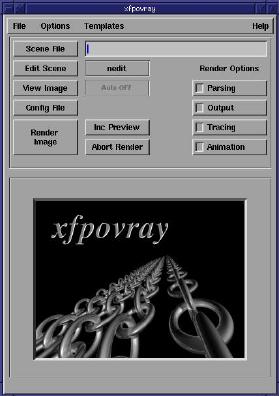 |
|||
| Figure 2: XFPovray 1.2.4 interface |
Once you've selected an editor you are ready to edit a file. Click
on the Scene File button to open a dialog box. This button sets the
default scene file to be rendered. You should do this first before
trying to edit any of your include files. The dialog box that opens
is a file selection box. This dialog has changed in the 1.3.1 version
to a format that is a little more standard for such dialogs. Figures
3 and 4 show the two versions of the file selection dialog.
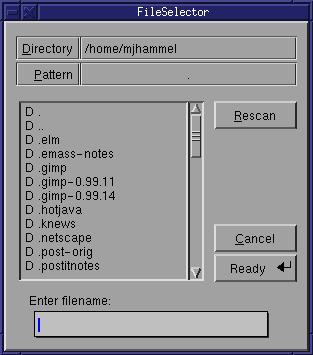 |
 |
| Figure 3: File Selection box for XFPovray 1.2.4 | Figure 4: File Selection box for XFPovray 1.3.1 |
The Scene File button only establishes the file which will be passed to the renderer. It does't open the editor on that file. To open the editor you next choose the Edit Scene button. Again, the File Selection window opens. In the 1.3.1 version the default file in this dialog is the file you chose with the Scene File button. In the 1.2.4 version you start in whatever directory you started XFPovray in originally. You can edit a file by clicking on it or use the dialog to choose another file. Once you've selected a file the editor will open into that file and your ready to do your work.
The View Image button will simply launch an image viewer on a particular image file. The Config File button will display the configuration file used for POV-Ray (not for XFPovray). The settings for many of these can be changed from Render Options (buttons in 1.2.4, a notebook with tabs in 1.3.1), although there doesn't appear to be a way to save the changes from the interface. If the defaults are not to your liking, you can always edit the configuration file (xfpovray.ini) by hand.
The rendering options cover a large number of POV-Ray options, but a
few options are not yet supported (see the web page for details on what
isn't supported). Figures 5 and 6 show the Rendering Options windows
for the two versions of XFPovray. Figure 6 was cropped from the main
window to save a little space. The render options in version 1.2.4
are displayed in the space occcupied by the povray banner image.
Figure 7 shows the tabs in the Render Options window for version 1.3.1.
As you can see, there are quite a few options you can configure from these
windows. Keep in mind that version 1.2.4 has the most of the same
options as 1.3.1, except with 1.2.4 you access them from a set of Render
Options buttons in the main window.
 |
| Figure 5: Render Options, version 1.2.4 |
 |
| Figure 6: Render Options, version 1.3.1 |
Figures 7 and 8 show some of the possible templates you can use when
editing a scene file. Templates are examples of the various primitives
and command syntax you will use in a POV-Ray scene file. To use these
templates, you first select the template you want to add to your scene
file (we're assuming the scene file is already opened and currently being
edited). This copies the template to the primary X selection buffer.
This is the same buffer you use when you highlight some text in an xterm
window. To use the copy of the template you first enter insert mode
in your editor and then use the middle mouse button (or both buttons on
a 2 button mouse that is emulating a 3 button mouse) to paste the selection
into your file. Note that when you select the template from the menus
you won't see any sort of confirmation that the template has been placed
in the selection buffer.
 |
| Figure 7: The solid primitive templates |
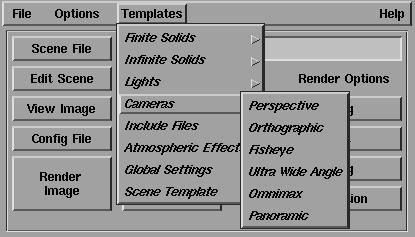 |
| Figure 8: Camera primitve templates |
Once you've finished editing the file you can render a preview of the image. Use the Render Options/Output feature to specify the size of the preview. You can even use the Inc Preview button to sample the effects provided by the standard include files! The preview uses the selected texture, color, or whatever on a sphere. You can specify the direction of lights and the camera position for the preview as well. This makes selecting the features to add to an objects texture much simpler and less error prone. Although there is still a bit of trial an error involved with creating the textures, you can at least sample some of the effects quickly and easily.
One last thing you should know before trying XFPovray. I mentioned earlier that I tried both the 1.2.4 and 1.3.1 versions. If you run the earlier version first, then upgrade to the 1.3.1 version the program seems to recognize the differences in the configuration files. However, if you have problems with 1.3.1 and want to fall back to 1.2.4 you will need to first clean out the files in the $HOME/.xfpovray directory. The earlier version will get confused by the changes to the config files that 1.3.1 uses. Its not a real concern, of course, if you don't try to back track to from the later to the earlier version.
All in all, XFPovray is quite a useful tool. When I was working
on my 3D text I first generated the include files of the text using Font3D/XFont3D.
After that, I was able to work completely from within XFPovray to sample
the images and experiment with minor changes quickly. I never had
to run the POV-Ray executable by hand, which was a real bonus since I never
can remember the correct command line options. If you do much work
with POV-Ray, I think you'll enjoy using XFPovray as your editing/rendering
front end.
|
| © 1998 by Michael J. Hammel |
When we gave the job of arranging speakers to Sam Ockman, we never doubted his ability to bring in terrific speakers. His first speaker for our January meeting was his personal hero, H. Peter Anvin. For February, we had two speakers: Eric Raymond of "The Cathedral and the Bazaar" fame and Bruce Perens of Debian. Therefore, the question became "How do you top these Linux luminaries?" Sam's answer was our March speaker, Linus Torvalds.
Until December, the Silicon Valley Linux Users Group (of which I am the Vice President) had met in the back dining room of the local Carl's Jr. (local burger chain). Carl's held around 40-50 people tightly. We had been talking about moving the meeting from this spot for some time, and some of our members who worked at Cisco pleaded to get a room for us for the Eric Raymond meeting in February. As expected, this meeting was standing room only, and we knew that with Linus coming we needed a much larger space. Again, Cisco (with Ben Woodard pushing it through) came through for us with a room rated for 350 people in their Gateway Conference center.
About a half hour before the meeting began, the chairs were full and people began to sit on the floor, against the walls and all around the room. Approximately 500 people had come to hear Linux speak. We were lucky--the air conditioning was in good shape, and the fire marshal didn't show up.
The meeting began and after the user-group formalities were complete, Linus was presented with the VA Research Excellence in Open Source Software Award, co-sponsored by Red Hat and O'Reilly. The prize was a loaded dual Pentium 333 from VA Research. In fact, Linus made out very well, receiving not only the computer just mentioned, but also a Palm Pilot professional from Klaus Schulz of 3Com and a six-pack of real beer from local legend Rick Moen. It should be noted that Linus didn't know about any of these awards before coming to the meeting.
Accompanied by thunderous applause, Linus stood before the podium and expressed his shock at the number of people who had showed up to hear him speak. He had been under the impression that it would be a small, intimate meeting like the first one he had attended last year at the burger joint.
He began his speech by telling the group what he wouldn't be talking about. He said he wouldn't be talking about user issues or MIS issues--all he would talk about was what he was doing with the kernel.
The hour-long speech (not counting the Q&A afterward) was a technical discussion of how he is improving SMP (symmetric multi-processing) support in the kernel. He talked about the challenges of moving from a single kernel resource lock for all CPUs as in the 2.0.x kernels to individual resource locks for the new kernels. He discussed the ways these changes affect things internally for the kernel, and how it affects the handling of shared memory, interrupts and I/O. Linus also spent some time talking about how the file system is being changed internally for better performance. The speech will be available on-line by the time this article goes to print (see Resources below), I'd recommend that you download it and listen to the whole thing.
In addition to videotaping the speech and taking still photos, the meeting in its entirety was broadcast over the MBone (Internet protocol multicast backbone). After Linus had finished speaking, all of the door prizes were given out, and everyone left the meeting happier and smarter than they were the day before. Special thanks are due to Linus Torvalds for speaking and to everyone else involved in making this meeting a success.
lout is a markup processor written by Jeffrey Kingston which produces Postscript output instead of a device independent file. It's underlying design was developed by the author and it allows it to offer essentially the capabilities of LaTeX with the simplicity of maintenance and resource requirements of troff. At the same time it is easier to make changes to its behaviour than it is with the other two. The details of the design are beyond the scope of this article. It is described in the documentation and I will discuss where you can read about it in more detail at the end of the article when I discuss documentation.
Basser lout is an implementation of lout for the UNIX operating system and that is the one I will discuss. It is the one that would be installed on Linux. From now on when I say lout, I will mean Basser lout. The package provides special languages for graphics, tables, equations, and graphs as well as macro facilities. It is able to automatically handle cross references, create indexes, tables of contents and bibliographies from a database all in an integrated environment.
lout can be obtained from ftp//:ftp.cs.su.oz.au/jeff/lout This article is based upon version 3.08 which is in the file lout.3.08.tar.gz.
There might be a newer version by the time you read this, but the author of lout tells me these step-by-step instructions will still apply.
I strongly suggest you also get lout.teq.2.0.tar.gz. You can have a preview of the users' guide if you get lout.3.08.user.ps.gz. This (after it is uncompressed) can be viewed with a postscript previewer or (its two hundred pages) can be printed out.
When you unpack lout.3.08.tar.gz (using tar -zxpf lout.3.08.tar.gz), you will have a directory called lout.3.08 which includes the source files, a makefile, several directories, and a few other files. Binaries are not provided. The makefile is very well written and the source compiles cleanly under Linux. I tried it with a.out using version 1.2.3 and with ELF using versions 1.3.35 and 1.2.20 of the kernel, and none of them gave any trouble. The instructions for how to compile are at the top of the makefile and you need make little changes to the original one. (If you are paranoid like me you will cp makefile makefile.dist before editing this file.) The mandatory changes are to reset the directories BINDIR, LIBDIR, DOCDIR, and MANDIR. If you have root privileges you can set them to whatever you like except that the installation process assumes that BINDIR, and MANDIR already exist. This is a good idea since BINDIR must be on every users' PATH and MANDIR must be in their MANPATH. If you are indecisive, let me suggest:
BINDIR = /usr/local/bin
LIBDIR = /usr/local/lib/lout
DOCDIR = /usr/doc/lout
MANDIR = /usr/local/man/man1
If you want to install it in an unconventional place, in directories that don't exist then create the directories BINDIR and MANDIR. I will refer to these directories generically as BINDIR, DOCDIR, etc. from now on.
Most of the other macros should be left as is. Make sure OSUNIX is set to 1 and the others, OSDOS and OSMAC are set to 0 (zero). (They already were in my copy). That is:
OSUNIX = 1
OSDOS = 0
OSMAC = 0
If you want French and/or German support read the instructions (in the makefile) for the macros USELOC and LOC_XX. (Where XX is FR or DE.) For just English support you should have:
CHARIN = 1
CHAROUT = 0
USELOC = 0
#LOC_FR = fr
#LOC_DE = de
Uncomment the relevant commented ones for language support. Choosing one of the languages will allow lout to speak to you in those languages when it gives messages. There is also support for formatting in many languages including language specific hyphenation rules. These options can be chosen at run time.
Now just do make lout followed by make c2lout when this is finished, followed by make install. This last command does a lot, including customizing the installation to your setup. You have to do some hand editing of some files if your site doesn't use A4 paper. This is a matter of editing a text file with a text editor and it is well documented in the makefile. If you prefer your error messages in a language other than English. You will find instructions in the makefile for this.
The next step is to do make clean to get rid of all the extra files produced in the building of the binaries. This leaves the original sources intact. It also leaves your modified makefile intact. If you understand where the different files go, you might want to try it out before cleaning up, because if the installation procedure is at fault you can fix up your makefile and try again, saving compiler time.
If you have some time on your hands, you can test the installation by making the user's guide. The instructions are in a README in the DOCDIR/user directory. It takes some time, especially on a slow computer. If you follow the instructions the result will be a Postscript file called op. I renamed mine to users.ps and I keep it permanently in the DOCDIR/user directory set to be world readable. This, of course, requires a Postscript viewer. I strongly suggest that you have ghostview installed if you want to use lout seriously. The user's guide is a huge document of about two-hundred pages, complete with a table of contents and an index. You will eventually need it! If you don't want to make it yourself, you can uncompress lout.3.08.user.ps.gz.
As a quicker and far less exhaustive test you can use the file sample.lt that I use for illustrating the language below. It is complete and self contained. lout writes a few files and leaves them on the disc when it is finished, for future use with the same document, so choose a directory where you have write privilege and will be able to easily locate and remove these extra files when you are through testing and experimenting with them. Here is sample.lt:
(1) @SysInclude{doc}
(2) @Doc @Text @Begin
(3) @LD @Heading{Hello World}
(4)
(5) Hello
(6) -90d @Rotate{World Hello World 1.5 @Scale Hello}
(7) World Hello
(8) +45d @Rotate{World}
(9) Hello World Hello World Hello World
(10) @ShadowBox{Hello World}
(11) .7 @Scale{Hello .7 @Scale{ World .7 @Scale{Hello}}}
(12) World
(13) red @Color Hello World! Hello World
(14) @Box paint{grey} white @Color{Hello World Hello World}
(15) green @Color 120p @Font .
(16) @End @Text
Then do:
lout sample.lt>sample.psYou should get the prompt back in a few seconds with no error messages in-between. Now on disk you have the files: sample.lt (This is the source file you wrote yourself), lout.li, sample.ld, and sample.ps. You can now print or preview the file sample.ps. I have added a number of effects. These effects are all built into lout and should be shown off. I am not claiming that the other formatters won't do the same thing, but lout will do it better for reasons I will go into later.
Like TeX, lout partitions characters into the categories: letters, punctuation, space, quote, escape, and comment. Letters are the upper and lower alphabetic and the character @. Punctuation characters are the usual ones including the various forms of braces and funnily enough, the numerals. Spaces are the space, tab, and newline characters. The last three categories have only one member each. Quote has ' , escape has \, and comment has #. The comment character at any place on a line in the source file causes lout to ignore the rest of the line.
You will deduce from the file sample.lt that commands start with @. That is a custom rather than a law. A command can be named by any string of letters. If you wish to write filters later to manipulate your source file using regular expressions, I suggest that you keep to the custom. This naming freedom comes with responsibility. Remember in sample.tex there were concatenations of commands with no space between them. TeX will deduce that a command has ended when it sees the sign of a new one beginning. This is not the case with lout. If lout sees a string starting with @ that it doesn't recognize as a command it notify you of the fact on the screen for your information. Look at last line of sample.lt. There are two commands @End and @Text. If you were to forget the space between them and write @End@Text, lout would see that the string is not bound to a known command and would treat it like text. Seeing that it starts with an @ it would politely warn you that the command is unknown. On the other hand if line (13) were to start with red@Color, the string would just be typeset literally with no warning. There is no command \Color as part of standard TeX but if there were and you wrote red\Color, TeX would still know that \Color was a command.
Another unusual feature of the lout markup language is that its commands take arguments on both the left and on the right. The command Color takes the color as the left argument and the text to bear this color as a right one. Our example at the beginning of line (13) will print "Hello" in red. In general arguments that control things go on the left and arguments representing things acted upon go on the right, but again this is custom rather than law. The name of a command is delimited on the left and on the right by either a space or a punctuation symbol. So, as a matter of fact, line (15) could have been written green @Color 120p @Font. (No space between "Font" and ".".) The same would be true if the period were replaced by the numeral 1, but if the period were replaced by the letter "a" the space would be necessary.
lout works recursively by creating more complex objects out of simpler objects. A character is an object. A catenation of characters form an object. A command applied to a string of characters forms an object, and so on. The whole document is an object. The general rule for lout is that a space in the source file between objects produces a space in the final document, but space needed to delimit objects does not. This is consistent for any character in the space category. That is "Hello" separated from "World" by five space characters will be the same as if they were separated by five newlines which is the same as if they were separated by five tabs. All would result in there being five spaces in the final document.
Let me go through sample.lt. Line (1) tells lout to read the file doc in the directory LIBDIR/include. This is called a setup file. It gives the general layout parameters such as margins, spaces above and below headers, style of page number, etc. It also calls in two other files called docf and dl in the same directory. These provide the standard commands. You can copy any of these to your working directory and modify them. You would then call them by the command @Include instead of @SysInclude[footnote 8. If you know something about SGML you will see a similarity.. If they are in a different directory from the working one, you must give an absolute pathname. There are no environment variables to specify your private cache of setup files, but a directory can be specified on the command line with the -I flag. I suggest that you make a directory called something like myinclude in your home directory and alias the command lout to lout -I ~/myinclude. Then invocations of lout will cause a search in myinclude for any files specified by the @Include command. The next line contains a standard invocation to begin the text part of a file. These three commands or longer substitutes must be in each file.
Line (2) is the statutory declaration for the actual text to begin and line (3)is the first line of the document. The string @LD there is the command for a Left Display. This groups its argument into an object and leaves suitable vertical space above and below it. The default is one line above and one line below. It justifies its argument with the left margin. If @LD were replaced by @D, the display would be centered. The @Heading{Hello World} makes a new object consisting of the string Hello World with the font size and face for a heading. By default this simply is bold face at the same size as the body. This illustrates lout's behaviour with respect to arguments. A string up to a white space is considered a single argument. Here is an analysis of the formation of the header. {Hello World} is an object. Thus @Heading acts upon the object {Hello World} to make a new object which is the string "Hello World" placed in bold face. Then @LD acts on this object to place it vertically the way a display should be placed and to align it with the left margin. The net result using the default settings will be "Hello World" in bold face with a blank line under it.
Line (4) is blank. Recall that this will produce a single space in the document. Since the header ends the line, this won't be visible so the blank line has no effect. In contrast, the other formatters treat two newlines differently from one. I like this consistency, but I have the same complaint about taking newlines literally as I do with troff. lout offers the option of using either TeX's or troff's treatment of white spaces instead of the default one. The TeX rule consistently collapses multiple spaces into one space. Unlike "real" TeX, a blank line will just produce a space in the document and not a new paragraph. In my opinion this is the best of all worlds. If you want to go this route then you have to write a macro equivalent to TeX's \hspace which requests that a specific amount of horizontal space be left. I will show you one such later when I discuss macros.
Line (5) begins the body of the section. Line (6) uses a facility that is unique to lout. The command @Rotate rotates the object appearing as the right argument by the amount specified in the left one. I haven't discussed the units of measure used by lout but you can guess that d denotes degrees. Rotations are by default counter-clockwise so -90d means rotate ninety degrees clockwise. The object to rotate is the complicated one to the right in curly brackets. I have put other geometric operations inside this object. The last "Hello" in the rotated string is the subject of the command @Scale which means to scale it. The argument on the left says how much, in this case a factor of 1.5. A scaling factor being a pure number needs no units. Note that the victim of the scaling has no curly braces around it. This is because it is automatically delimited by a white space.
Line (7) consists of simple text, because it is on a new line, it is separated from the rotated object by a space and so is a new object with a space before lt in the final document.
Line (8) is another rotation, this time forty-five degrees counter clockwise. The brackets around its argument "World" are not necessary, I just put them there to show that you can if you want.
Line (9) is just plain text. So far everything I have described will be set on the same line. It is indeed a high and very deep line because of the rotated objects, but nonetheless a line. The horizontal and vertical spacing needed for it has been taken care of automatically.
Line (10) puts "Hello World" in a shadow box. One of those things that have a shadow in the lower right corner to give a three dimensional effect.
On line (11) "@Scale" has as its argument the object {.7 @Scale{ World .7 @scale{Hello}} and .7 as a parameter. This, in turn has the object .7 @Scale {World .7 @Scale {Hello}} as its argument and .7 as its parameter, and so on. The net result is of the three words "Hello", "World", and "Hello" each one smaller than the one on its left. This illustrates the recursive nature of lout in building new objects out of already created objects. (I chose those particular ones to taper off because this is the end of the first line using the default page setup.
You can guess that line (12) adds a bit of color to the document. The only thing to remember is that only the "Hello" will be red. The use of the colors offered by Postscript are built in to the formatter. With a black and white printer the color just won't show up, but there will be no error generated.
Line (14) looks complicated, but it follows the rules of lout syntax and is hence was not hard to create with the documentation in front of me. The first command is @Box which draws a rectangular box around its argument. Some commands can take options and @Box is one of them. The paint option specifies what color to "paint" the inside of the box. The next part is the object inside the box. The thing in the box is a white colored string "Hello World Hello World". Note that there is no need to put curly braces around the whole thing because white is an argument to @Color and the whole shebang just makes a white object.
This is further illustrated on line (15) where a huge period is colored green. The new command is @Font which takes a left and a right argument. The left one is the size and the right argument is the subject of the font change. In this case we produce a period in a one hundred-twenty point font and color it green. You might have noticed that troff allows relative font changes to be additive. That is you can ask that a font be made larger or smaller by so many points. Although I didn't illustrate it, TeX on the other hand favors multiplicative relative changes, that is you can change to a multiple of the font size. lout offers both. You can specify an additive change by +2p @Font, which will add two points to the current font size, or you can specify a multiplicative change by 1.2f @Font. The unit f denotes the current font size and 1.2f means the current font size multiplied by a factor of 1.2. Line (16) contains the compulsory command to end a document. It must be put in all documents.
If you have ghostview installed, and if you have the file sample.lt on disk, you can preview it by first doing lout sample.lt > sample.ps and then ghostview sample.ps when the prompt returns. If you have a color monitor and a color X server you should see the color effects. You can, of course, print the Postscript file.
There are packages provided as part of the distribution for tables, equations, graphics, and graphs. These are more integrated than they are in troff. The equation one is very similar to the eqn of troff. The example I gave for troff will work with lout almost verbatim. In the section on installation I strongly suggested getting lout.teq.2.0.tar.gz. This is a modified equation package using Computer Modern Fonts for the mathematical symbols. I have made some tests and I think the results do look better using it. There are instructions on how to use it in the documentation. If you plan to do a lot of mathematical typesetting you should install it. It is dead easy to do. Just edit the makefile that comes with the package to tell it where the various files for lout have been installed. and do make. No compiling or linking is performed and the process is quick. According to the literature that comes with the distribution, this packages has not been included in the lout distribution for legal reasons. The creator of the fonts requires conditions in the license that are not compatible with the GNU license under which lout is distributed.
The tables package has a different syntax from that of troff, but seems to operate with the same philosophy. The results are good with the examples I played with but it doesn't offer the scope and flexibility of tbl for making really complex non-standard tables; but then again, what does?
As I said, graphics are built into lout. Nonetheless there is a graphics package to provide you with advanced features. It provides the basic objects usually found in drawing packages such as squares, circles, ellipses, and Bezier curves. These are all parameterized to allow relevant specification of size and shape. Many of the commands and parameters are lout versions of Postscript command. The important difference is that lout does the formatting whereas Postscript requires you (with the help of its programming constructs) to account for every point on the page. troff's pic package offers two levels of drawing. One is a "user-friendly" level in which you describe the drawing verbally and one that is more complicated to use which serves as a basis for the other level, and which allows automating some drawing operations which would otherwise be tedious. lout's instruction set seems to lie somewhere in between. On the other hand it is more manageable for the casual user than TeX's xypic package.
There is also a package for producing graphs, and one for formatting C and Pascal code from the sources. My line of work doesn't involve using them and I haven't tried them as yet.
lout as it is distributed is not likely to require extra macro packages. You can do just about any job you need by modifying the existing ones. It, of course, also has facilities for writing your own commands. Let me give you a simple one called @Hspace. If you take my advice and use the TeX spacing option you will find it useful:
def @Hspace
right x
{|x}
It is named after one that does the same job in TeX where it is called
\hspace. It takes one argument and leaves that much
horizontal space. For example @Hspace .5i will leave a
horizontal space of one-half inch. Because of the way lout puts
one object to the right of the previous one. There doesn't appear to
be a way to write an equivalent of TeX's \vskip. There is, of
course, a primitive for leaving vertical space.
The documentation that comes with lout instruct you to put definitions (macros) in a file called mydefs which is automatically read in when lout processes a document. I have experimented with putting them in source file along with the text with varying success. Ones that only use primitives, like @Hspace, can be put at the very top of a document before the SysInclude command. Others that use commands like @Color seem not to work unless they are in mydefs.
A consequence of the liberality of naming commands is that if you write the definition
def teh
{the}
Whenever you make the common typing mistake of typing "the" as
"teh", lout will automatically change it to the right
word. Of course you have to make a separate one with a capital
"T" and you have to make sure the term "teh" doesn't
appear in your document. This only uses lout primitives and can
be put at the beginning of the document.
I have used the word recursive in an informal sense above, but lout is recursive in the technical sense also. You can call a command within itself. This is the underlying principle behind its design. There are useful recursive examples given in the expert's guide. Reading it will give you some idea of how lout is implemented. I recommend chapter 1 of the expert's guide for general reading. I will give a useless but fun example here that I hope will illustrate the point. The lines
def @Banner
{red @Colour Hello blue @Color World @Banner}
@Banner
will write a red "Hello" followed by a white space followed by a
blue "World" repeated until a line is filled. If you want to try
it, be sure to put this definition in the mydefs.lt file and
the invocation of it (third line) in a source file.
This recursive behaviour is used more seriously in the implementation of lout. It is one of the "secret ingredients" that allows lout to offer so many facilities in such little space. See the "Expert's Guide" that comes with the distribution for more details.
lout like LaTeX is a logical markup language. The author indicates what textual elements he or she wants at a given point and the formatter will take care of the details. With different kinds of documents these details might be different. For example a section in a book is numbered differently from one in a simple article. Like LaTeX, lout takes care of these differences by providing different style files for different document structures. The ones offered in the distribution are the doc, report, book, and slides. The doc style is for simple basic documents such as a scholarly article. The report style is for technical reports. The book style is obviously for books, and the slides style is for making one or a series of overhead projector slides. If you have a color printer, you can use the color facilities in lout to great advantage with the slides style. There are variants of each of these files for output other than Postscript.
It is difficult to change the defaults in LaTeX style files. I gave an indication of such a change. It is easier in troff except for the somewhat artificial devices of setting registers with strings of numbers. Syntactically, lout is dead easy to change. The only difficulty is in knowing where to put the changes. You are told this in the documentation.
Let me give an example. Suppose you want to change the doc style so that it more closely imitates the output of troff's mm macros. (Not that I recommend doing this!) In particular you want to set the default font size to ten points, you want to make block style paragraphs the default style, and you want the headings to be in italics. Assume that you wish to do this locally rather than system-wide. Then you have to make yourself a new style file to change the paragraph style. First copy LIBDIR/include/doc to the working directory call it troffdoc. Now open up the file with a text editor. You will see the following near the top of the file.
@Use { @DocumentLayout
 # @InitialFont	{ Times Base 12p	} # initial font
 # @InitialBreak	{ adjust 1.20fx hyphen	} # initial break
 # @InitialSpace	{ lout	}# initial space style
 # @InitialLanguage	{ English	} # initial language
 # @InitialColour	{ black	} # initial colour
 # @OptimizePages	{ No	} # optimize page breaks?
 # @HeadingFont	{ Bold	} # font for @Heading
 # @ParaGap	{ 1.30vx	} # gap between paragraphs
 # @ParaIndent	{ 2.00f	} # first-line indent for @PP
 # @DisplayGap	{ 1.00v	} # gap above, below displays
 # @DisplayIndent	{ 2.00f	} # @IndentedDisplay indent
 # @DefaultIndent	{ 0.5rt	} # @Display indent
 ........
This is a list of the parameters that can be set (the list is
longer. I have included roughly what I need for this example.) Notice
that the settings are commented out. First uncomment the line with
@InitialFont and change the 12p to 10p. Now
you have your ten-point default. Now go down to the line
@ParaIndent. Uncomment it and change the 2.00f to
0f. Now you have no indentation for paragraphs. The vertical
space between paragraphs is pretty good as it stands so leave
@ParaGap as it is. Now we want to take care of the font for
the headings. Right above the ParaGap line is one with
@HeadingFont. Uncomment this and change Bold to
Slope. Now you are there. Save the file. and change the top
line of your source from @SysInclude{doc} to
@Include{troffdoc}. Now you have it. If you want to make it
system wide, and you have root privileges you can put it in
LIBDIR/include or if you wish to be dictatorial, modify
doc itself.
All three formatters offer facilities for making cross references and a table of contents. LaTeX and troff offer an interface with programs that will automatically produce bibliographies from databases and indexes. lout is unique in offering these two built in. Given that you want these features, lout is the easiest of the three formatters to install, maintain and use. My installation takes up 4.3Mb and this includes the teq package that I recommended and a package for producing bar codes. This makes it a pretty modest formatter.
I spoke about the ensemble of the other two programs. There is not much to say about that for lout. Everything is built in and is accomplished by using flags on the command line or by requesting that the relevant files be read in. Each setup file has a list of parameters at its beginning. You can change them, or you can change this parameter in your source file. For example, I made some changes to how the section headers would look in both LaTeX and troff. To change spacing above and below the header in lout I would simply put @DisplayGap{.75v} at the beginning of my file. This would change the default spacing of one space to three-quarters of a space and make the document more compact. This is considerably simpler than what must be done for LaTeX. It is easier to remember than the somewhat artificial method in troff of setting a string register.
One problem with TeX has always been that it takes an expert to manage. Unfortunately most system administrators are not interested in test formatting and so in many sites an "off-the-shelf" version is installed and the users accept the defaults or learn to change them themselves. On the other hand, a system administrator who knows nothing about lout could change the relevant line in the LIBDIR/include/doc file to read as above and the change will be universal. Ordinary users can make their private default by writing out the parameters to be changed in a file on the path specified by the -I flag described earlier. In extreme cases they can even copy the default setup file to such a place and modify any or all the parameters. With a modified doc in a private directory @Include{doc} is placed at the top of the document instead of @SysInclude{doc}.
I mentioned earlier that lout produces a Postscript file where the other two produce device independent ones. This means that the lout language can offer equivalents of all of the Postscript geometric and color commands. Since these commands are programmed into the formatter, it puts the objects created by them in a first class box. This is as opposed to Tex and troff which allow Postscript commands to be sent to a suitable driver while ignoring them during the creation of the device independent file. In this case it is up to you to provide a second class box to make room for objects created and/or transformed by the Postscript commands. The price you pay for this is a loss of device independence. ghostscript fixes a lot of this problem (see the section on Postscript) but if you have a high quality non-postscript laser printer with resident fonts, you have to abandon those fonts and get new ones. Your gain is the added flexibility of Postscript though.
The new version of LaTeX, LaTeX2[epsilon], has a package called graphics that extends the markup language to allow for rotation and scaling. There is another package called color that extends the language for employing color. Packages come out as the need for them becomes clear. For example there is one called fancybox that makes shadow boxes. However, graphics and color will only work with certain Postscript drivers at present. Thus you have to give up device independence when you use them. (I can't give you the complete collection of packages needed to match lout's capabilities. The documentation with some of them is scant. Keep in mind, however, that LaTeX2[epsilon] is in an experimental version. LaTeX3 when it comes out might have a complete package for graphic which can then be documented in the "standard literature".)
I have been assuming that documents consist mainly of text with incidental graphics inserted. There are other kinds of documents, such as advertising layouts, that should be looked at as graphics with incidental text inserted. For the reasons given in the last paragraph, lout has to be considered as the best tool for this. Closely related to this is the option of producing Encapsulated Postscript (EPS) which produces graphics files meant to be included inside a larger document. This option is invoked with the -EPS flag.
lout also offers the option of producing ASCII output. In order to do this you use the -P flag on the command line and change whichever setup file you are using to one with an "f" attached to its name. (So you would have @SysInclude{docf} in place of line (1) of sample.lt. This will not be necessary in the next version, doc will work with both outputs. If one is to judge from the text newsgroups, being able to produce both ASCII for on-line documentation, and high quality hard copy with the same source file is a very desirable feature. It is one shared by troff but not by LaTeX.
There is a trend to use fonts other than the standard Adobe fonts provided with Postscript printers. Traditional fonts like Garamond and various exotic fonts for special purposes can be bought for a reasonable price nowadays. lout is the easiest formatter in which to install new fonts and I will close this lout specific section by outlining how to do this.
First of all, with your new fonts you should have a set of outline (glyph) files. They have the extension .pfa or .pfb and they are of no concern to lout. They are installed in your postscript printer or in ghostscript. See the earlier section on Postscript for instructions on how to do the latter.
Secondly you should have a set of metric files. These are what lout wants to work with. These files have the extension .afm for "Adobe font metrics". lout uses these without modifications.
I will continue to use LIBDIR to denote the directory in which the lout library has been installed (/usr/local/lib/lout by default.) There is a directory called LIBDIR/font and that is where the font metric files are placed. You can give them any name you like that doesn't coincide with the ones already there. The default fonts have names in mostly in capitals without an extension. They are abbreviations that describe the font. For example Times Roman is denoted by TI-Rm and Times Italic is denoted by TI-It. To make things more concrete let me use the same Charter fonts that I installed in ghostscript earlier as a running example.
There are four files for the Charter fonts (at least in my version): bchr.afm, bchri.afm, bchb.afm, bchbi.afm. (By the way, the initial "b" in the name is for Bitstream the producers of the font.) These are the metrics for Roman, Italics, Bold and Bold Italics respectively. I have decided to call them CH-R, CH-I, CH-B, and CH-BI in the lout installation. I copy the files into LIBDIR/font with their new names. For example cp bchr.afm LIBDIR/font/CH-R. If you are sure you won't need them for something else, such as installing them in TeX or groff then you can move them instead of copying them. They are now installed and the next step is to tell lout about them.
Change to the directory LIBDIR/include and open the file fontdefs with a text editor. This file has long lines that should not be broken so make sure your editor is not set to automatically break lines. The file will be hard to read with a standard eighty column screen, but there is not much to it. If you are using X you can elongate the window.
The general format of the file is all in one line:
fontdef <lout family> <lout face> {<zPostscript> <font-metric file> <character map file> <Recode?>}
fontdef is the command that tells lout that what
follows is a font definition. You will put that on each line of the as
the first entry. It is the only command you need know about to install
a font. <lout family> is the family name with which
you will refer to the general family. You can choose this. I choose
the name Charter. <lout face> is the style of
face. The default body face (often called Roman) is labeled
Base, Italics is labeled Slope, Boldface is labeled
Bold and Bold Italics is labeled BoldSlope. In
theory you can change these, but I don't recommend it as if you do
some of the built-in default font selections of lout won't work
properly. You will have to be prepared to give every font change
command in its full form. <Postscript> is the official
Postscript name. You obtain that from the .afm file as I
described in the Postscript section. However note that it is written
differently in this file than it is in the Fontmap file in
that it is missing a leading "/". That slash is part of
the ghostscript language and is not used by lout. The
Postscript name includes the family and the face.
<font-metric file> is the name of the file you put in
LIBDIR/font containing the font metrics.
<character map file> is the file that tells lout which place on
the font table each character is to be found. For any font consisting
of standard alphabetical characters (as opposed to special symbols)
you will use LtLatin1.LCM. The various mapping files are to
be found in LIBDIR/maps, but you needn't be bothered with
them unless you want to do something special, like install a new
symbol font. Most of the font families don't offer a separate symbol
font anyway but rely upon the standard Postscript one. This is what
lout assumes. The last entry <Recode?> consists of the
word Recode or the word NoRecode. This is to tell
lout whether to use the character mapping. Again, unless you are
planning to do something unusual, you should choose Recode.
Next, where to put the entries for your new font. The existing fontdefs file starts out with all of the font definitions that come with lout. Put you new ones right after them. So scroll down the file until you see the last line starting with fontdef and put yours right underneath. Comments are denoted by # at the beginning of the line so you complete entry can look like:
### Added by me 1 December 1996
fontdef Charter	Base	{CharterBT-Roman	CH-R	LtLatin1.LCM	Recode }
fontdef Charter	Slope	{CharterBT-Italic	CH-I	LtLatin1.LCM	Recode }
fontdef Charter	Bold	{CharterBT-Bold	CH-B	LtLatin1.LCM	Recode	}
fontdef Charter	BoldSlope	{CharterBT-BoldItalic	CH-BI	LtLatin1.LCM Recode }
That is all there is to it. Your fonts are now installed. Now if you
begin your document with
@SysInclude{doc}
@Document
 @InitialFont{Charter Base 12p}
//
@Text @Begin
it will be typeset in the Charter font. The command @I will
call for Charter Italics, and so on. If you call for special symbols
they will come from the symbol font which is installed by default in
lout.
Note that you are free to assign lout font families to any set of font files as with the virtual font construction in Tex. That is you can take Base from the font foo with official Postscript name foo-Roman and Slope from the font bar with official Postscript name bar-Italic. If you call this new font Newfoo, your entry in the fontdefs file will begin like this
fontdef Newfoo Base {foo-Roman ...
fontdef Newfoo Slope {bar-Italic ...
This is handy because some font families have a face missing. You just
have to find one that blends in with the existing faces. This is what
is done by typesetters and you can find books that tell you which ones
blend with which.
All that I have said about installing fonts assume that the fonts are encoded with eight bits. This means that eight bit words are used to describe each character in the font, allowing a font to contain 256 characters. If you use TeX you might be aware that the original version only used seven bit words to name the characters in a font. This was changed in later versions, but the Computer Modern fonts weren't recoded for this change. The result is that each standard TeX font can only have 128 characters. What gets left out are the European special characters that are not used in English (various accents, crossed out els, etc). Instead they are formed by digraphs--the overstriking of two different characters. lout assumes that these extra characters are available and it is not set up to form digraphs[footnote 9. Of course macros can be written to form them.]. Other symbols that are on the ordinary alphabetical fonts in Postscript are to be found on the Computer Modern symbol font and code has to be written to point lout in the right direction. Thus if you want to install a Postscript version of the Computer Modern fonts in lout, such as the free BaKoMa ones, you have to do a lot more work. There is an eight bit encoding of the Computer Modern font now, sometimes known as the "Cork encoding", and when a Postscript version of these comes out, it will be easy to install Computer Modern in lout.
In a nutshell, lout offers all of the capabilities of LaTeX requiring considerably less resources. It doesn't do quite as good a job putting together the fragments that make up large delimiters, large square root signs, and the like, but it still does a good job. The difference is small enough so that I wouldn't use it as a criterion for choosing one above the other. All three of the formatters I described do a good job with bread and butter typesetting, that is line and paragraph breaking and and sane hyphenation. I wouldn't make my choice on this basis either.
lout seems to run slower than LaTeX for an equivalent job and requires more passes to resolve references that are written to an extra file, such as cross-references. If you have a slow machine, or do huge documents with a lot of cross-references, tables of contents, and so on, and if time is a factor, then you might find lout to slow for you. On the other hand, lout allocates memory dynamically and so you won't run out of memory with a complex document as you can with LaTeX.
Like LaTeX, lout offers logical markup and it is far easier to customize the layout files than it is to customize LaTeX style files. On the other hand, TeX offers a more convenient macro interface. You can write them anywhere in the document or in a separate file to be input at any point of the document, whereas with lout you have to write some in a separate file which is kept in the working directory. (There do seem to be comands that change the scoping rules, but they are not well documented.) This is hardly a disadvantage if you use one directory per document, or if you group small documents that need the same macros in the same directory, but if you keep several documents in the same directory, each needing macros with the same name, but with different actions, then you will have to do some editing of the layout file. It also makes it difficult to send a document in a single file if it uses user-defined macros. Many TeX-perts feel that it is a bad idea to put all of the macros in one file anyway; for the same reason it is not a good idea to have all of the source in one file for a large programming project. In the case of TeX, there is enough difference in different installations so that often a large document produced in one site has to be mildly edited before it is processsed or printed at another. It is far easier to find these problems if the document is logically divided into modules. (I tend to tar, gzip and then uuencode my documents before sending them by email. They pass safely through the most primitive mailing routes this way. It does depend upon the person on the other end having versions of uudecode, gunzip and tar, but there are versions of these for most operating systems.)
Of the three formatters that I described, "Barefoot" LaTeX is the weakest for drawing facilities lout is the strongest. LaTeX with suitable packages and lout as it is produce geometric transformations of objects in first-class boxes, lout is the more versatile. The gpic package that comes with groff falls down in that department, but it is by far the most user-friendly package for drawing. It can be used to produce pictures that can be imported into LaTeX with the -t option which turns it into a GNU version of tpic (as usual with more features than the original.) Pictures made with gpic can be saved as Postscript files and easily imported into lout.
You have to buy troff and LaTeX documentation. There are standard books for LaTeX which I mentioned earlier. The other book that should be on your shelf if you use LaTeX is "The TeXbook" by Donald Knuth, also published by Addison Wesley. A new version of LaTeX2[epsilon] is issued every six months so there is no chance that any book can keep up-to-date. New packages usually come with documentation, but sometimes it is pretty scant and requires considerable knowledge of TeX to decipher. Problems and solutions are usually posted in the comp.text.tex newsgroup. Good books on troff, and especially the mm macros are getting hard to find. My favorite, which is out of print at present, is "UNIX Text Processing" by Dougherty and O'Reilly, published by Hayden. O'Reilly and Associates also publish the Berkeley 4.4BSD User's Supplementary Documents which contains documentation on troff but doesn't discuss pic or the mm macros. There is no newsgroup for troff specifically, but it problems and solutions are often posted to the comp.text group.
lout comes with its own documentation. The user's guide is a book and compares with the textbooks for the other processors. If you want to go deeper into its internal workings there is the expert's guide. There are examples in both of them. I have bound the user's guide in two parts. The first comprises chapters 1-5 which contains the document formatting information and the second comprises chapters 6-11 which contains information on the individual packages. You won't see textbooks on lout on the shelves of bookstores and so if don't like the documentation provided, you are stuck. There is sometimes discussion on comp.text about lout and there is a mailing list. To subscribe send an email to lout-request@nlif.spb.su with subscribe in the Subject field.
I haven't said much about recovery from error. All of the formatters are pretty cryptic in this department. lout and troff are both the strong silent type that only say something when they need to. If lout runs into an error it will give you the line and the relative place on the line where it is detected. Raw troff gives nothing away except that there is an error. It does provide macro writers with a mechanism for error reporting and the mm package is pretty informative. TeX gives you a running commentary of what pages are being output, and what files are being read in. When it comes upon an error it gives tells you in what file and in what line of the file the error was found. It also opens an interactive window and offers several options for handling the error. I mentioned some of the more interesting ones earlier. This constant activity on the screen while TeX is running might make it appear to finish faster than lout which leaves you staring at a blank screen until something goes wrong. Just as you have to learn how to write markup, you must learn how to interpret error messages. I know from experience that you get better with experience.
There are what I would call external disadvantages to using lout. By that I mean those that are caused by the fact that it is relatively new and not used by a large number of people. This means, first of all, that you won't find, for instance a "lout mode" written for the emacs editor. Although the drawing facilities that come with lout are pretty extensive, they need some "sugar coating". For example, it is a nuisance to draw commutative diagrams in the present language[footnote 9, I assume from browsing the site ftp://ftp.cs.su.oz.au/jeff/lout that there is a commutative diagrams package in the offing.]. I would like a more user friendly way of putting named blocks of graphics together. (See Chapter 9 of the User's guide for how it needs be done at the present.)
The other external disadvantage is that publishers are most likely not equipped to handle lout source code. For camera-ready documents this is no problem, but if the camera-ready source is to be produced by the publisher, then the entire document will have to be re-keyed. Similarly if you want to email a source file to a colleague, he or she will have to have lout installed to read it.
To some extent these are problems that can fix themselves with time. For all we know somebody might be writing an Emacs mode for lout at this very moment. As far as publishers are concerned; over the years I have heard bitter complaints from fellow mathematicians that so-and-so publisher won't accept TeX document with such-and-such macro packages. The situation changes as the package gets more popular and proves its usefulness.
Lately I've happened upon a technique for making unobtrusive but pleasing screen backgrounds using Scott Draves' Flame plug-in for the Gimp. These backgrounds possess characteristics common to many fractal images, especially those created with some variation of the Iterated Function Systems (IFS) algorithms. They aren't symmetrical, but there is some mysterious organizing principle which gives them a quasi-organic appearance, though they don't really resemble any organic forms (on this planet, at least!). They also can be reminiscent of microphotographs or scanning-electron-microscope photographs.
Before I outline the technique I've been using, here are some
examples of these tile-able images:


These images were originally 512x512 pixels but they have been reduced to half size for faster loading. They are usable as backgrounds at this size but are more detailed and interesting in the original size. I've also converted them to GIF format (from JPEG) and reduced their color-usage. This has degraded the images somewhat. Generate one from scratch to see the finely detailed tracery which Flame can render.
Before starting the Flame plug-in (in the Filters->Render sub-menu) it's a good idea to first create a new blank image. It will appear with the default white background; flood-filling it first with a background color or pattern saves a lot of time later. After the Flame pattern has been applied to the image it can be difficult to alter the background without affecting the fractal portion of the image. Two layers could be used instead, but this is intended to be a quick procedure. Any background image will eventually become nearly unnoticeable after a while, so it's handy to have a fast means of creating new and interesting ones.
Once your background is satisfactory, select the Flame plug-in (a screenshot of an earlier version of the interface is in one of my articles in LG #24, Updates and Correspondence ). The main window will display a thumbnail image of a pattern rendered with random parameters and one of several built-in color-maps. Controls in the window allow tweaking several variables, such as position, zoom-level, and color-map. Click on the Shape Edit button and a new window will appear with nine thumbnail images, the center one being the original and the others variants of it. Click on any of these (with the left mouse button) and it will become a parent to eight new versions. There are several different types of mutations (such as spherical, sinusoidal, or horseshoe) available from the Variations menu. Though not immediately evident, clicking the right mouse button on any of the nine selects it and it will take the place of the original image in the main window when the "Ok" button is clicked, dismissing the Edit window.
Make any adjustments in the main window, perhaps even returning to the Edit window if necessary, before clicking the main window's "Ok" button; once this is clicked there is no going back without starting all over. Though all of Flame's thumbnails are displayed with a black background, the only part of the rendering which is applied to the empty destination image is the foreground, thus the need for the preparatory background filling described above.
The Make Seamless plug-in (in the Filters->Map menu) isn't
suited for every sort of image, but these Flame-generated images usually tile
well. After saving the image in the format of your choice, try it out with
xv -root -quit [filename] on an empty desktop. Though there are
several utilities available which will load a random background image when X
starts up, my favorite set-up is to have a simple image or background color
load in my .xinitrc, then set up a window-manager sub-menu with a
few favorite tile-able images. Here is an example from my
.fvwm2rc:
AddToMenu Backgrounds   "Backgrounds"   Title
+                       "Flame1"        Exec exec xv -root -quit ~/.backgrounds/ft1.jpg
+                       "Flame2"        Exec exec xv -root -quit ~/.backgrounds/flt5.jpg
+                       "Bluetile"      Exec exec xv -root -quit ~/.backgrounds/bluetile.jpg
+                       "Marble"        Exec exec xv -root -quit ~/.backgrounds/marb2.jpg
Have fun!
An interesting announcement was posted in late February to the comp.os.linux.announce newsgroup concerning the free availability of a new word-processor for Linux. It seems that the Maxwell word-processor had been developed by a British software company, Tangent Data Limited, with the intention of selling it as a commercial product, but for some reason the project was scrapped and the company was wound up. The three programmers involved (two of whom were partners in the firm) decided to release on the web a statically-linked Motif binary package.
I didn't really need a word-processor, but curiosity got the better of me, especially since it was just a one-and-one-half megabyte download. It wasn't hard to install (just unpack into /usr/local) but when I started it from an rxvt window, many seconds went by, with no disk activity. Evidently the license daemon is still automatically summoned, but since there isn't any licensing to do it gets confused and hangs for a while before reluctantly allowing the program to start. Finally a small control window appeared with a button on it inviting me to "open a document window"; I tried, and the window would appear for a fraction of a second before dying of terminal segmentation fault. Oh, well...off to /dev/null with that one, but before consigning the directory to oblivion, I noted the e-mail address to which comments and bug-reports should be directed, and pasted the error-messages into an e-mail message. Within a couple of hours I had a reply from Tom Newton, one of the developers, in which he stated that they had received other, similar reports from users with 16 bpp displays (which is what I use). That evening I received another message, this one bcc-ed to what must have been quite a few other Linux users who had written. It seems that so many people had tried to download the Maxwell archive that the ISP was swamped, and requested that the file be moved elsewhere. Before uploading it to Sunsite's incoming directory, the developers fixed the 16-bpp bug. The message also hinted that the application might end up GPL-ed, with full source available.
So I tried it again, and this time it would successfully start up. The
document window is a typical Motif word-processor interface, with the usual
menu- and button- bars. Here's a screenshot:
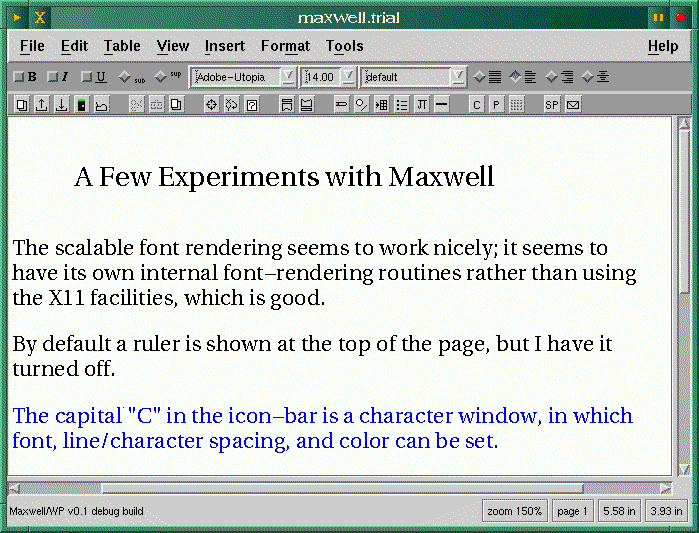
I use mostly free software, and one annoying trait I've noticed in many commercial applications for Linux is the neglect of perfectly serviceable utilities which are found on just about any Linux system. As an example, the ispell program is an efficient and dependable spell-checker, easily incorporated into other programs. Nonetheless many word-processors include their own spell-checking dictionaries and routines, one reason for their bulk.
Looking over the Maxwell files, I was interested to see that in the binary directory there are only two real files, the main executable and the license manager. The remainder of the files are symbolic links to file, grep, ghostscript, lpr, and ispell. Evidently the developers are familiar with Linux and saw no reason to re-invent several wheels. I imagine the savings in work was a factor as well.
The fonts are also represented by symlinks to a few of the fonts in the /usr/X11R6/lib/X11/fonts/type1 directory, with each one accompanied by an .mfm file, which stands for Maxwell Font Metrics. These files are automatically generated by Maxwell when it starts up and finds new fonts or symlinks installed. Adding new fonts isn't difficult (thanks to Tom Newton for this information!); just symlink them from your usual font directory (often /usr/X11R6/lib/X11/fonts) to /usr/local/maxwell/fonts/Type1 and add entries to the fonts.scale and fonts.dir files in the same directory (these are installed as symlinks, but don't have to be).
Symlinks may have to be altered in order to enable the spellchecker. A subdirectory, /usr/local/maxwell/dict, should be created if it doesn't already exist, and the various *.hash files which ispell uses should be symlinked there; these are often found in /usr/lib/ispell. When this is correctly done a typical spell-check window can be summoned.
Maxwell saves files in its own binary format which is translated into Postscript before being sent to the printer. I don't have a printer which understands Postscript, but any print-filter which will call ghostscript with the necessary switches should work; it does for me. A disadvantage to this approach is that print quality will be dependent upon how well ghostscript supports your printer. Rich Text Format (RTF) is also supported and these files can be successfully loaded by WordPerfect. There seems to be quite a clamor in the Linux newsgroups for a word-processor which can load and save MS-Word format files, but Maxwell lacks this feature. The MS word-processors do support RTF, so there is some potential for file interchange between MS apps and Maxwell.
At first I thought Maxwell used its own font-rendering routines rather than the native X services, as scalable fonts are displayed on the screen free of the jagginess X applications usually suffer from when non-bitmap fonts are rendered. The rendering is better than this, but not quite as anti-aliased as the Gimp's or Ghostscript's output. Tom Newton (in an e-mail message) stated that Maxwell uses native X calls but small chunks of text are rendered separately before the position of the next chunk is calculated.
This is a worthwhile and notable feature; it has no effect on print quality but makes for more readable text on-screen when using different font sizes.
Some of the features, such as the table-creation facility and graphics inclusion, need more work. Attempting to include a graphics file in a document will cause Maxwell to crash if it is running on a 16 bpp display. Tables can be included, but though the fields dynamically resize themselves I didn't find any way to add padding or borders around fields.
Basic page and character layout is handled much as in other word-processors, with dialog-windows as well as menus and button-bars. In short, most standard word-processor functions work well, something which can't be said for the various free word-processor projects I've tried, many of which have been seemingly abandoned. All but LyX, that is, but LyX is sui generis.
There has been a remarkable lack of public comment from the Linux community concerning Maxwell, considering how often the plea for a free word-processor is reiterated. I suspect that many people downloaded it, found that it wouldn't (in the initial version) run on a 16 bpp display, and discarded it. As I stated above, this has been remedied, and the current version is well worth a try. If the source was released under the GPL I'm sure interest would pick up and further enhancements would begin to appear.
After much of this article was written a third release (version 0.5.2) was uploaded to Sunsite. A few bugs have been fixed, and the annoying and time-consuming license manager has been removed, so the start-up is much quicker. According to Tom Newton, who has been putting together these releases, this will be the final binary version; if the source isn't released Maxwell will probably fade into obscurity.
So what will Maxwell's eventual fate be? The two former partners in Tangent Data own the rights and haven't decided what to do with it. A possibility of GPL status has been mentioned which would be interesting and useful to us all. One possibility would be to release source for the current build and then sell plug-ins or modules which would add features such as additional file-exchange filters. Support could be a fee-based service as well. This approach is being developed for the Gimp by the new WilberWorks company.
Even if the source isn't made available Maxwell is usable in its current state for basic word-processing, helping fill the gulf which currently exists between text editors and the large and feature-laden applications such as StarOffice, Applix, and WordPerfect.

There have been times when I've wished I had dictionary program with a Linux interface. One of my favorite print dictionaries is the American Heritage Dictionary, which I've used and appreciated for many years. Dux Software has been offering a Linux version of their computer interface to the dictionary (combined with a thesaurus) for some time now, but I was deterred by the $49.95 price-tag, considering the existence of a perfectly usable print copy of the book, sitting on a shelf not six feet from where I'm typing this. But there are powers which the computer-based dictionary possesses which can be quite useful. A computer excels at searching for information in a database, and combined with the power of regular expressions a digital dictionary has significant advantages.
The only free digital dictionary I've come across was an old edition of Webster's, available from Project Gutenberg in the form of two large text files. These could be searched for a word with grep, but I was looking for something with an X interface; grep would also find instances of words used within a definition, which would clutter up the output. Of course there are on-line WWW dictionaries, which are fine for people who are on-line most of the time. Users accessing the net via a dial-up connection with an ISP are unlikely to be online while writing text for which a dictionary would be needful. I happened across a usenet posting recently which led me to to this site, and before long I was downloading a 13 mb. archive containing a dictionary/thesaurus called WordNet.
The usenet announcement of the most recent WordNet release contained a
good description of the package:
WordNet is a powerful lexical reference system that combines aspects of dictionaries and thesauri with current psycholinguistic theories of human lexical memory. It is produced by the Cognitive Science Laboratory at Princeton University, under the direction of Professor George Miller. In WordNet, words are defined and grouped into various related sets of synonyms. Not only is the system valuable to the casual user as a powerful thesaurus and dictionary, but also to the researcher as one of the few freely available, lexical databases. WordNet is available via an on-line interface and also as easy-to-compile C source code for Unix.
WordNet consists of interlinked databases of words, synonyms, antonyms, and usage examples. In the best unix tradition, this data can be manually accessed via the command-line. This makes it relatively easy to create script-based interfaces which can simplify the usage of the tool and provide a windowed, menu-driven front-end. The distribution contains the source code for the basic utilities and a Tcl/Tk interface, as well as statically linked binaries and the database files.
One difference between WordNet and a traditional dictionary is the lack of etymologies, a feature typically used much less often than the simple display of meaning and syntax. The inclusion of thesaurus-like features more than makes up for this lack.
A full WordNet installation, consisting of the data-files and the command-line and statically-linked executables, occupies more than thirty megabytes of disk space. This is an ideal job for the e2compr kernel-level transparent file-compression system; I compressed the database directory and reduced it from thirty megabytes to eleven and one-half, with no noticeable speed penalty. See LG #18 (June 1997) for an introduction to e2compr.
Here are a few examples of command-line use of WordNet:
%->wn gazette -over
Overview of noun gazette

The noun gazette has 1 sense (no senses from tagged texts)

1. gazette -- (a newspaper)

Overview of verb gazette

The verb gazette has 1 sense (no senses from tagged texts)

1. gazette -- (publish in a gazette)
wn is the command-line search tool, and the switch -over shows an overview of meaning and parts of speech the word can have.
%->wn gaz -grepn

Grep of noun gaz
gaza strip
gazania
gazania rigens
gaze
gazebo
gazella
gazella subgutturosa
gazella thomsoni
gazelle
gazelle hound
gazette
gazetteer
The switch -grepn searches the noun database for any noun containing the string gaz; there are variants of this switch: -grepv, -grepa, and -grepr, which respectively search for verbs, adjectives, and adverbs. The various grep switches can be used to determine the correct spelling of a word when you are certain of the spelling of only a syllable or portion of the word.
%->wn quell -framv

Sample Sentences of verb quell

2 senses of quell

Sense 1
squelch, quell
          *> Somebody ----s something

Sense 2
quell, stay, appease
          *> Something ----s
          *> Something ----s somebody
The -framv switch used above shows how the word is used in sentences.
%->wn quell -simsv

Synonyms (Grouped by Similarity of Meaning) of verb quell

Sense 1
squelch, quell
       => suppress, stamp down, inhibit, subdue, conquer, curb
--------------

Sense 2
quell, stay, appease
       => meet, satisfy, fill, fulfill
--------------
The -simsv switch shows verb synonyms, and a variant -simsn lists the noun synonyms of a word.There are a plethora of other wn switches for finding antonyms, homonyms, and several other more obscure lexical types, many of which have easier-to-use equivalents in the Tcl/Tk windowed interface, wnb, which stands for WordNet Browser.
Here are screenshots of the browser window and a subsidiary sub-string
window, which takes the place of the -grep[nvar] switches used with
wn.
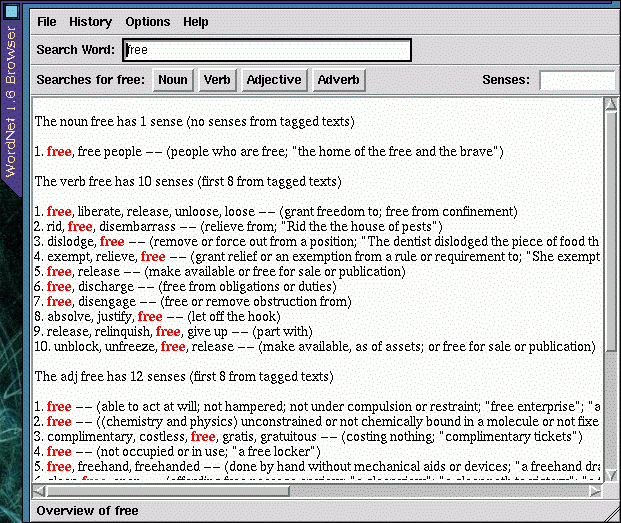
This is a convenient and easy-to-use interface, with all functions available from the menus. The output, though, isn't wrapped to fit the screen, so to avoid having to scroll sideways to see it all the window should be resized so that it is wider horizontally. You might be tempted (as I was) to try compiling the source code, so that the wnb executable will use your own Tcl/Tk libraries rather than the bulky statically-linked libraries compiled into the supplied executable file. Unless you happen to have the particular patch-level of Tcl-7.6 and Tk-4.2 which the source needs, it probably won't compile (at least it wouldn't for me). If the wnb interface was just a Tk script, it wouldn't be a big job to modify it so that it uses a particular Tcl/Tk installation, but wnb has its own specialized wish interpreter, which complicates updating the source for a newer version of Tcl/Tk. Since the supplied Tcl/Tk interface is just a convenient way of viewing the output from wn, perhaps a GTK, Qt, or Emacs-LISP interface could be coded; this would make a welcome addition to the KDE and GNOME projects. I've found that a handy way to run wn is in a separate wide-and-short XEmacs shell-buffer frame.
The documentation supplied with the distribution is complete and clearly written; it's all an end-user should need. HTML, Postscript, and man-page formats are included to cater to various reading preferences. If you are curious about the psycholinguistic theoretical underpinnings of the project, a Postscript file (5papers.ps) is available from the web-site.
While writing this article I happened to be paging through the introductory essays in the American Heritage dictionary. One of these essays was written by one of the linguists responsible for the work which inspired the WordNet project, Henry Kucera. It's called Computers in Language Analysis and Lexicography, and it's a more general (though dated) overview of psycholinguistics than the above mentioned collection of papers. If you're wondering just what in the world the "Browne Corpus" is (mentioned on the WordNet web-site), this essay explains it clearly.
WordNet isn't licensed under the GPL, but the license isn't very restrictive at all. The utilities and programs needed to create the word databases are not distributed, but the supplied files are sufficient for most needs.
WordNet can be obtained from its home site, but this is a really slow site, and I had better luck obtaining the archive from this mirror site in Germany. As useful as this package is, it really should be mirrored elsewhere as well.
Sometimes after a long stint of putting words together it can be amusing and relaxing to play with them for a while. Recently I discovered an anagram search program for Linux which has some interesting capabilities not found in other anagram programs I've seen. I'll also discuss an XEmacs mode called Conx which does much the same sort of transformation on sentences or blocks of text.
Fraser McCrossan is the author of agm and its Tcl/Tk interface xagm. Like WordNet's wn (reviewed elsewhere in this issue) agm is a command-line program, with xagm displaying its output in an X window. I appreciate programs with this sort of dual nature because they tend to be more portable. If Tcl/Tk isn't available the output could be formatted and displayed using another GUI toolkit, or simply used as a console program.
I found this release (1.3.1) of agm in Sunsite's incoming directory, but the archive was truncated. The included sample dictionary file was incomplete, but this file isn't needed to use the program (a corrected version was later uploaded which contains the complete dictionary file). Agm has the useful ability to make use of any text file as a source of words, and if you have ispell installed the dictionary file (in /usr/dict or /usr/lib/ispell) can be a good collection of words for agm. Just symlink it to /usr/local/lib/words. Several files can be concatenated on the command line and used simultaneously; the (incomplete) included dictionary file was created by combining several Project Gutenberg files, including a 1913 edition of Webster's Dictionary, a Shakespeare play, a couple of Mark Twain's works, the Jargon File, and three thesauri. This can be done temporarily, i.e. for a single search, or a new word file can be created; the default location is shown above, but this can be changed in the Makefile. The ability to select input files would be especially useful for non-English-speaking users.
Here are screenshots of two xagm windows:
A simple anagram search just takes a couple of seconds, but the time needed grows exponentially as the input words or phrases grow longer. Luckily there is an abort button in the Tcl version, and of course a command-line agm search can be aborted with control-c. Restricting the number of words in the output anagrams speeds the process up considerably, as there are so many combinations with multiple two-and-three-letter words. These anagrams tend to be less interesting, so a search with the switch -c2 is a good choice to start with.
The supplied man-page will tell you everything you need to know and more about agm, but the Tcl/Tk xagm interface is easy enough to use that the man-page shouldn't even be needed unless you want to compile a custom word-list. You might want to take a look at the xagm script and make sure the first line points to your preferred Tk wish interpreter.
The only source I know of for the program is the Sunsite incoming directory; the filename is agm-1.3.1.tar.gz. It will be moved eventually but shouldn't be too hard to find.
Buried in one of the directories of LISP files in any XEmacs installation is an odd and interesting word amusement called Conx. Based on an earlier implementation by Skef Wholey, Conx was rewritten in Emacs Lisp by Jamie Zawinski in 1991, and was last modified in 1994.
Conx is similar to the older Emacs mode Dissociated Press (accessed with the command alt-x dissociated-press). Dissociated Press acts on the current buffer, scrambling words and sentences to produce odd and sometimes humorous juxtapositions. Conx-mode takes this concept further, allowing a series of either selected regions or entire files to be loaded into a sort of word database, then releasing scrambled output into an ever-growing buffer; the process is terminated with Control-g.
There are just a few commands for controlling this mode:
Conx-mode reminds me of the novelist William Burroughs' "scissors and paste" method of combining text from various sources; he used this technique in some of his published works. Semi-random text generation can be useful as well as amusing. Sometimes it can help lift you out of verbal ruts and provide a new view of familiar text and usage.
In conclusion, here is an example of conx-mode applied to several paragraphs from two sources: Sir Thomas Browne's seventeenth-century work Religio Medici and Mark Twain's Huckleberry Finn.
Place where a hair ball would belch a community. Schism, lonesomeness. Men away all the bullfrogs councils, and riddles of Tertullian. Hurry, sparks was the sandy bottom where truth, to t'other side of the cottonwoods and an old man hove a mile of one single heresy it to confirm and an article to know by trade. Tar and cool and things we paddled over again meant morning about knee deep, and confirmed opinion of the rule of the church, or another, time. Pagans first cast at a spelling book.
Some months ago I bought a copy of SDCorp's Linux port of Corel's WordPerfect 7, and have spent a fair amount of time learning to use it; during the same time-period I have also been using various pre-beta releases of LyX 0.11, and more recently the new 0.12 release. In this article I will attempt to compare the two pieces of software, both of which are intended to produce high-quality printed documents, but which have such radically different methods of accomplishing this task. It's not quite an apples-and-oranges comparison, but approaches that state.
The WordPerfect Corporation is now owned by the Canadian firm Corel, but a group of former WordPerfect programmers and other employees in Utah (WordPerfect's former home) have formed a company called SDCorp. This company has ported WordPerfect 7 to Linux and other unix variants, and have made the port available as a downloadable demo (see their web-site); the program is also available on CDROM. The demo can be registered by purchasing an e-mailable key-file.
A few years ago WordPerfect was one of the most popular word-processors available, first under DOS then later in Windows versions. It still possesses a significant user-base, but it has been losing ground recently to the ubiquitous Microsoft Word word-processors. Any text-processing system which uses a proprietary document format is reliant upon either other users making use of the same format or the availability of high-quality document filters for translating documents into other formats. Microsoft has made this situation more difficult by continually "upgrading" their Word format in a more-or-less backwards-incompatible fashion, forcing other software firms to rewrite their document filters.
WP occupies an increasingly rare niche in the text-processing world, as it's a full-featured word-processor but isn't one component of a massive "suite" of related programs, such as MS-Word, Applix, and StarOffice (at least in the Linux version; the Windows version is sold as a suite component). This has advantages and disadvantages. On the plus side you don't have to bother with making room for components which you might not need, and the tendency towards bloat is lessened. On the other hand, some users like the interoperability of a suite's components, and disk space is cheap these days. If you want a word-processor which is quick to start up, can print well on most printers (including inexpensive dot-matrix machines), and does a good job with included graphics files, WordPerfect is a good choice. Of course, the price is a sticking point for Linux users accustomed to high quality free software. What you get for the money is a wide variety of good printer drivers, many input and output filters for different document formats, easy graphics inclusion, and a time-tested interface and document-processing engine. This word-processor is also less memory-hungry than some competing products, requiring roughly the same resources as does GNU Emacs.
One reason for WordPerfect's popularity is the "reveal codes" feature, which shows an editable view of the current file with the internal formatting codes visible. This gives the user more control of the underlying text-processing, comparable to but not as extensive as the flexibility LaTeX tagging allows.
WordPerfect has its own documentation browser, complete with a handy topic-search utility. Unfortunately the help is nowhere near as complete and detailed as the exhaustive hardcopy manuals which used to be included with the DOS versions.
Making new fonts available to WordPerfect isn't immediately intuitive; there is a separate program called xwpfi in the /shbin10 directory which facilitates this process. Rod Smith has written an informative series of web-pages which contain useful techniques for dealing with WordPerfect and fonts; they are available at this site.
The April 1998 issue of the Linux Journal has a quite favorable review of WordPerfect written by Michael Shappe. Since that review was written the retail price has been reduced, and there is a fifty dollar discount if you have an old version of WordPerfect or a registered copy of any of several competing products. Incidentally, I've never noticed the slight keyboard lag Michael Shappe mentions in his review; my hardware is roughly equivalent to his, but for me WordPerfect keeps up with typing as well any text editor under X. He did mention that his test machine is a laptop, so the difference in video drivers and screen type may have something to do with his slow response.
SDCorp has recently announced student pricing as well, which brings the price ($59.00) closer to those of some competing products.
From the free (or open-source) software world comes a different sort of program with similar purposes. Lyx makes no attempt to display the exact appearance of the document, just a version which is readable and looks good on the screen. Rather then WYSIWYG (what you see is what you get) the developers describe it as WYSIWYM (what you see is what you mean). The major difference is the reliance upon a configured LaTeX installation. A typical TeTex installation (the flavor of LaTeX supplied with both Redhat and Debian) occupies about thirty megabytes of disk-space (add another five to six mb. for LyX), while a WordPerfect installation needs over seventy. So a LyX installation is really more compact, but some people are put off by the reliance upon LaTeX, as it has a reputation of being abstruse, suited to academics rather than to ordinary people desiring to compose and print out nicely-formatted documents. One of the design goals of LyX is to shield the user from needing to know too much about LaTeX and how it works, though provision is made for users who would like to include LaTeX commands directly.
LaTeX users often edit their marked-up text in a text editor (Emacs with AucTeX is popular), leaving either xdvi or a Postscript previewer such as gv or ghostscript running so that an updated view of the formatted document can be viewed at will. This also works well with LyX, though it will seem to be a cumbersome approach to users accustomed to the single document view of a standard word-processor. Using LyX I more often don't view the formatted document until a late draft, as the LyX-formatted view, though not identical to the printed output, is close enough for writing purposes.
If you have previously tried the last beta release, 0.10.7, 0.12 will come as a pleasant surprise. After dozens of developer's releases in the past year many bugs have been dealt with (and new features added), but even more significant from a new user's perspective is the greatly improved documentation. Several levels of help and introductory document files are included, ranging from very basic (intended for people who have no experience with LaTeX) to an exhaustively complete reference manual. Midway is the very well-done User's Guide, which helped me get up to speed quickly. All of the documentation is available from the menu-bar. Naturally (since LyX is still in beta) some of the documentation is still incomplete, but in its current state it is superior to much of the commercial software documentation I'm familiar with.
An interesting site-specific document is generated during installation and is subsequently available from the help-menu. It's called LatexConfig.lyx; it consists of an inventory of LaTeX packages found on your system along with pointers for obtaining useful packages which may be lacking.
LaTeX (and thus LyX) is unparalleled in its handling of documents with complex structure, dynamically keeping track of section numbers, footnotes, and references even in book-length documents. WordPerfect's abilities in this area are sufficient for most needs, but lack some of the dynamic updating LyX is capable of.
Though most non-academic users have little use for accurate rendering of mathematical equations, LyX provides an easy-to-use and convenient interface to LaTeX's mathematical modes. WordPerfect includes an Equation Editor which can do most of what LyX can, but it's much less intuitive. I was able to enter equations into a LyX document without reading the manual, whereas WordPerfect's interface is cryptic, and it seems some study of the documentation would be necessary to get very far with it.
Many LaTeX users are still a little irked that while LyX can convert its internal format to usable LaTeX, converting an existing LaTeX document still isn't supported. Included with the LyX source (though not with binary distributions) is a Perl script which can do limited conversion from LaTeX to LyX. It doesn't work with all documents, but might be worth a try. This sort of conversion is planned for a future version of LyX, along with compile-time user-interface toolkit configurability. In other words, LyX could be compiled with either the current XForms toolkit, GTK, Qt, or perhaps Motif. There have been numerous complaints about the appearance and usability of the XForms widget-set, with which LyX has been developed; personally I don't think it all that objectionable, but being able to choose would still be welcome.
Recently Matthias Ettrich, who started the LyX project a couple of years ago, impulsively (along with one of the main KDE developers) ported LyX to KDE, using the Qt tool-kit. Strictly speaking, there was nothing wrong with doing this, as the source for LyX is free. But some of the other LyX developers were unhappy about this, as it raised the possibility of a fork in the development, and they were informed about this port after the fact. The source for the Qt LyX port is available from the main KDE site; it wouldn't compile for me, but you may have better luck (for some reason, I've never been able to compile the KDE stuff). After a few more beta source releases binaries of KLyX will be made available.
These are both high-quality packages, but if either of my two teen-age kids needs to type something for school I'll steer them towards WordPerfect. It can be immediately be used by someone familiar with MS word-processors. LyX has a little more of a learning curve, and its dependence on a working TeX installation is often seen as a drawback by those unfamiliar with TeX. Any up-to-date Linux distribution includes configured TeX packages which are easy to install. LyX has the advantage of using a more portable document format; files saved as LaTeX source can be edited in any text editor. It's also free, and under active development.
Since the initial release of WP 7 for Linux there have been no bug-fixes, either as revised binaries or patches (that I know of). I imagine the resources devoted to working on the SDCorp port hinge on the quantity of copies sold. I wonder just how many licenses have been sold; in the free software world, program enhancements and bug-fixes tend to be proportional to the number of users and user/developers. Commercial software doubtless is affected in similar ways.
In my case, I've been able to get higher-quality printed output with WP than with LyX, but the reverse is probably true for users with different printers. Luckily the demo of WordPerfect will let you determine just how well the appropriate printer driver works with a specific system. Rod Smith's above-mentioned web-pages are an invaluable reference for setting up printers and fonts for WP, while the LyX documentation contains a good overview of configuring Ghostscript and dvips for use with LyX. It's not necessarily an either-or situation; I like having both programs available, as they each have their strengths.
Regular expressions are the most flexible way to search for text patterns. Since over twenty years they were used in several Unix tools and utilities such as grep, sed, or awk. This article guides you to implement this Unix base search technique in C++.
Everybody who has worked with a Unix system knows the useful regular expressions. You find them in grep, awk, or emacs for example and they are the most flexible way to specify search patterns. Everybody who has ever used a tool like grep wants never miss its flexibility--or is there anybody who wants?
The great usability of search tools such as grep is a result of regular expressions. Remove these pattern matching technique from grep, substitute it by another search algorithm, e.g., Boyer-Moore, and the resulting tool is a toy--a fast toy, but a toy! (Do you know a DOS tool called find which is a result like this...)
But joking apart. Pattern matching with regular expressions is the basis of many search algorithms in many tools under Unix and so under Linux, too. The power of this search technique is undisputed.
The target of this article shall be the implementation of regular expressions in a reusable C++ class. This article shall be your guide and introduction to the fascinating world of "pattern matching".
First of all a few principles about pattern matching with regular expressions.
To specify a pattern you have to use a computer processable notation. This notation, or language, is in our case the regular expression syntax.
The regular expression language consists of symbols and operators. The symbols are simply the characters of the pattern. To describe the relations between this symbols the following operators are used (listed in descending priority):
The closure operators in most regular expression implementations are:
To specify a concatenation no special operator character must be used. A string consisting of each other following symbols are a concatenation. ABC matches "ABC" for example.
An alternation is described with a "|" between the alternative regular expressions. A|B matches either "A" or "B".
In extended regular expression implementations a few other operators used to describe complex patterns more efficient. But this article shall be only a little introduction into the syntactical possibilities and not a detailed reference.
To search for a pattern which is specified by a regular expression you cannot compare each character of the pattern and the text. Caused by the closure and the alternation there are so many possible ways in complex patterns that they cannot all proved by a "conventional" algorithm. A more efficient technique must be applied. The best way is to build and simulate an automaton for the pattern. To describe a search pattern specified by a regular expression you can use non-deterministic or deterministic finite state automata.
An automaton can assume several states. It can pass from one state into an other depending on a specific input event which is in our case the next input symbol respectively character. And here is the difference between deterministic and non-deterministic finite state automata. A deterministic automaton has only one next state for a specific input symbol. A non-deterministic automaton can have several next states for the same input symbol.
Both kinds of automata can be used for every imaginable regular expression. The two types of automata have there own advantages and disadvantages. For everybody who wants to know more about these automata types in context with regular expressions the book /1/ can be recommended. In our implementation we will use non-deterministic automata. It's the most used strategy to implement a pattern matching algorithm and it's a bit easier to construct a non-deterministic than a deterministic automaton basing on a regular expression.
Figure 1 shows a state transition diagram of a non-deterministic finite state automaton for the pattern a*(cb|c*)d. It contains all types of operations--an alternation, two closures and tree concatenated symbols. Note that the bracket which contains the alternative symbols is one symbol for the concatenation. The start state is the rectangle at the left side. The finite state is shown at the right side--rectangle with diagonal line.
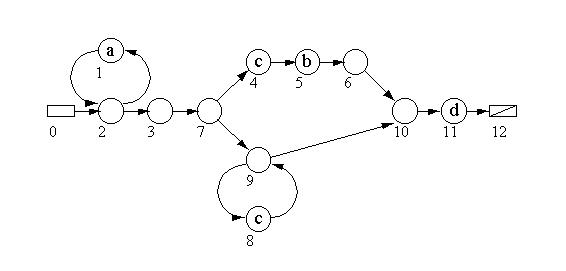
This little pattern and its automaton demonstrates the problems of pattern matching very well. At state No. 7 it is not sure which state will be the next for a input character "c". The states 4 and 9 are possible ways. The automaton has to find out--to guess--the right way.
If the text string "aaccd" shall be matched for example the automaton will start at state No. 0--the start state. The next state, No. 2, is a zero state. This means that there is no character which must match to enter this state.
The first input symbol is a "a". The automaton goes to state No. 1 which is the only way. After matching the "a" the next input character will be read and the next state is No. 2 again. For the next input character which is also a "a". the last two steps are repeated. After this the only possible way is to go to state No. 3 and 7.
Here we are in the state which may cause problems. The next input is a "c". Here we see the true power of the automaton. It can guess the right way which will be state No. 9 and not No. 4. This is the soul of a non-deterministic strategy: the possible solutions are found out. They are not described by an algorithm which works "step by step".
In the real world of programming we have to prove all possible ways, of course. But more about the practical side a bit later.
After the decision pro No. 9 the automaton goes over 9, 8 (1st c matches), 9, 8 (2nd c matches), 10 and 11 (d matches) to state No. 12. The end state was reached and the result is that the text "aaccd" matches to pattern "a*(cb|c*)d".
A regular expression implementation can always be split into a compiler, which generates a automaton from the given pattern, and an interpreter or simulator, which simulates the automaton and searches for the pattern.
The heart of the compiler is the parser which bases on the following context free grammar:
list    ::=	   element | element "|" list
element ::=	( "(" list ")" | v ) ["*"] [element]
This EBNF diagram (=Extended Backus-Naur Form) describes the (reduced)
regular expression grammar. It is not possible to explain context free
grammars or the EBNF in this article. If you are not familiar with these
topics I can recommend /1/ and /3/ for example.
In our sample implementation we will only implement the basic operators | and *. The other closure operators + and ? we will not implement. But with the help of Figure 2 it will no problem for you to implement it, too.
The complete regular expression functionality will be encapsulated in the object class RegExpr. It contains the compiler and the interpreter/simulator. The user is only confronted with the two constructors, one overloaded operator and four methods for compiling, searching, and error handling.
The pattern can be specified by calling the constructor RegExpr(const char *pattern), by using the assign operator = or the compile(const char *pattern) method. If re is an object of RegExpr the following lines will set the pattern "a*(cb|c*)d":
RegExpr re("a*(cb|c*)d");
or RegExpr re; re = "a*(cb|c*)d";
or RegExpr re; re.compile("a*(cb|c*)d");
To search in a text buffer or string you can use the methods search()
and searchLen(). The difference between these methods is that searchLen()
expects a reference to a unsigned integer variable as an additional
parameter. In this variable the length of the matching substring is
return. Note that the closures, but also the alternation, cause that
the length of the found substring can vary, e.g., a* matches
"", "a",
"aa", etc.
In tools, such as grep, you won't need this additional information. Here you can use search instead of searchLen(). This method is a simple inline which calls searchLen() with a "dummy" variable.
The error handling is complete exception based. If the compiler indicates a syntax error in the currently processed regular expression it will throw an exception of type xsyntax. You can catch this exception in your program and call the method getErrorPos() which returns the character position at which the error occurred. This may look like this:
try {
	re.compile("a*(cb|c*)d");
} catch(xsyntax &X) {
	cout << "error near character position "
<<
	X.getErrorPos() << endl;
}
Another error which can occur is "out of memory". This
error--caused by
the new operator--isn't uniform processed by current C++ compilers. gcc
for example handle such an error with a program termination. Some
compiles throw exceptions. The rest does absolutely nothing and waits
for other errors which will definitely occur. You solve this problem
in every ANSI C++ compiler by using the function set_new_errorhandler()
(declared in new.h) to set a routine to handle this error. In most cases
I write a little routine to throw an exception which indicates this error
type and set this routine as error handler for the new operator. This is
by the way an easy solution to program a portable error handling which
can be used by all ANSI C++ compilers and under every operating system.
A RegExpr object contains a method called clear_after_error() to clear itself when a error occurred respectively a exception was thrown. A call of this method is necessary because an error leaves the compiler or simulator in a indefinable state which can cause fatal errors at other method calls.
The grammar which was previously shown in an EBNF diagram is implemented in the methods list, element and v. list and element represent the productions of the EBNF. v is a method which implements the special symbol v. This symbols means in the grammar a character which is not a metacharacter (|, *, etc.). It can also be a backslash sequence like \c where c is any character. By using the backslash the special significance of a metacharacter can be removed.
This three methods operate on a array called automaton. The array consists of struct variables which contain information of the states of the automaton. Every state entry contains the indices of the next state(s) and the character which have to match. If the state is a zero state this information will be a zero byte ("\0").
Our implementation is a top down parser. It uses directly the recursive strategy of the context free grammar--every production is coded as a function. The parser splits the who pattern respectively regular expression into lower parts until it reaches a terminate symbol. Figure 3 shows the parse tree for "a*|b". First list is entered which branches into non-terminate element, terminal "|" and non- terminate list. element detects v and "*" and goes down to "a". The other list part goes directly down to "b" by passing element and v. The parse tree of our sample regular expression can be seen in Figure 4.
Every non-terminate symbol represents a function call in our parser. The top down strategy is the easiest way to implement a parser from a context free grammar respectively EBNF diagram. You see the most important thing here is an error free grammar specification!
Inside this methods the states of the automaton are generated. For every character of the regular expression a state will be created. The only exception is the operator | which will be compiled to two states.
The methods return to its caller always the entry point (index of state) to the generated part automaton. The end of the part automaton is always the last current state which index is stored in the attribute state of RegExpr. You see the several part automata in Figure 5.
The red numbers indicate the new generated states for the operation. The succession of the numbers is defined by the parser which reads a string from left to right. The returned entry point or state is marked, too. You realize that it is very important to tell the calling function where the entry point is because it isn't always the one with the lowest index!
The states--and so the whole automaton--are generated in this way step by step by a top down parser. It isn't very helpful for you to write more about this automaton creation. It's better you type in the sources, compile it and watch the algorithm in action by using a debugger.
A little annotation to the automaton. It is implemented by the static array automaton in RegExpr. This is definitely a poor rudimentary implementation. In a practical and useful program you have to use a better strategy, e.g. an aggregate object class in RegExpr which works with a dynamic array.
Note that this implementation of the automaton can cause fatal errors if the pattern is to large! It has no checking function which breaks pattern compilation if there are no more states.
But it is not difficult to implement the automaton as class which administrates it in a dynamic array or a linked list.
After the compilation of the pattern we can execute the generated code respectively simulate the automaton. The complete intelligence of the search algorithm is implemented in the method simulate().
It was previously hinted that the automaton guesses the right answer but this a theoretical view. A computer simulation of a non-deterministic finite state automaton must prove every possible matching way through this automaton. Sedgewick (/3/) has implemented a interesting algorithm to do this. Our algorithm shall base on this technique.
Sedgewick's system has some disadvantages for practical application. The First disadvantage is that its grammar needs a character after a closure otherwise it can't find it. But this is a problem which can be solved by a patch very soon--and our implementation has already solved this. The second problem is a bit more complex. Sedgewick's implementation quits after the first match. This means that it doesn't find the longest matching string. For example: If you search for "a*a" in "xxaaaaaxx" it will find only "a" instead of "aaaaa". Our implementation will solve this problem.
The idea that a program can guess the right way might sound ridiculous. But the heart of such a software is to prove all possible way and accept the last matching as the right. Here is a parallel proceeding the decisive key.
Every branch of the automaton will be tested and if not fitting removed. It's a bit a "trial and error" method. Every possible way will be tested parallel with the others and removed when not matching the current processed character of the search through text.
The basic element of this algorithm is a deque. A deque is a double ended queue. It's a hybrid between stack and buffer. You can push and pop data (stack) but also put (buffer). In other words: You can add data to the head and to the tail of this data structure.
This behavior is important for our algorithm. The deque is split into two parts:
The main loop in simulate gets a state from this deque and tests the conditions. If the character in the_char of this state matches the current processed character in the searched through text the indexes of the next states (next1 and next2) will be put at the end of the deque. If the read state is a zero state the next state values will be put on the start of the queue. If the state is next_char (-1) the next character in the searched through text will be processed. In this case next_char is put at the end of the deque.
The loop will be terminated if the end of the text is reached or the deque is empty. The last case arises when no more matching parts are found.
As so far it sound like the version of Sedgewick but the difference is that when state becomes zero the loop won't terminate. It is accepted as a matching part and this information is stored but the loop will go ahead! It will search for possible other matches.
After the termination of the loop I returns the last matching result or--if the pattern wasn't found--the start position of the search minus one.
To download the listings and makefile, click here.
eg.cc is a little egrep implementation. It shall demonstrate the usage and the power of RegExpr. eg reads from standard input or from a optional specified file and print every line which contains the pattern:
Usage: eg pattern [file]RegExpr is in this (minimal) implementation not perfect of course but it will be a good basis for experiments. A few things which can be changed or implemented are:
Web Security Sourcebook claims to be "a serious security source book for Web Professionals and users." Each chapter covers one aspect of security, ranging from basic browser security to firewall design.
The material covered in Web Security Sourcebook is fairly simple--I would expect that any Linux user could easily understand everything presented in the book. The target audience for Web Security Sourcebook is anyone with some computer experience but with little knowledge of computer security. It is mostly a summary of beginning, and some intermediate, topics.
The first chapter, "Caught in Our Own Web", is the introduction to the book. The authors present a quick history of the Web split into four stages: the beginning, HTTP, server-side scripts and client-side scripts. Security features (authentication, confidentiality, etc.) are quickly outlined.
Chapter two, "Basic Browser Security", outlines the features of Netscape Navigator and Microsoft Internet Explorer. The authors cover all of the preferences that deal with security and comment on how they should be configured. A section on Internet Explorer's Content Advisor (basically a Web "ratings" system) is included.
The next chapter is mostly about user privacy. There is a section that describes certificates, mostly describing their flaws, a very brief section on passwords and a good description of cookies. Then the authors turn to privacy and anonymity. Simple proxies, Chaum mixes and anonymous remailers are also described.
Chapters four and five address the security concerns of client- and server-side scripts. Security issues of Java, Javascript and ActiveX are outlined. The section on server-side security covers system security as well as web-server security. It is mostly aimed at Unix users.
The next chapter, "Advanced Server-Side Security" consists mainly of CGI scripts and server-side includes. Information about code signing and auditing tools is also provided.
"Creating Secure CGI Scripts" is the name of chapter seven. It informs the reader of a few common security holes in CGI scripts. It also outlines Perl, Tcl and Python as three capable CGI scripting languages.
Chapter eight is an introduction to firewalls. The authors describe what firewalls can do and how they interact with various protocols. The placement of the firewall is explained in the second part of the chapter.
Chapters nine and ten outline transactions on the Web. IPSEC is discussed in detail. Secure HTTP, SSL and PCT are explained. The authors then explain several "digital money" standards. A good comparison is done between six of the competing standards.
The final chapter outlines the future of security on the Web. It explains the problem of building in security "after-the-fact". The authors point out some issues that often affect security, although they aren't always thought of in that sense (such as "deliberate incompatibility"). The chapter ends with a section titled "What we need in the future".
The book includes two appendices. The first one is a brief description of encryption, hash functions, digital signatures and so on. The second one is a list of all the books and URLs that the authors mentioned in the book.
Web Security Sourcebook is fairly light reading and can be finished quickly. The writing is adequate, although there are places where I found the descriptions lacking or imprecise.
One thing that I often find annoying about security-related writings is the use of scare tactics. Web Security Sourcebook does have its share of scare tactics, but for the most part uses realistic stories that honestly try to inform the reader.
The information that Web Security Sourcebook presents is useful although a bit shallow. The book tries to cover a lot of ground and is only 350 pages. If the book had been devoted solely to practical security fixes, it might have impressed me. However, it included only a few specifics and then went on to describe firewalls and transaction standards (which would also have been interesting in more detail).
If you want an introduction to Web security and you have very little experience with any sort of computer security, you might be interested in Web Security Sourcebook. If you know much about encryption, or have studied firewalls, or know about quite a few Web client and/or server security holes, you will probably be disappointed by this book.
If you want to learn everything that was covered in this book and you have the money, I would suggest getting a specific book on each of the three or four concepts that Web Security Sourcebook covers.


My wonderful wife... :-)
Yup, I'm afraid that it's time to permanently close up shop here at the 'ol Weekend Mechanic. Time constrains and just the day to day necessities are starting to catch up and I just simply need to spend more time taking care of family matters. I sat down and figured out the time the other day: I've been in some form of training -- undergraduate, graduate, or residency -- for the past 13 1/2 years! I'm about to take a sabbatical :-)
But before I go, I need to take a minute and say thanks to an awful lot of folks: to Tim, at Tennessee Commerce Net, who graciously offered to host the Linux Gazette way back in the summer of 1995; to Matt Welsh for his kind offer to bring the LG under the wing of the LDP; to Marc Ewing, Donnie Barnes, & Erik Troan, the "Boys at RedHat" who sent their encouragement (as well as CD's, a t-shirt, books, and the familiar Red Hat... thanks!) way back when; to Phil Hughes for his interest in and willingness to take over the LG when it simply became too much; to Marjorie Richardson, for actually taking over the day to day care and feeding of this thing (as well as shouldering the hassles and burdens that come with this job -- such as truant columnists such as your's truly...); to the myriad of authors and contributors who have much more faithfully than me contributed to the success of the LG by giving of their time and talents...
And mostly, to my lovely wife, without whose unflagging love, support, and encouragement (and willingness to be an all-too-frequent "computer widow") none of this could have happened. To all of you I want to humbly say,
Thanks folks, it's been great.
So what are we now up to?
Well, as most of you know, I finished up at Middle Tennessee State University this past December and immediately started working for Dr. Ed Shultz in the Information Management Department here at Vanderbilt. We've licensed a clinical database system from a Dr. Prakash Nadkarni at the Yale University Medical Center. Dr. Nadkarni's Advanced Clinical Trials Database System (ACT/DB) is a rather sophisticated clinical trials data management system currently hosted in the Oncology arena. My job has simply been to get the system working and integrated into the larger clinical information system here at Vandy, which has so far proven to be an interesting and often challenging endeavor. For those who might be interested in such things, Dr. Nadkarni has an article in this month's (March, 1998) Journal of the American Medical Informatics (JAMIA) describing the ACT/DB system. We've also submitted an abstract for a theater presentation of the system at the upcoming AMIA meeting (again, for you medical informatics type folks out there... :-)
I'm also working now on trying to set up a formal Medical Informatics Fellowship through the National Library of Medicine here at Vanderbilt. A good deal of my time is now spent trying to get ready for this, especially as the August 1 submission deadline approaches.
Anyway, if you've made it this far, thanks for hanging in there. I really do owe one last HUGE bit of thanks...
Dear Linus,
Thanks so much for one drop-dead kool kinda OS!
Your fan,
John
I'll see y'all around. Take care,
John

Got any comments, suggestions, criticisms or ideas?
Feel free to drop me a note at:
Document Information:
$Id: issue27.html,v 1.3 2003/02/03 21:50:18 lg Exp $
This page describes how to convert low-end 386/486 PC's into standalone X Window Systems terminals which can serve as graphical terminals to your existing Linux/Unix workstations.
Here at the Mechanical Engineering Dept. at the University of Minnesota, we inherited a number of old IBM PS/Valuepoint 486 machines (16 Meg memory, 200 Meg HD) with keyboards and monitors, and were trying to find a way to get some good use out of them.
Originally, we discussed placing Linux on them (our department already has dozens of Pentium-class Linux machines which are quite popular), but decided that with their low disk space and memory they wouldn't run fast enough to suit our current users' needs, and that it wasn't economical to upgrade them.
Our solution was to install a minimal Debian Linux system on them (base install plus basic networking, X, and a few utilities), and configure them to act as X terminals, allowing us to provide extremely cheap fully-graphical terminals, which are used in graduate student offices and as X interfaces to our headless Unix servers.
xdm is a "display manager", providing X login windows to users. The traditional use of xdm is to provide a graphical login on the local display on an X11 workstation, so that the user does not need to start up X "by hand".
However, xdm can also provide graphical X11 logins to remote machines, such as NCD Xterminals. The only requirement is that the remote machine speak X.
What we are describing here is configuring a cheap PC to act just like one of these Xterminals.
Setting up the 486 PCs as graphical X terminals fairly straightforward, consisting of just a few steps:
I'll discuss each of these steps in turn.
Since our existing Linux systems run Debian Linux we chose to use it for these PCs as well.
On each system, we installed just the basic Debian system from floppy, which provides a very bare-bones Linux system with networking support. No user accounts were created, since none are needed (since no users actually log into the machine itself).
Next, Debian packages of XFree86 3.3 were loaded on each system. We loaded the base X11 libraries, the X extensions, the S3 X server (since the PS/Valuepoints have 2-meg S3-based video card), and all the X11R6 fonts.
Finally, we installed a few additional packages for convenience,
including basic networking utilities (
The first step was configuring X to run locally on each PC. An XF86Config file was created for the machines using the standard 'xf86config' utility, with a couple of considerations:
Once we were satisfied with the configuration of the X server, we then tested if it could connect to a workstation running xdm ("rayleigh" in this example):
X -quiet -query weberwhich gives us the standard xdm login window for "weber":
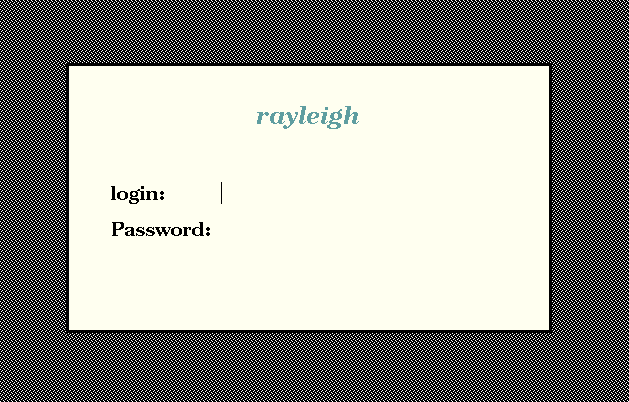
So, we now know everything is basically working. If we just want the PC to talk to a single workstation, then we are basically done. The only remaining step is to make sure that X is started upon bootup. We can do this with a script in /etc/init.d/xterm.
On a Debian system, we install it with 'update-rc.d xterm defaults 99'. (The procedure for Redhat, Slackware, etc., is similar). We then reboot the machine to make sure it starts X upon boot.
We've already set up a basic X Terminal. However, it can only talk to a single machine. If we would like it to be able to connect to a number of other machines, we'll have to have at least one machine in our network configured to provide a host "chooser" to our X terminals. In this discussion, the machine providing "chooser" xdm services is called "weber" (note that in this example "weber" is a Linux box, but it could be any xdm-enabled workstation).
The first step is to configure weber to provide the chooser to hosts that connect through an "indirect" XDM connection. This is controlled by the Xaccess file (located in /etc/X11/xdm on Debian machines, it may be located under /usr/lib/X11 or another location on other machines). Typically, the default Xaccess file on most systems is fairly well commented and includes a number of simple examples, so it's pretty easy to figure out.
Basically, you have to add a line to the file of the form
hostname CHOOSER host-a host-bwhere hostname is the name of the host to provide the chooser to (it can be a wildcard such as "*" or "*.domain.name", the CHOOSER tells xdm to provide a chooser to these hosts, and the remainder of the line is a list of machine names to list in the chooser. If you use the special hostname BROADCAST, it will list all xdm-enabled machines on the local network.
So, if we want all machines to be given a chooser that allows them to select any machine on the local network, we'd make sure Xaccess has the line
* CHOOSER BROADCAST
However, in our system we have a number of machines in different subnets, so we can't rely on a broadcast to find them all. So we use
* CHOOSER machine list ...instead.
Additionally, we can specify different lists for different machines. As mentioned previously we wanted to use one of the PCs as a graphical terminal for our headless SGI workstation (which runs xdm). So we have this machine, "console", be given a list of only the server machines:
console.me.umn.edu CHOOSER server1 server2 ...
The next step is to modify the X terminal to connect to the XDM server using an 'indirect' query. We first test it by logging into the X terminal PC, and starting X with
X -indirect weberand we should then see the chooser come up:
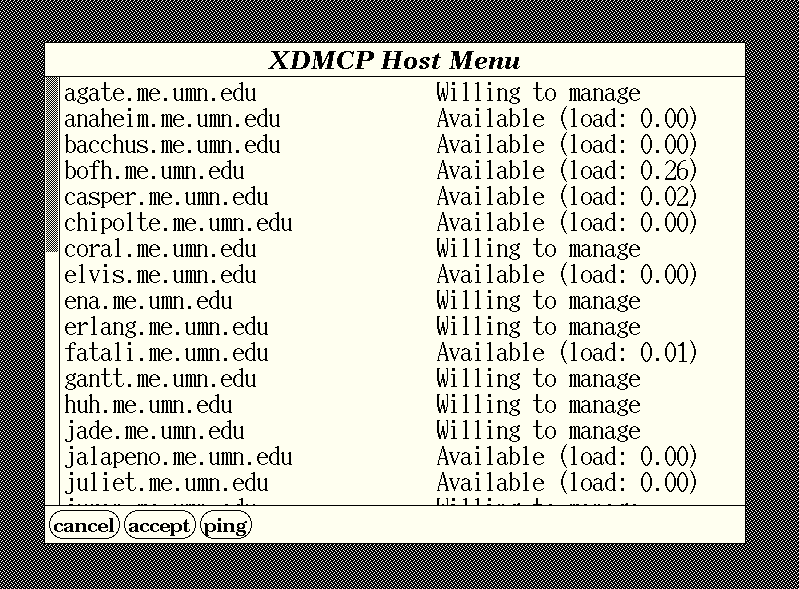
So now that we know it works, we change our /etc/init.d/xterm script, replacing the "-query rayleigh" with "-indirect weber".
Well, now that we've got everything basically working, all that we have left is to clean up the configuration of the chooser so it is a little more useable and visually pleasing.
The chooser can be configured using X resources. By changing these resources we can do things such as change the chooser fonts, the layout of the list, and the colors. These resources are set in /etc/X11/xdm/Xresources (or a similar location on non-Debian machines).
On our systems, we wanted to do the following:
Chooser*geometry:               810x500+300+225
Chooser*allowShellResize:       false
Chooser*ShapeStyle:             Oval
Chooser*viewport.forceBars:     true
Chooser*label.font:             *-new century schoolbook-bold-i-normal-*-240-*
Chooser*label.label:            Available MEnet Hosts
!Chooser*list.font:             -*-*-medium-r-normal-*-*-230-*-*-c-*-iso8859-1
!Chooser*Command.font:          *-new century schoolbook-bold-r-normal-*-180-*
#ifdef COLOR
Chooser*label.foreground:               white
Chooser*label.background:               midnightblue
Chooser*Command.background:            gray80
Chooser*list.columnSpacing:         25
Chooser*list.defaultColumns:         2
Chooser*list.forceColumns:         true
Chooser*list.verticalList:              true
Chooser*internalBorderColor:            black
Chooser*Command.font:           -adobe-helvetica-bold-r-*-*-12-*
Chooser*viewport.useRight:      true
#endif
Finally, we wanted to get rid of the default X11 "thatch" pattern on the root window, since it gives a horrid moire effect on small monitors. To do this, we tell xdm to use a shell script, called "chooser.script" instead of the normal "chooser". This script simply sets the background to "skyblue4" and runs the normal chooser. We set this in /etc/X11/xdm/xdm-config, adding the line
DisplayManager*chooser: /usr/lib/X11/xdm/chooser.scriptwhere "chooser.script" is
#!/bin/sh
xsetroot -solid skyblue4
/usr/lib/X11/xdm/chooser $*
The final result looks like:
A lot more customization is possible, through both X resources and the XDM configuration scripts. Consult the xdm man page for more details.
With relatively little work, and very little subsequent administration (the X terminals seldom crash, and don't need software updates), we converted a bunch of "junker" PCs into rather useful X terminals (I've even done a 386 this way and it runs fine).
As a final note, it's important to point out the while the particular systems I've described here are PCs running Debian Linux, the same technique applies equally well to resuscitation of any older X11-capable machines, such as older Suns (Sparc ELCs), HPs, and SGIs...

 Murray Adelman
Larry Ayers
Jim Dennis
Chris DiBona
John M. Fisk
Michael J. Hammel
Clint Jeffery
Richard Kaszeta
John Kodis
John Little
Eric Marsden
Shamim Mohamed
Oliver Müller
Kirk Petersen
Dave Wagle
Thanks to all our authors, not just the ones above, but also those who wrote giving us their tips and tricks and making suggestions. Thanks also to our new mirror sites.
This month we say good-bye to our "Weekend Mechanic", John Fisk. John began Linux Gazette as a learning project for himself, never dreaming how popular it would become with the Linux community. When he turned LG over to SSC, I was very pleased he planned to continue writing for LG. I appreciate all of John's contributions and will miss having his column in our pages. I know you will too.
Bye, John, keep having fun!
Marjorie L. Richardson
Editor, Linux Gazette, gazette@ssc.com
Linux Gazette Issue 27, April 1998,
http://www.linuxgazette.com
This page written and maintained by the Editor of Linux Gazette,
gazette@ssc.com







 The Mailbag!